Hello,
I have created a geometry nodes setup to make a moving sine wave that follows a bezier curve, which then modifies the object (like a curve modifier, but built in geometry nodes). However, I’m having trouble with the animation.
This is the first part of the GN setup for creating the sine wave:
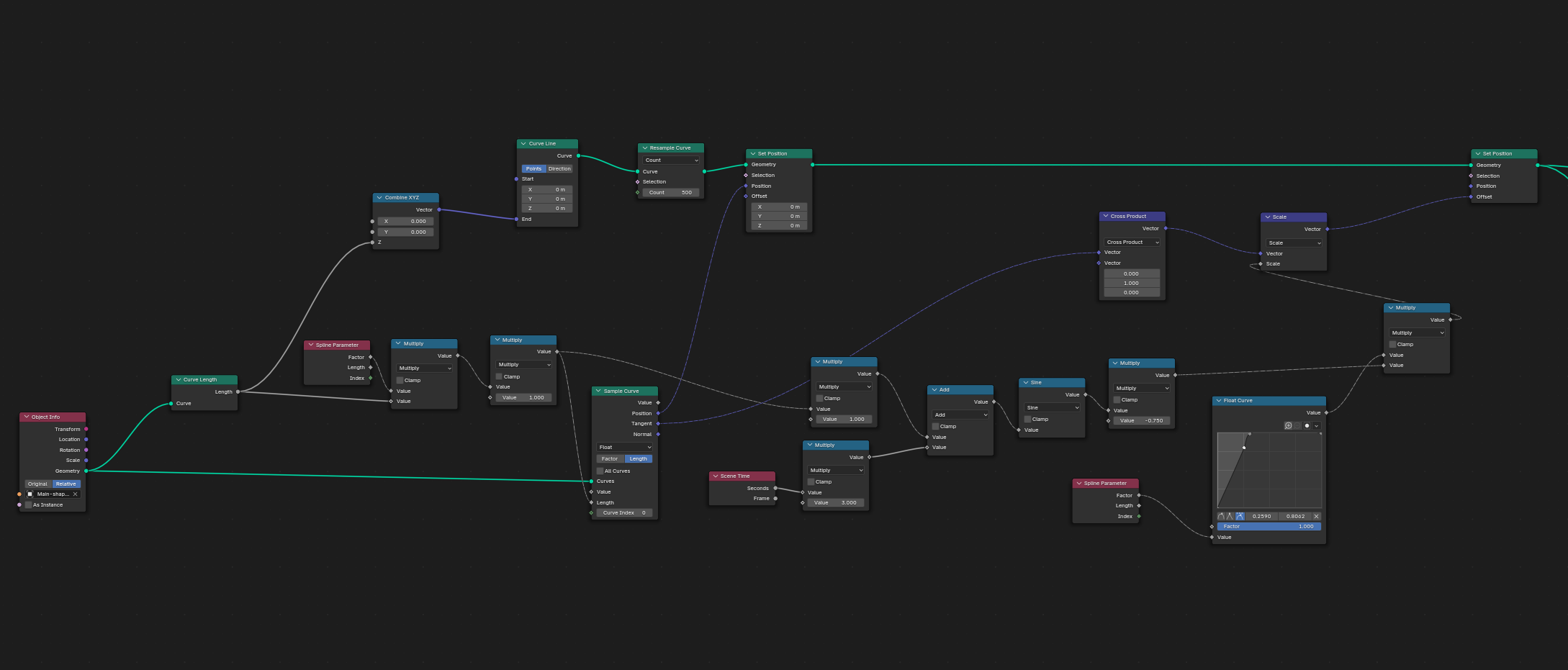
And this is the result, which moves smoothly:
Then, I add a setup to modify the object along that sine wave (the set position nodes are the same in both images). The GN setup is applied directly to the object that is being modified.
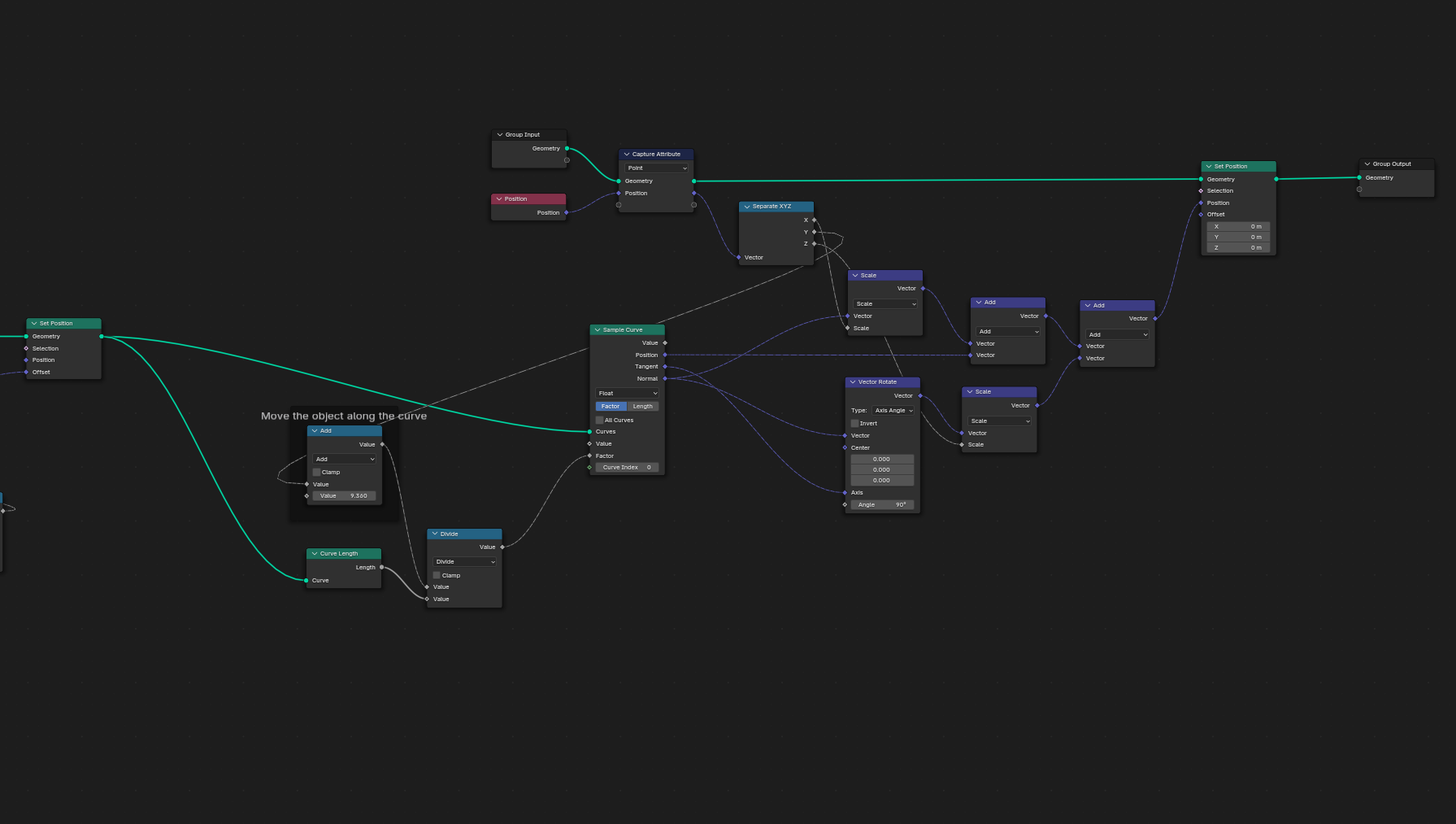
The model curves as it should, but the animation isn’t smooth. I keep getting this “inchworming” effect. It is best seen on the tail, where it moves, stops, and then rapidly moves again.
I’m not very proficient with GN, and since most of this was built by following tutorials, I just can’t figure out how to make the movement consistent without that inchworming effect.
I would really appreciate any insights! 
