you can use a solidify modifier in your ocean object to have the water surface with a bit thickness… for the smooth limits problem, just add an edge split modifier on top.
This will not, however, give any volumetry to your water, so you’ll probably need another object to represent the water below surface.
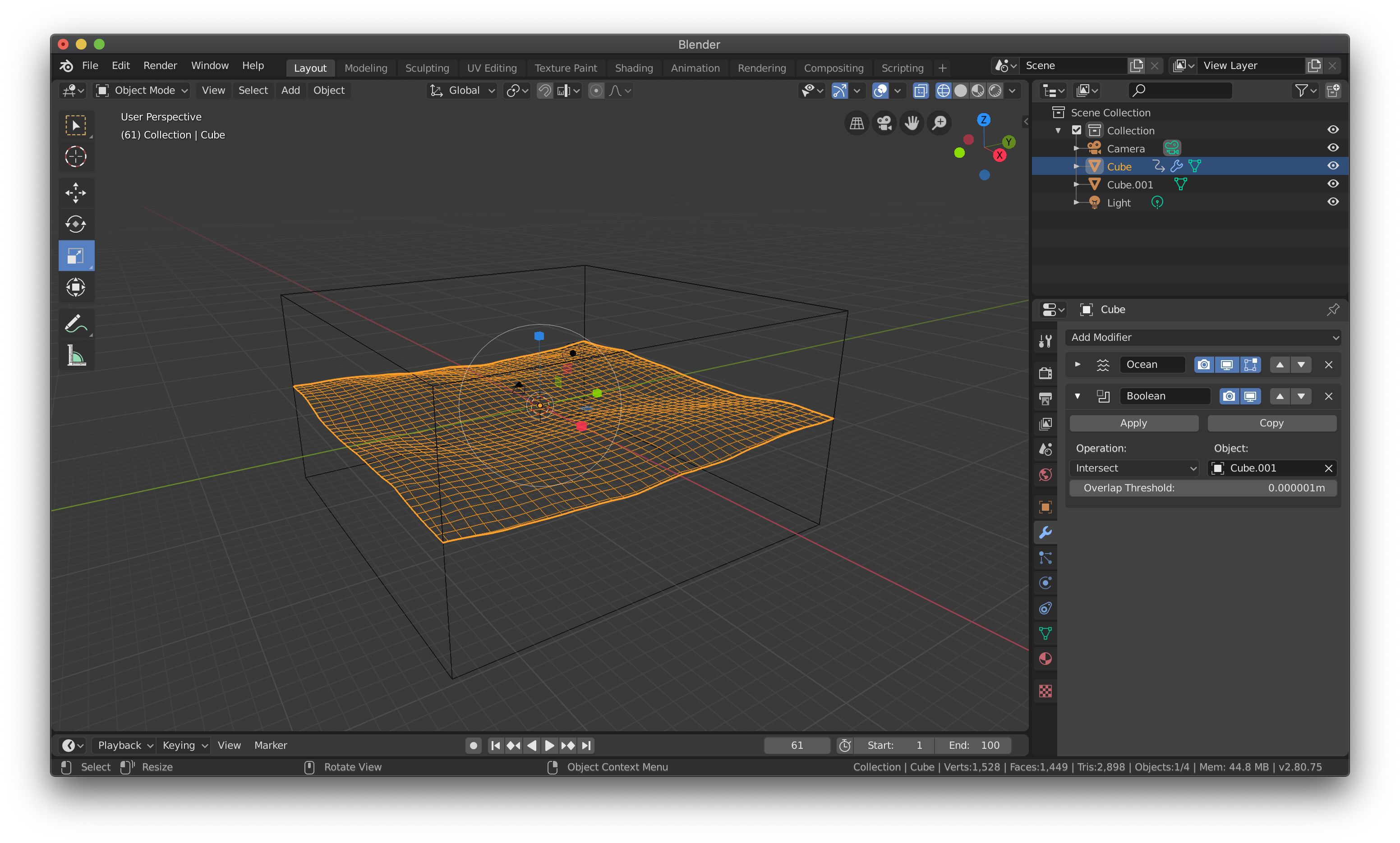
For this, you can duplicate your ocean, and delete the solidify from this copy, and add a cube to the scene, with a boolean modifier in it, set to intersect your duplicated ocean. (this ocean can be placed in a hidden layer, or set to unrenderable)
the boolean modifier did the job! i added the boolean modifier to the ocean and intersect with a cube. now i don’t need to add
2 oceans. it worked well! and i can also animate it;)
those lines are the other side of your object, refracted through the object. This is what it’s suppose to happen when you have a glass/water object like that.
For a less realistic material, you should experiment mixing a Transparent and a Glossy.
I am a newbie to blender and am trying to do this in blender 2.8…and struggling!
So I have added an ocean modifier to the default cube, then added a second cube, resized it to be slightly smaller than the ocean plane in X & Y and extended above and below in Z. I then added a boolean modifier to the ocean plane, set to Intersect, and selected the second cube.
What I want to do is to remove the faces above the ocean and then apply a material to emulate water below the ocean (transparent, slightly blue, etc…).
I will want to add a seabed at some point and then animate the ocean (which I have figured out how to do by inserting keyframes against the time value in the ocean modifier).
Net result is to create a cross section of a patch of ocean and seabed.
What am I doing wrong? Has something changed in blender 2.8 that means I am missing a step or two?


 )
)