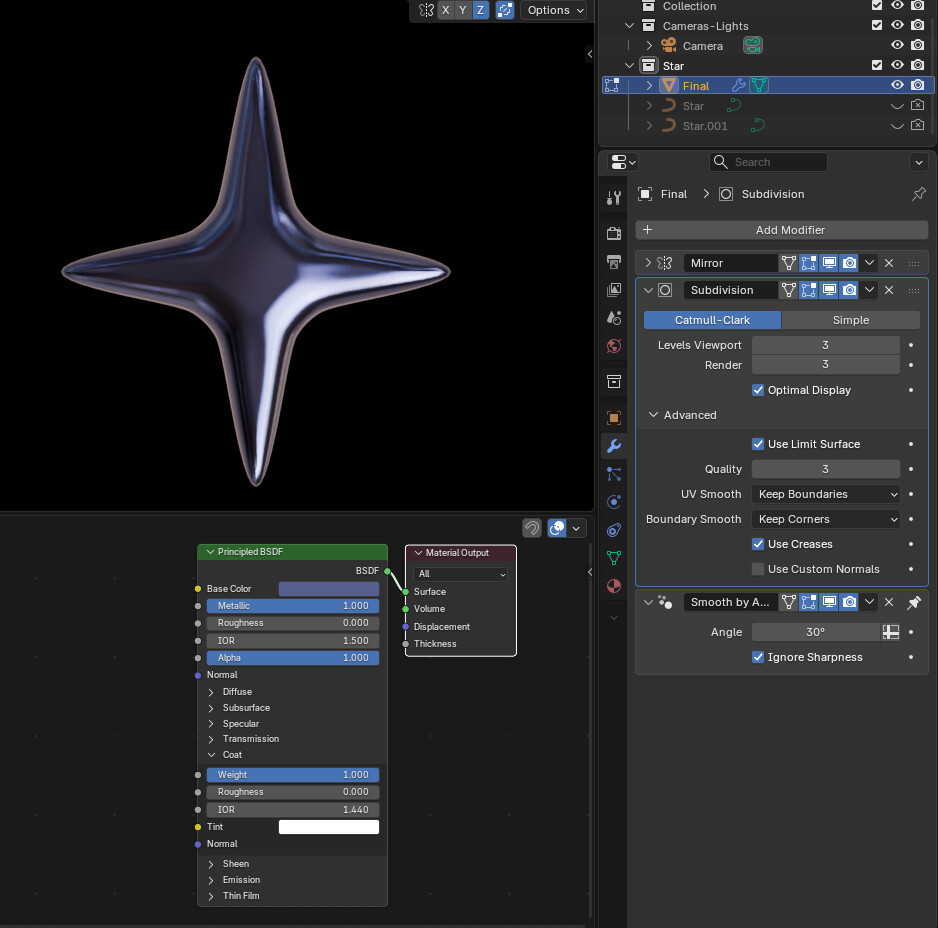
Hi,
Im trying to make graphics like in the picture from SVGs, kind of a spherical relief. How do I achieve this? when I add bevel modifier or subdivide modifier, it just messes the mesh up.


I meant how do you make it beveled in a sperical way like in the picture.
You mention SVG. This is a 2D vector format, not a rendered image with pixels. It is possible it could be produced using a mesh gradient (mesh refers to blending vectors in 2D) in a 2D app like illustrator. I cannot see the details because the image is so small. If there are fine details in that reflection a mesh gradient won’t work well. There are vector renderers for Blender but I do not think they can achieve a vector mesh gradient.
I may have misinterpreted your question. You are not looking for a method to create an SVG as in the example from Blender.
Do you want to make a 3D model to reproduce the form only?
Im trying to take a svg and turn it into somthing looking like in the picture, give it depth and make it curved like in the picture.
The picture is very small and “taken” from above… so it is not clear what exactly you want.
So when using a SVG as a base (which might not be a bad or good idea ) like so:

then this might end up by using some curve possibilities or converted to a mesh like so:
singleStar.blend (130.9 KB)
and looking like this…

But this all depends on how you want to have this look like.
I went about it a slightly different way…
Added a 4-pointed star from Add/Curve/Profiles/Star
Converted to mesh…
Used limited dissolve till just the outer points and those around the curve…
Used Bridge Loops and a few other tweaks like Proportional edit for the Puffy look, till topology looked like this
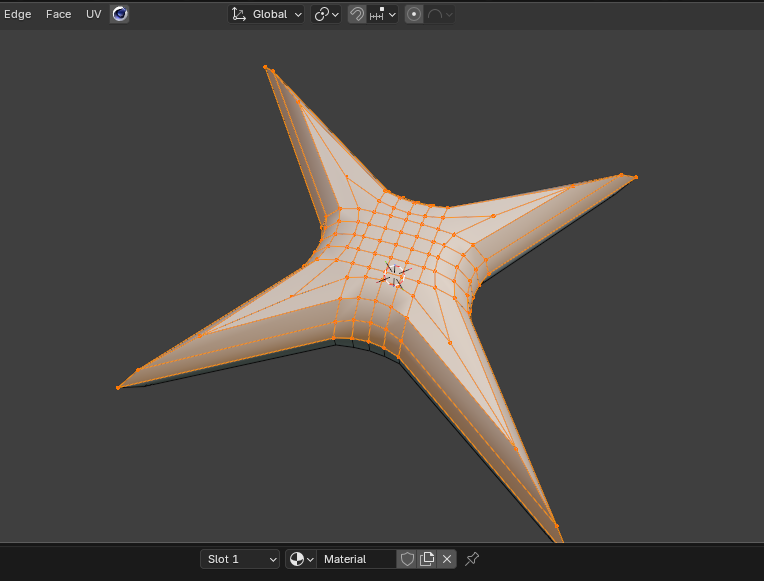
Added an HDRI, a principled shader with metallic, gloss, and a bit of Blue color