This isn’t elegant but at least you could call it a start. There’s already a built in method for measuring edge length so we just need to do that for each edge and sum them together.
https://docs.blender.org/api/current/bmesh.types.html#bmesh.types.BMEdge.calc_length
# ##### BEGIN GPL LICENSE BLOCK #####
#
#  This program is free software; you can redistribute it and/or
#  modify it under the terms of the GNU General Public License
#  as published by the Free Software Foundation; either version 2
#  of the License, or (at your option) any later version.
#
#  This program is distributed in the hope that it will be useful,
#  but WITHOUT ANY WARRANTY; without even the implied warranty of
#  MERCHANTABILITY or FITNESS FOR A PARTICULAR PURPOSE.  See the
#  GNU General Public License for more details.
#
#  You should have received a copy of the GNU General Public License
#  along with this program; if not, write to the Free Software Foundation,
#  Inc., 51 Franklin Street, Fifth Floor, Boston, MA 02110-1301, USA.
#
# ##### END GPL LICENSE BLOCK #####

bl_info = {
    "name": "Measure Tools",
    "author": "Chris Kohl",
    "version": (0, 0, 1),
    "blender": (2, 80, 0),
    "location": "View3D > Properties",
    "description": "Track previous selection when new selection made",
    "wiki_url": "https://blenderartists.org/t/how-to-measure-the-sum-of-the-length-of-all-edges-of-an-object/1224932/2",
    "tracker_url": "",
    "category": ""
}

import bpy
import bmesh
import os
from bpy.types import Panel

class KO_OT_Measure_Perimeters(bpy.types.Operator):
    bl_idname = "ko.measure_perimeters"
    bl_label = "Write perimeters to file"
    bl_description = "Measure perimeters of selected edge loops and write them to a text file"
    bl_options = {"UNDO"}

    @classmethod
    def poll(cls, context):
        return context.selected_objects is not None

    def execute(self, context):
        # Must apply scale transform otherwise the measurement will be wrong.
        # However, you could probably calculate the scale delta(?) and adjust the numbers as needed
        # without forcibly applying scale (If you were smarter than me)
        bpy.ops.object.transform_apply(location=False, rotation=False, scale=True)

        context = bpy.context
        sel = context.selected_objects

        result = ""

        # Measurement has to be done in edit mode.
        bpy.ops.object.mode_set(mode='EDIT')

        for obj in sel:
            me = obj.data
            bm = bmesh.from_edit_mesh(me)

            object_edges = [e for e in bm.edges]

            perimeter_length = 0.0
            for e in object_edges:
                if len(e.link_faces) < 2:
                    # Measure length of e with calc_length
                    perimeter_length = perimeter_length + e.calc_length()
                elif len(e.link_faces) > 1:
                    bpy.ops.object.mode_set(mode='OBJECT')
                    self.report({'ERROR'}, 'ERROR: Connected faces detected in selection.  Only works with stand-alone loops of edges or single unconnected faces and n-gons.')
                    return {'CANCELLED'}
            print(str(obj.name) + " length is: " + str(perimeter_length))

            result = result + (str(obj.name) + "," + str(perimeter_length) + "\n")

        # Write result to file
        # Ensure all folders of the path exist. Make the directory if it doesn't exist.
        path = "C:/YOURFOLDERPATH/"
        os.makedirs(path, exist_ok=True)

        # Write data out (THIS WILL OVERWRITE THE FILE IF IT ALREADY EXISTS)
        with open(path + "YOURFILENAME.txt", "w") as file:
            file.write(result)
            file.close()

        # Finally return back to object mode
        bpy.ops.object.mode_set(mode='OBJECT')
        return {'FINISHED'}

class PanelMeasureTools(Panel):
    bl_idname = "VIEW3D_PT_measure_tools"
    bl_label = "Measure Tools"
    bl_space_type = "VIEW_3D"
    bl_region_type = "UI"
    bl_category = 'Measure Tools'

    def draw(self, context):
        layout = self.layout
        col = layout.column()
        col.label(text="Measure Perimeters:")
        col.operator("ko.measure_perimeters", text="Make it so")

def register():
    bpy.utils.register_class(KO_OT_Measure_Perimeters)
    bpy.utils.register_class(PanelMeasureTools)

def unregister():
    bpy.utils.unregister_class(PanelMeasureTools)
    del bpy.types.Scene.ko_measure_tools_props

if __name__ == "__main__":
    register()
Before running the script, set your file name and file path on line 85 and 81 respectively.
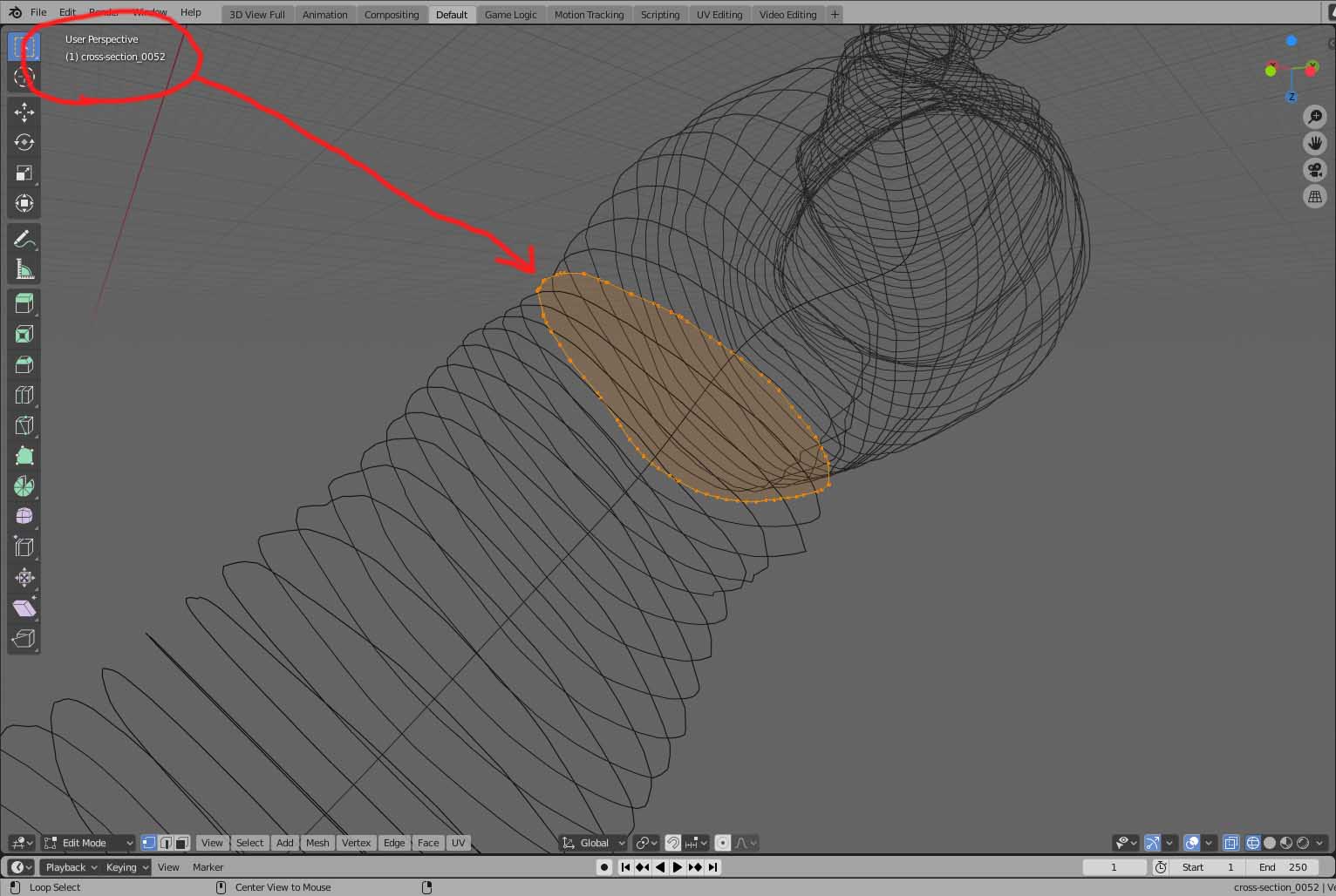
This adds a panel and a button into the n-panel. Select your slices (in Object mode, not Edit Mode) and then click it.
Limitations:
- It seems to me that the calc_length method will always return length in meters, regardless of the units or scale being used in the scene? I’m not familiar enough with how units and scale work to conclusively say if there is a more proper way to do this.
- You have to open the scene and select all the objects you want to measure (in Object mode, not Edit Mode) rather than, say, having it grab everything automatically. Could be easily improved in a v 0.0.2.
- The file name and file path are hard-coded. I tried to add a text entry field for setting file path but I kept getting problems registering the functions so for now this is the state of things.
- It forcibly applies the object scale (because measurement will be wrong if the object isn’t at 1.0 scale unless you can calculate the difference, which I’m not smart enough to do)
- If the file already exists it will overwrite that file and there will be no warning.
- Not really a limitation so much as a deliberate choice: Only works on objects that are solely composed of floating loops of edges, e.g. like the Circle primitive type, or on objects that are unconnected single faces/n-gons that are not connected to other faces. Measuring edge length on a normal object wouldn’t produce a real result.
Edit (2020-05-09 23:27):
Version 0.0.3 is much better. See post 9 and 10 for changes.
Measure_Tools_v_0_0_3.py (10.1 KB)


 )
)