I have a complex 3D model and need to set some rectangle flat plane on many faces
Is there a trick or a script to help do that for a lot of faces on the 3D model ?
thanks
I have a complex 3D model and need to set some rectangle flat plane on many faces
Is there a trick or a script to help do that for a lot of faces on the 3D model ?
thanks
Sounds like retopology. Check out the shrinkwrap modifier or snapping.
In object mode you can align rotations when snapping but not in edit mode. So if your planes are separate objects from their snap targets this is easy. Otherwise you will have to separate them first.
You could try Duplication options
Select the faces, duplicate them and separate from the main model to make a proxy object.
You could then use this with dupliverts/duplifaces to add a plane object to these faces.
If you use dupliverts it will allow you to add the duplicated object aligned to the vertex normal.
Or use the particle system to add an object particle to every face of the proxy object
let me give more constraints
I have to add a specific rectangle plane size to certain location of some faces on the big 3D model
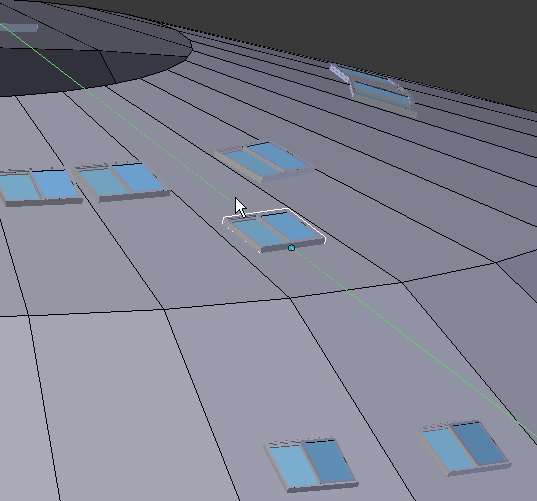
like adding windows at certain location on some 3D surfaces
so I can manually align some face to the view but when I add a rectangle in edit mode I loose track of the face I first selected
ok if i set the cursor on that face It might be a job for a small script I guess
I have like 100 windows to add on 100 different faces on 3d model
and cannot really use the shrink-wrap tool in this case
thanks anyway
Oh ok like Dance House in Prague!

If it’s not all the faces - select the faces you want to put the rectangle on, duplicate them, separate them into a temporary object, and then child the rectangle to them. Now make the duplicates real and delete the temporary object.
building looks very nice but I wish it was that easy !
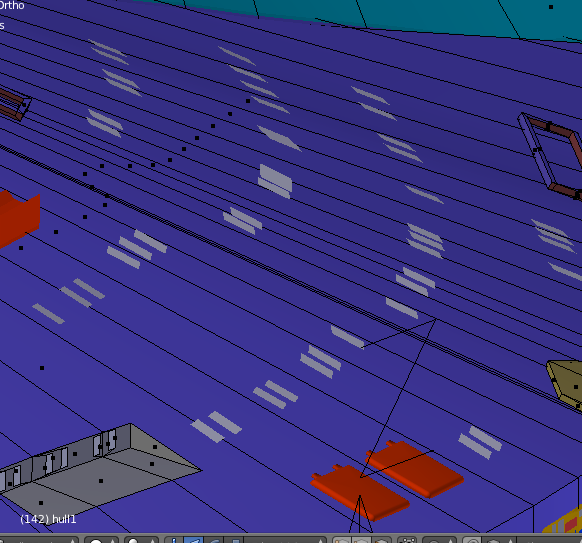
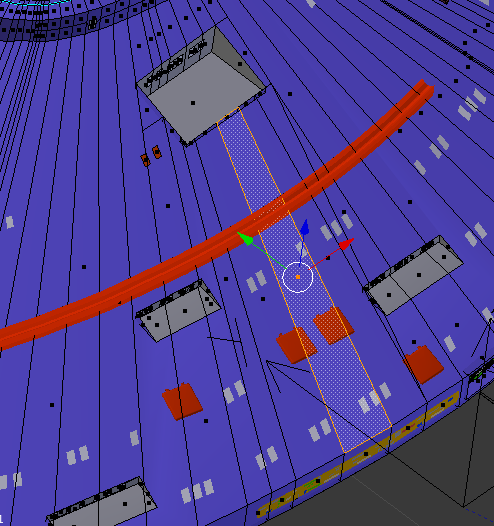
it is on a spaceship with faces all around at different angles see pic here
see the little white rectangle which are low res windows
don’t want to make them high res so no close shot for most of these
I might add some UV map on it but not certain !
things is that all windows should be same size but at different angle all around
so I can select one face on hull and align to view then I might be able to use retopo a given rectangle for each window
but then I have to come back in top view and locate it where it should be with face tranform
using dupli wont really solve all problems - location and angle
thanks
I could retopo verts on the hull where the windows should be located
but still does not solve the angle !
thanks
Not enough info without the file. Did you check the align rotation option? Placing 100 identical rectangles on a surface is maybe two to five minutes’ work tops. Is it worth all this?
which align rotation option do you have in mind ?
I can align face to view but then in edit mode if I cannot really add a new plane or I have to rescale re locate and may be then I could use retopo
might be a job for a small script
the thing is that I want to keep the shape so you can play with location and rotation but not scale
thanks
Ricky , Just Duplicate the Faces where you want to have the aligned WIndows. Create your window. On duplicated mesh, add particle, set to hair, and in render, select object then your window.
If model is inverted, change the Y axis of window mesh.
Play with random and seed options for better spread.
(if different windows needed, create them and group them. select group option instead of object).
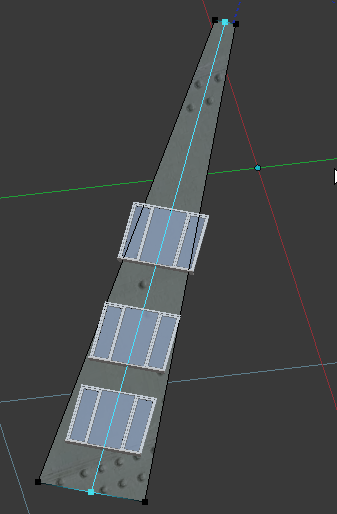
faces are not square but very elongated
may be I should have made them more square when I began the model
but the shape was complicated and to make square would introduce a lot of problems later on to modify the shape
anyway here is pic showing one selected face as it is now
and window have to be located at specific place on the hull
now as I said I could make a mesh vert for the exact location in XYZ but this does not give the angle for the face under the verts!
might be faster to try to do it manualy!
at bottom left you can see that I already began modifying the hull with the knife tool for some 3D inden tations greyish parts
the low res windows are the little white square that I manualy added
problem is that it is not flat on the hull surface !
mind you I could try to add a higher subsurf level but this may already late in the workflow to get a nice mesh topo
thanks
Try using the flatten function of the LoopTools add-on. It comes with Blender. All you have to do is enable it. Here’s some info on how to use it:
http://wiki.blender.org/index.php/Extensions:2.6/Py/Scripts/Modeling/LoopTools
If you do with duplifaces then you have an option to move those windows along faces, set Transform orientation to Local.
Separate those faces where do you want to set windows.
hit N to get the properties window. in the tranform section, there is XYZ rotation which you can change to 0 on whatever axis to flatten the face to that axis, is this what you want?
not for only one face but for a lot of faces
so don’t think there is anything that can do that yet !
I finally did it manually it took time but it is done!
thanks
Face snapping to target, empty to the vanishing point. For windows: Constraint Locked track to empty.
interesting
do you have a script to do that !
what do you mean by empty to the vanishing point
thanks
No script, just duplicate linked (Alt+D) that window. Place Empty center of your target object (spaceship) or there where you do want window Y-axis (my example) points.
Window has Constraint: Locked track, Target: empty.
Face snapping and allow rotation with the snapping target.
And if you have loopcut middle of face, set snapping to Edge and Center and it snaps middle of your face.