Yea that is the important bit.
I have these enabled:
Add Vert, F2(which I also used), Loop Tools(definitely used), tinyCAD mesh tools(did not use), Origin To(sh** that’s an add-on written by me and I did use that, but again… many many years, countless projects), Unbevel(certainly did not use, I did not even know it’s enabled and I don’t ever use it) and Absolute Scale(did not use, but that would be the most likely candidate for bugs and it does loads of weird stuff to mesh in edit mode), I guess I’ll have to test those…
Out of curiosity, went back to my old addon to see what it did:
vertices = [(0,0,0)]
edges = []
faces = []

mesh = bpy.data.meshes.new('st_point')
mesh.from_pydata(vertices, edges, faces)
mesh.update()
meshObj = bpy.data.objects.new('new_point', mesh)

bpy.context.scene.collection.objects.link(meshObj)
meshObj.matrix_world.translation = bpy.context.scene.cursor.location
Even if you input data made of empty lists, it still outputs correctly sized object (that is: 0 m). So I guess, an addon this simple should not fail 
Well… I found a bug in my Absolute Scale add-on(WHICH I DID NOT USE!  At least I am sure I didn’t ) testing for cases where something might get divided by 0, but it fails spectacularly:
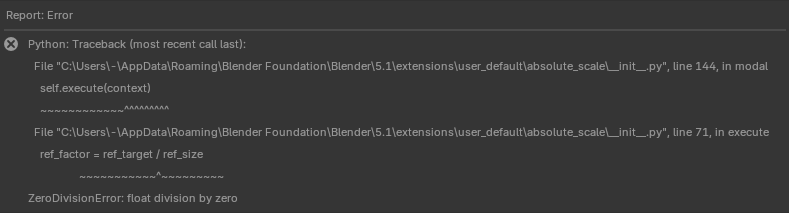
I wonder if Python add-ons can produce corrupt data without failing first. I am sure thay can though… But I am starting to suspect native C++ operator to be honest.
I am trying really hard not rule out completely that this is completely my fault. So I cannot really report a bug yet. Oh, this is going to haunt me for a long time isn’t it?..
Not to shed doubt but one thing I noticed with your file is that setting the origin to geometry made it disappear. Not saying it is because of that addon but is another clue.
One thing they always say when identifying a bug is turn off all addons, but you need to do that before the fact so you still need to know how you produced the corrupted data first.
I’ve never seen or encountered this in eight years of Blender usage and thousands of cases of troubleshooting, I am 100% confident it’s not a vanilla Blender problem but an add-on issue. Here’s I know this- NaN is python, C++ calls them nan (no uppercase)
Well, it makes sense - the magic points are… elsewhere, this means the median point is in between another universe and normal space, so origin turns into pumpkin.
It glitches out if you try to Frame (dot hotkey) the offending object as well.
I did not know that. Thanks! It’s -nan(ind) It makes sense to look for whatever that means. That’s a good lead. Thank you.
I think it just means “not a number (indicating)”
it’s a negative not a number though. I got to stop now though. To be continued later.
P.S. I hope nobody is taking this too seriously as a support question. It’s not important. Just a puzzle for entertainment. But at the same time I do appreciate the help of course.
What have you done, you’ve punched a hole in space-time continuum!! Eldritch monsters going to start coming through there any moment now! 
Maybe you need to invite your friend again to reproduce 
I give up. A cosmic ray from merging neutron stars hit my processor at exact moment it was calculating some vector for an operation I was performing with a bunch of vertices selected and so that faulty value was used for all of them and their coordinates became nan. That’s it. That’s my leading theory. Problem solved. We can forget about it.
I should buy some lottery tickets next.
It seems you discovered the Blender’s (squared) singularity, like M87 in the milky way…


Interesting that faulty geometry count almost describes the removed grid patch, but has to miss 4 faces somewhere from edge (probably).
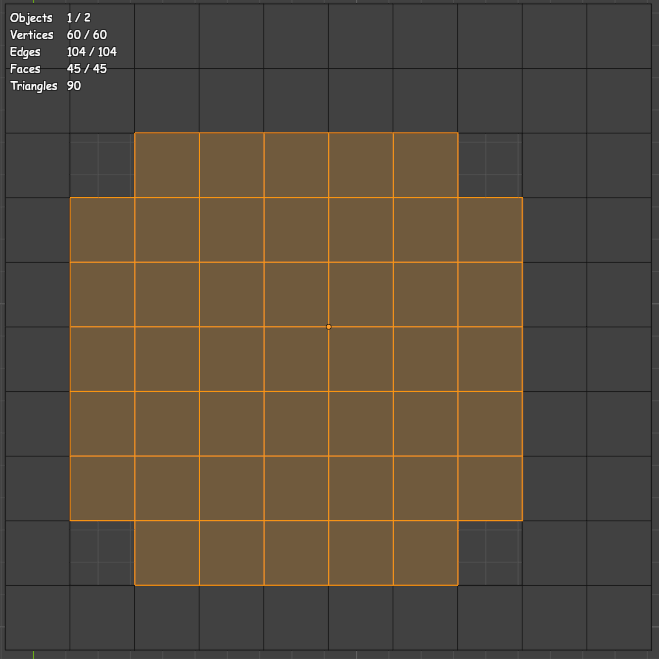
Another clue! (maybe) …but kinda useless
I would narrow down the problem to the moment when you “deleted” the patch  You broke delete button itself, didn’t you?
But yeah, you’ve probably spent all your luck reserves for the next year just to get this bug
Well, I tried anything I could think of even with my buggy add-ons … Cannot replicate. I don’t know… the merging supernovas seem more and more likely Not sure what else I could try. Maybe it’s really some hardware error. I mean I know it’s like extremely unlikely, but… I am out of ideas as far. Well… Maybe I’ll try to corrupt data like that on purpose with Python next That might actually be useful learning experience.
OK, I think it was this at some point:
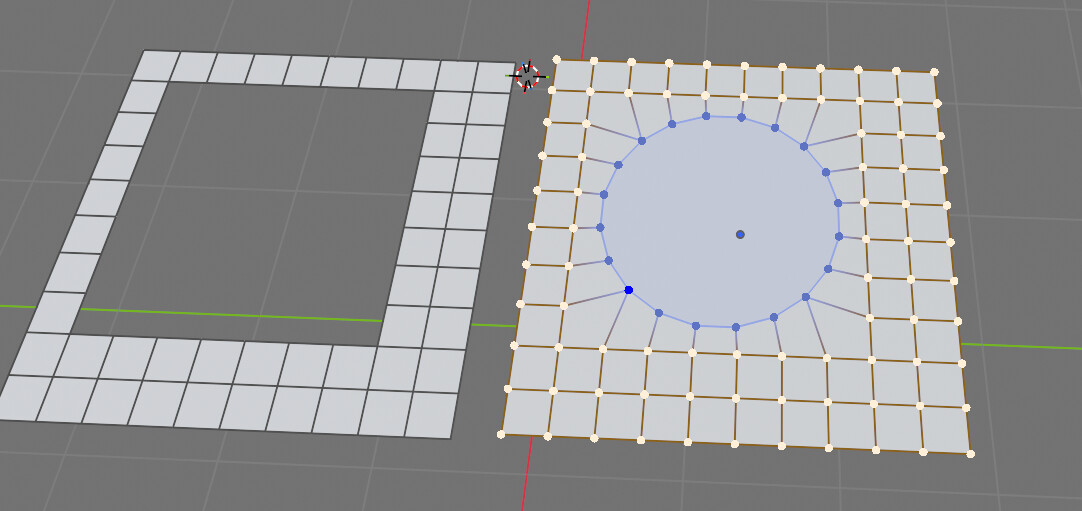
So the corners were different in shape…
How do you know that faulty geometry count almost describes the removed grid patch?
I think I just deleted vertices next in preparation to use grid fill… That’s about it. So… I don’t know… Maybe something happened before that because I was doing stuff to that grid and remodeling it manually a few times. I did not track my specific actions though. I also had some other geometry besides the grid and was doing a lot of random stuff to it but I deleted it once the grid was added It’s a really weird thing to do - to try and think how you would demonstrate modelling functions to someone… Lot’s of random stuff. 
Statistics count in the corner.
If you select just the broken geometry - select all in Face mode, than manually deselect visible faces - you can see how much there is. 60 verts, 45 faces… almost like the missing grid.
Weird that it’s all still there, almost like it’s just the coordinates that were removed, not the geometry.
Yeah. So maybe that was my Absolute Scale add-on after all, it’s just a hotkey away… Maybe I pressed it accidentally and then forgot about it or something. It does do stuff to selection and it modifies geometry and it does stuff with matrices and it makes most sense in this situation that there would be a bug there. It will not hurt to revisit it anyway, even though for the life of me I don’t believe I touched it. But… This is how this always goes…
That’s got to be true.

I keep finding bugs impossible to identify. 
Now it’s with manifold booleans in geometry nodes.
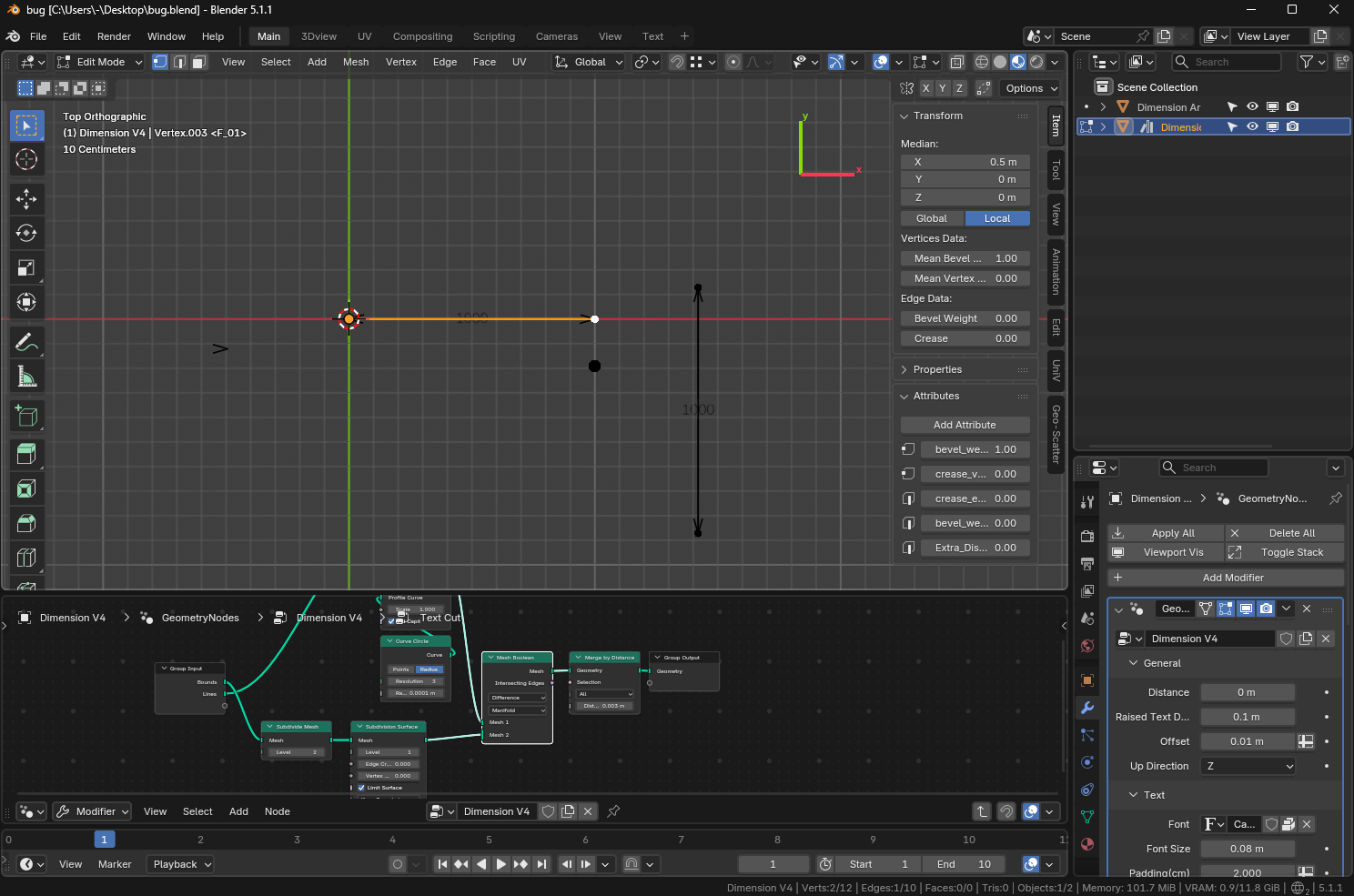
If I duplicate this, Blender freezes if I set boolean to manifold, but only if I have another edge nearby rotated 90°
I cannot include that node group into a bug report(screenshot is only a group in another big one) for it to make sense to the devs… That’s insane…
bug.blend (850.8 KB)