Identifying a bug for a report

Hey, I did not think I would be posting in support section any time soon, but… My friend just bought a 3d printer and asked me to come over and help him with learning modelling in Blender. So… I know Blender is a lot and I was just kind of preparing for that and going through modelling functions and thinking what I could show and tell him in a limited amount of time that would be kind of useful and peak his interest more and I was just testing how it would be to show main/kind of most important modelling operators and so I was playing around with simple geometry and simple modelling operators, you know all the ones in Select, Mesh, Vertex, Edge, Face manus. All well and good right?.. :laughing:

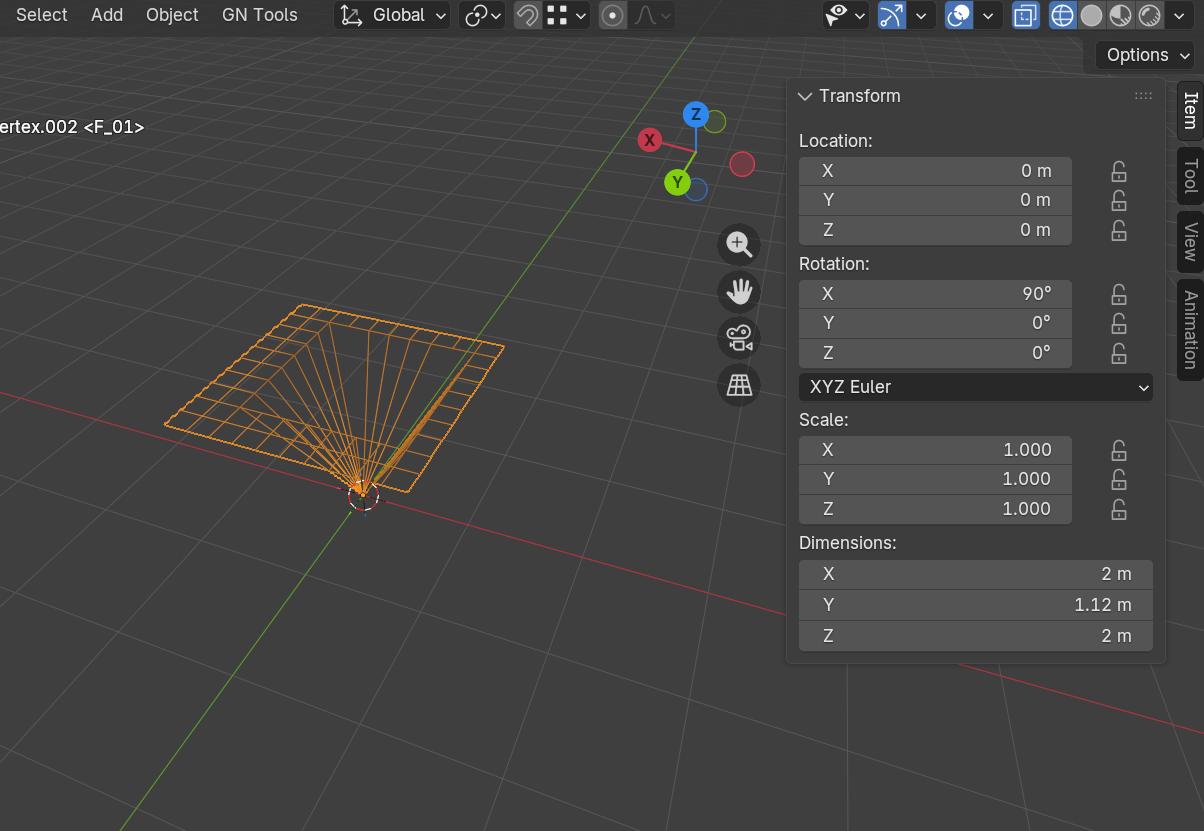
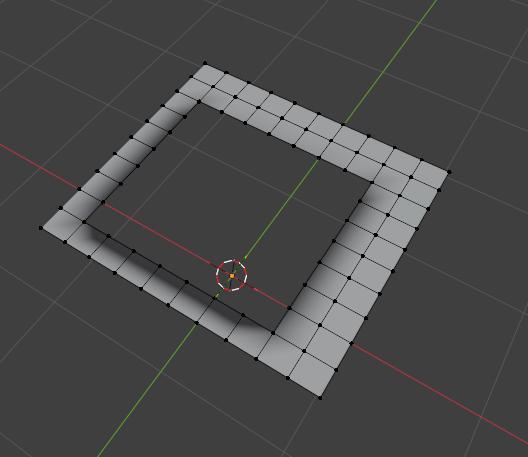
I somehow managed to end up with an object:
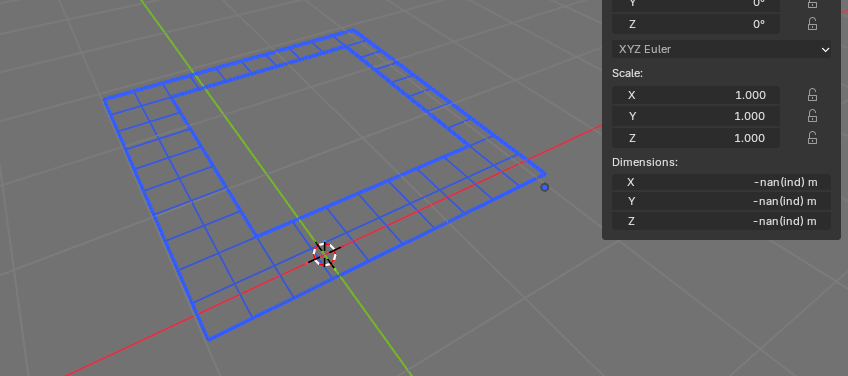
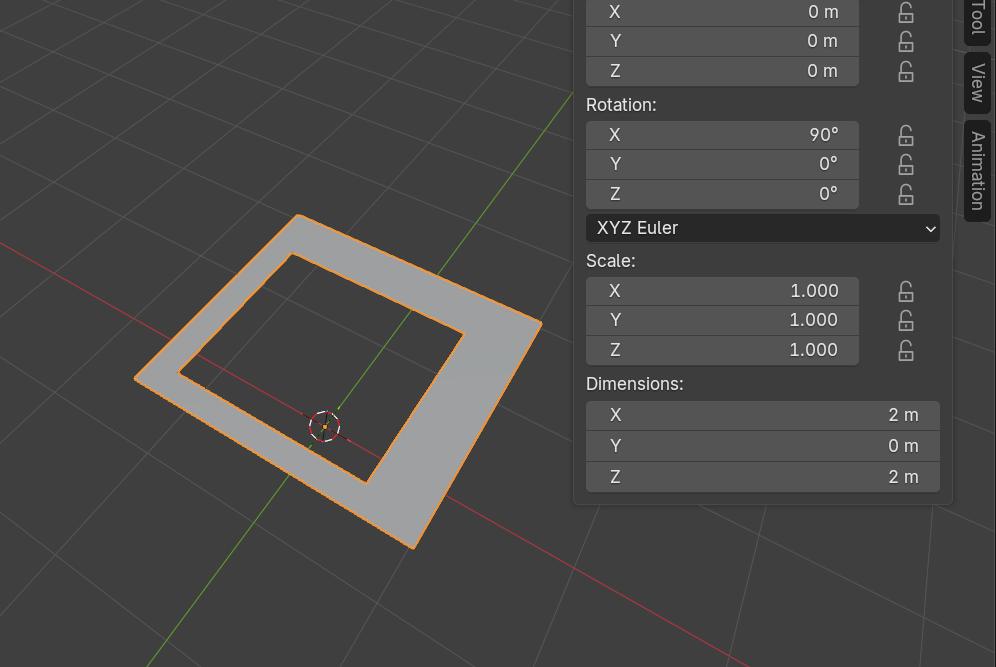
-nan(ind) m in size apparently. I first noticed that snapping does not work with it and then the dimensions panel… :laughing: Anyone experienced anything similar?

I was just going through mesh menu and trying things out talking about them in my mind to see what I can manage to tell about them that would be memorable and useful… :laughing:
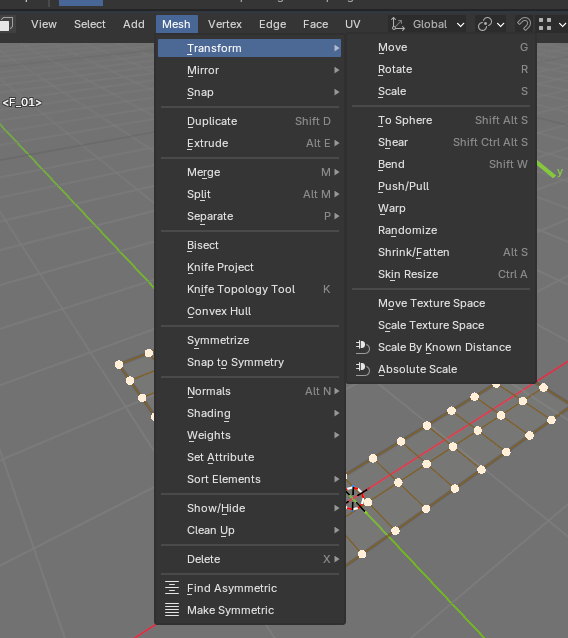
I wonder if there is something more about this that I could submit in a bug report. Anyone interested in playing around with it and helping me discover how and why and what might be going on?

5.1 release, I used Add Vertex add-on to create the object:

bl_info = {
    "name": "Add Vertex",
    "author": "Martynas Žiemys",
    "version": (1, 0),
    "blender": (2, 80, 0),
    "location": "View3D > Add > Mesh > Add Vertex",
    "description": "Add Vertex",
    "warning": "",
    "wiki_url": "",
    "category": "Add Vertex",
}
import bpy
from bpy.types import Operator
from bpy_extras.object_utils import AddObjectHelper, object_data_add
from mathutils import Vector
def add_vertex(self, context):
    verts = [
        Vector((0,0,0)),
    ]
    edges = []
    faces = []
    mesh = bpy.data.meshes.new(name="Vertex")
    mesh.from_pydata(verts, edges, faces)
    object_data_add(context, mesh, operator=self)
    
class OBJECT_OT_add_vertex(Operator, AddObjectHelper):
    """Add Vertex"""
    bl_idname = "mesh.add_vertex"
    bl_label = "Add Vertex"
    bl_options = {'REGISTER', 'UNDO'}


    def execute(self, context):
        add_vertex(self, context)
        bpy.ops.object.mode_set(mode = 'EDIT')
        bpy.ops.mesh.select_mode(type='VERT')
        bpy.ops.mesh.select_all(action='SELECT')
        return {'FINISHED'}

def add_object_button(self, context):
    self.layout.operator(
        OBJECT_OT_add_vertex.bl_idname,
        text="Vertex",
        icon='DECORATE')

def register():
    bpy.utils.register_class(OBJECT_OT_add_vertex)
    bpy.types.VIEW3D_MT_mesh_add.prepend(add_object_button)

def unregister():
    bpy.utils.unregister_class(OBJECT_OT_add_vertex)
    bpy.types.VIEW3D_MT_mesh_add.remove(add_object_button)

if __name__ == "__main__":
    register()

But it’s very innocent and old and well tested… I don’t think it has anything to do with anything. I don’t think I used any other add-ons, just Loop Tools as well, regular every-day normal stuff… But I tried a lot of modelling operators during this. :smiley:

Here is the file:

-nan(ind) bug.blend (131.4 KB)

A truly mysterious puzzle. I am just wondering what else besides the file I could add to the bug report… :laughing:

How did you even…? What magic is this? :rofl:

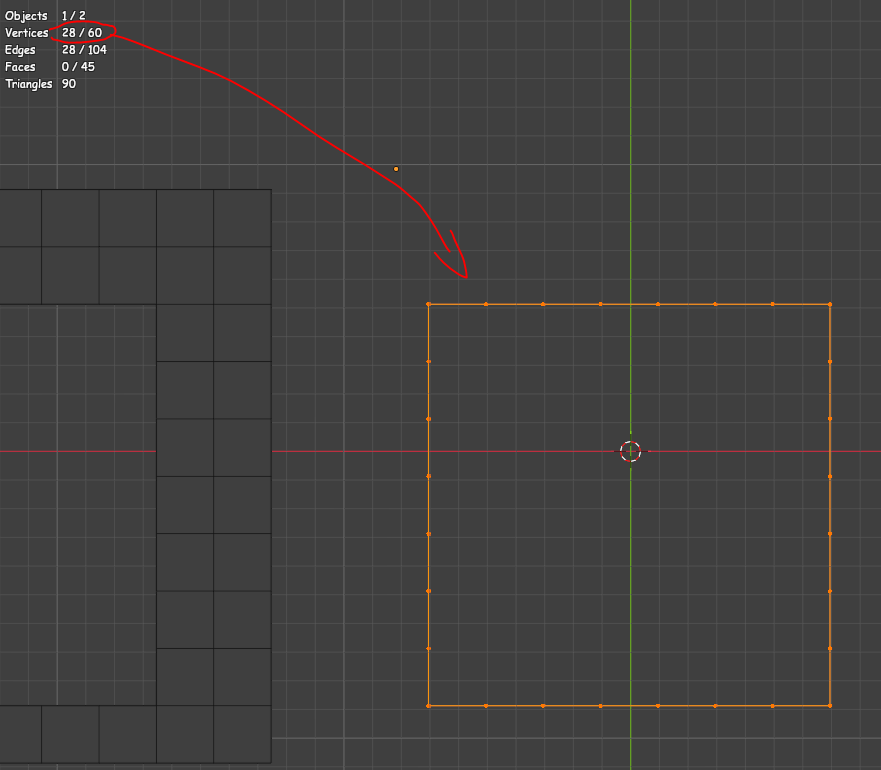
That inner edge loop is weird - it says it contains 60 verts and some faces (if you remove the visible faces). But if you box select all that you can see, you can only get 28.
AND, if you separate (P) these 28 into a new object, the original will still contain 60 verts.

My professional opinion: you broke it.

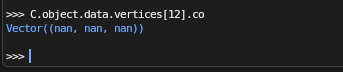
I did indeed brake Blender. :laughing: But how??? I was just doing regular stuff… I noticed there is something wrong with verts… I mean I can select and delete all the visible ones and then once none of them are left, there are others with nan coordinates :laughing: I wish I was recording it or something… there is a bug somewhere in regular modelling operators and it now seems it’s impossible to trace it back…

image

:smiley:

This one might be unsolvable. :laughing:

Well, not to worry! I guarantee it will happen again when I am teaching my friend modelling. :smiley: Because of course it will for me to look silly then. :laughing: :laughing: :laughing:

Better record every move then :slight_smile:

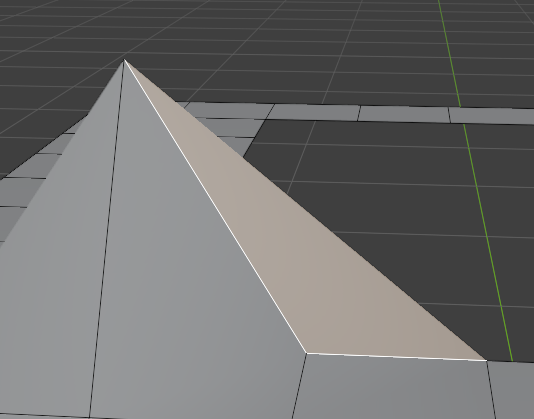
Found a couple of NAN faces that shouldn’t exist. It looks like a tri, but statistic says it’s a quad, and its median point is somewhere in hyperspace apparently:
image

What fun! But I guess you need deeper understanding of data representation to know what happened here.

Awesome. I was thinking of showing them how you use J instead of F to connect verts on surface, maybe worth exploring.

I think it probably has! Your mesh data is corrupted.

If you export your object to OBJ and import it you get this

Note no nan but some extra verts/faces in center.
If you delete the extra ones you get this

2

Then do Mesh- normals - set from faces.

Object fixed :grinning:

To identify a bug you need to be able to reproduce. Not sure how you managed to break the mesh in the first place :person_shrugging:

PS I am now deleting your file, the OBJ file and the temp folder, in case it’s contagious.

No, I’ve been using it in countless projects for like 6-7 years and I start most of my models with a vert. That one is well tested. Unless it doesn’t work well in 5.1 for some reason. I’ll investigate that maybe as well. But it’s just a Python template code changed to only insert a vert instead of whatever it does in the example… Maybe if I used some other add-on accidentally. If I used my new Absolute Scale add-on, then it wouldn’t be surprising that one may have bugs, but I am absolutely certain I did not. :laughing: But you know how those things go… and it’s installed… You are always certain… and then… :laughing: But I didn’t! :laughing:

I think your friend will be saving up for Maya!

Com on you did “something”

How did you make this particular shape anyway?
The weird verts/faces seem to be contained in the “hole” area. Maybe it has something to do with the way you made the hole?

I know I am questioning reality. this one has potential for a lot of sleepless nights…

Yea, you need to reproduce somehow.

…Extra mesh objects has an add vert option, (and takes you straight to edit mode to start extruding)

That’s the thing. I added a grid in edit mode… I was testing select vertex path - you know when you ctrl+click or ctrl+shift click. then select Boundary loop. I also beveled a loop, extruded it, then moved the top back down, merged by distance, selected edge ring scaled edge ring to 0 with individual origins, merged by distance. :smiley: I was doing a lot of random stuff… I think I used to circle, then grew selection and just deleted it… :laughing: Oh my… But I don’t even know when the problem occurred. that might have been before or after I did a million other things…

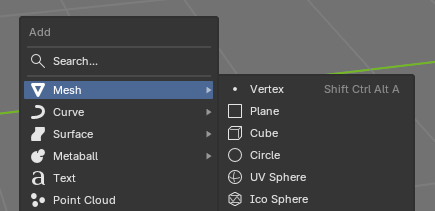
yeah I know, but it puts it somewhere deep inside menus and have other stuff, so I just use my simple version, just a vert and that’s it:

image

No, I think that one can be ruled out. It’s fine. Has been for many years. I’ll test million other things before I start to suspect that add-on.

And I don’t suppose you’ve playing with it long enough to generate some convenient autosave… :thinking:

Nope. But I do suspect that I did use some add-on maybe and just don’t recall it. That would only make sense. If someone else was presenting this issue, I would think that. :laughing: Maybe my mind is playing tricks on me. I cannot trust myself. :laughing:

Makes sense.

It has to be a generative operator of some kind - anything that creates (or replaces?) mesh data. Though I don’t think Add Vertex addon is at fault, because the issue seems to be strangely localized on this particular loop.

But without knowing anything I can only marvel at the supernatural results here :laughing:

I still think it has a decent chance of just some combination of regular every-day operations. I’ll keep looking for the truth. :laughing:

Well adding a vert in object mode is creating an object with nan dimensions.

They have changed mesh data recently which is why you can not open objects created on 5.1 in old versions.

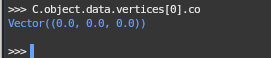
It’s not though? It has to be zero dimensions (at least that’s what my addon used to do).

No, it doesn’t:

image

It’s fine. How about thousands of the models I have made with it during last 7 or so years?.. It’s fine, leave it alone. :laughing: And you can see the code. It’s taken from addon_add_object.py example many years ago.

And I cannot reproduce it as far I am still using the vert to start anything I do…

Not sure, if you collapse a cube (merge at center) it gives you 0 dimension but that is not quite the same as creating a 0 dimension object from scratch.

As I say they have changed how mesh data works.