Yes, I’m agree.
Do you know how can we go further with this? Develop an addon or contact Blender’s developers?
Yes, I’m agree.
Do you know how can we go further with this? Develop an addon or contact Blender’s developers?
I am trying to redo box mapping with math nodes so it would be possible to rotate all the box mapping same as you would rotate the geometry, however this is a bit too complex for me to do quickly so I am not sure how long this will take or if I manage to do this at all. It is possible however. Maybe someone smarter than me in math will see this thread and do that.
I see the issue now, apologies for my previous comment.
Box projection looks at both the normals and the input coordinates in order to determine the mapping. That is why 1. the texture mapping doesn’t work right and 2. why rotating the object does. It looks at the face normal and texture coordinate input, by rotating the texture coordinate input you’re making all the sides textured as through they are ‘glancing angles’.
The better solution is to leave the image on flat mapping and make a texture coordinate input which correctly supplies UV (or RG) values.
I’ve created a node group to show you roughly how it is working. Unfortunately I can’t think of an easy solution at the moment.
I may have missed that but you could try combination of Uvw box map addon and Uv/image editor to achieve same result. In 3ds max for archviz i use UVW box modifier and such one is missing in blender but I was able to achieve same results with above mentioned solution. UvW box map addon will create fast UV for an object and then can be rotated by faces in UV/image editor.
Perhaps this will help for the moment:
Changing the Z-values in the mapping node rotates the texture,
would be nice to have this hardcoded
That’s interesting:
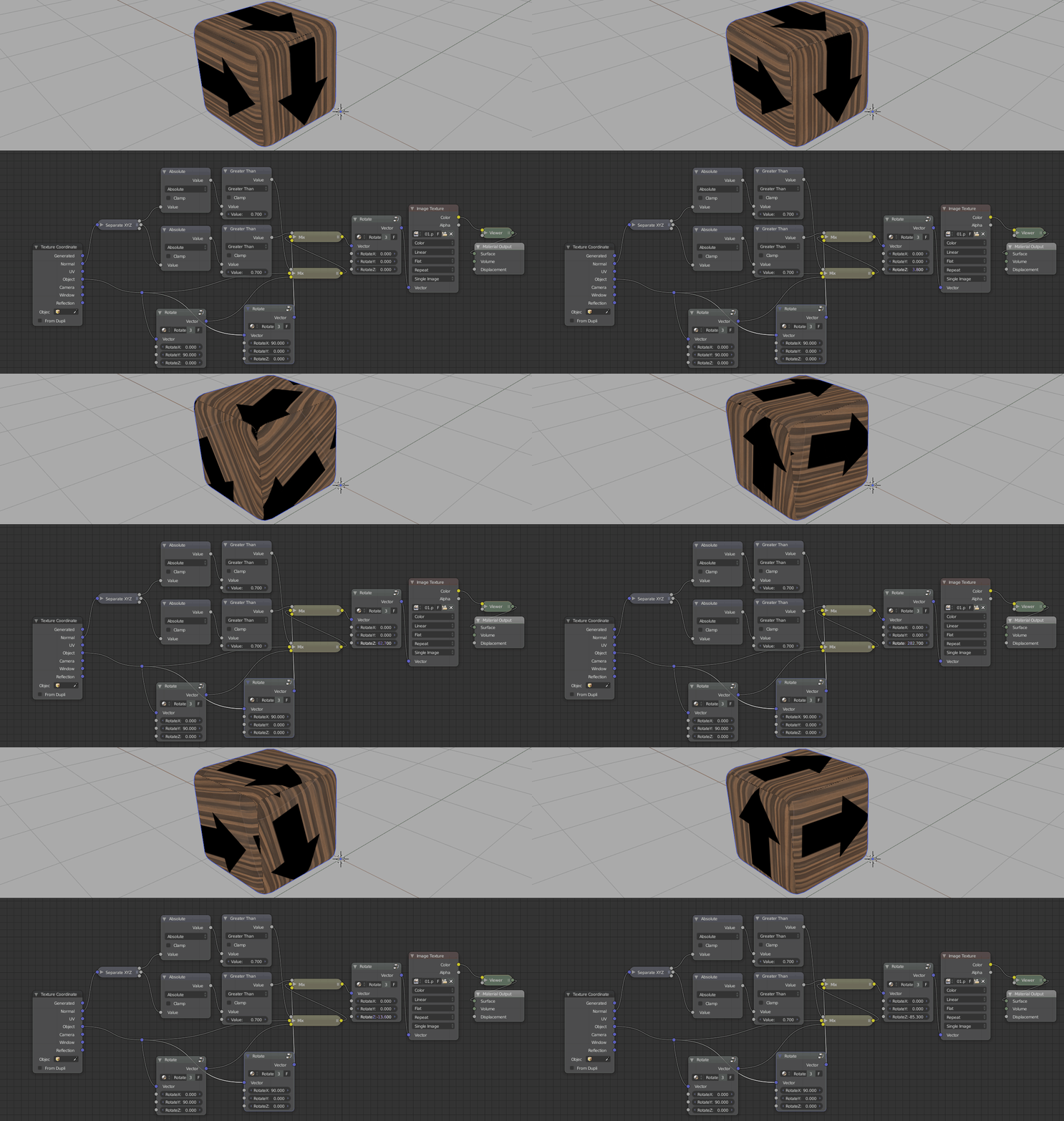
I wonder what the correct way to do box mapping is…
OK, this should do it.
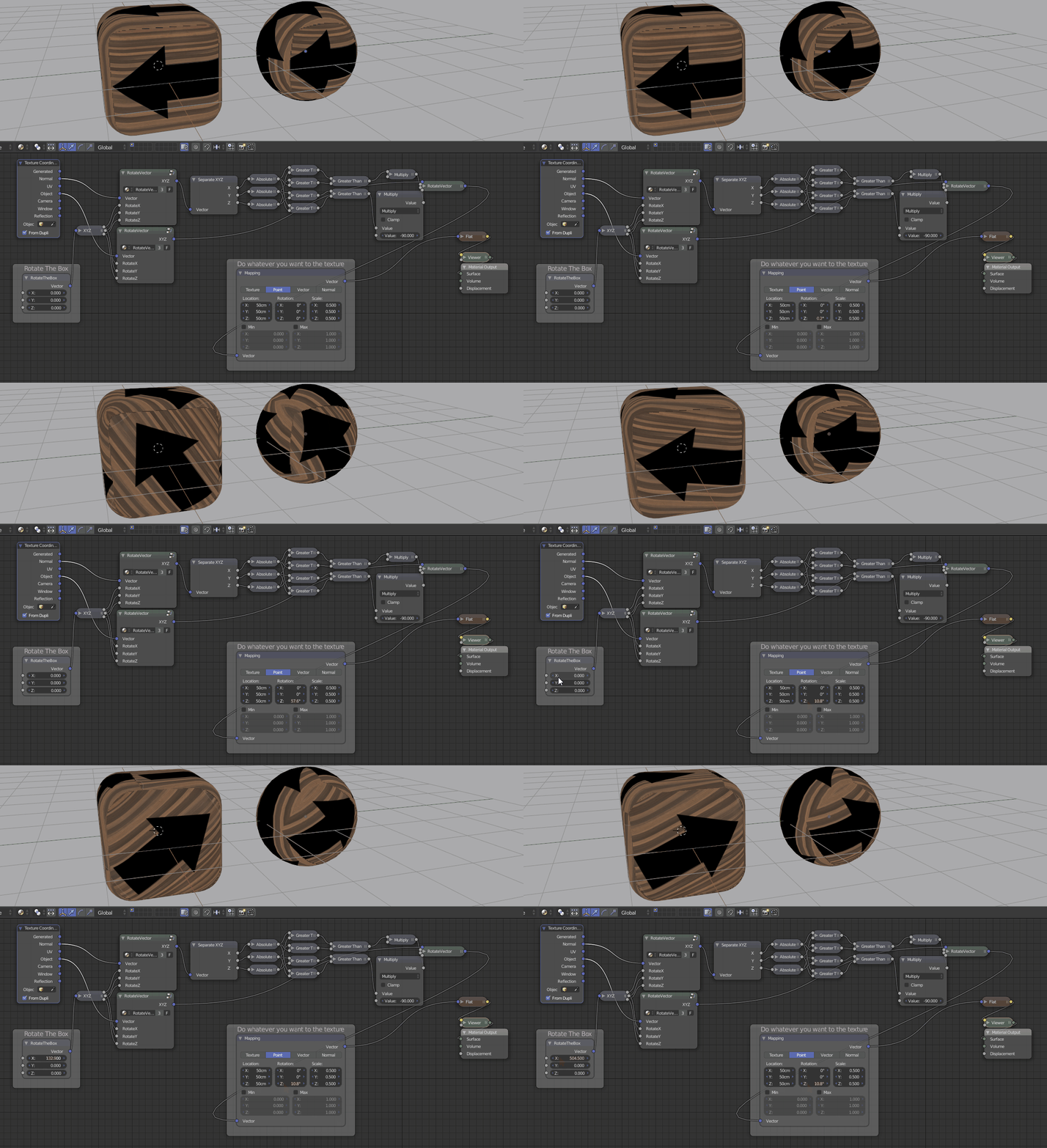
Thanks for a good riddle.
Nice! Now that is so more useful than the default mapping.
Is there any way in blender to make a compound node/ node group that you can save and reuse/share? (Blender newbie, not 3d newbie)
Edit: just saw that you shared a blend file. Thanks!
Yeah, I thought one might make a node group out of this in a way that would make sense for them. I don’t know what that might be though. I think adding extra functionality like the ability to control the orientation of every side could be useful as well. I’ll leave it here for someone interested to carry on from here. I don’t really use this kind of mapping myself a lot.
MartinZ, you are amazing!!!
I put all your incredible work in a node group combine with other node group to have the option to add a value for scale or rotate the texture.
That’s not the best workflow you ever seen? 
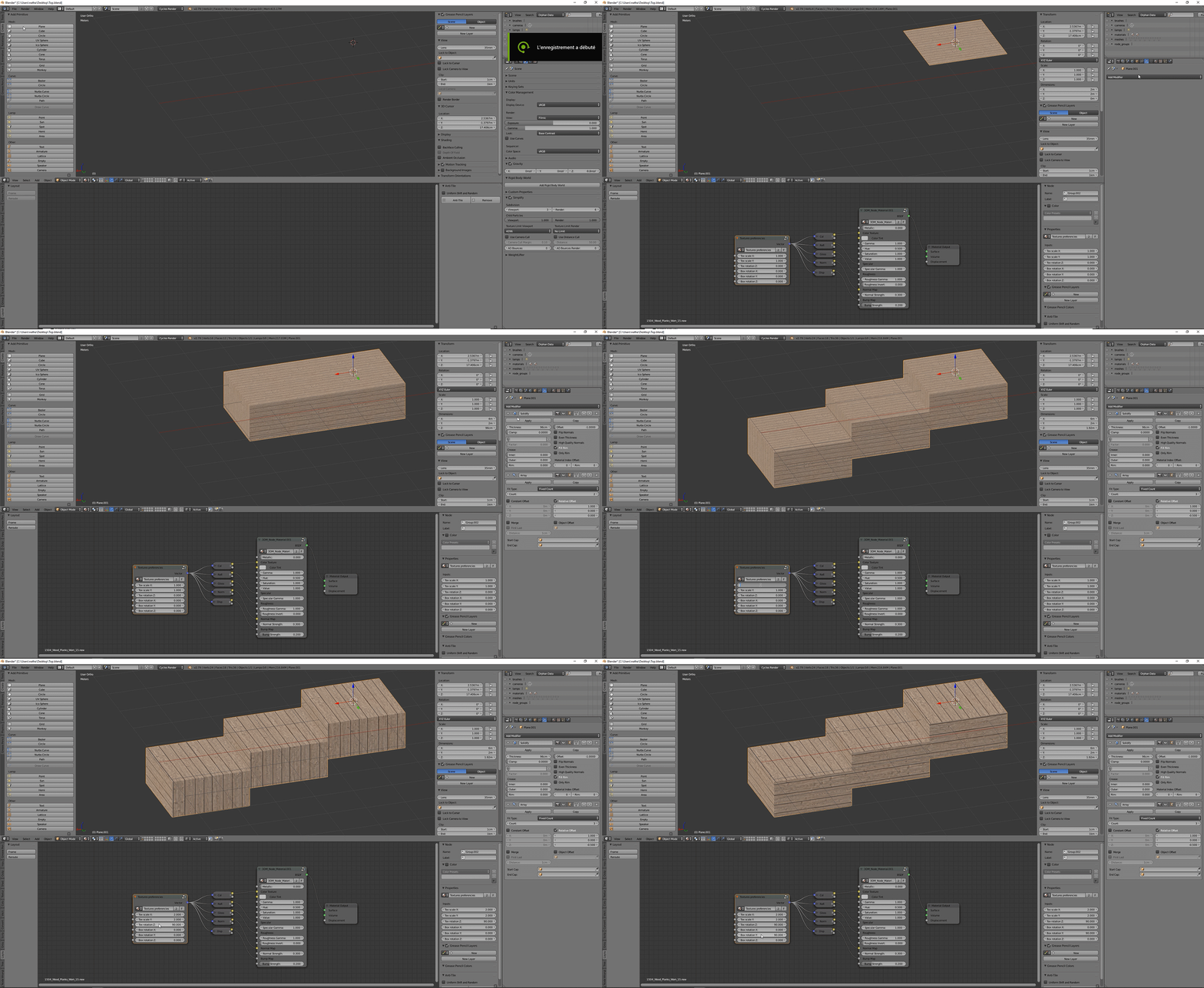
The big advantage is you can use the modifiers, like solidify and array.
Thank you a lot MartinZ!
P.S. I send the final node group in few minutes.
Here we are!

The blend file : http://pasteall.org/blend/index.php?id=50481
Now i will try it in my workflow to see how it work. If someone have some suggestions, there are welcome.
Thank you a lot all the people help me today to find a solution with this.
Best regards
Nathan
wondering !
I cannot download from pastal so cannot test it for now
would this to the same thing or effect on other shapes then a cube ?
happy cl
hi
I discovered that these nodegroups can’t be downloaded anymore from those links. Since you publicly linked to them in the past I thought it would be ok if i setup a download link for the textures preferencies nodegroup.
I set it up here
https://www.artisticrender.com/assets/box_mapping_control_node_group.zip
I also linked to it in an article I just wrote about box projection giving you guys credit and linking to the thread. You can read it here.
if there is anything you want to point out or so, just let me know.
Doesn’t open in 2.79 is it 2.80? I fixed the original link and put it on my server as well. Here is the 2.79 file, if anybody needs it.
yes, it is 2.80, I will update to clarify
Thanks for the article!
Since we create this node group, I use everyday in my workflow. It’s really a great things. I upgrade this node groupe with the XY texture location. Like that, if you want to align a concrete join or something like this it’s easy to move.
textures preferencies (with location)
I also used it 6 month ago in the Blender 2.8 alpha and that’s work fine.
Best regards
Amazing, it does what i thought the box mapping should do. Thank you very much!
hey,
awesome work! unfortunately the link is broken and I cannot download the latest version.
could you provide a new link or some pointers on how to add the xy texture location please?
thank you,
~kyeo
Hi @oeykmiih,
Here is a link to a blender file containing the node group:
3DM_textures_preferencies.blend
Best regards,
Nathan

