Yes, ACEScg render space, P3-D60 view xform. Everything stays linear until the end. I don’t see any upside to using a view xform as your render space.
P3-D60 looked closest to the sRGB output we had started with while handling brights in a nicer way, and we didn’t want to stray too far from where we had begun.
Thank you for all the info, @troy_s
I also read your thorough post above about gamut mapping and ACES. I’m quite new to these aspects but it’s fascinating and I can see the deep implication all this can have.
It’s easy to find tutorials of any kind and aspect but color management is not as popular. I guess it’s because it sounds more technical and less creative but a proper understanding (or misunderstanding) can truly affect our work. Theoretically, it should be a priority for any digital artist.
I read several times about color management, I seem to grasp it, I set up my applications in the right way. After a while, it seems what I learned fades away and, if for any reason I need to go over the setup again, I have to start from scratch and re-learn what I knew. Maybe it’s because it’s something we don’t put into practice every day.
Anyway, I’ll follow your posts, I’m sure there’s a lot I can learn from them.
This is a nightmare.
Anyone who makes an image puts the concepts to work every single second, it is just a challenge to see it.
The real problem is elevating the general shock troop understanding, the people fighting it out in the trenches, to make it more clear.
At the end of the day, it all loops back to understanding light, as that is what comes out of a display, is emulated in path tracing models, etc. Keeping a keen eye on the physically relevant concept of light can help to keep things much clearer in the mind, and peel away the layers of confusion.
Pure rubbish.
That’s not at all how ACES is supposed to work. You’re not supposed to pick an ODT that looks nice on the displays in your studio and use that for everything, you use the one that corresponds to the display you’re looking through. Then at delivery you use the ODT for the display type you’re delivering for. (ideally you have a display of this type to grade with so you’re not guessing what the delivery ODT is going to do).
If you don’t have P3-D60 calibrated monitors at your workstations, and P3-D60 isn’t your delivery target, it makes no sense at all to use that ODT as your view while you’re working. It’s not even going to look the same unless you had sRGB/D65 monitors and tagged the footage as sRGB so that your viewers end up making the same wrong view you had. (then its at least consistent). If you view on sRGB displays then deliver it as actual P3-D60, nobody who watches that is going to see the same thing you saw while working.
P3-D60 was the delivery target. It’s just that we had already done some look-dev prior to adopting ACES (I know, not ideal). In any event, it all worked just fine. Obviously, it wasn’t a perfect situation, and lighters/compositors were working remote from home so it was impossible to calibrate monitors. In the end, the colorist had the latitude to make adjustments as needed.
OK then, Doug Walker is wrong and you are right.
I speak with Doug on a semi-infrequent basis. Would you like me to ask him about the veracity of your claim?
That would be great. I’d like a more detailed clarification of this myself. It’s not really my claim though. It’s a quote of his I read(the CTL/CTF bit, not the spectral rendering bit)
Spectral is spectral. We can’t get “closer” to it via RGB. I’d need the direct quote to bring it up in any sane manner though. Link?
The “closest” we can get to spectral within an RGB encoding model is using spectral -like primaries, such as BT.2020. Within that, because the nature of the RGB model is based on top of the CIE XYZ model, it all falls to  , and can’t ever get close.
So until all rendering subsystems migrate to fully spectral rendering, we are out of luck. On the upside, it seems that more than a few engines are migrating that way.
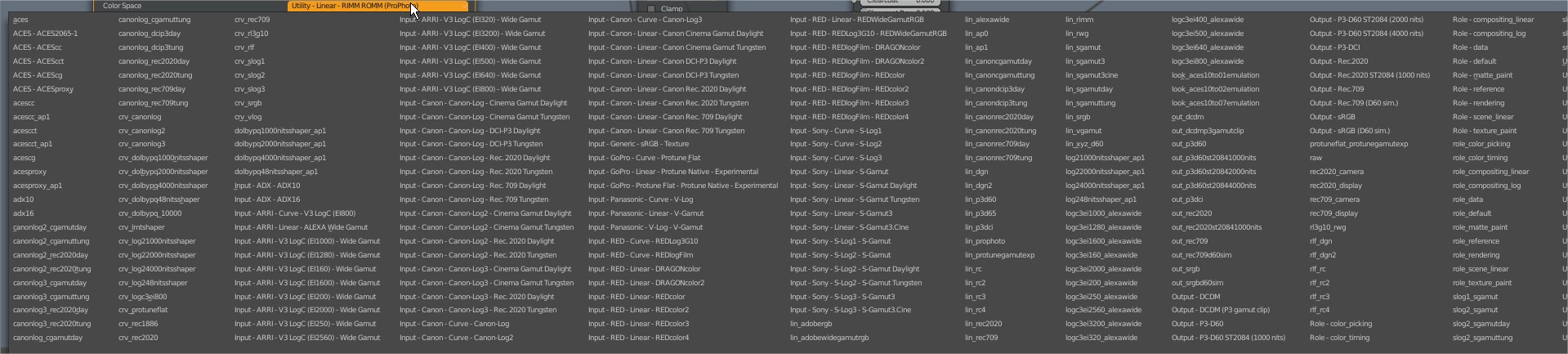
Not possible in Blender currently. Only workaround I know is to zoom out far enough in the node editor that the entire menu fits on screen.
This is gonna be the next big challenge working with spectral renderers. I imagine many workflows will become obsolete. I read that working with typical sRGB textures etc. is difficult (or impossible) with spectral renderers. Correct me if I am wrong on this.
Anyway I love your insight so much Troy. When I first looked at the examples you posted the wrong ones looked right to me and vice versa. You really have to unlearn and unsee what we are used to currently. And getting that through the sometimes thick heads of artists is especially difficult. People are often hard to get out of their comfort zones and relearn the basics. It will be difficult to change those things. There is a lot of money in this industry and alot of software needs to adapt to this. It’s a pain to work in Blender and Max who are both horribly color managed but those are the options you are stuck with. It feels like you have to move mountains sometimes.
This isn’t necessarily true. Assuming you’re working in a colour managed environment, sRGB assets (and any RGB assets in other colour spaces) can work seamlessly in a spectral renderer. There is some work to be done in order to be able to use wide-gamut colour spaces effectively, but it’s not impossible.
There are of course a number of challenges, and as you say, things that need to be un-learnt, when it comes to using a spectral engine properly, but I feel a lot of that could be handled progressively and by showing people just how much easier things are if you do them ‘properly’.
Thx Ninja
Any news about this issue solved on 2.9 ?
FYI: The ACES Helper add-on will let you right-click on an image node and quickly set it to one of the three recommended modes:
- Textures : Utility - sRGB Texture
- HDRIs : Utility - Linear sRGB
- Normals : Utility - Raw
I have no words to thank my gratitude
I have ACES installed and right away the viewport shading was affected (turned darker) and when I drag an image into the image viewer the color settings are way off. Are there ways to adjust how ACES is affecting the image editor or viewport?
You probably have the texture color space wrong. ACES can be annoying that way.
- Base color/ color texures: Utility - sRGB Texture or role_matte_paint
- HDRIs : Utility - Linear sRGB
- Non color data: Utility - Raw or role_data
I created an addon that auto assigns the color space based a tag in the texture name e.i. Character_BaseColor or Character_Normal