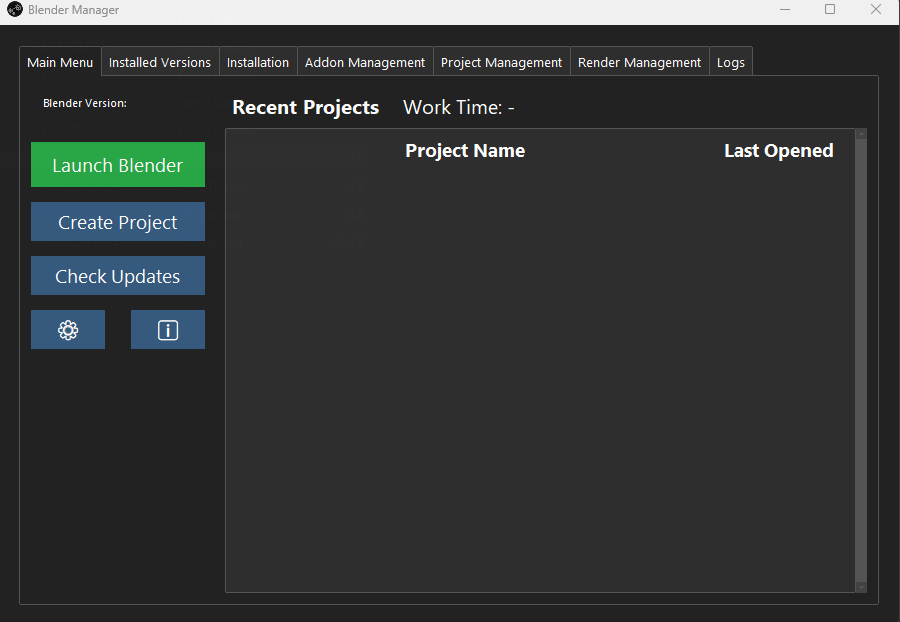
Blender Manager is a powerful companion tool for Blender users, designed to simplify project management, enhance productivity, and streamline your creative process — all without needing to launch Blender initially. Here’s a quick overview of what it offers:
Key Features:
- Project Time Tracking: Automatically tracks time spent on each project for better productivity insights.
- Recent Projects: Quickly access your most recent files with key details like file path and last opened date.
- Advanced Project Creation: Set up projects with reference images, base meshes, and scene configurations — all before opening Blender.
- Auto Update: Keeps both Blender and Blender Manager up to date effortlessly.
- Customizable GUI: Tailor the interface with various themes, font sizes, and transparency options.
- Seamless Version Control: Easily manage and switch between different Blender versions.
- Addon Management: Install, update, and manage addons directly from Blender Manager with full compatibility checks.
- Render Management: Organize and preview your renders directly within the app.
- Comprehensive Settings: Full control over appearance, updates, and application behavior.
- Multi-Platform Support (Coming Soon): Expanding compatibility for macOS and Linux users.
Get Started:
Blender Manager is completely free to use! Download it now on GitHub: GitHub - Blender Manager.
For additional support, visit my Gumroad page: Gumroad - Blender Manager.
Feedback and contributions are welcome. Let’s elevate your Blender experience together!
