I cannot see any effect when adding and working with them.
DoF turns the screen pitch black
Filmic does nothing
cube mapping and irradiance also seem non functional at the moment
did I miss something?
I cannot see any effect when adding and working with them.
DoF turns the screen pitch black
Filmic does nothing
cube mapping and irradiance also seem non functional at the moment
did I miss something?
There is no viewport updating and some of these settings are no more automatic for EEVEE.
A DoF refresh requires mouse pointer to hover viewport.
Filmic requires an action in viewport, a left clic to move 3D cursor is sufficient.
Irradiance updates if pointer is hovering viewport. But by default autobake is disabled, don’t forget to enable it.
I am not sure what you are talking about Cube mapping.
Cube projection for UVmapping is working. But display of UVs in UVEditor is no more automatic.
You have to switch UVEditor from View mode to UV Edit mode.
Box projection of an image texture is working. But it does not project like a cube with default UVmapping.
You have to use Generated coordinates to obtain an image projected 6 times like 6 faces of a cube.
when I set the DoF using the eye dropper object it does not work - update
when I drag the DoF icon along the camera path it works.
So it seems to me that this is not fully working it - I had the impression it did in the past.
The problem with the reflection cubemap or irradiance cache is that it seems also not to affect enything in eevee. those for sure did work in the past.
I am not sure if the way how they work is changed now. I add the irradance cache map scale and position it and nothing so no GI effect is being calcualted / visible
It is not sufficient, you have to press bake buttons in Indirect Lighting panel of Render tab or to enable Auto Bake checkbox in same panel.
I don’t know if there’s a special trick, but I can’t get the Reflection Cubemap to work.
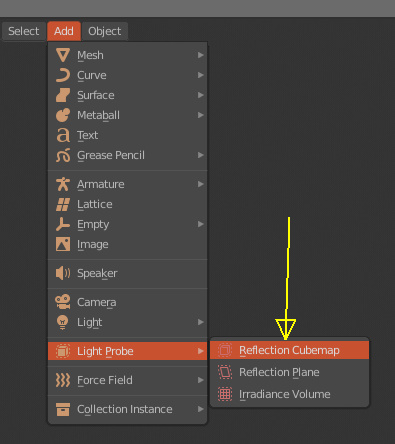
The Reflection Plane works but it just looks like a mirror, not sure if that’s how it’s suppose to work. 
Irradiance Volume seems to be working.
According to my observation:
If you add a Plane and Reflection Plane in the same place where you have the cursor, by default it does not work, you have to move the Reflection Plane up very little in Z until you see the mirrored surface. I think that should work by default when both are in the same position, but I’m not sure.
Then from Reflection Plane configuration, uncheck Show Data option under Viewport Display. Currently viewport does not update the view when you uncheck that option, you make some change in the scene so that viewport is updated. Now you modify the Plane material (Roughness, metallic, etc.) until you get the desired reflection. You can go back to Reflection Plane and set up distances, with the same problem that I mentioned before viewport currently does not refresh changes if you do not make any changes to the scene.
Reflection Cubemap seems to be working here too. You check the box “Auto Bake” under “Indirect Lighting” while you configure it, because otherwise it is tedious (Bake Cubemap first). Here when configuring Reflection Cubemap the same problem mentioned for Reflection Plane occurs, you need to make changes in the scene so that viewport is updated (Grab and cancel for example)
http://pasteall.org/blend/index.php?id=50630
Remember Bake Cubemap when opening the scene
By the way, Irradiance Volume also seems to be working here. Linux and GTX 960.
Thanks.
This must be a rare bug then, because your file works, but if I try to setup everything from scratch it doesn’t work.
It worked on previous builds though.
DoF is working here (of course from camera view). Some options are not updated in Viewport (like F-stop) until you mouse over the viewport.
http://pasteall.org/blend/index.php?id=50631
The same with Filmic, you need mouse over Viewport after making some configuration change.
Linux, GTX 960
Now I get it - in the past those tools were interactive like irradiance volume but now you have to bake to see it. I must have totally missed the development change here.