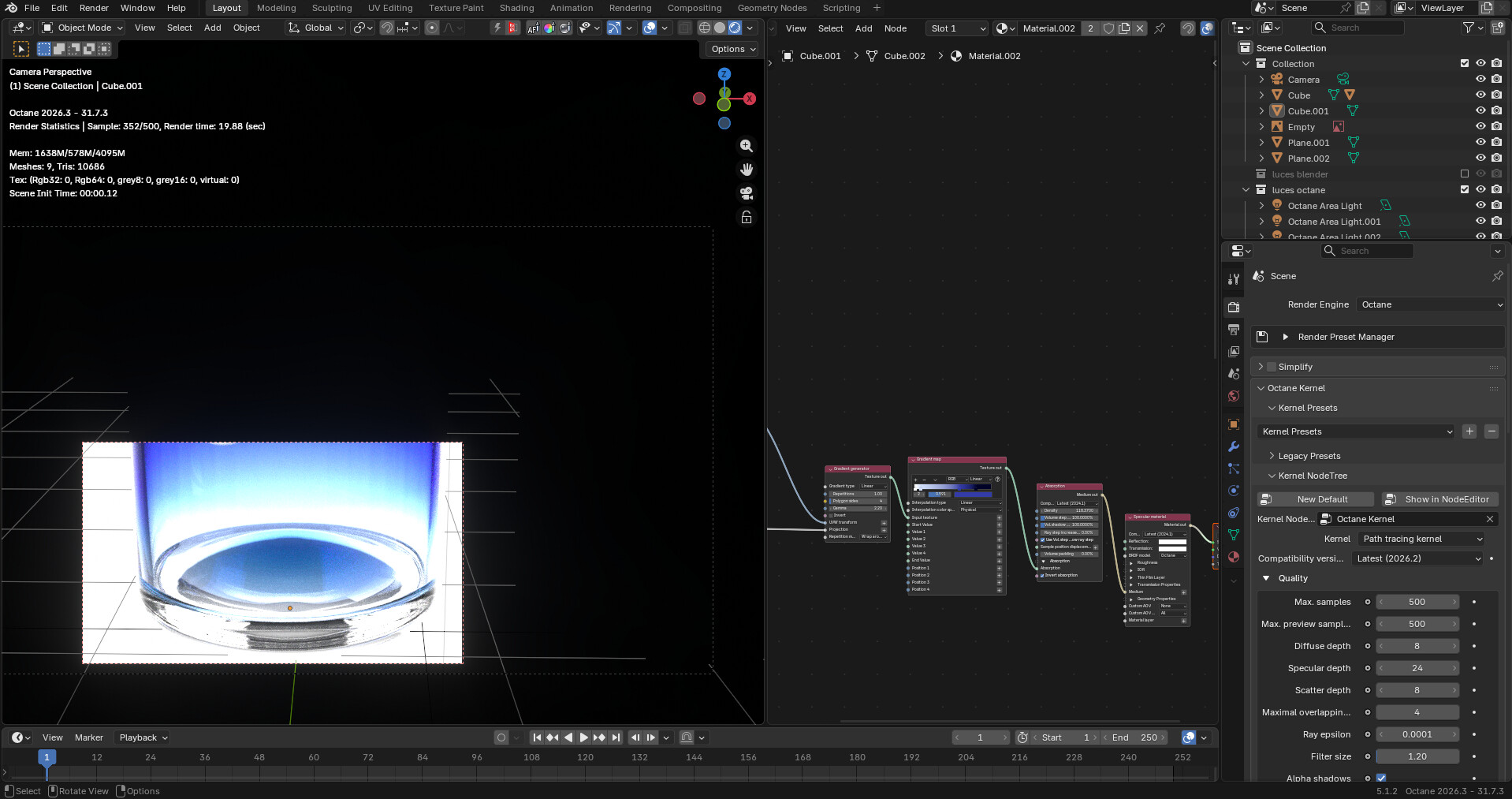
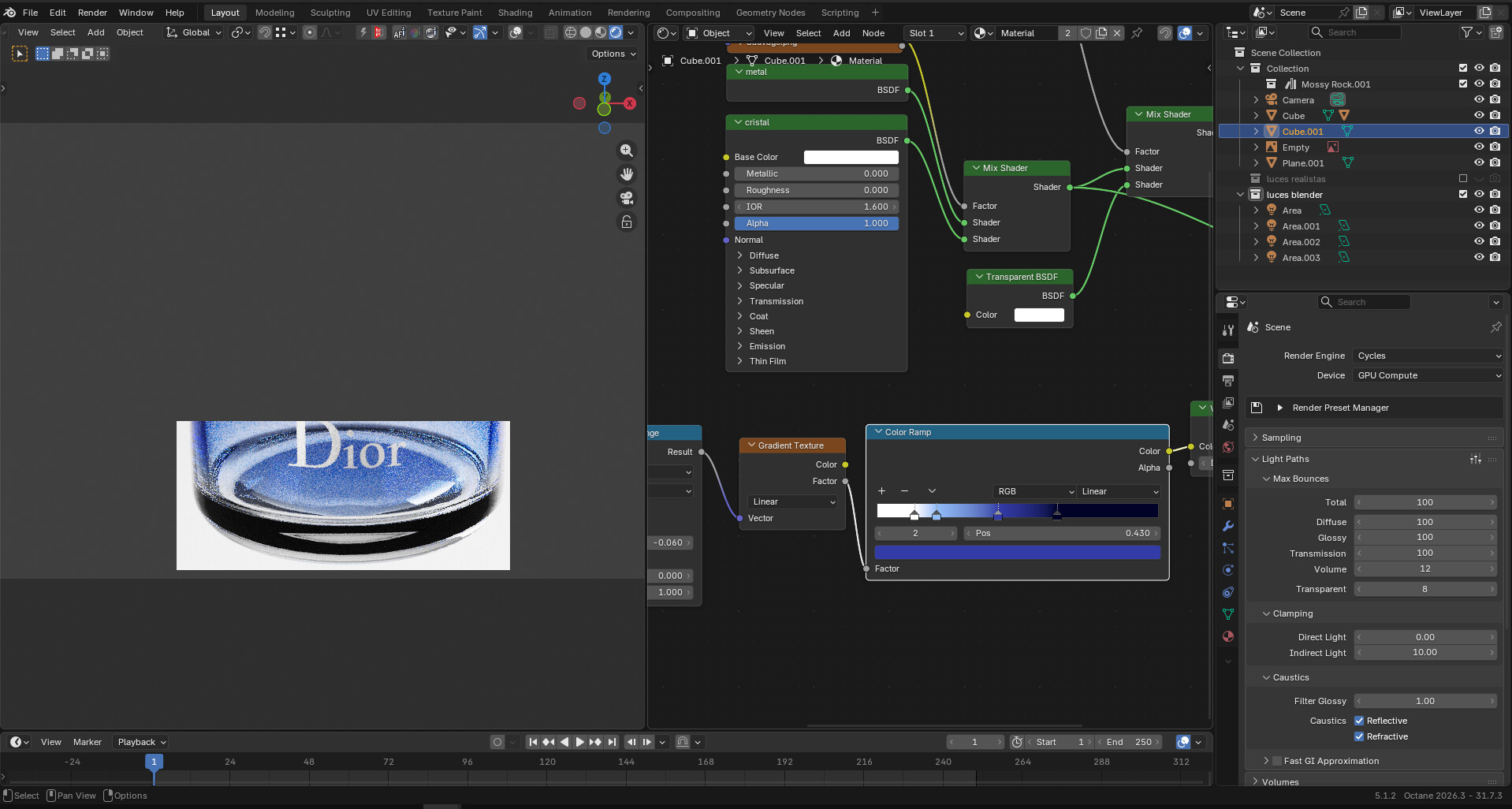
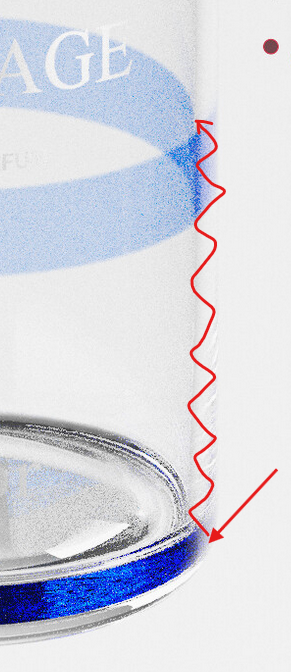
So I was doing a perfume render and I hated how on cycles certain parts looked black, even with high transmission samples, turns out you have to increase diffuse and reflective as well to get a bit of light on those areas. I also tested luxcure which is better for caustics, but this id internal refraction, and turns out Octane was much better with default settings.
Apparently, Octane might preserve energy better on those areas and there’s not much to do on cycles side from the uer side.
But I hate having to learn names for another render engine specially if you do things like a color ramp to drive absorption and configure lightining and learning to optimize things again, also the UI/UX with octane nodes is quite bad.
Oh yeah, it’s easy to think the transmission bounces would do it if you don’t know better, but it’s actually all in the glossy bounces. For a complex glass object, you may even see a difference even after multiple tens of glossy bounces (and the “total” bounces need to be set at least as high or they will limit the glossy).
I haven’t tried Octane though, but it seems to have an actual way to render caustics, so I would expect a better result than Cycles based on that.
In mi case, glossy bounces helped a bit, but ffor some reason, that might be the algorthm, cycles just doesn’t know how to do reflections past a point, and luxcore doesn’t seem better either. This is octane and cycles.
Octane is overexposed but the light ratios are the same, it’s a pain to set everything up again.
I don’t have a direct comparision with luxcore right now but it was still closer to cycles, even if it has good caustics.
Do I see a volume absorption node in your Cycles screenshot? One that fades to a really dark color? Then it’s no wonder you are getting that darkness in the thick parts, all the light is getting absorbed. Try keeping that color ramp to brighter colors, dark blocks light in Cycles. Also, changing the volume absorption to a principled volume might help, those can actually reflect light (especially with the 12 volume bounces you are using).
Comparing those 2 screenshots, I am questioning if the absorption is working the same way in both renderers, it looks like it’s either not working in the Octane version or like the behavior is inverted from Cycles (the thicker part seems the most transparent).
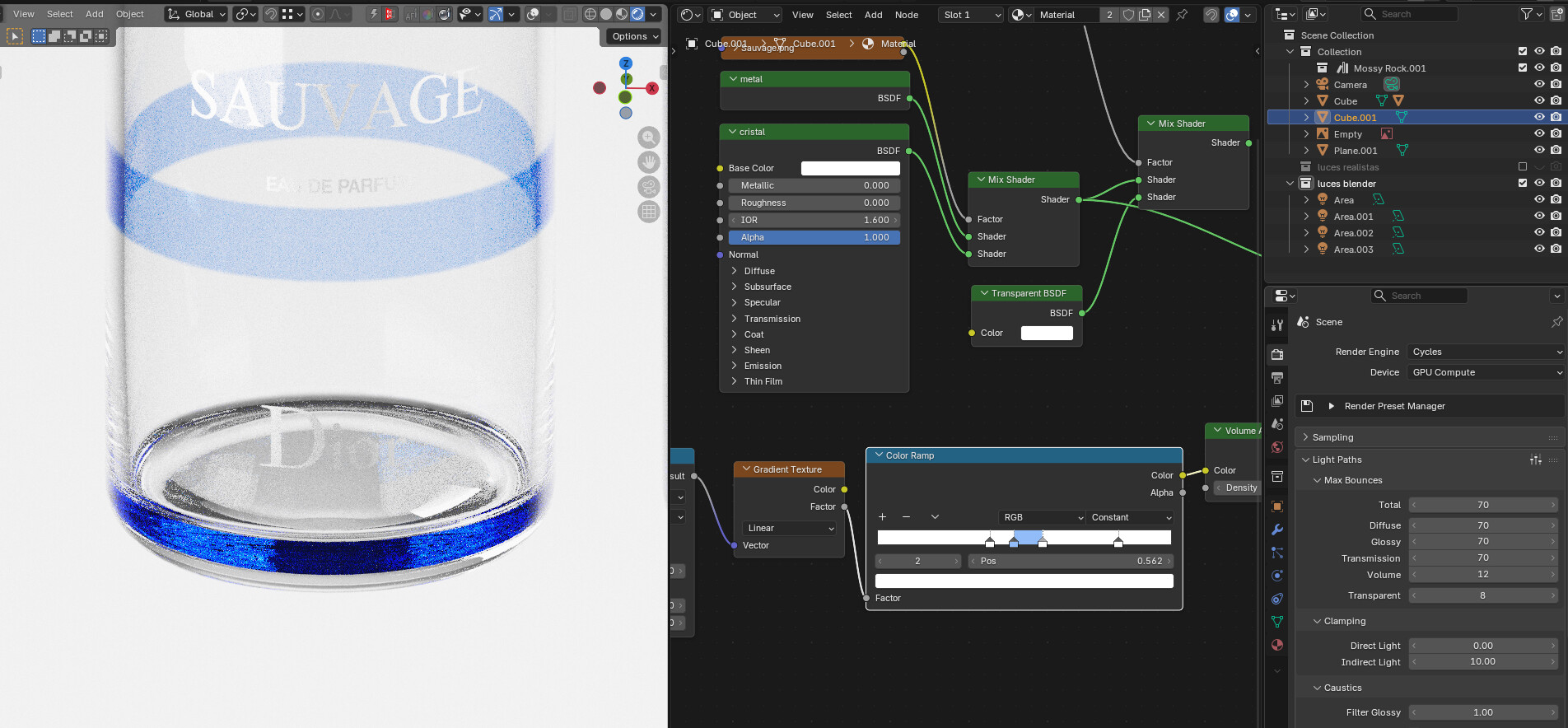
Well, I was gonna prrove to you how that part is set to white, but actually, you made me prove myself that was the problem even if it didn’t seem like it.
it seems to reflect the walls, even using a constant gradient with only a small part set to a light blue tint, that bottom of the bottle is picking all the color, but that still doesn’t happen on octane, as it shows on my previous screenshoots, so there’s still something weird oing on with glass on cycles.
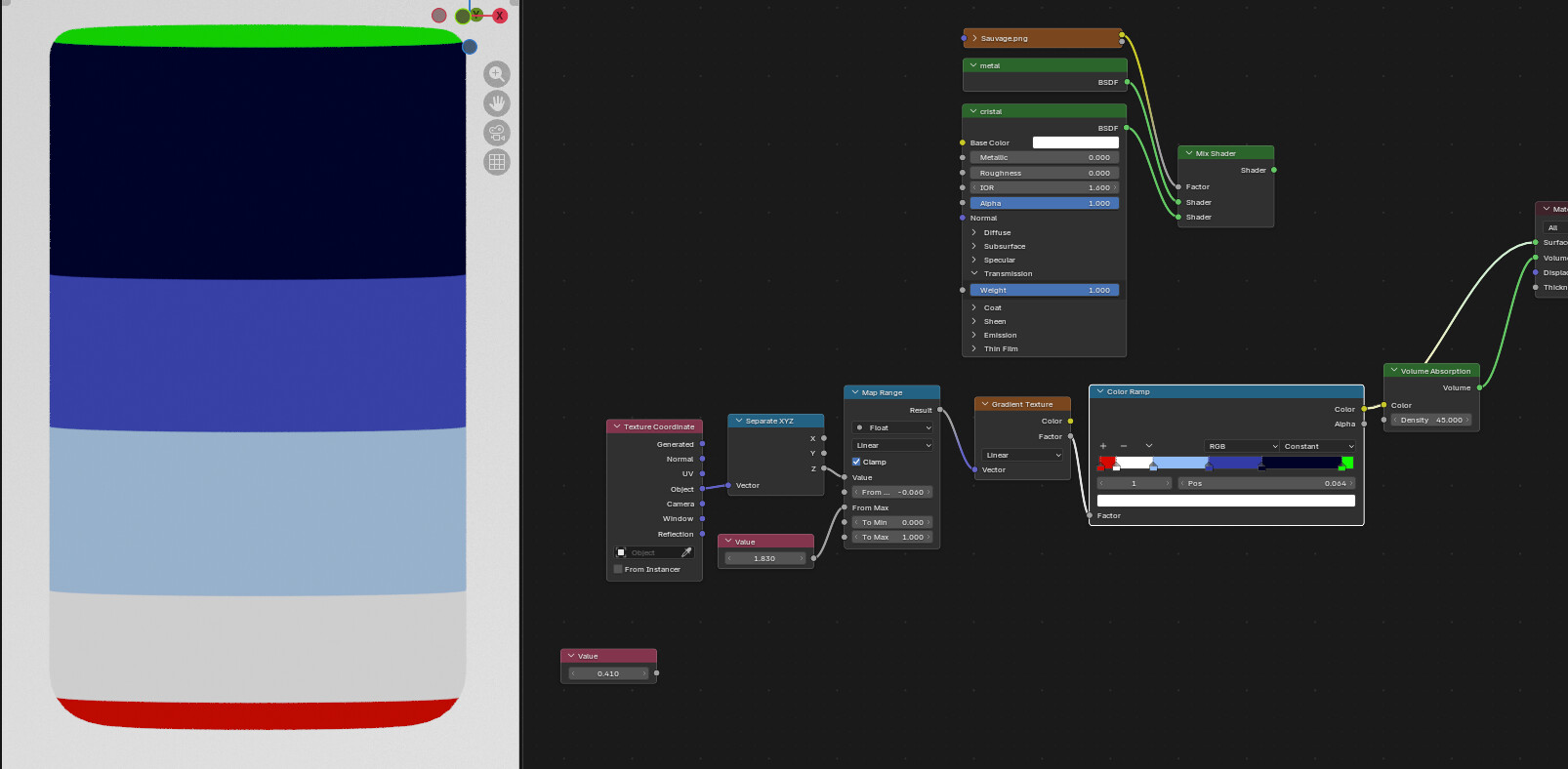
This is the whole material, I’m just making sure the gradient goes from top to bottom, as you can see when I use a constant color ramp, I added the red and green stops so you can clarly see it. (The object scale is not 1, but like 0.8), which probably makes this harder, but that wasn’t much of a problem as it’s uniform.
If that’s what’s happening, I am guessing the problem is going to be view dependant and will vary if you move the camera. That’s what seems to be happening if I make a quick test with a similar setup.
It would mean that this is actually somewhat realistic and not a glitch. Something that does seem to help is to make the glass BSDF color not perfectly white. Perfect reflections aren’t realistic, a bit of light would be lost bouncing inside glass repeatedly like this. The blue reflection becomes darker and less intense if I do that.
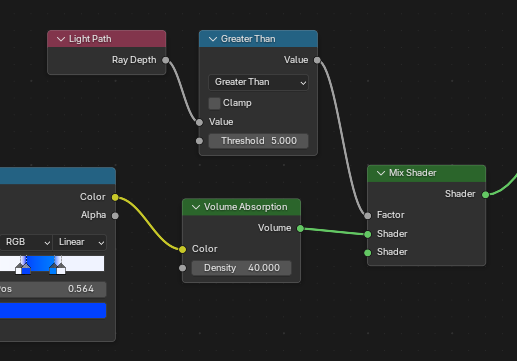
Something else that could help is to cheat the volume using ray depth. In this setup, the volume disappears after the fifth light bounce:
That’s not a realistic way of doing things, but this ability to manipulate light is an advantage of Cycles.