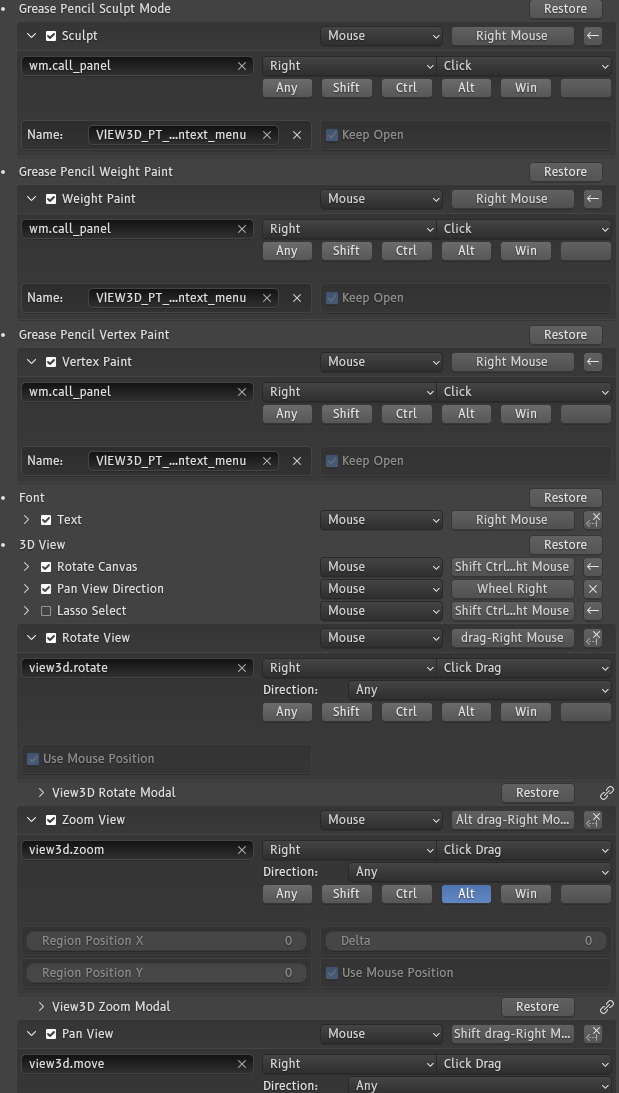
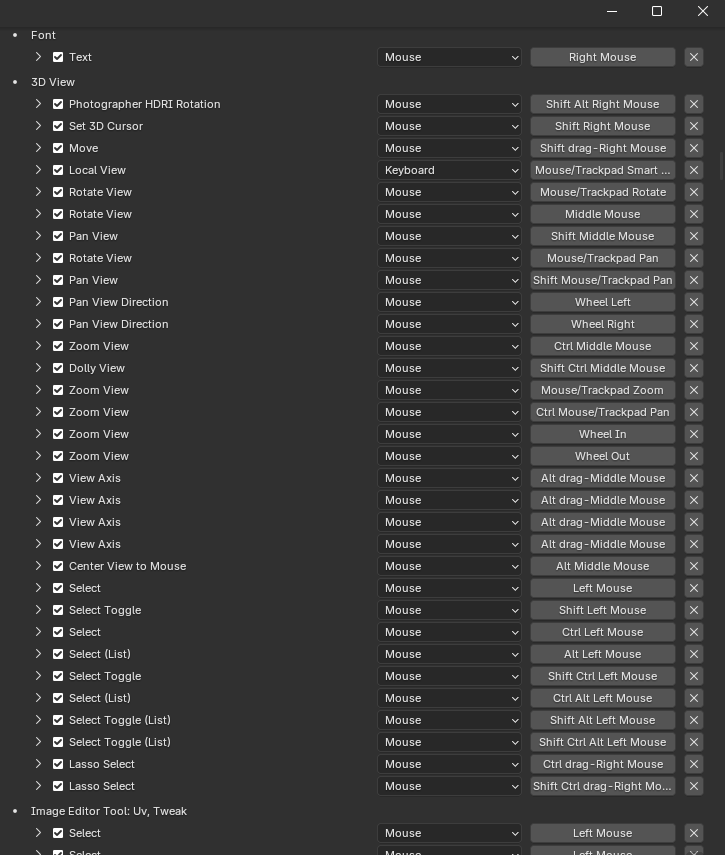
I believe i found a bug or two with the transform modal navigate hotkey, can someone else try this?
when any of the navigation (orbit, pan, zoom) keys are set to ‘click-drag’ instead of ‘press’, the navigate function doesnt work. try resetting blender to default and changing any of view3d.rotate, view3d.move, view3d.zoom to click-drag.
context: i have a keymap based on right click navigation, but to make it work alongside context menus, navigation hotkeys must be set explicitly to click drag. this makes the transform modal navigate key stop working.
Unrelated to this, it also doesn’t work if the navigate key is remapped. Like anything besides alt just doesn’t work.
Are any of these bugs i should report? does anyone know of any workarounds?
thats just a snippet. everywhere where theres a context menu it’s click, and everywhere where it’s navigation it’s drag.
all that said, i am getting this issue with the default keymap too, as explained in the OP. can i see part of your keymap? what do you have mapped to click-drag?