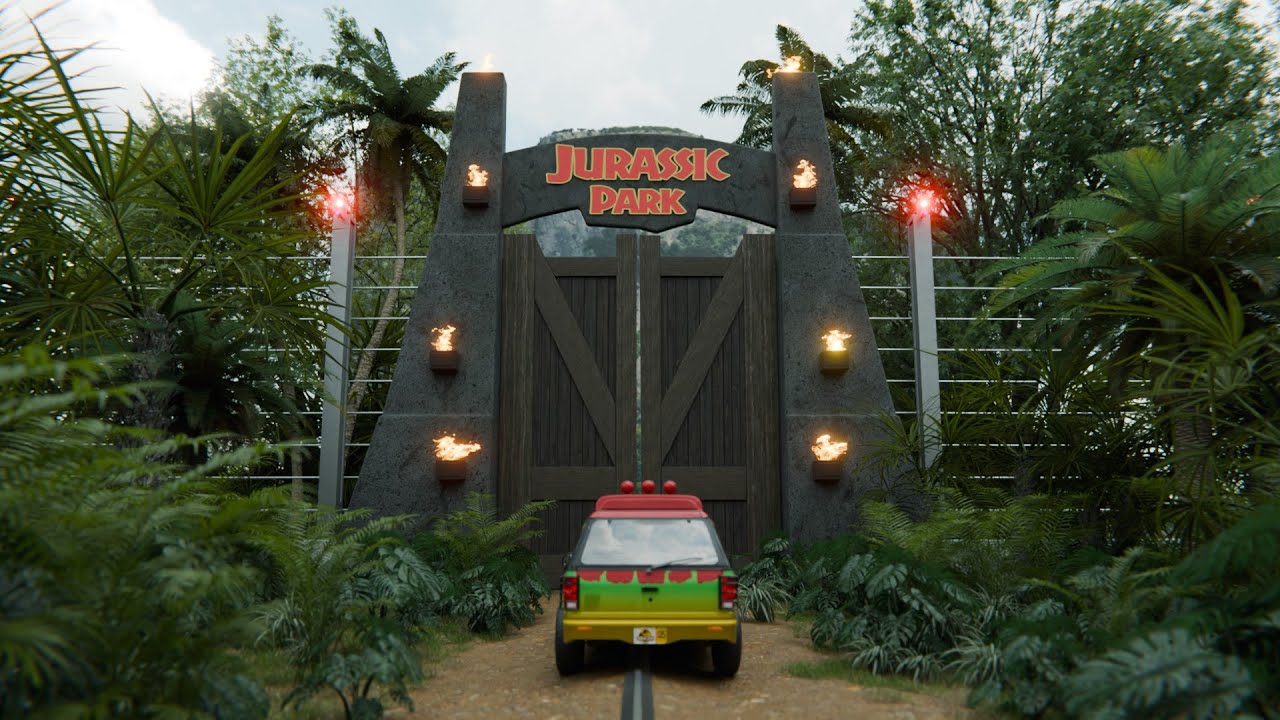
This is my latest short film based on the Jurassic Park story. I used it to improve my skills in character animation and scene objects. I then rendered the entire film using Cycles in Blender to showcase the power of realistic rendering.
Furthermore, I should specify that I did not model the car and the T-Rex. For the rest, I generated the jungle using the “Botaniq - Polygoniq” addon and modeled the entrance with the flames and the electric fence.
The flames were generated separately, then add in the main scene.
I love the details: the GPS, the tag on the rear-view mirror. I would only make two suggestions:
(1) When the GPS starts making its honking warning, you should #CUT_TO# an extreme close-up of the display so that we can immediately see (and take time to take in …) what it is saying. Otherwise, we simply can’t see it.
(2) Wouldn’t the actor immediately slam the car into reverse, instead of opening the door and running away on foot?
Anyhow: the renders are lusciously detailed in their content and in their materials and textures and lighting. “Cycles was worth it.” If someone in the 21st Century were to make the very bad mistake of opening that gate, this is how it would look.
@sundialsvc4 thank you for your comment. Yes, you’re right, it would be better with a bigger zoom on the GPS, I will keep that information for a next movie to carry more about that detail.
About the actor who running away… it was a way for me to escape and done this project too , but yes, I admit that he was not really smart to move in front of the T-Rex… everyone know that his vision is based on the movement
What I had in mind for the GPS is what (I think) they call a “cut away.” You #CUT_TO# a full-frame illustration of what’s on the screen, then back to the action once the audience has had time to absorb it.
As with the actual movie, the first mistake was to go inside the place! (But, if they hadn’t done that, there wouldn’t be a movie.)

 , but yes, I admit that he was not really smart to move in front of the T-Rex… everyone know that his vision is based on the movement
 (But, if they hadn’t done that, there wouldn’t be a movie.)