Hi guys. Hope you are good today : )
I need help with this hairbrush and cannot figure out the right approach. I am close but cannot get the modifiers to do exactly what I need.
Using Lattice and shrinkwrap gives me this result:

As you can see, the bristles thin out at the edges and the shape becomes flattened. I think this is due to the lattice wrapping around the object underneath. I have tried to edit the lattice around those edges by scaling up on x axis, but this was unsuccessfull. Also the last couple of bristles on the right do not rotate around those edges, they remain facing forward on the Y axis, rather than follow the lattice.
Getting annoyed, I opened up a blank project to try out different methods.
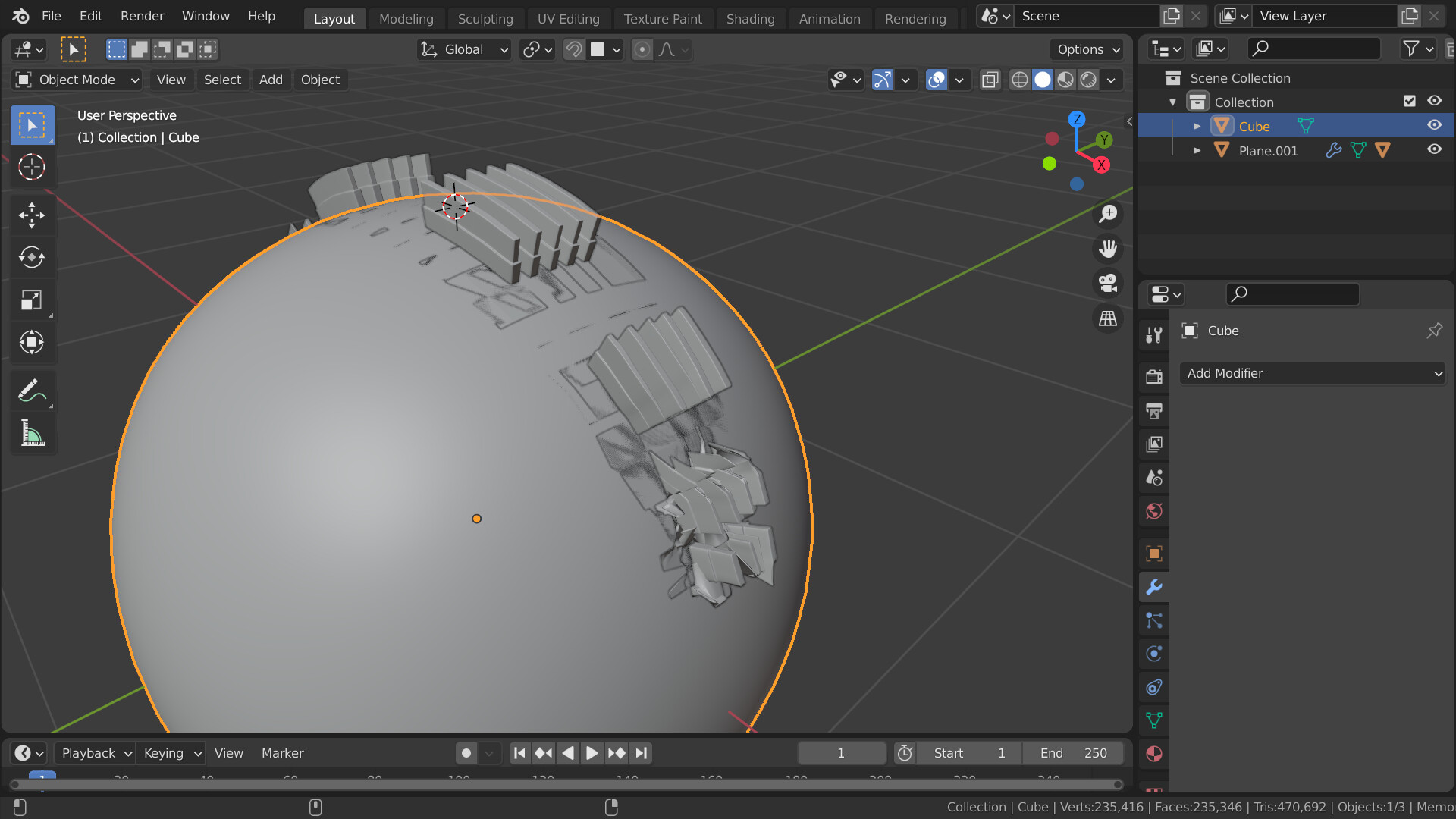
This one I tried adding a plane, parenting the plane to the detailed object, adding a surface deform to detailed object, and shrinkwrapping the plane around the sphere. Close, but the edges here are also warped! What is going on? I have tried applying transforms, scales etc at various different times to see if that impacted. Ive tried moving the modifier stacks around and all objects have sufficient geometry to, still no joy. Please help as this is driving me crazy!
Many thanks in advance


