Retopology auxiliary add-on that includes for retopo functions and external retopo add-ons
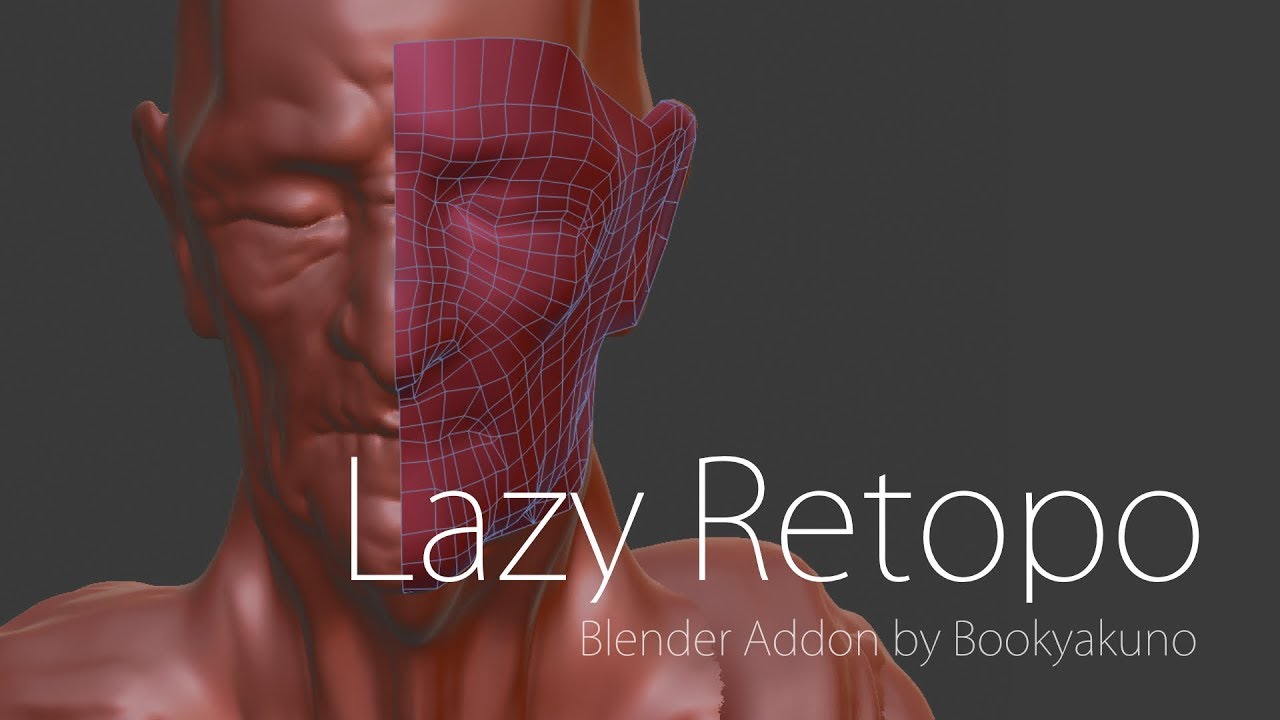
Summarizes related functions so that you can work with Retopo smoothly.
Download
Link
Function
It is an add-on that summarizes related functions so that you can smoothly perform the following processes.
The specific method of retopo is introduced in the above article.
- Create an empty object for Retopo
- Adjust display settings for Retopo objects and 3D views
- Create polygons from a menu of external add-ons
- High Poly Project
- Adjustment of mesh flow and shape
- Correct while highlighting error mesh
Set up empty object
Create an empty object for Retopo and change various settings to make it easier to retopo immediately.
- Sets the active object as the project target object
- Empty object
- Creates an empty object
- Bring it to the front
- Sets the mirror shrinkwrap modifier
- Enable Snap
- Snap settings to face
- If the BSurfaces add-on is enabled, the empty object will be automatically set as the target object
Project
Projects the object in the retopo onto the high poly object so that the shape follows it.
Resolves an issue where the mesh modifier’s affected and actual positions are misaligned during the Shrinkwrap modifier.
- Internally, it sets a shrinkwrap modifier and applies it immediately.
- Automatically aligns vertices at axis 0 position
| Keymap | Function |
|---|---|
| Ctrl + Alt + S | project |
menu
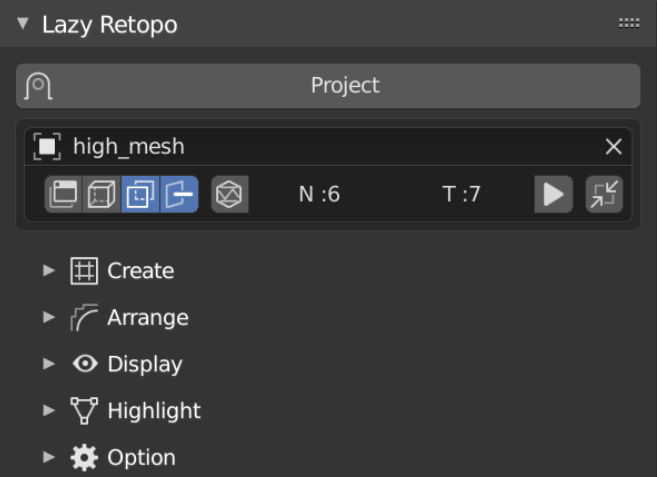
You can access the project from the menu at the top.
From below, you can access various functions with simple icons.
You can access various detailed functions from the menu organized by.
- 3D View> Side Menu (N key)> Tools> Lazy Retopo
- Supports Japanese translation
- If the project target object does not exist, the top menu will be “Set up empty object”
Polygon Creation
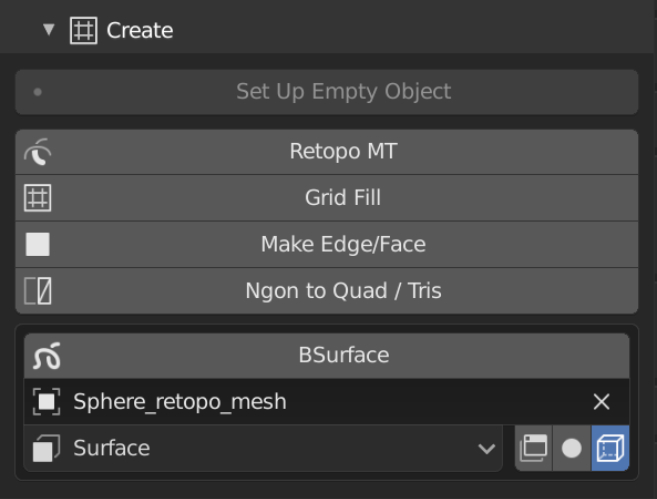
- F2
- Highly functional side/surface covering
- RetopoMT
- Creating polygons with strokes
- Creating polygons in slices
- Bsurfaces
- Polygon creation based on the drawn stroke
- From the menu, you can change the display settings of Bsurfaces and the drawing position of annotation
Polygon Adjustment
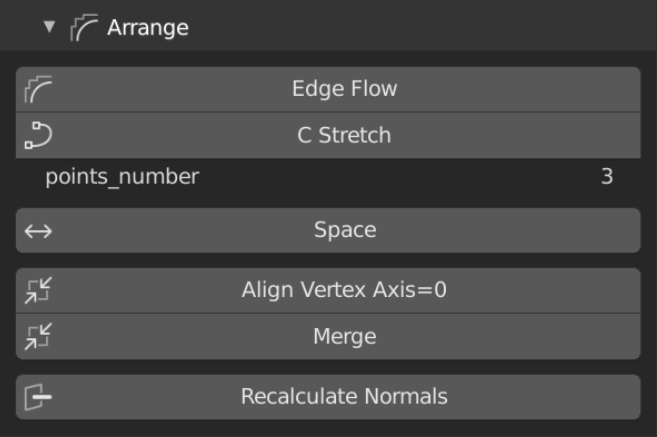
- Looptools
- Uniform spacing of vertices
- Mira Tools
- Edge adjustment using curves
- You can change the number of points of C Stretch
- EdgeFLow
- Shaped into a beautiful topology
Align vertices at axis 0 position
You can align the vertices of axis 0 position that are misaligned in the project with the object using the mirror.
Display
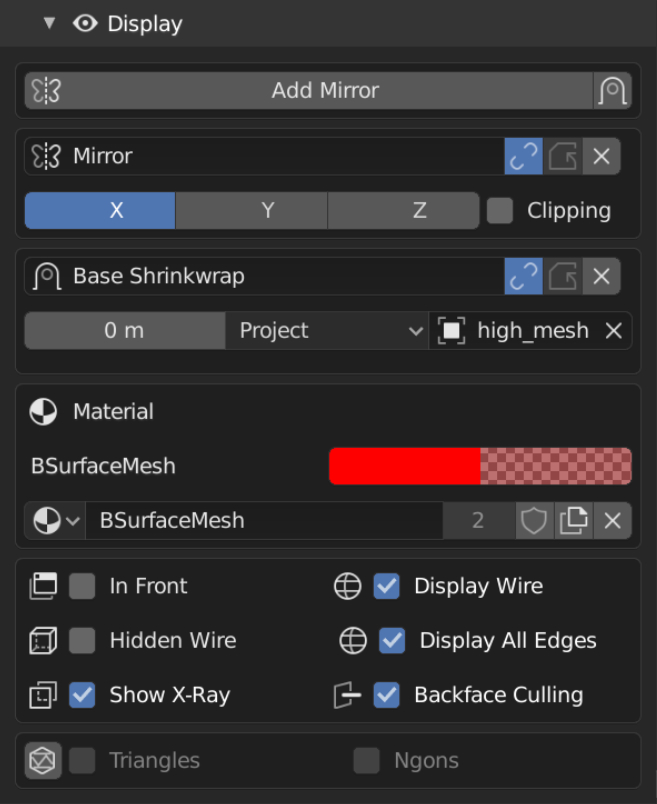
You can switch the display settings of objects related to Retopo.
- Mirror modifier settings
- Shrinkwrap modifier settings
- Material color
- Object display options
- Front
- Wire display
- Show all sides
- Hide the back
- View display options
- Hidden wire
- Transparent display
- Mesh Check BGL Edition
- Real-time highlighting of error meshes such as triangles and polygons
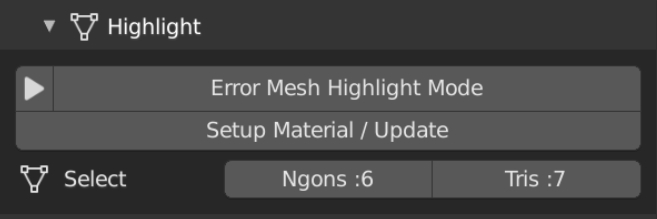
Highlight
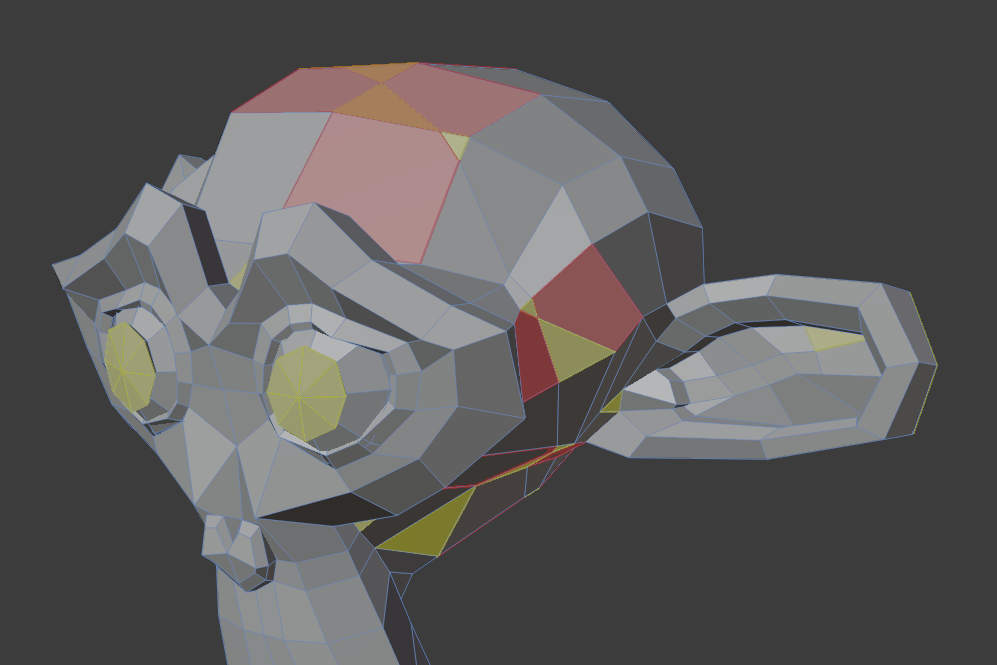
Highlight triangles and polygons in real time.
Use material.
You can select triangles and polygons within the object.
Currently the Mesh Check BGL Edition add-on is upward compatible.
Menu
Option

You can adjust the project settings. You can add, remove, and display the
vertices to be excluded in the project in the vertex group .
“Click to remove mesh” function
Click to remove vertices or edges.
You can quickly remove unwanted vertices.
You can enable/disable the keymap from the main menu → Options.
It is disabled by default.
| Keymap | Function |
|---|---|
| shift + ctrl + alt + left click | Click to remove edges and vertices |
| shift + ctrl + alt + right click | Click to remove loop edge |
Add-on settings
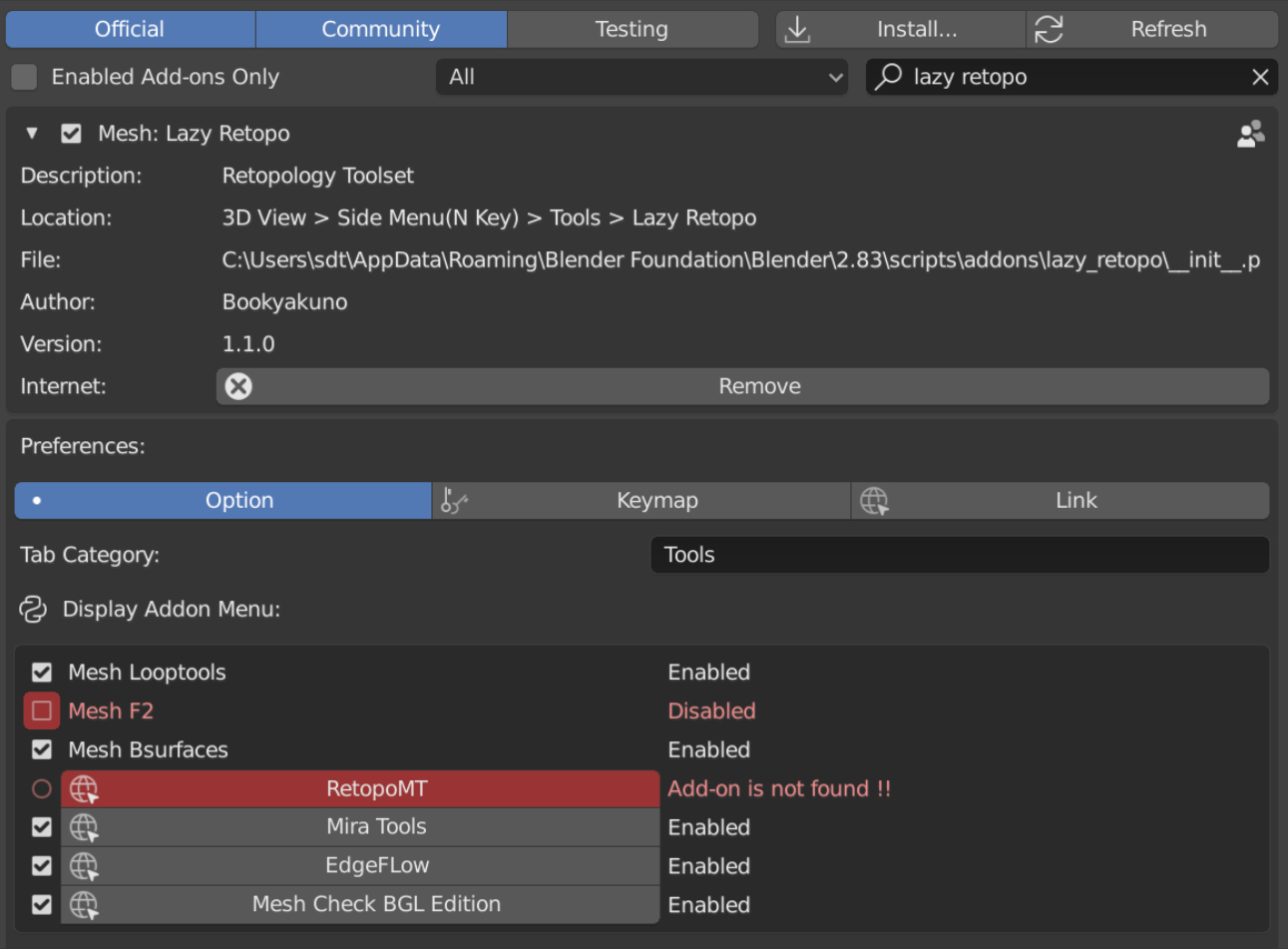
- Change tab category settings
- Change external add-on settings
- You can enable other add-ons and access the download site directly from the add-on settings.
- Change keymap settings
Supported Add-ons
Easy access to add-ons about Retopo.
- Looptools
- Uniform spacing of vertices
- F2
- Highly functional side/surface covering
- Bsurfaces
- Polygon creation based on the drawn stroke
- RetopoMT
- Creating polygons with strokes
- Creating polygons in slices
- Mira Tools
- Edge adjustment using curves
- EdgeFLow
- Shaped into a beautiful topology
- Mesh Check BGL Edition
- Real-time highlighting of error meshes such as triangles and polygons
Keymap
| Keymap | Function |
|---|---|
| Ctrl + Alt + S | Project |
| shift + ctrl + alt + left click | Click to remove edges and vertices |
| Disable by default | |
| shift + ctrl + alt + right click | Click to remove loop edge |
| Disable by default |
 Maybe it is registered as SetEdgeFlow
