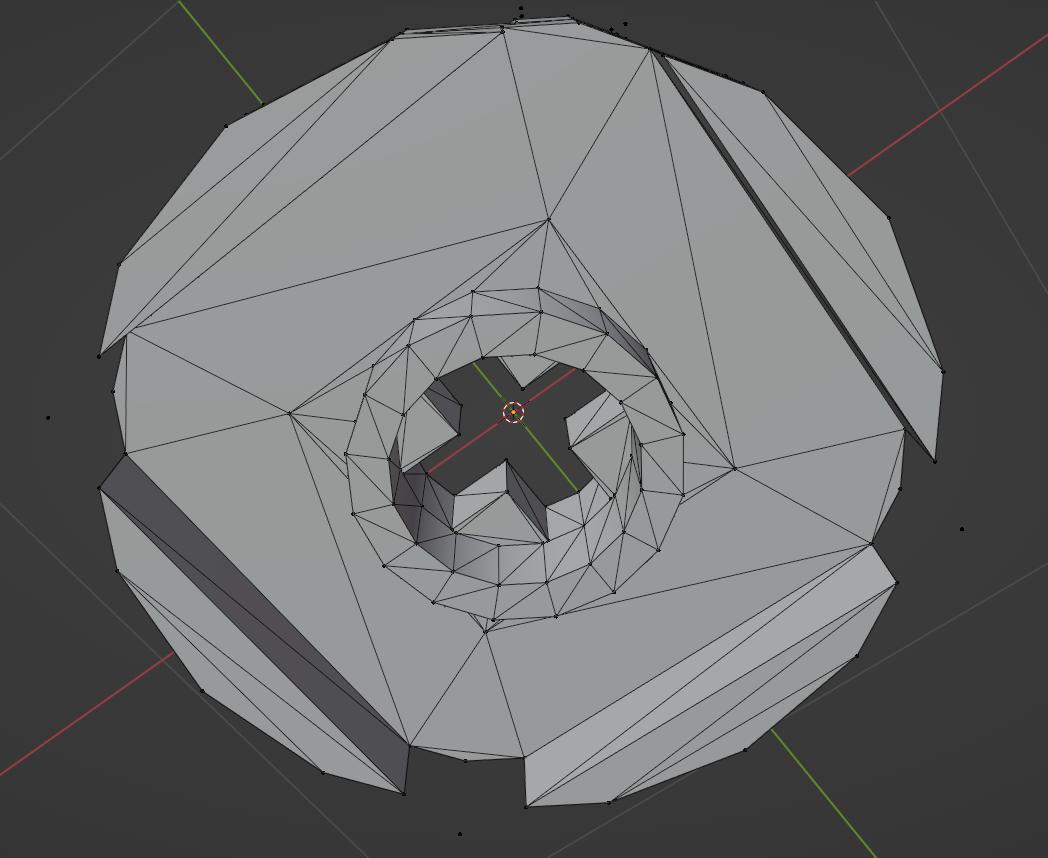
Yes, all the pieces you see come with the software. LeoCAD’s parts library is actually a copy of the LDraw parts library, so if it’s in LDraw, it’s in LeoCAD. The reason I use LeoCAD is that it is more modern in terms of looks and features. It doesn’t always have all the parts I need, which is why I had to swap out some parts in my X-Wing render. The only problem with it is that because it uses the LDraw library, the parts are very low-poly, and the topology is pretty bad. So rendering in cycles can be a real pain, as Cycles doesn’t do very well with reflective, low-poly meshes. And because of the ugly topology, it takes a fair bit of retopo to be able to apply a subsurf modifier. Below you can see a sample of what you can expect:
I haven’t looked very thoroughly, but your best bet may actually be Mecabricks. It’s all done in a browser, and, from what I can see, some of their parts are higher-poly, complete with pre-bevelled edges. There’s also Bricklink studio, which is apparently owned by Lego themselves. I’ve never tried it, but it’s probably as close as you’re going to get to LDD. Personally, I still like LeoCAD, mostly because I’m familiar with it. But take a look at some of the other options out there.
I remember trying out LDD as well. From what I can remember, the parts library was smaller than the LDraw library, but it’s snapping and movement tools were much better.
I do have some ideas, so stay tuned…
Yes, it’s been winding down for a while now. I remembered it had been half-discontinued for a while, but apparently they finally removed the download page just this year (2022). They recommend using BrickLink Studio, which they now own, but I haven’t tried it yet.