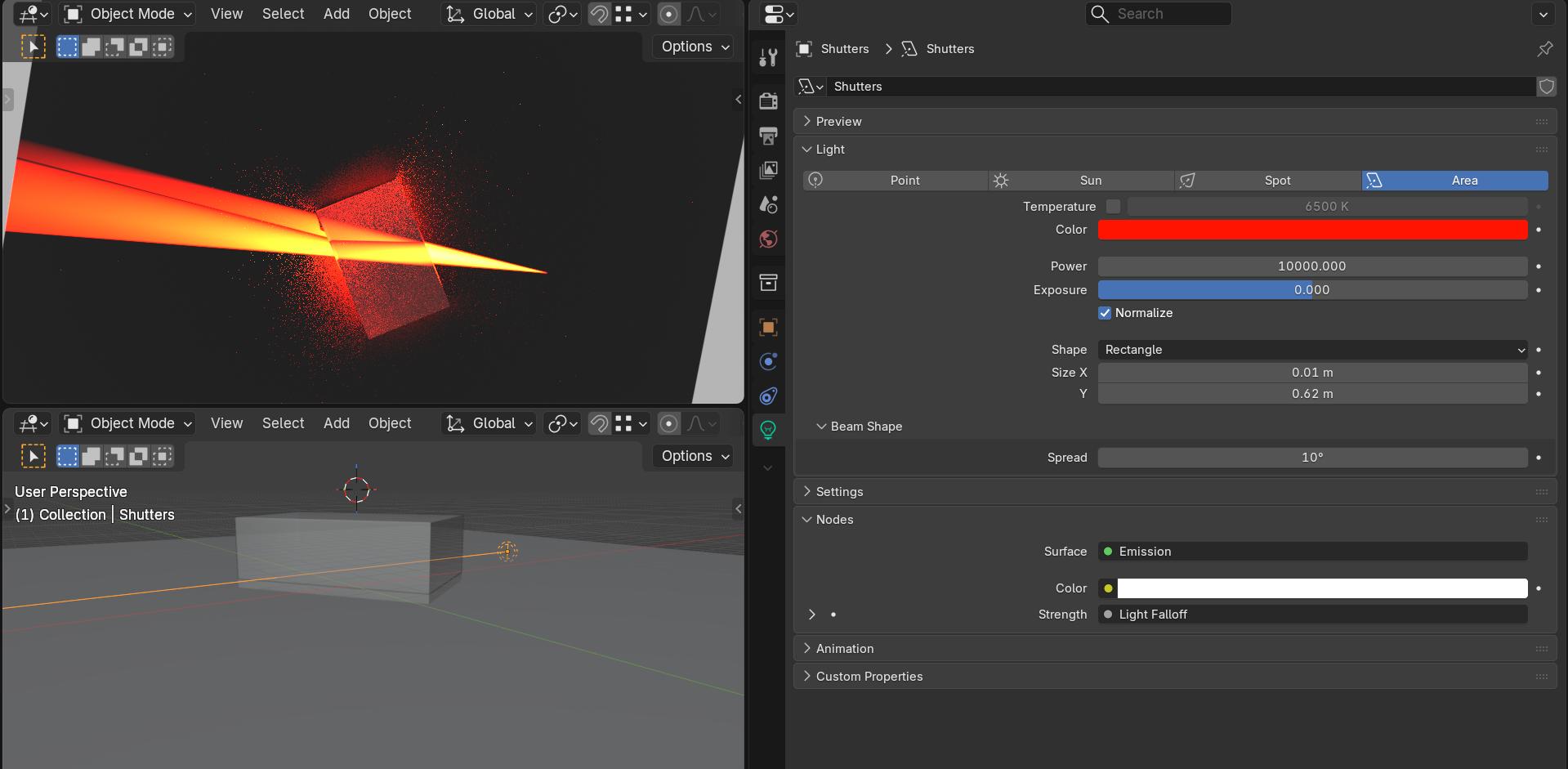
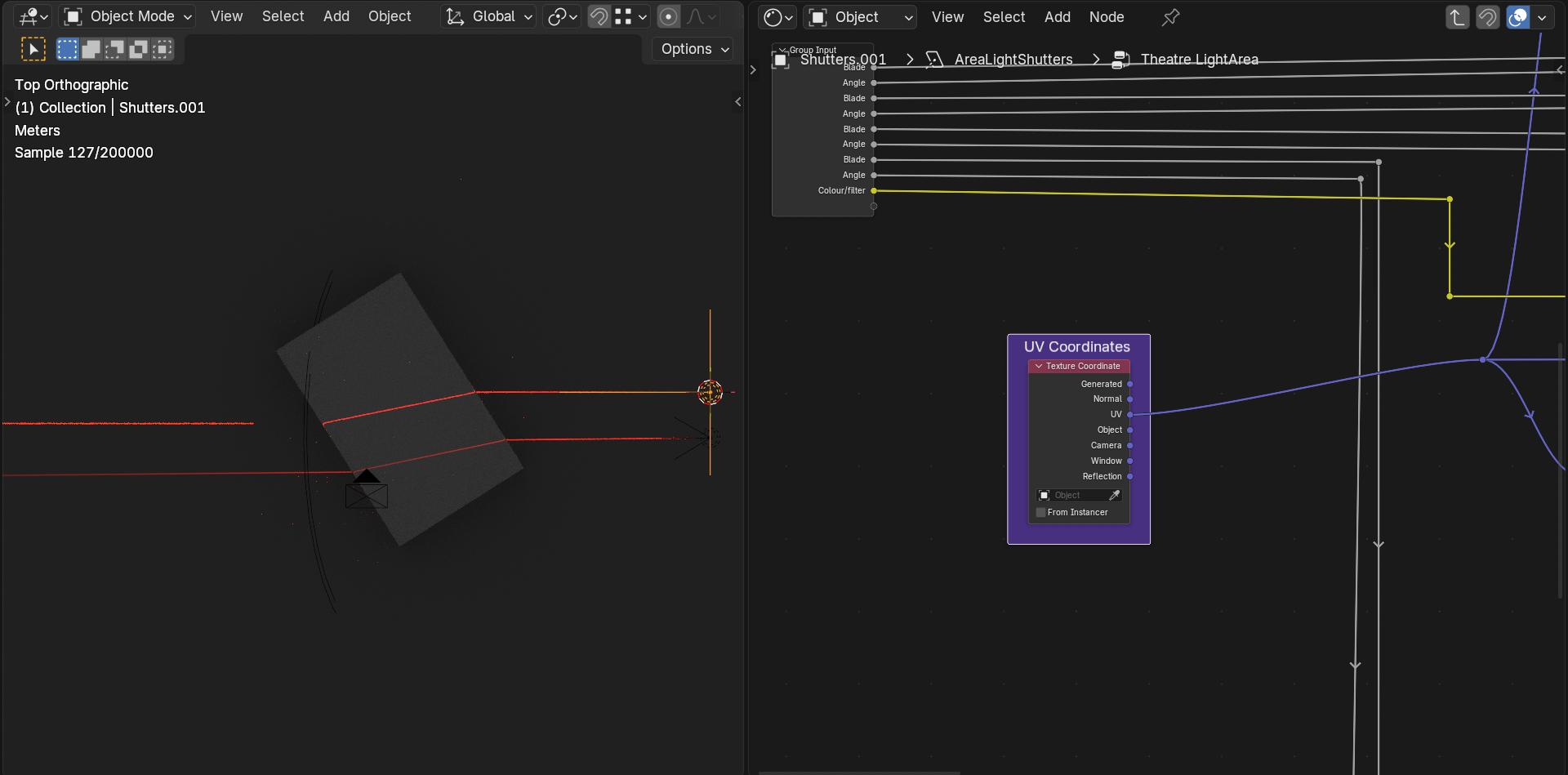
Hello, I’m trying to make a simple refraction experiment by using a simple refraction BSDF with Cycles. But my material acts as a highly scattering medium, when it is supposed to preserve the light beam shape.
The roughness is 0 and the IOR is 1.5 (perfectly flat glass). The angle of the refracted beam seems partially correct (I checked with the Snell-Descartes formula) but its shape is not.
all elements are scaled cubes (scale is applied, the material is a diffuse BSDF).
The “glass” cube is clipping through the ground. (I also tried with the glass block not clipping through the ground but the light beam cannot be seen inside the material.)
The light source is a red spotlight shining through a narrow slit (I also tried with a sun light, results were the same).
Please let me know if there is something wrong with this setup, or if I forgot something in the render parameters.
Hello, thanks for your suggestion
It was not really what I was looking for, but the thread led me to some interesting youtube videos.
It seems that for optical simulations, people use the LuxCore render engine. Here is the result :
It works much better, and there is even internal reflection !
To do this, I used a LuxCore glass material with roughness set to a very low value (if roughness is disabled, the glass block appears black when viewed from the top, and the light beam cannot be seen. I don’t know why, but it’s good enough for this simple test)
I don’t know why this does not work in Cycles though. I don’t fully understand how render engines work, so I simply assumed “Cycles → Raytracing → Snell-Descartes law is applied → easy” but it looks like it isn’t that simple…
I think Cycles was only made to look good when you look through a transparent material, not for whatever I was doing
But still, this roughness effect I got in my first try is just weird
Is the “filter glossy” setting in use? It’s on by default and it blurs reflections and refractions to avoid fireflies (this is usually needed because Cycles is really not good at caustics and other sharp reflection / refraction patterns like this).
I think maybe the problem is the light source, for this I used a custom setup that mimics a laser (It is a sport light with “shutters” like a theatre light, the shutters are done with nodes) constant falloff and 0 spot radius.
The shutters are making just a “slit of light” (it still opens up a bit at distance due to the nature of spot lights)
The internal reflections do not work as well as luxcore but you do get some depending on the viewing angle.
From doing some testing, it looks like the way area light spread works causes refraction not to perceive the light source at all if it’s reduced to 0 degrees, like the size of the light itself is 0. I don’t know enough about the way Cycles work to say why this happens.
I was able to make it work with a much wider beam, though I needed to use path guiding (CPU only) for the beam to have any chance at fully forming.
It seems this is pushing the limits of Cycles. That’s not unexpected though, Cycles is designed for animation rendering, not optics simulations. Area lights with reduced angles seem not to be the way to do this.
That’s really cool, I didn’t know you could customize lights like that.
Do you have a documentation/reference that explains the node setup ?
Your “shutter” system sounds similar to what I was trying to do, but instead of being geometry it’s built into the light source. I wonder why the results are so different.
Anyway, it’s good to know that it’s possible in Cycles ! I’ll try to study your file and try to recreate it.
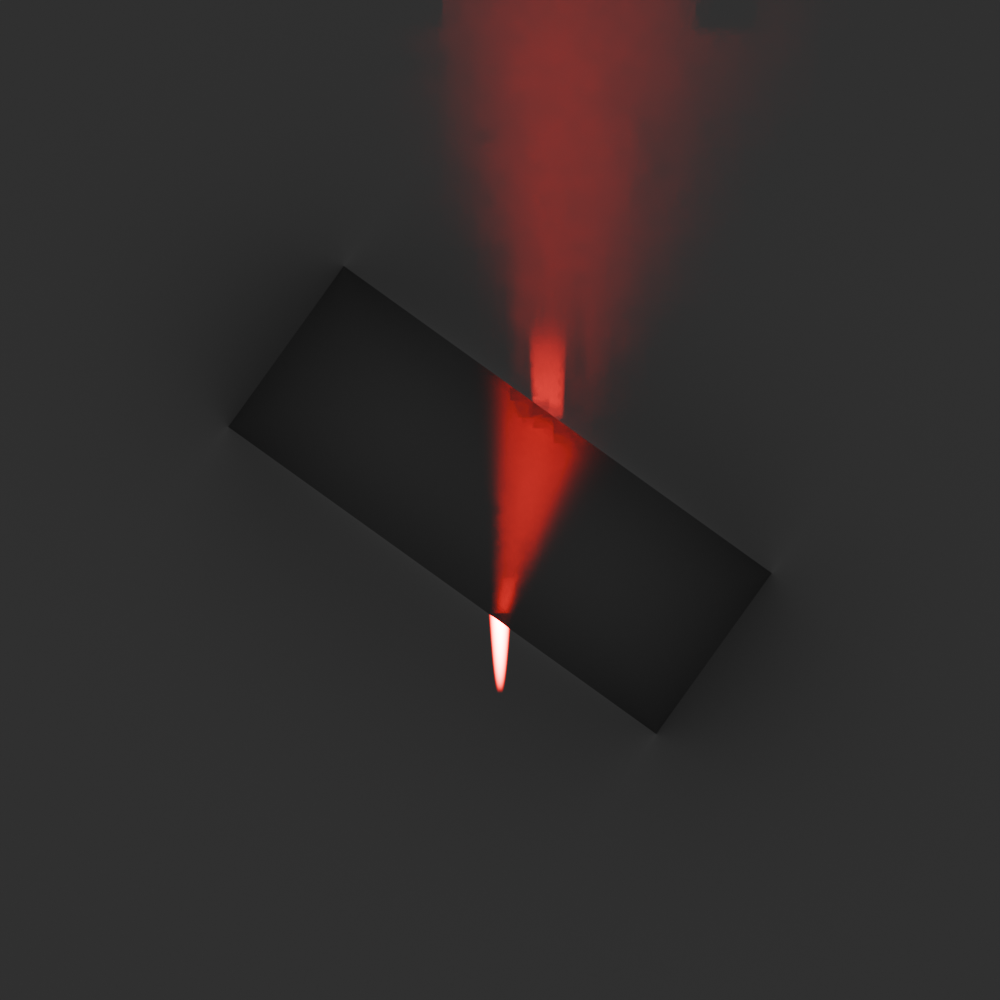
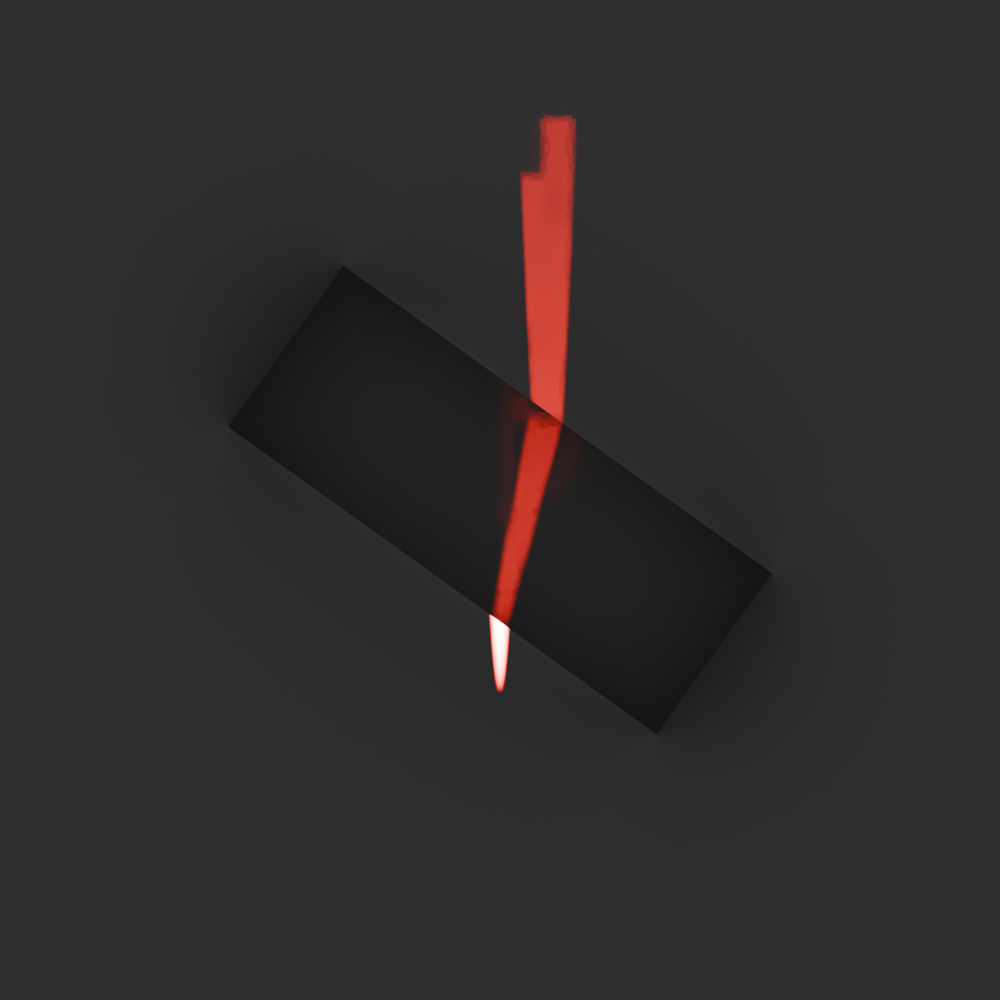
I tried your method, it seems to work but it depends on the filter glossy setting.
Below : emission angle is 5°. The first picture is with filter glossy = 0.01, the second with filter glossy = 0.004. Below 0.004 I could not see the beam, but it seems filter glossy is responsible for the scattering behaviour.
As for the explanation, from what I understand, in Cycles lights rays start from the camera and try to find a light source, so if the light source has a size of 0 it’s impossible for a random ray to reach it. The reason it works better in LuxCore is because it implements “physical” raytracing (the light rays come from the source).
But the light source doesn’t actually have a size of 0 in those scenes, only the light angle is restrained. I would still expect a few rays to find the light source by pure chance, but it looks like the refractive material doesn’t perceive the light at all in that situation for some reason. It must be some quirk or limitation of Cycles.
I was able to get a visible beam with no filter glossy, but the angle needed to be much bigger than this, like 15 degrees.
If I’m not mistaken, Luxcore defaults to tracing from the camera like Cycles for most of the scene, but does just the caustics starting from the light with its light tracing algorithm. It’s been a while since I used it though, that’s how it seemed to work last I checked.
–
I have tested a bit more and found that it actually works with a light angle of 0 if I give the glass material a very small amount of roughness. It allows a tighter beam than filter glossy.
Here is with glass with a roughness of 0.05. I also used path guiding and disabled the noise threshold to give the very sparse light as much of a chance to appear as possible. No filter glossy.
In theaters they use these lights a lot, they have 4 plates (I called them shutters but they are normally called Blades), when you push them in they cut the light and you can change their angle too.
Not sure how you were doing it exactly but I tried quite a few methods to do a “laser” type thing and found this one the best. Blocking light with geometry does not work because the light will always “disperse” from the hole, tiny area lights did not seem to do it either.
EDIT
I was a bit ashamed of my node mess so I cleaned it up a bit, if you download this file it will be much easier to understand the node group
I also changed the angle slider to get negative angles (the slider now goes from -1 to 1 instead of 0 to 1). I should have called it “Tilt” because it does not really represent an angle value it is more like “tilt this way and that way.”
No matter how I moved the lights, the two beams looked very similar, so I was not sure your statement was correct.
But then, I also tried to compare my material and render settings, and the only significant parameter that changed is your light source, so I can’t say you’re wrong either
I don’t understand why, but your light setup just seems to work. It is also very efficient: you can see a perfect beam with a very low sample count, which is very useful.
It works but it has a very low intensity, and you get a lot of scattered light (green here, red is the light from your file) :
No it’s not ! Your glass block is bevelled and subdivided ! When I disable the bevel I cannot see the beam through the glass block, even though the beam hits a face unaffected by the bevel. Weird.
It looks easier to implement than DNorman's setup but it's a bit less robust, depending on the beam size and angle I can get "holes" in my beams. There's also a lot of noise, so it takes a lot a samples to get a good result.
It’s easy to get the internal reflection (I disabled it here by setting the max total bounces to 2, which also helps with scattering), which is not possible with DNorman’s method.
It’s interesting, because both methods have different trade-offs.
Yeah, path guiding can allow the rendering of caustics, but it’s a bit of an accident that it can. It’s not primarily designed for it and isn’t reliable. Make sure that the noise threshold is disabled if you experiment with that, it can take lots of samples for the holes to fill in and the noise threshold will prevent that by stopping the search early in those areas because they appear noise free.
yes you are right (I was wrong), blocking with geometry does work similar. I think the extra scattered light is bouncing off the “blocker” geometry. With my setup there is no “blocker” the light simply does not emit where the blades are, which is probably why it is more efficient (there are less rays to calculate).
As for intensity I did set the lights power to 10000, also in the node setup the falloff node is multiplying that power by 2 and is set to constant (no falloff).
For a better laser effect I think I would need to use a sun lamp but that would need a different mapping setup for the blades, I am not sure if you can map it with a sun lamp.
I don’t think you can use nodes with a sun light. To define the beam you can enclose the scene inside an opaque cube, with a narrow slit in one of the faces. But it’s very inefficient, since only a fraction of the rays is useful.
A plane light source with 0° spread should be equivalent to a “localized sun light” and works with nodes
But :
no matter what I do I cannot see the beam through the glass block if the glass roughness is 0, so there must be something special in your light setup that makes it work, and that I haven’t found yet (it’s not the light falloff).
If I increase the roughness to 0.05 we get the results of etn249’s method : it works but is not as efficient as your custom light.
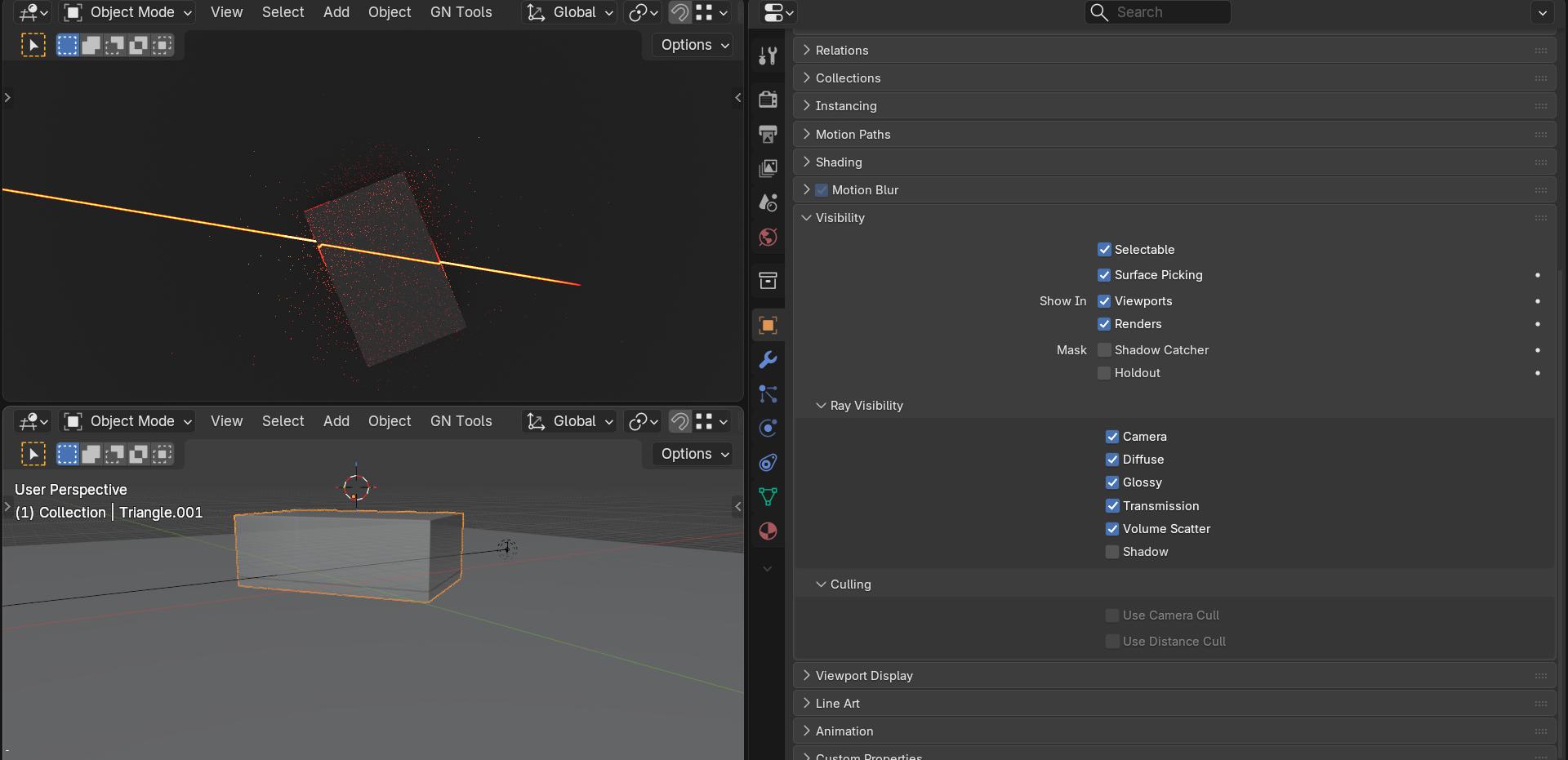
As you can see the glass is casting a shadow that leaves a “hole” in the light ( you can get rid of that if you set the glass object to not cast shadow.
BUT what really has me stumped is that the glass is not refracting the light, it is just a straight line from the top view!
If you look through the glass you can see the refraction but it does not show from the top view.
The most annoying thing is when you turn up the spread
There is a “darker line” in the light that is refracted. The light beam is not refracted but that darker line is (Blender 5.2)
I have no idea what could cause this, it seems that area lights and refraction do not like each other. I have no idea why this works with a spot lamp and the node group but fails with a simple long thin area light.
Not sure why, the light from an area light does go through the glass for me, I do tilt my lights slightly so they are illuminating the ground plane.
This looks like what you would get if you lit the glass bloss from above, but you’re clearly doing it from the side so it’s really weird.
But I could not replicate this result : either I can’t see the ray, or I have to set the glass roughness to 0.05, and in this case refractions works like in etn249’s method.
I’m not sure this side view is reliable, here the glass block reflects the reflection of the inital beam on the first surface, but it’s not visible on the ground, so idk what’s happening
What kind of dark magic is this ? Did you just invent negative light ??
It could be a consequence of your custom light setup : if you open all the blades you can see that see edge of the light is darker. The colors and effect look similar.
Can you send me your files so that I can have a look at it ? I could not replicate those results, it might be because we use different Blender versions.
EDIT : I succeeded to replicate these results. I initially didn’t see anything because when switching from a spotlight to an area light one of the dimensions of the area is 0.
Viewport and render are acting differently for some reason.
I think the reason the spotlight and the area light are acting differently, is because the spotlight uses your “shutters” to limit the beam, while the area light uses its “spread” parameter. But in my test the shutters didn’t work with the area light.
Note that the light the beam that was “shadowed” does NOT refract. It is in line with the beam before the glass block! At least the beam inside the glass and outside of the “shadow” are refracting.
So there is something weird going on with refraction on area lights that does not happen with spots. (spread is at zero but adding a bit does not help.)

 ..
..


 but you do get some depending on the viewing angle.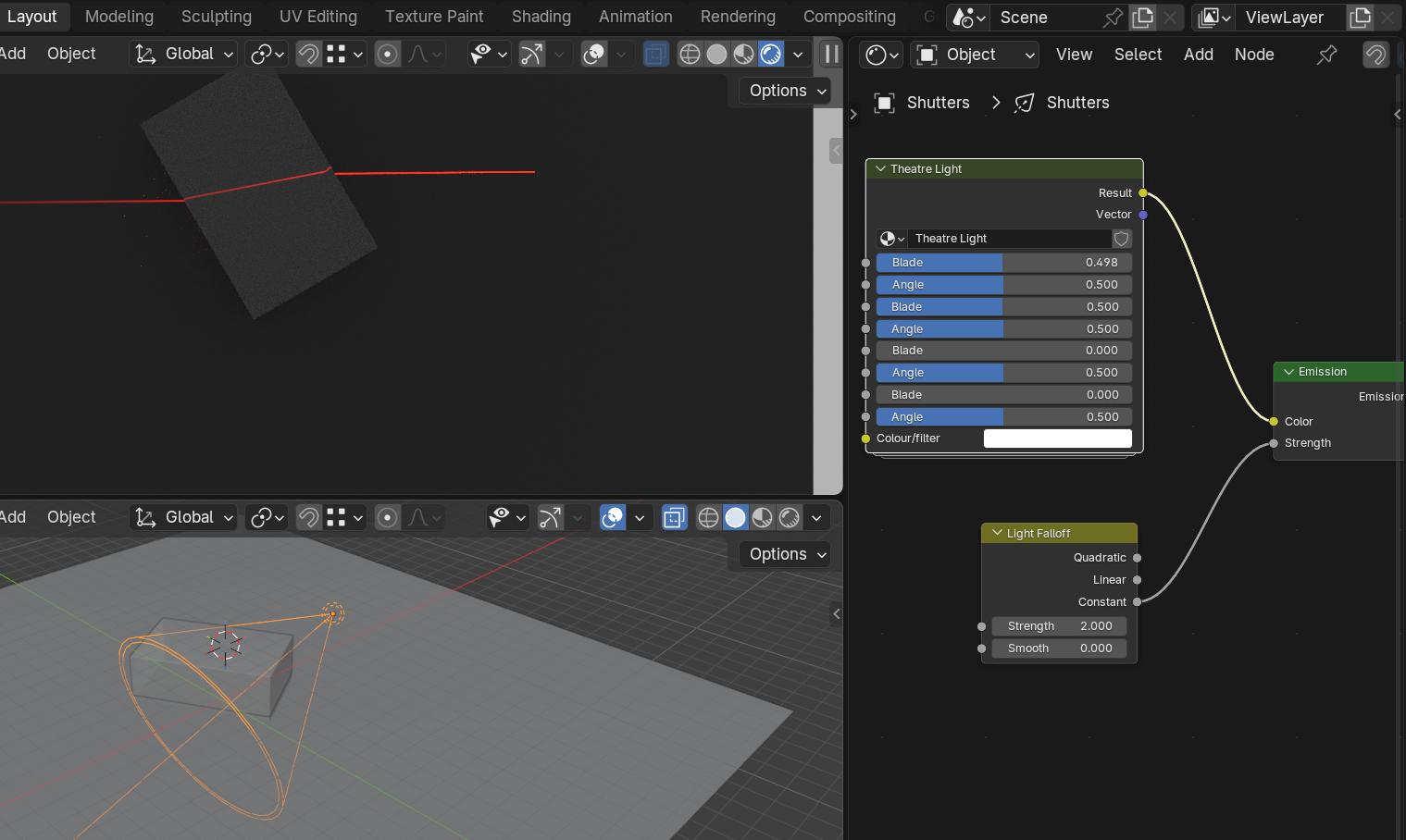

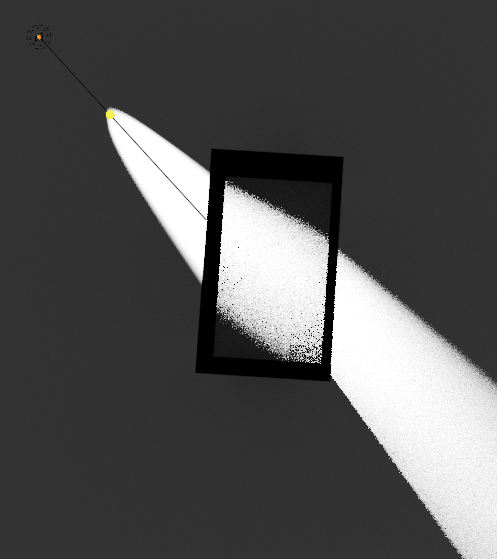



 (Blender 5.2)