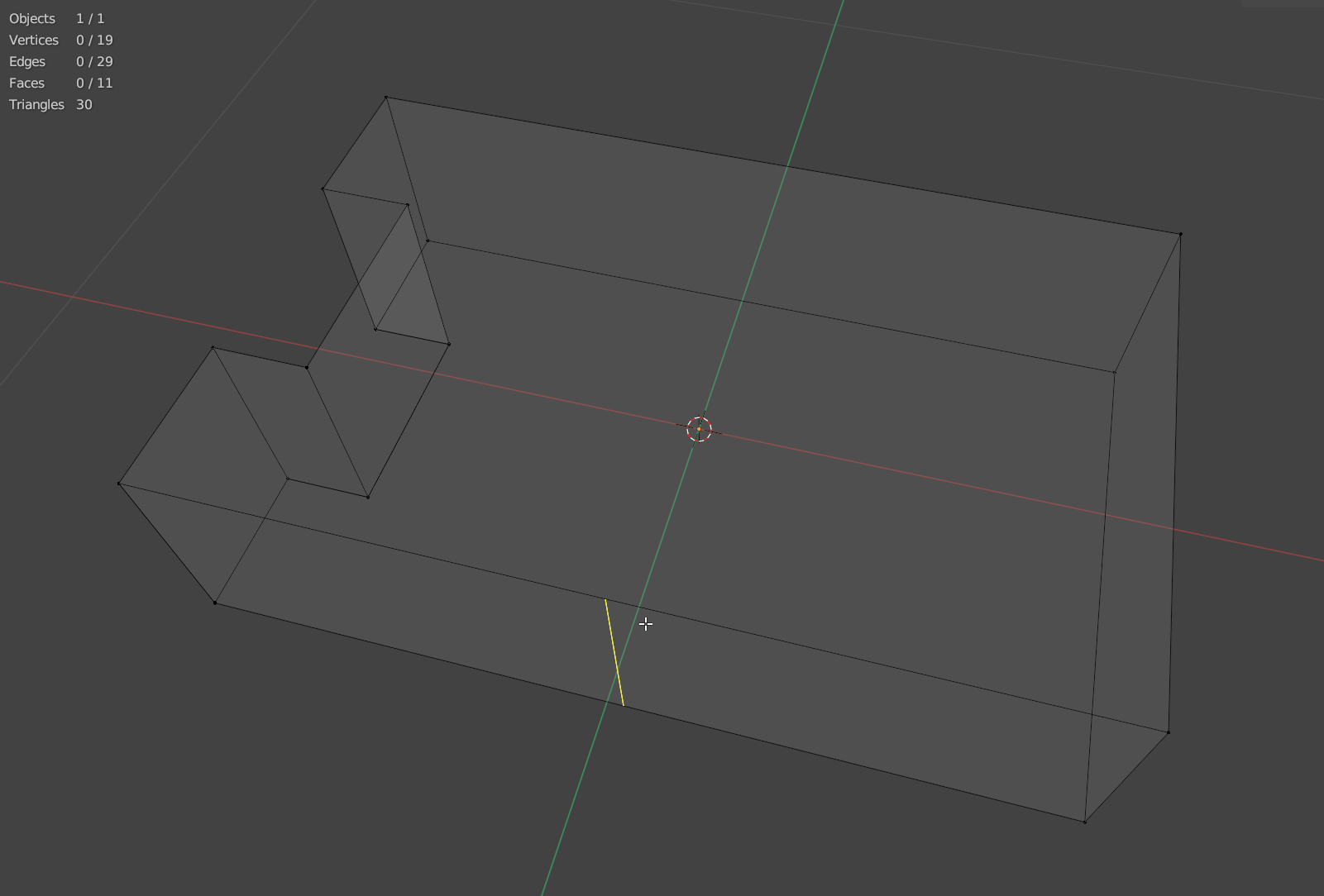
Looking for some advice regarding the loop cut tool (beginner). Most of the time it works perfectly, but now it gives me some headache.
The issue is that, while working on a mesh, it refused to go all around the object for further loop cuts. I understood that there was something wrong with some duplicate/overlaying vertices / edges which were forming a face which stopped the tool going around. After solving that, I still have one place where i cannot solve it. it goes only partially around. I selected the problematic vertices and created a face. the extrude operation works, and the loop tool continues onto the extrusion. but with just the face created, without the extrusion, the loop tool refuses to cross the edge. I’ve checked normals, axes, duplicate/hidden objects/… nothing seems to work. don’t know what to check anymore. Any ideas? Thx.
not sure if this is my case, but the part of the mesh that I want to loop cut is really simple. I think that before i started working on it with the first loop cuts and filling it up again it wouldn’t have been a problem. current state
What is weird to me is that the number of edges is so high. Its like there is some hidden geometry somewhere. I tried to visualize this somehow by using solidify and yes in vertices it extrudes to the opposite side of the face. not sure why.
Try (in edit mode) m (Merge> By Distance). To see if there are doubles, you can change how far apart the merge will happen in the Adjust Last Operation Panel.
I had the same problem, and it wasnt an Ngon. In xray mode I recognized the middle point of the face wasnt in the middle so i tried selecting all in edit mode, pressed x and delete edge loops. I believe it was already cut, but on the edge that was paper thin. I can´t really explain because im quite new , but it worked after deleting the edge loop.