 My first new LuxCore rendering since a few years. Love to work with it again.
2 Likes
Bevel nodes are already among requested features. I’ve added light linking to my notes but I should read up on it more. Would be good to have a clean description what it is supposed to do before creating e.g. a feature request on GitHub. @melvi as well FYI
Regarding path guiding, someone was working on “ReSTIR”, but I can’t say how active that currently is.
I can’t yet comment on the Markov chain paper, would need to study it first, but I have noted it down for reasearch before I open that feature-poll.
1 Like
There exists an invite link that to my knowledge still works:
It can be found on our homepage https://luxcorerender.org/
1 Like
FYI for all mac users: As already noted, lack of dedicated macOS developer currently makes it difficult to address these issues.
If anyone with software development skills and a mac wants to become actively involved in LuxCoreRender, that would be much appreciated 
We are also considering renting some mac-VServer.
We do already collect the reports for mac-specific problems on GitHub:
Core related Issues: https://github.com/LuxCoreRender/LuxCore/issues/658
Blender-specific issues: https://github.com/LuxCoreRender/BlendLuxCore/issues/1007
1 Like
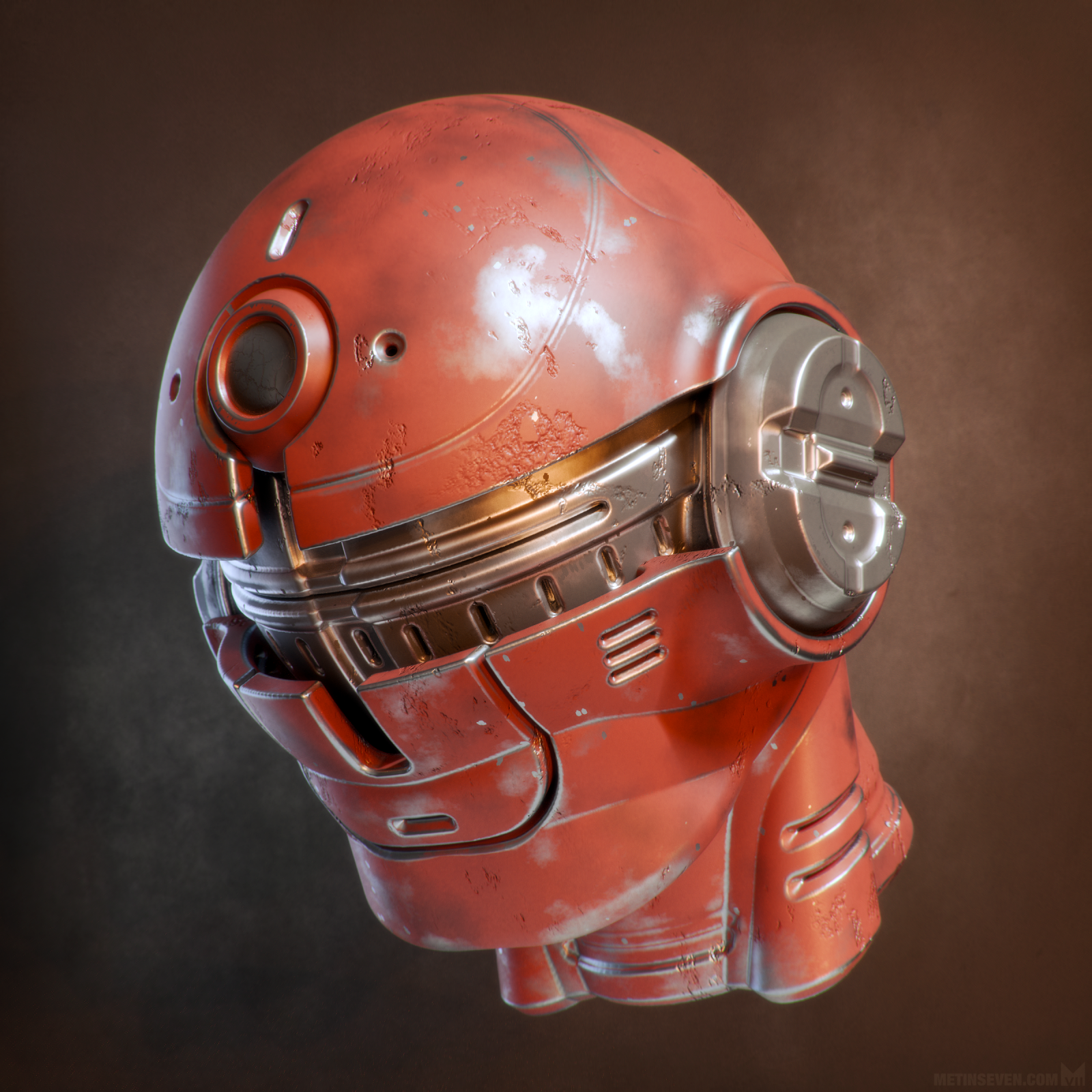
Refreshing my memory of how LuxCoreRender works, I made a weathered version of a mech head I recently made. 
11 Likes
I don’t really know anything at all about LuxCore. Is it a full GPU pathtracer?
Depends what you mean by “full GPU”, but yes, I can render on GPU.
There are three basic raytracing methods in LuxCore:
- Pathtracing: Rays strart from the camera. This can be done on GPU or CPU.
- Light tracing: Rays start from the light source. Helps to render some caustics, for example. This is CPU only. It can be used in addition to path tracing, e.g. pathtracing on GPU and light tracing on CPU, where both work independently.
- Bidirectional. Again, CPU only. In this mode, rays start on both sides and are connected along the way (i.e. not independent, as for path+light).
2 Likes
It’s a really capable renderer, very physically correct in terms of light behavior, material properties, et cetera. Great for realism.
4 Likes
Worded it backwards. I meant GPU full path tracer. 

I should give it a try. This is why I wondered if it was a brute force path tracer.
I remember you recommending it to me some time back, but I think it was in a separate build then? The addon version makes it a lot more appealing.
2 Likes
This is great News. thank you for bringing luxcore back. Cycles is great but i liked the look of luxcore renders more!
Are you the original creators or is there a new team behind it?
1 Like
I’m getting an UNSUPPORTED_PTX_VERSION error. blender 4.2.2
We are not the original creators. The project has quite some history in that regard, including of course LuxRender as the predecessor to LuxCoreRender:
https://luxcorerender.org/history/
About the UNSUPPORTED_PTX_VERSION error:
You need to update your nvidia drivers to the latest version.
LuxCore currently installs the latest nvidia-runtime-compilers for CUDA/OptiX support. This in turn requires very recent drivers. According to the docs, at least 576.02 for Windows and 575.51.03 on Linux
2 Likes
I just installed 2.10 on Blender 4.2, works good using the latest studio drivers. I look forward to using it more
Supporting Blender Light Linking would make it much more easier for people who want to do product shots in Luxcore Render.
Here is a video on how it works. https://www.youtube.com/watch?v=hR2G95R4C3Y
5 Likes
Did I already mention that I love LuxCore?
1 Like
got it working with some of the example files - looks great. Any chance you will be writing an optix backend?
2 Likes
On top of being very realistic and having great caustics capabilities, there is an other great feature I think should be mentionned: photon cache. This allows interiors and complicated lighting scenarios to render cleanly, even in scenes that would be very noisy in Cycles.
If you were to make a room where the main light source is a narrow but very bright ray of sunlight entering through a small window, that would be extremely noisy in Cycles and take thousands of samples (unless you use path tracing or manually cheat the lighting). With its photon cache, Luxcore can render that almost like it’s an outdoor scene.
4 Likes
There already is an OptiX backend. It is included in the “CUDA” option, there is an automatic check if the GPU supports it.
That question has come up before, I might rename the selection in the addon settings to “CUDA/OptiX”.
2 Likes
Does anyone know what the differences and (dis)advantages are of using a Glossy Translucent material versus using a Matte Translucent material + a Glossy Coating material?
I experimented with it, and the visual differences seem very small.
Is there a difference in performance or noise amount? One uses a single material and the other 2, so I am thinking this could be the difference if there is one.
It’s roughly equal in terms of noise solving time, but there’s a slight visual difference. There’s more light scattering inside a Glossy Translucent + Glossy Coating material, giving it a slightly richer glowy quality, but in the Matte Translucent material + Glossy Coating, the shapes are slightly more pronounced (slightly less vague because there’s a bit less SSS that smooths out the shading).
Made this little comparison.
The left side is an SSS node setup featuring a Glossy Translucent material + Glossy Coating;
The right side is the same SSS node setup, but the Glossy Translucent is replaced by a Matte Translucent.

 Side note: the examples are quick viewport renderings with a fair amount of denoising artifacts, not representative of LuxCoreRender’s high rendering quality.
The full LuxCore-rendered image can be viewed here.
1 Like