A Bestbuy like store there does not offer a 12 or 24 month pay plan for a PC?
Apple does it I think world wide.
A Bestbuy like store there does not offer a 12 or 24 month pay plan for a PC?
Apple does it I think world wide.
That is a good one… and not easy to answer as some stuff one M1 is still not that optimized.
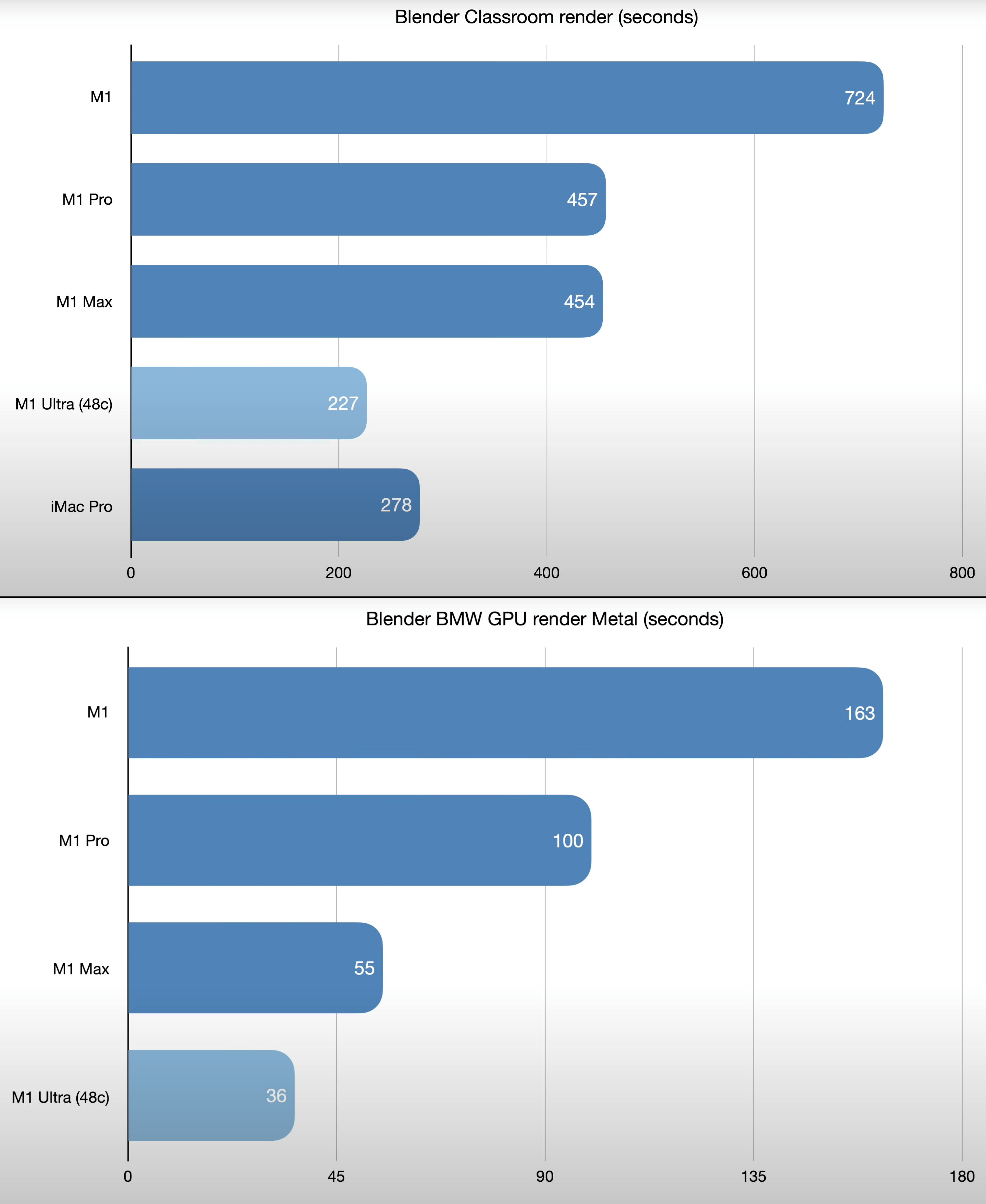
The way it looks at the moment and based on blender open data.
The CPU of the Ultra will be faster but the GPU will be slower.
Will it get better probably, the thing we don’t know is how much.
Also if it is a question about money the PC might be the better choice as you can upgrade that down the line.
On Apples side we still don’t know if for example eGPUs will ever be back.
Just imagine an Apple eGPU in the Mini enclosure that goes on top of the studio that would be funny 
For any one interested.
you can not open it, yeah right apple.
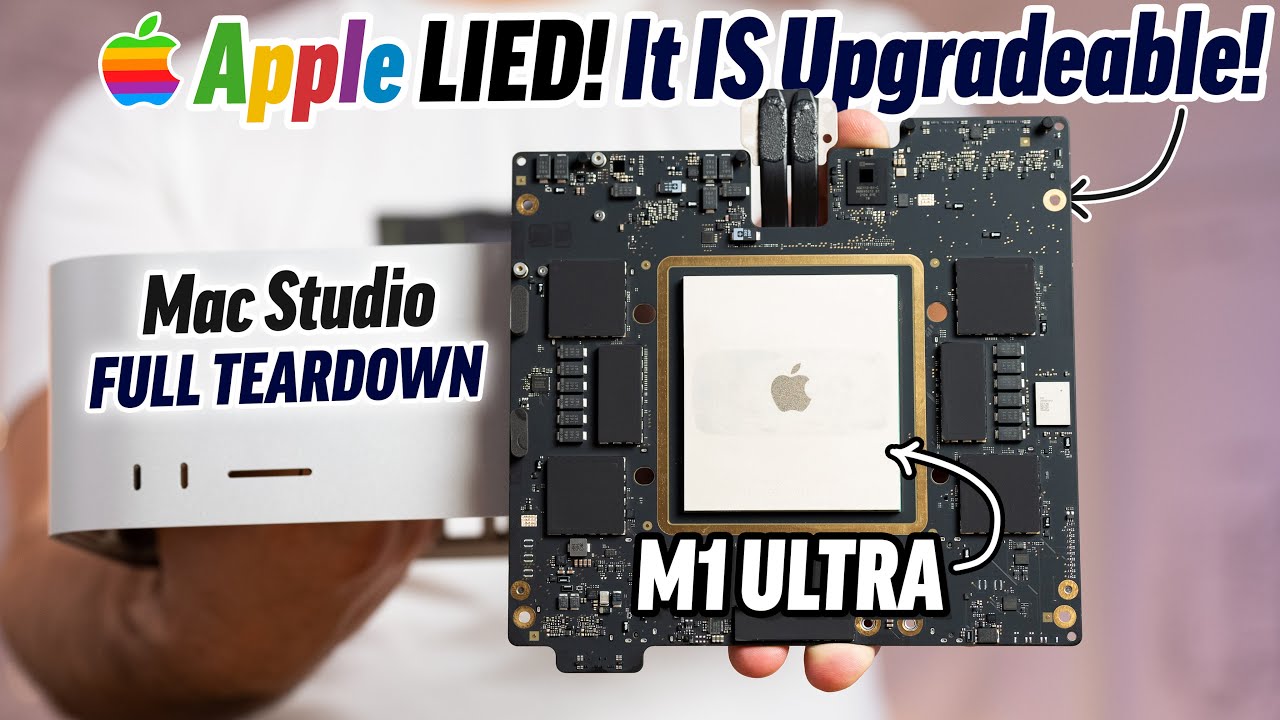
Good news… SSD might be upgradable 
Have to say impressed by the way it is build.
Bpeng:
Isn’t the price difference like half in favour of the Ryzen 5900x / 3060 ? I mean unless you need the Apple Ecosystem, why do you even consider the Ultra?
In Finland the Ultra (base model) is like 4500€ and you can probably get this PC setup decent ssd / ram config with around 2000€. And Nvidia has OptiX.
I’m finding it hard to understand. Apple still is the underdog in 3D. Everything else, I would go for a Mac, but for 3D purposes… it’s hard to justify.
No best buy in Aus, and other places don’t, not that I know of. Maybe through afterpay, but that’s all 4 months. Spreading the cost over 12 or 24 months makes it a lot more palatable.
Yeah, I appreciate that it may be hard to tell with M1 optimisation being where it’s at at the moment. But you’d say even in it’s current state, the GPU would be slower than a 3060?
@Falgor, yes, but as I mentioned in my initial question, Apple offers an extended payment plan (24m) which makes it much more palatable in the short term and easy to budget for. It’s about not being able to afford a PC to that same spec outright (unless the 5900x + 3060 can compete)
plus I really like the apple UX much better than windows, unless it’s vastly improved in windows 11. The additional benefits of the Mac are the small footprint and quieter noise.
In blender it looks that way compared to a 3060 with optics, and that is now who knows in 6 months after optimization.
As for your question yes.
NVIDIA GeForce RTX 3060 2419.04
The Ultra does 1100ish.
In redshift it is another story I think.
There is is about the same as a 6800 XT.
Don’t know how a 3060 does there.
Also depends if he only uses blender or for example vray cpu.
There the ultra might be a better choice.
Then there is of course the ecosystem, ui preferences.
Also depends what he want to to, with a lot of simulations and high polycounts in blender the Ultra might be a better choice too.
So many factors and unknowns.
Or is GPU speed or Vram more important
3060 has “only” 12 GB?
Nice review. Looks like the base model Mac Studio with M1 Ultra is a fine choice for Blenderheads with a budget:
Yes what I thought and still looks like my choice.
RAM I am less sure, 128 might be overkill for me but it is not upgradable.
I probably would go for the ran instead of the gpu upgrade from what I have seen so far.
SSD I am less worried after seeing that there is a 2nd slot which might be fairly easy to upgrade if OWC makes a kit.
Still would not take less than 1 TB.
Noise and footprint are an “it depends”. If you’re into DIY, you can get a virtually inaudible computer. I set up my 12900K to semipassive cooling, so when browsing, reading, writing, nothing is moving and its 100% silent. It does make a little noise when rendering/compiling, but if you’re willing to give up 5% of performance for 100% more sanity, lower power settings are a blessing.
(Full disclaimer: I am an intel employee, but I also have an M1 Mac Mini on my desk. I’m giving only my personal opinion.)
Yes I have seen some impressive passive cooled ITX builds, or close to passive.
Non however were as tiny as the Studio.
That is one interesting case but it is still quite tall.
It is not the one that show in the thumbnail
The form factor of high end GPUs imposes a limit to how small PC cases can get. Tiny ones like a NUC are restricted to integrated graphics or hard soldered GPUs. It’s a trade off.
Given how little heat t he M1 Mini’s fan has to dissipate, I’m sure they could have turned that into a passively cooked computer too, if they used a larger heat sink and case (think G4 Cube).
Yes I agree and think that is what makes the Studio impressive for its size.
The smallest you can go if you want a dedicated GPU is like the one above or similar.
Problem is they are very cramped to work with and are usually ITX main boards where there is less choice and often limited in GPU size/length.
Yeah, so I’m just starting out with blender so not sure where my bottlenecks would be. As mentioned would probably like to get into generative and archviz things if that’s any indication.
As for DIY, I’d prefer something no fuss that I can just use. Don’t really want to get into the liquid cooling or anything like that.
But totally get all the benefits of upgradability etc of a PC. I have a PC laptop (also old) so am familiar with both systems, just not for blender haha
IMHO, liquid cooling is really not a necessity. I can see people liking it for the flexibility, but air cooling is just as well capable of keeping a power hungry CPU cool and quiet. As demonstrated by the 2019 Mac Pro.
Not sure if I am the best person to answer the first part but I think @cekuhnen might confirm or give you his point of view.
Personally I think even the M1 mini does fine for Archviz (it only takes longer to render).
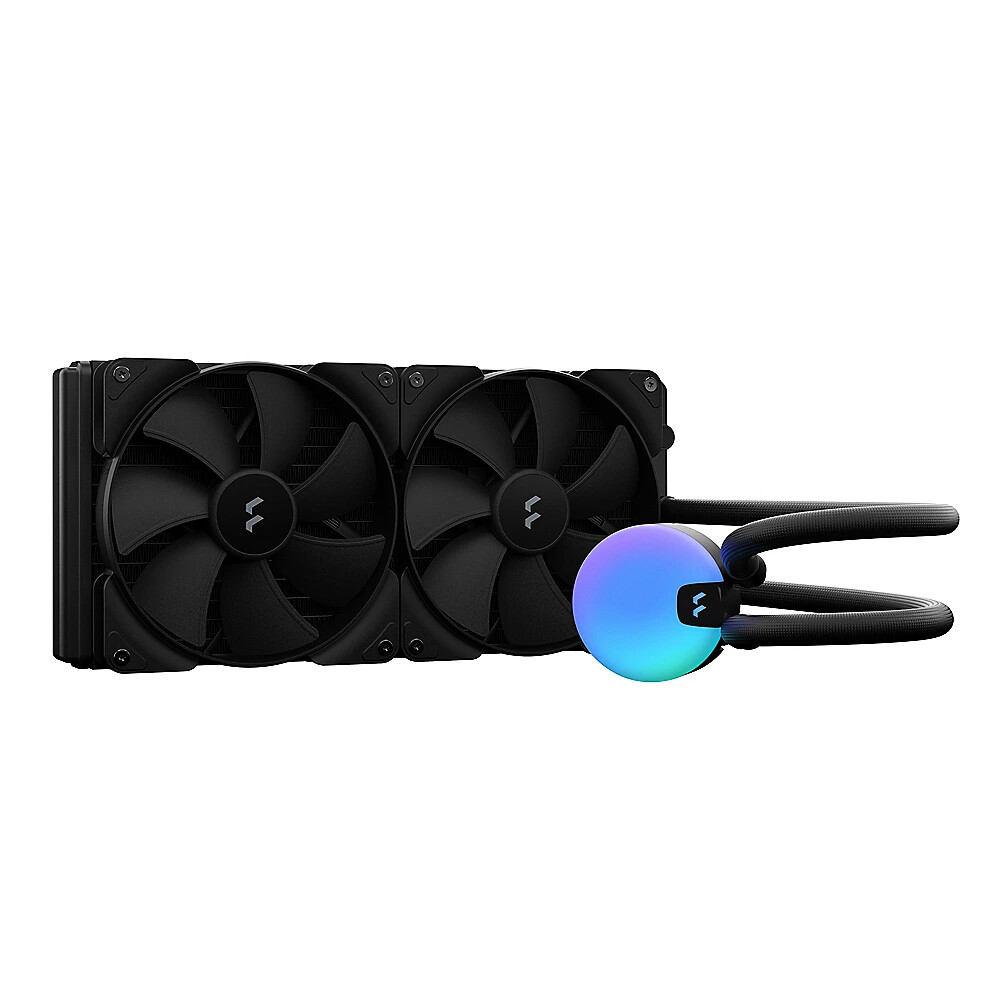
As for water cooling well depends it is actually easy if you use on of these.
Not worse than putting an “air” cooler on there.
As for prebuild not sure if I have a good recommendation, I probably would go to NZXT, configure one how I want and let them build and ship it to me.
Thanks all for your input. Appreciate it! At the end of the day anything would be miles ahead of what I’m using now ahaha I just want something that will last many years that I’ll enjoy using.
My wife is still having the Apple upgrade headache, trying to decide between a maxed-out M1 Mac Mini + Studio Display or a 24 inch M1 iMac. She’s got a late-2013 27 inch iMac now (the last model with an NVIDIA GPU).
Sorry for bothering you guys again, but what would you decide in her place? She’s a web and print designer, working with Coda / Nova, Affinity and Adobe CS image apps.
The 24 inch iMac would make her lose some screen estate, which would be negative for working in image editors, but it is more affordable and keeps the all-in-one factor.
A maxed-out Mac Mini with Studio Display would offer more power, keep the 27 inch display, and allow for only upgrading the Mac while keeping the screen, but it would be more expensive.
A third option would be to choose a more affordable display, but my wife is very fond of the quality of her iMac screen. 
Thanks in advance for your feedback.
If I’m not mistaken, she should be able to use the iMac that she already has as a display for a new headless Mac. Wasn’t that a new functionality th at they added about 8 years ago or so?
What should I say ?
All valid options.
I have a 4th option,
maybe you can get one of the latest full specced used iMac 27" for a decent price ?
I am guessing no
Means M1 machines should not work.