I use a shared Textur Folder in my Project Folder.
Therefor I also suffer under the path difference problem.
Or keeping multiple machines and OSs current.
But the main problem for me is just Windows itself.
I use a shared Textur Folder in my Project Folder.
Therefor I also suffer under the path difference problem.
Or keeping multiple machines and OSs current.
But the main problem for me is just Windows itself.
I would love so much being able to do everything on a single (Mac) machine.
I would basically be happy with current PC’s performance.
And maybe I could reach that with a coming M2 Mac Studio.
But for its costs, it should have some reserves for the coming years
though …
i hope the metal backend also allows us mac users to access the viewport compositor. i’ve been eager to try that out!
AFAIK that’s plan  Read something about it on devtalk or developer…
Looking at the chat, there may be an early Christmas present in tomorrow’s build… 

Playing around with the Metal GPU backend, here’s something quite nice. Aside from paving the way to support more features, I am also seeing a noticeable performance uplift on the few scenes I tested.
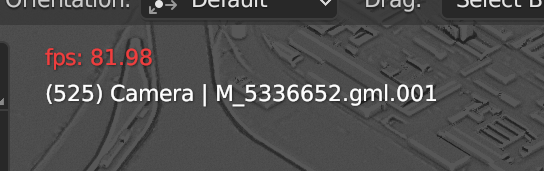
Same scene running both via OpenGL and Metal in the workbench on an M1 Max MacBook Pro:
OpenGL:
Metal:
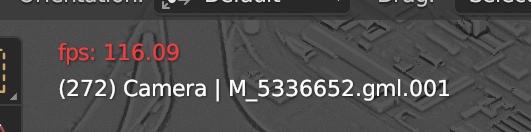
This particular case was 1.4x faster with Metal. And given that animation playback in Blender is also often quite CPU-dependent, that’s pretty good. Also I think it’s fair to say that the Metal backend is not super optimised yet - for example, the more advanced shader compilation change could get us more performance in Eevee. But keep in mind that I saw a few little areas in Blender that didn’t seem to work correctly via Metal yet.
Even so, this is quite encouraging I would say.
Thanks for building it and doing some early testing.
Can you share your build?
I could, but as of Master today, builds for macOS will include the Metal backend. So by tomorrow, the builds on builder.blender.org for Blender 3.5 Alpha should allow you to switch on the Metal backend.
Keep in mind that it still defaults to OpenGL by default. To actually run it with the Metal backend, you currently have to launch Blender through the Terminal and type
[path to the Blender app]/Blender.app/Contents/MacOS/Blender --gpu-backend metal
Soon there will be an option in System Preferences instead, which will make this a bit easier.
can you confirm if viewport compositing available when the metal backend is enabled?
Very excited for Metal updates. If I can squeeze out more performance out of Eevee on an M1/M2 Macbook, even better!
Blender Metal is available now in master:
Not yet it seems. Even if you remove the UI code that disables it for macOS, it still doesn’t work, so probably some more changes needed.
Yeah !
If I wait another 6 or 12 months,
there will be no more need to upgrade my 16 GB M1 Mini
with a $20k Mac Pro 
OK, a next Mac Studio M? may be better suited though …
I am also happy to read about speed improvements of 1.4 times
and similar now. Since last year Classroom scene in Cycles
only went up and/or down plus/minus 1 minute.
oh well, thanks for checking! the biggest issue i’d been having with blender on apple silicon (viewport flickering) seems to have been addressed by macos ventura, so i can be patient while they work out the rest of the metal kinks
You got the real time compositor to work on macOS? Didn’t appear to work for me.
My mistake. Compositor doesn’t work yet, unfortunately.
Very nice, performance gains seem to be around 25-30% for playing back animations in the viewport.
Is Eevee rendering also supposed to be improved by this? Or does that have to wait for Eevee Next?
oops, did i misread that? Is it gains in viewport, not Eevee?
I’m a newb in Blender, so I think of Eevee as the “viewport.” (coming from C4d). Gotta get used to that!
