I know Eevee use OpenGL but Blender with Metal backend behaves a bit like a hybrid of OpenGL and Metal, e.g. it compiles shaders using the GPU, so perhaps possibly maybe it could theoretically use multi-GPU to some extent.
I hope you are wrong (mainly for Eevee Next). In the case of Apple Motion, multi-GPU started to be used after the change from OpenGL to Metal, and you can render projects in the background (while working on another project).
So there may be a version of Eevee Next that can do multi GPU support, but this feature is not listed on on the official development task:
That said, it’s been confirmed Eevee Next in Mac won’t use OpenGL, so the Max version might have multi-GPU support. But again, nothing on the development boards
Perhaps I’m blinded by Apple’s awesomeness, but I think multi-GPU doesn’t need to be on this task list at all to work in Eevee Next Metal version. If only partially.
Yeah I’m getting some pretty big gains for Eevee renders (M1 Mac Mini 16GB)
These are pretty big 4K scenes with up to 8GB of Swap Memory on top of the 16GB being used during render.
Still, the Metal backend knocks over a minute off the render time with me doing nothing but making the switch in settings.
All renders done on the second run after the initial compile render.
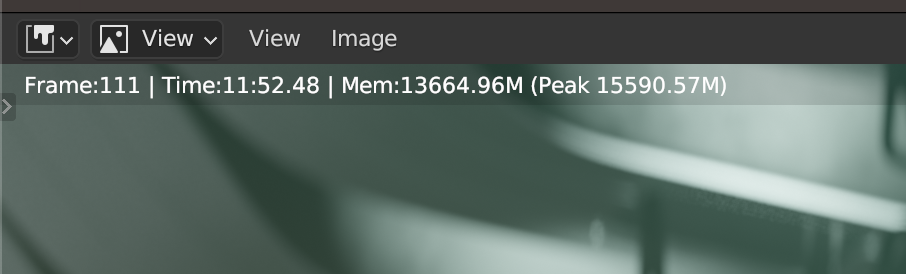
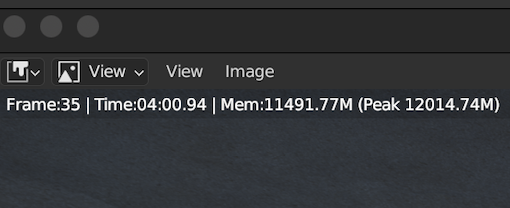
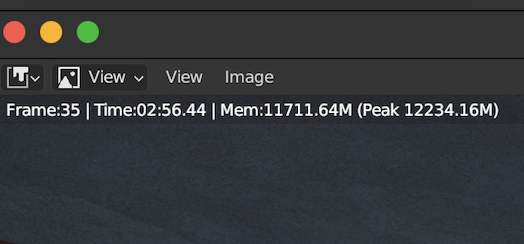
4:00 down to 2:56
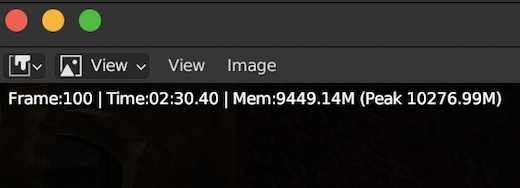
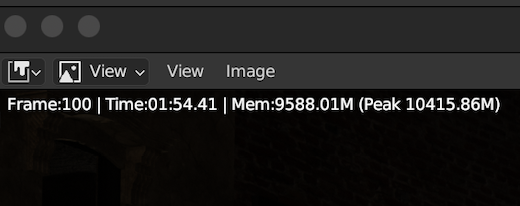
2:30 down to 1:54
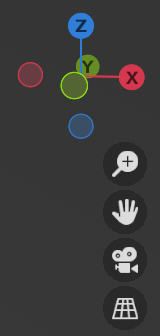
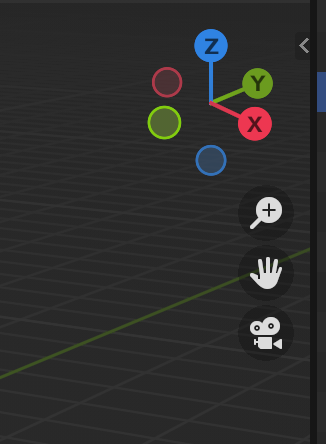
Issues I’ve noticed but I’m sure will be worked out… Icons look pretty low-rez. It’s mainly just the icons as text looks fine and so does the t-panel icons.
Metal
OpenGL
Metal
OepnGL
Metal
interesting, i just downloaded the latest build and the ui is tack sharp with metal enabled. i think they actually pushed up a more recent build in the last few hours so maybe it was already addressed!
It’s still there even with the latest, but I now know what it is. I purposely reduce my scale resolution to .8 in Blender’s settings to get more screen real-estate. When I bump it back up to 1 which is the default every thing is fine. The new Metal version isn’t scaling well yet for certain things… which I’m sure will be ironed out in the coming weeks.
This is the type of performance I’m super happy about!
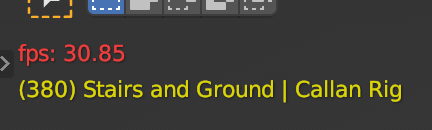
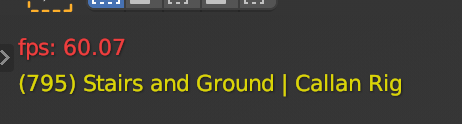
Two pretty high mesh count characters with close to 100 corrective shape keys each both running at the same time on a 4K screen and I got pretty much double the frame rate in the Solid Viewport mode.
All settings were identical minus changing the viewport to Metal.
Bravo Apple and Blender dev team! If I played this on a 1080p screen I could probably expect another 30 ish frames.
OpenGL Viewport
Metal Viewport
Since a lot of Blender’s character animation playback is mostly dependent on CPU and with the CPU usage almost doubling during my animation playback for the Metal Viewport version, I wonder if the Metal improvements involve making sure CPU and GPU don’t interfere with each other as much? Once again, something that people testing the M1 Mac Studio thought that maybe happening on the higher core count systems.
277% VS 404% CPU usage and only a few point off GPU usage between the two.
Last Test: Animation playback with Eevee enabled only gets me 6 frames extra for the Metal Viewport build, not really anything I can use either. This isn’t the noticeable double FPS as in solid mode but I think it may be due to the machine I have. The OG M1 mini along with the OG air and OG 13 inch Pro have the weakest of all Apple silicon GPUs.
It would be interesting to see if anyone with one of the maxed out Studios can play an animation like the Tree Frog demo or Wonderer and get a full 30 FPS with Eevee enabled. It’d be pretty cool to have a scene fully rendered with Eevee as an option during playback for Mac users!
Using the Blender 2.4 splash screen, I compared OpenGL vs Metal. It uses Eevee, but I did disable the compositor though, since it mostly runs on the CPU. Also let each render twice to root out any shader compilation.
Cycles has been able to use Metal GPU acceleration for a long while. But since M1 and M2 don’t have dedicated ray tracing acceleration, they are generally quite a bit slower than an RTX-enabled card such as yours.
However, Macs do still have an advantage for Cycles rendering over almost any PC: memory. My M1 Max MacBook Pro has 64 gigs of unified memory, meaning that I can render GPU-accelerated Cycles scenes that use this much memory. Most PC GPUs don’t go over 8-12 gigs.
In practice that means that simple scenes will be much faster on an RTX card, but complex scenes could be faster on a Mac, since the PC would usually have to fall back to CPU rendering anyway.
It does not affect Cycles rendering. The GPU Module backend basically affects all other areas in Blender that use the GPU, such as all of Blender’s UI, everything in the viewport and Eevee rendering.
The current version of Blender Metal is a test and unstable version. If it works, it is much faster than OpenGL, but it is not yet suitable for everyday work. I would suggest you hold off on switching to a Mac just yet, especially if speed in Cycles is important. Your RTX 2080 in Cycles is faster than the fastest MacBook (except for large scenes - as William mentioned).
The other thing is that once the Metal backend is stabilised, the MacBook in any application other than Cycles will leave any fastest PC laptop in the dust, and Eevee Next Metal is likely to be a real powerhouse.







 If I played this on a 1080p screen I could probably expect another 30 ish frames.