Here’s my wish list for the new iMac, within reason:
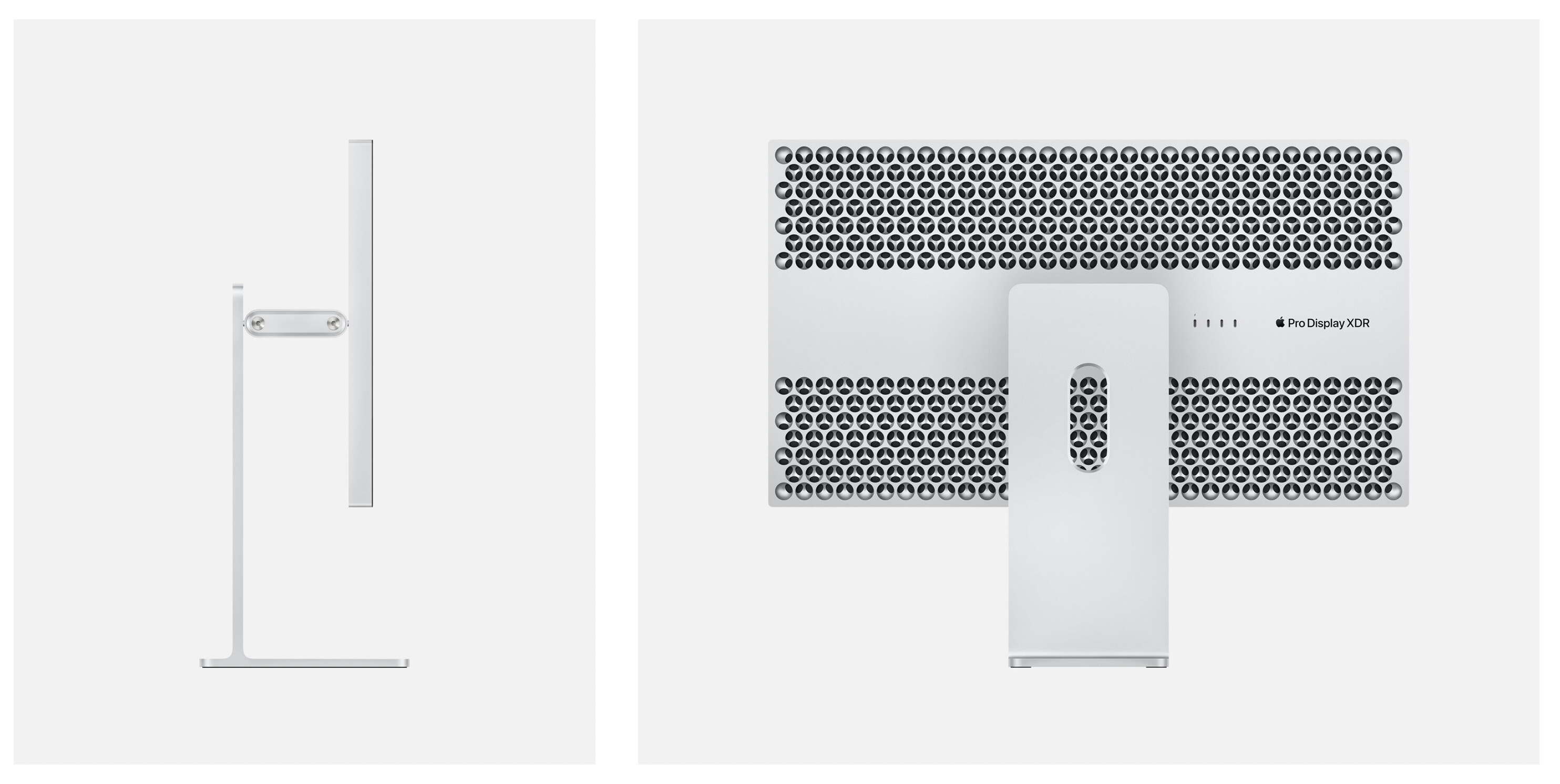
XDR body style
32" XDR 6K display with the micro etching
The pivot mechanism from the high-end Apple stand built it.
M2 varient
64GB RAM (128GB would be lovely but I don’t think it’s happening until X3)
I would like to see a iphone with a m1 and openXR support - I need something powerful / efficent and mac is a bonus - my kid already uses a ipad for proloqu2go to talk.
I have this ready to go - just looking for a suitable environment to run it in.
it’s apple m1 or a arm64 jetson xavier from here, but I am curious what apple has to offer.
Personally not a Mac user myself, however I would be quite interested if/when Apple offer expansion cards along the same line as their Afterburner card for their new Mac Pro or high end models.
If they build a plug in GPU/Ray Accelerator/Afterburner/AI? card off the same silicon base that is in the M1 and future processors it would be incredibly easy for software developers to utilise (and utilise both built in and expansion) in a combination that suits them.
I’d say that’s the more likely design, since Apple’s currently big on showing off the power in a small package the M1 provides, and it fits in well with the rest of their consumer line aesthetics.
I agree.
I know the current after burner card is designed mostly for Prores, but so far the developers that are utilizing it are seeing tremendous gains for video. It would be really cool to see it expanded for GPU acceleration for 3D
I think I could live without eGPU or at least at first plus Nvidia cards are not supported by OSX anyway.
Also I can live fairly well without bootcamp or Parallels for that matter.
However and not that I have tested it a lot Parallels can now run Arm Windows and X86 apps work.
However it seems that Blender or 3d Mark for example do not work under these conditions.
I would never want my desktop screen to be a touch interface.
For one: I would have shoulders like a gorilla having to reach across my desk.
Two: Fingerprint on a glass display.
Three: Time waste reaching across my desk VS a mouse or pen tablet.
I can see it for digital painters and 2D animations where you could tilt it right under you. And if it had the precision and smoothness of the iPad with Pencil then yeah it would be a killer.
But for my first workflow now (3D animation) I need M&K control. When I was still playing with 2D I would have loved a Surface Studio style Mac interface.
M into animation / 2D-3D/ that’s what brought me to blender, now with all this M1 possibility I am more exited than before to dedicated time to that industry. I saw the YouTube video you made about the M1, I think the best video explaining about animation with M1 in Blender and how good it runs, and I think there is not many more like it on YT. Please! Make more of those if possible, cos you know what you are talking.
Cool stuff and straight to the point.
Years ago, after seeing many ZBrushers working with a Wacom Cintiq, I figured that was the device I was missing in my digital sculpting life. Once I had bought it, I discovered the drawbacks:
Cramp in my arms from constantly having to keep them in the air above chest height.
Glass screen constantly getting smudgy.
Glass screen wasn’t really smooth, causing friction while brushing, so I had to put on a glove each time.
The 27 inch Cintiq didn’t leave room on my desk for an easily reachable keyboard, and the on-screen keyboard sucked.
My hand obscuring a part of my screen while brushing started to annoy me.
Last but not least, there’s still a little lag between your actual gesture and the resulting brush stroke. The Surface Studio still has this, the Apple Pencil on an iPad Pro, and the Wacom Cintiq.
I don’t really get why people would want to Pen/Touch on a vertical screen.
Or why some artists elevate their canvas …
That is what Steve Jobs and Apple always (and only) said.
They never said they won’t ever have touch devices.
Of course a (large) touch device has to sit flat or nearly flat.
That is how I use my 27" Cintiq.
I lay with my arms on the whole Cintiq like I did with paper before.
Yes, older Cintiqs have lots of problems,
paralaxe, wrist recognition, keyboard access, fans, power draw,
drivers, tedious non-Apple brightness control, color tint after awake, …
but are pretty professional, robust and reliable.
So I always hoped that Apple would make it right and bring a touch Monitor.
Well, it got a $6000+ device that you can’t detach from the stand.
But when I hear about new iMac in iPad design language, I immediately thonk
about an included battery to detach the iMac screen for touch and pen input.

 and That’s gonna put surface studio out of the mapthen I pay the money with eyes close