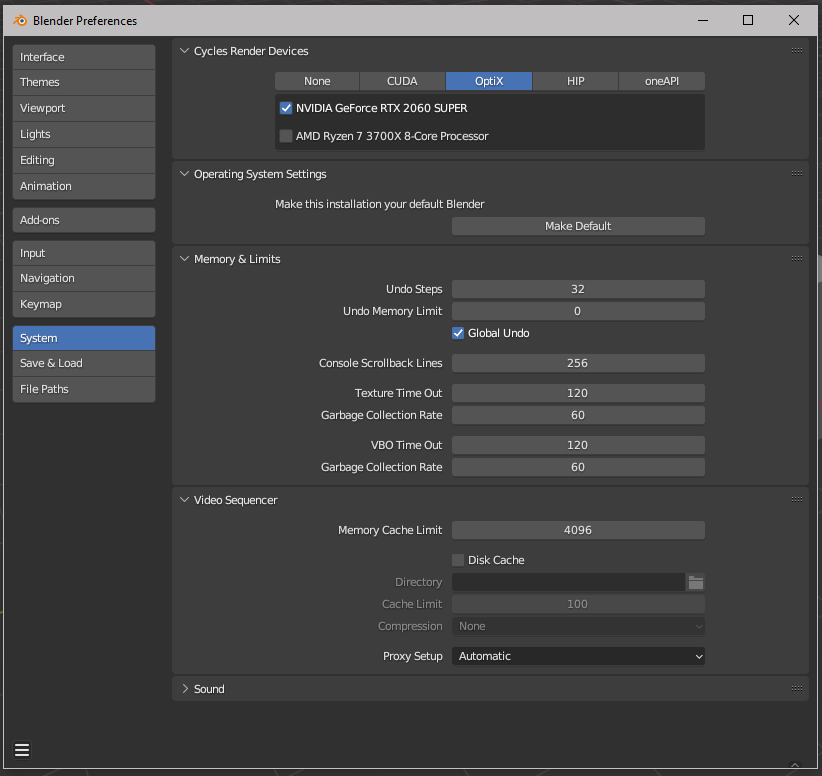
Hi everyone!
This message appears on my Subdiv modifier
“Using both CPU and GPU subdivision”
Is something wrong? Should I change something?
Thanks in advance!!

Hi everyone!
This message appears on my Subdiv modifier
“Using both CPU and GPU subdivision”
Is something wrong? Should I change something?
Thanks in advance!!
Thanks for the reply @myclay
GPU drivers are up to date
My question is if this is something that I should worry about or is it normal? File has also a lot of geometry, not sure if that could be the cause.
I’m just wondering, normally it shouldn’t show any message but the GPU subdivision it’s ON by default right? So turning it off would put all the effort on the CPU? Not sure if I want that either.
Is just weird cause I’ve been using Blender for so long and is the first time that message pops up. Maybe it has to do with my system options?
Indeed, disabling it would put the brunt of calculations on the cpu only.
It all depends on how fast the Viewport can be calculated by the GPU vs the CPU.
as long as you don´t experience any major slowdowns and can live with the current speeds, I would take it as the literal information blurb which it is.
It is harmless since it is just telling you; your pc is due to a big scene or unfavorable or resource hungry modifier usage now using both cpu and gpu resources.
Got it thank you so much!