if you look at the Page I have a problem…
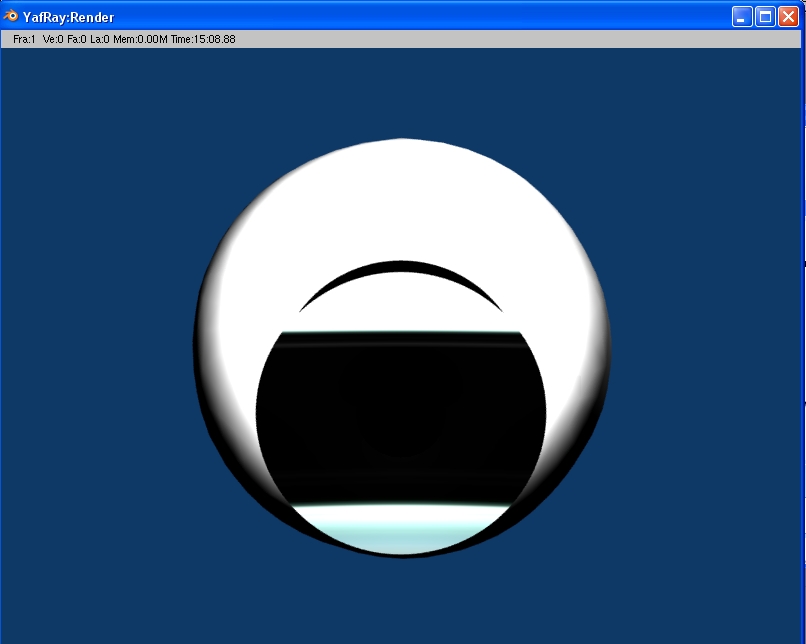
If i try to texture the iris, i never see the whole texture of the iris on the iris.
I just removed the cornea out of the sight of the camera,
for better seeing the iris…
the result comes with the next post
Screenshot:
Here we go
down the post you can see how the rendered iris looks like the way I do it…
not very nice.
So please tell me how to fixx this problem and what I made wrong…
the iris is the first thing you can see on the Pic.
PS: Sorry for posting this thread first in the wrong section.
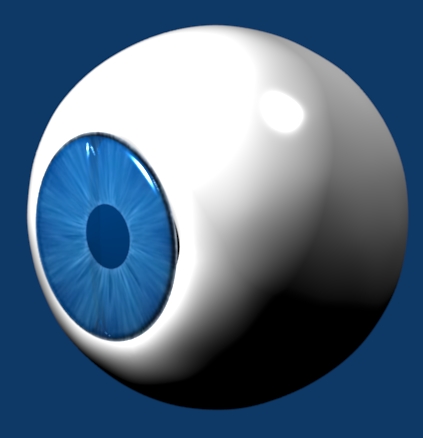
ok with the help of BeBraw I got the Eye…
my work is the first picture…
I don´t think it is very good, so here´s my next question:
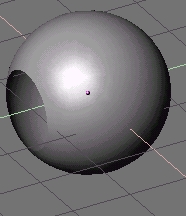
on the second picture you can see the hole in the sphere,
my porblem is, how to get thin hole in the sphere.
I tried but my holes are always very angular.
So thx for your answers
<<mR.d@hLa!>> love to help, but you’re not very clear as to what you mean exactly and the pictures are at a bad angle.
What hole in the sphere do you mean? Is it the iris, the cornea or the eye ball itself. Alot of us have already solved this problem and we can tell you the answer, but first give us a clear picture, i.e a clear side/profile image of the eye.
The first problem is completely solved,
my next problem is how to make the hole in the picture shown under my finished rendered picture od the eye.
So my question:
how to get the hole by meshmodeling in this icosphere, the hole has the shape of a half little icosphere.
thx 4 help
hmmm, try subdiwiding the surraundings of the hole and then just smooth, smooth, smooth…
Then you may notice that the hole kind of flattens the eye. That can be fixed by selecting all vertices of the eye and pressing shift+p (I think thats the “make sphere” command)
There is lots of other ways too to solve your broblem, but you can try those for beginning…
Delete the faces for the hole, select all verts around the hole in Edit mode, Shft-S >> Cursor to Selection, goto F9, Mesh Tools and press “To Sphere”.
You could maybe try to smooth the whole eyebal. You do this by pressing the “set smooth” button.
Or you could try to add a subsurf. That generally should solve the problem. If you are using blender 2.4, you will be able to find in the edit panel under modifier. Just press “add modifier”" then press “subsurf”.
I don’t remember who it was, but I thought they had the most amazing looking eyes in one of their models. He/she was kind enough to send me a sample .blend with his/her setup. I don’t know if it is what you are looking for, but I think the results are still very good:
This will do you no good if you plan on rendering with Yafray.