Hello! My job has changed and I rarely get to dip into Blender so I am starting a side project to regain some skills.
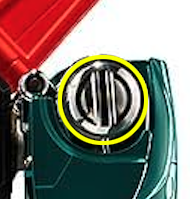
The first challenge that has stumped me is the rear leg of the green lion. I started this with a UV Sphere (just using the top) and then started again with a Cylinder but am wanting to know the smartest way to model the Screw-like hip with the slot carved down the middle. I am attaching an image of the part circled in yellow for better reference.
I could brut-force something but would rather learn from the best.
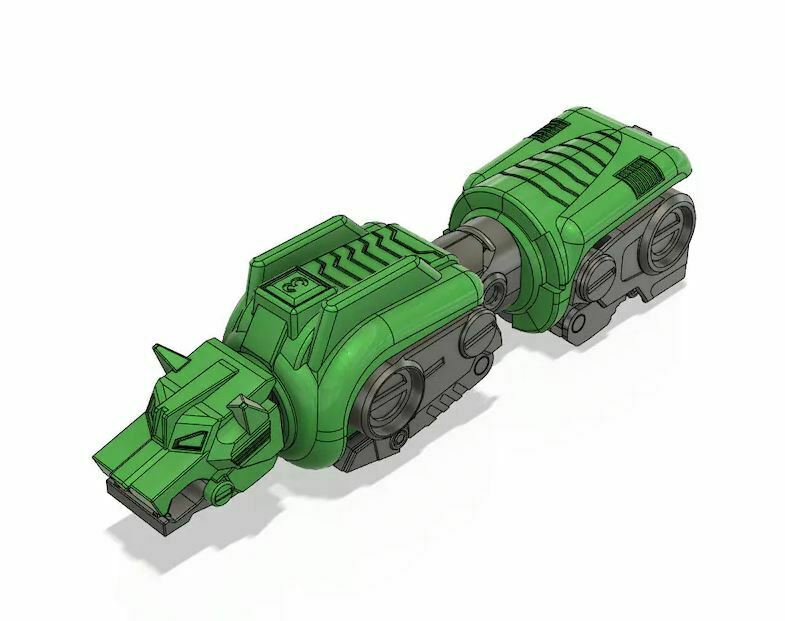
Yeah, I realized a couple other angles would have been useful. That’s the one I’m using as my Front view.
??
You need to supply a better image for us to help you!!
Good luck.
You may show what you have already achieved and so one may give a hint where you may change your workflow.. because starting something “round” with some circle is…  obvious ??
In fact there are a lot of models to look at in wireframe mode for example on SketchFab..
to us as some reference…
Thanks all, sorry this initial post was so bare. I had a couple minutes this morning and wanted to try and get this out there quickly, but it is super bare bones. I’ll come back once I have more meat on this.

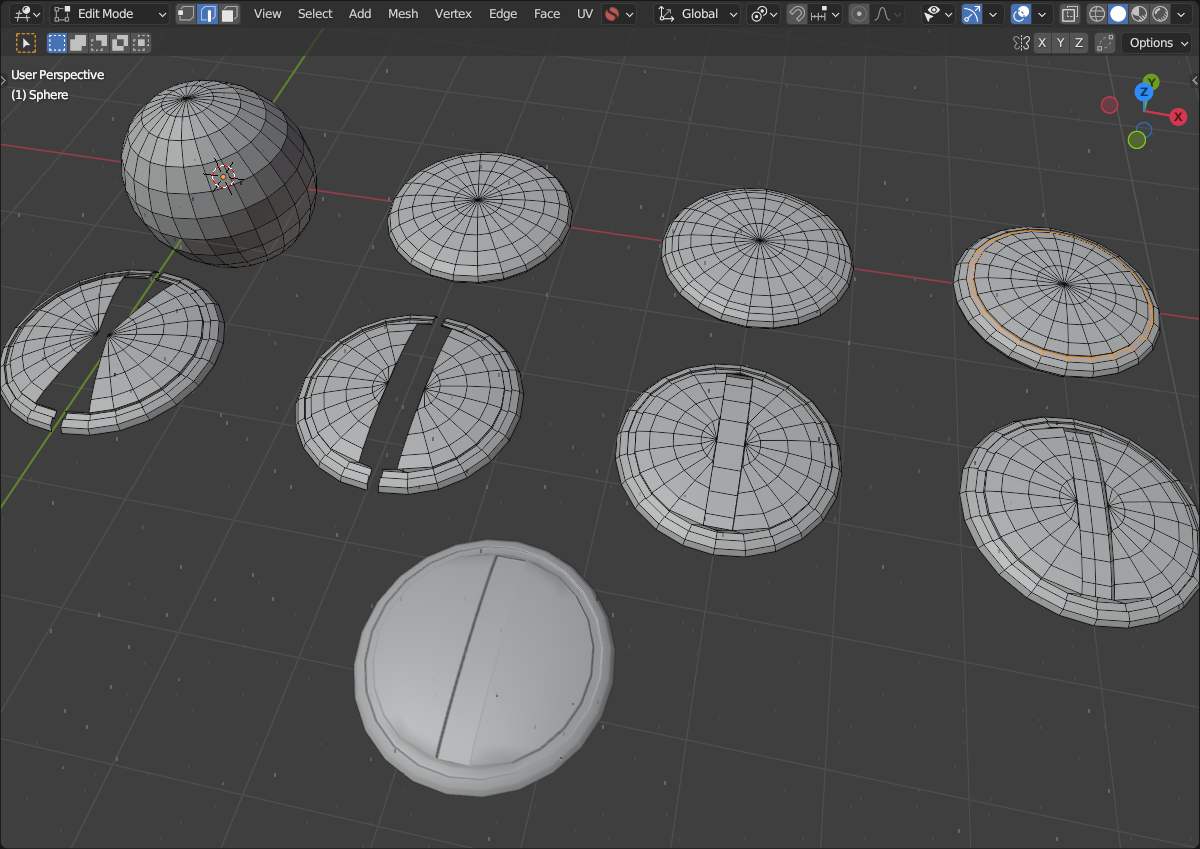
@Okidoki Thank you! I had gotten to step 4 in your example but didn’t know the best way to cut the straight line through the middle (your steps 5 & 6). This is a great guide. Thank you again!
You are welcome.
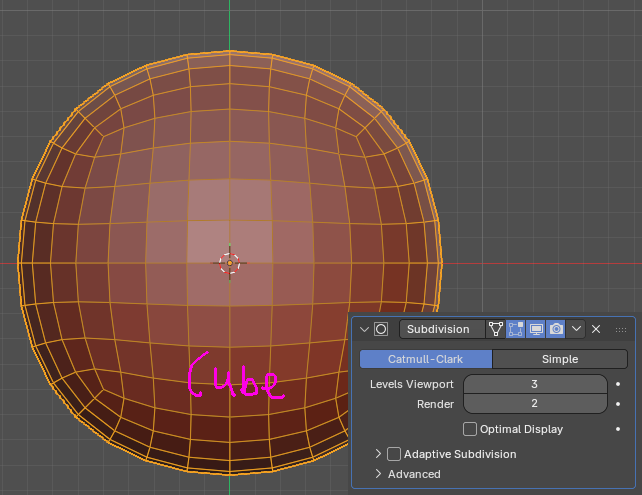
Smart! I hadn’t thought of that. It was the triangle fan geometry that was throwing me off before @Okidoki 's solution. But this could be another solid technique because the face loops are right where I’d like them! Thank you!
I hope to get time to try these Ideas out before Friday!
Yepp.. It’s always “nice” when one is remembered that one does not always need some “default”.. therefore the  .
On the other hand: my brain just simple was already running at “full speed ahead”.. 