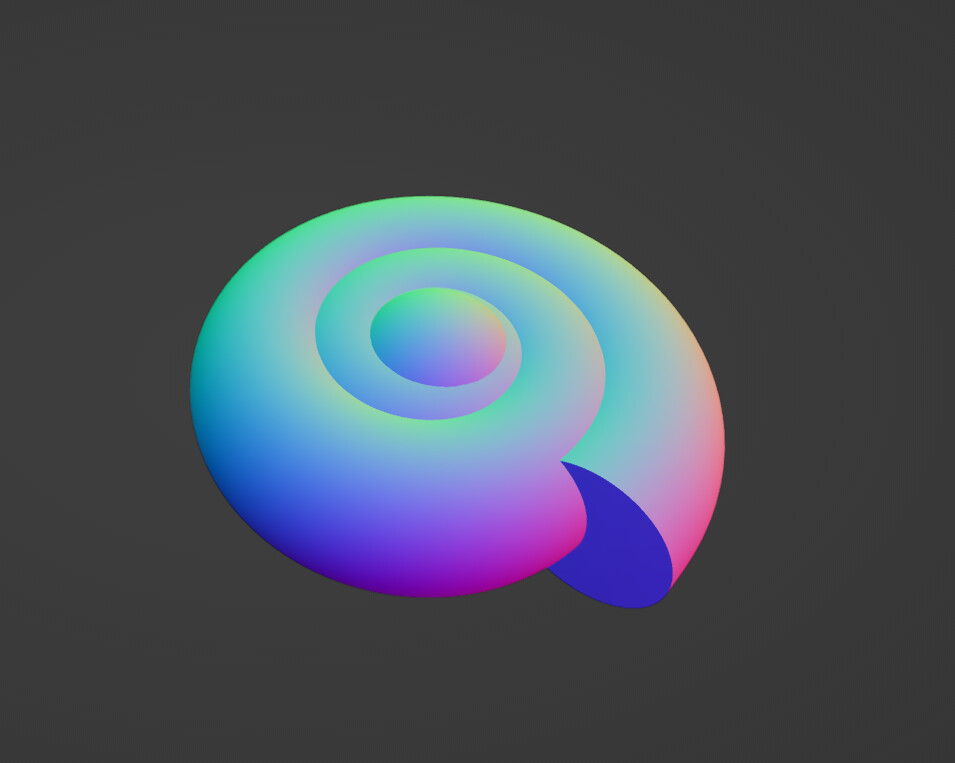
You see I’m trying to give this creature spiral-shaped ears similar to the ears of the pokemon Lapras’ but I don’t know what’s the optimal way of going about accomplishing this.
Enable the Bolt Factory add-on.
Add a mesh - Bolt
Select (ALT+left click) a loop which is creating the spiral (thread) on the bolt.
Separate to new object (P - separate selection).
Select a few of the vertices on one end of the spiral.
Enable proportional editing and scale the selected vertices down.
Flatten out all of the vertices.
Convert mesh to curve and thicken the geometry of the curve.
Convert back to mesh.
When you beveled the spiral with a circle, grid fill one of the caps and use e.g warp modifier with sphere falloff. And you don’t have to use the addon but can make the spiral with NURBS curves to make the ending easier (see below)
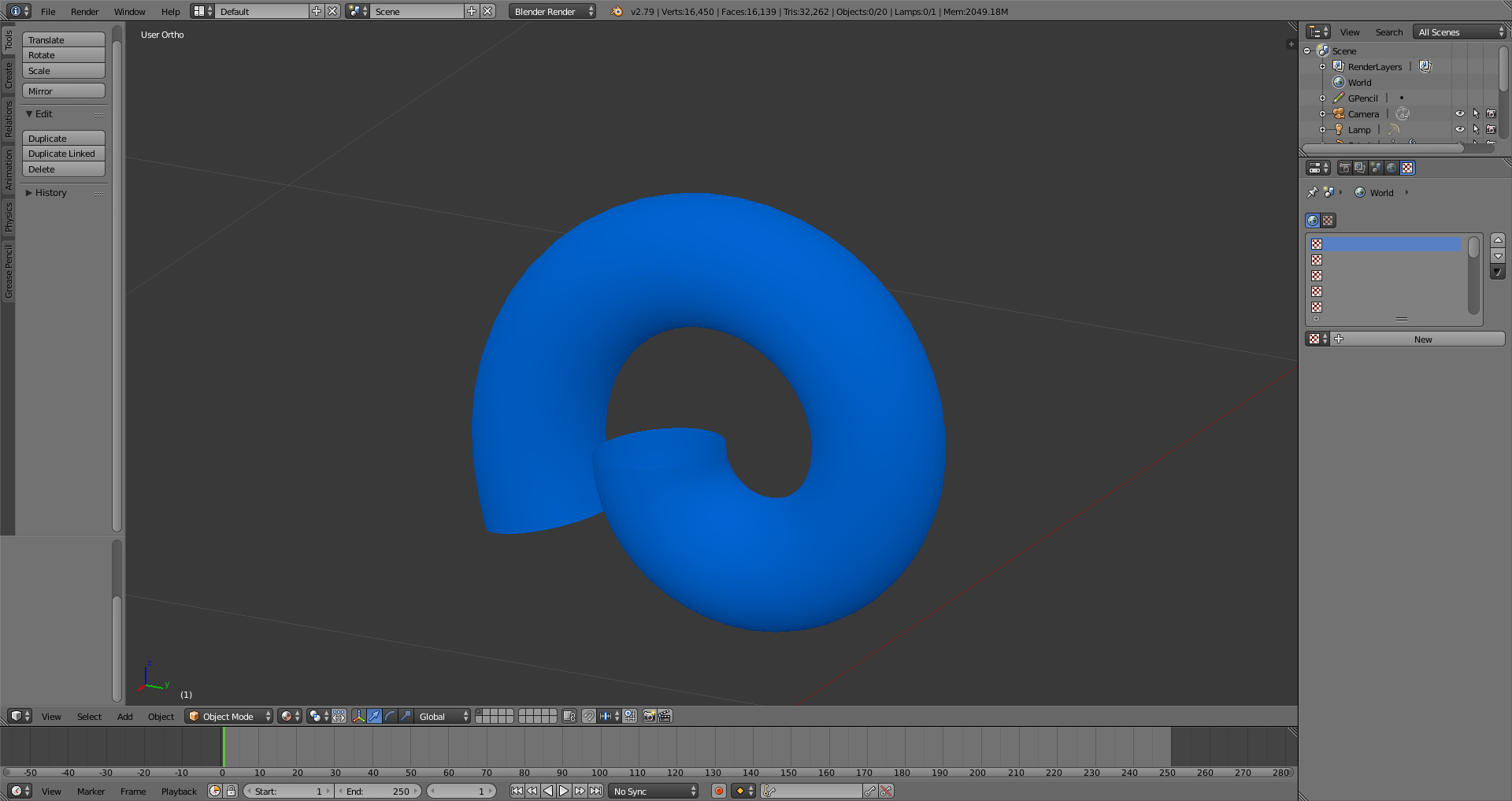
Okay, so I finally managed to figure out how to make a spiral-shaped curve and how to bevel it, so I’ve been able to work out the general shape of the ear.
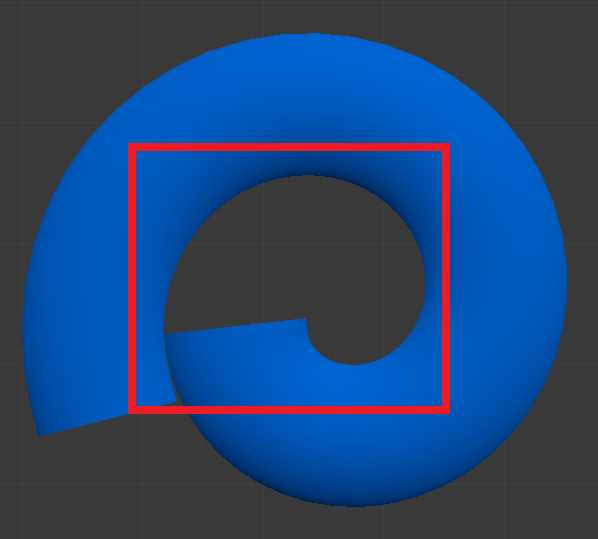
Basically, I want the end of the ear spiral to be the same shape as the empty space highlighted in the above screenshot, as well as fill in the entire area.
I’m sorry but I’ve never used the Warp modifier before so I don’t know how to use it in the way you’re describing.
Well i guess it’s like in the violin example… you have to model something between a spiral and a sphere… but more complex… until you are satisfied… or until someone gets a nice mathematical formula for this and then using the extra object math function…
The appreciate the help but I don’t know how to make this.
I know that I need a sphere shape to make the end cap for the spiral but I have no idea to connect it to the rest of the spiral in a way that doesn’t look awful.
It doesn’t help matters that I can’t seem to find any step-by-step tutorials online to help me out.
The tutorial on how to make horns using curves [https://youtu.be/5BXvwqVyCQw] that cames posted comes closest but it covers spirals that come to a point rather than a rounded end like I want.
That’s the tricky part … you have to conver to a mesh then try to find a fitting sphere (according to vertexc numbers)… but the spiral is no circle !!! Maybe you just practice with a simple 2D spiral and a circle first to get the idea…
Right now i get another idea by “just” selecting the inner part (again tricky… because there is actaully no direct circular inner part) extruding it inwards and using a shrinkwrap modifier for it… but (of course there is a but)…
You could add in edit mode, two curve circles one adjusted to the end of the spiral center, and one at 90 to that circle…
then add in your round Bevel…and adjust the scale of the second curve to " Look Good ".





 … you have to conver to a mesh then try to find a fitting sphere (according to vertexc numbers)… but the spiral is no circle !!! Maybe you just practice with a simple 2D spiral and a circle first to get the idea…