I’m not completely agree but as you’re the dev I respect your point of view.
I’m still eager to see it in action.
It’s seems a great improvement!
Well done and thank you for your effort.
I’m not completely agree but as you’re the dev I respect your point of view.
I’m still eager to see it in action.
It’s seems a great improvement!
Well done and thank you for your effort.
I think it’s down to preference after all, the Nishita looks closer to reality now. When was the last time you watched the sunset from your home? Unless you live at the poles, you will never have a sky that purple and clean.
But the lighting is a real improvement, closer to the Octane look.
You sure? This purple tone is rather common. Not sure if it is only when accompanied by clouds but that tone of color is certainly not rare.
However, I will try to catch a couple of sunrises. Bit difficult in the summer but it will be interesting non the less.
What irks me about the nishita is that it soups off into total black. I assume it is the multiscattering that compensates for that.
I confirm that in Portugal is even a common sky. Felt really natural to me.
Any chance of adding some ground color controls that mixes with a fake distance, or fades to horizon color somehow? With vanilla, the ground is completely black, meaning there will be no fake/env based lighting hitting the ceilings in interiors without relying on real bounced lighting (which is a source of noise).
I would recommend you to use this setup I built instead:
I did a small setup for this further up in the thread  Multiple Scattering Sky Texture - #6 by Tell
Anyways, nice to see progress on this, one more thing to look forward to in 5.0!
Looks beautiful! Would it be possible to plug node noodles into the sky node? Current blender sky nodes do not support this function and its very limiting. My understanding is that these nodes use the values for a single calculation and cant accept a different value for each shading point. Much like geometry nodes single value vs field values. However, could it be possible to make it work when plugged into a Single Value node?
Hi, not sure what you mean exactly … This node calculates a 512x256 pixels sky environment texture, it’s not possible to add anything else unfortunately due to the way it works.
Ah I see. I thought you are trying to implement this generator as a node, similar to blender’s default sky texture node. This node lacks input sockets, the sun’s position for example can’t be controlled from other nodes which limits modularity. If you do plan to commit your awesome generator as a shading node, it would be awesome for the input variables to have sockets!
I created a sky generator here too 
The new Multiple Scattering Sky Texture I’ve worked on has been merged into Blender 5.0!! 

Well done.
Kudos.
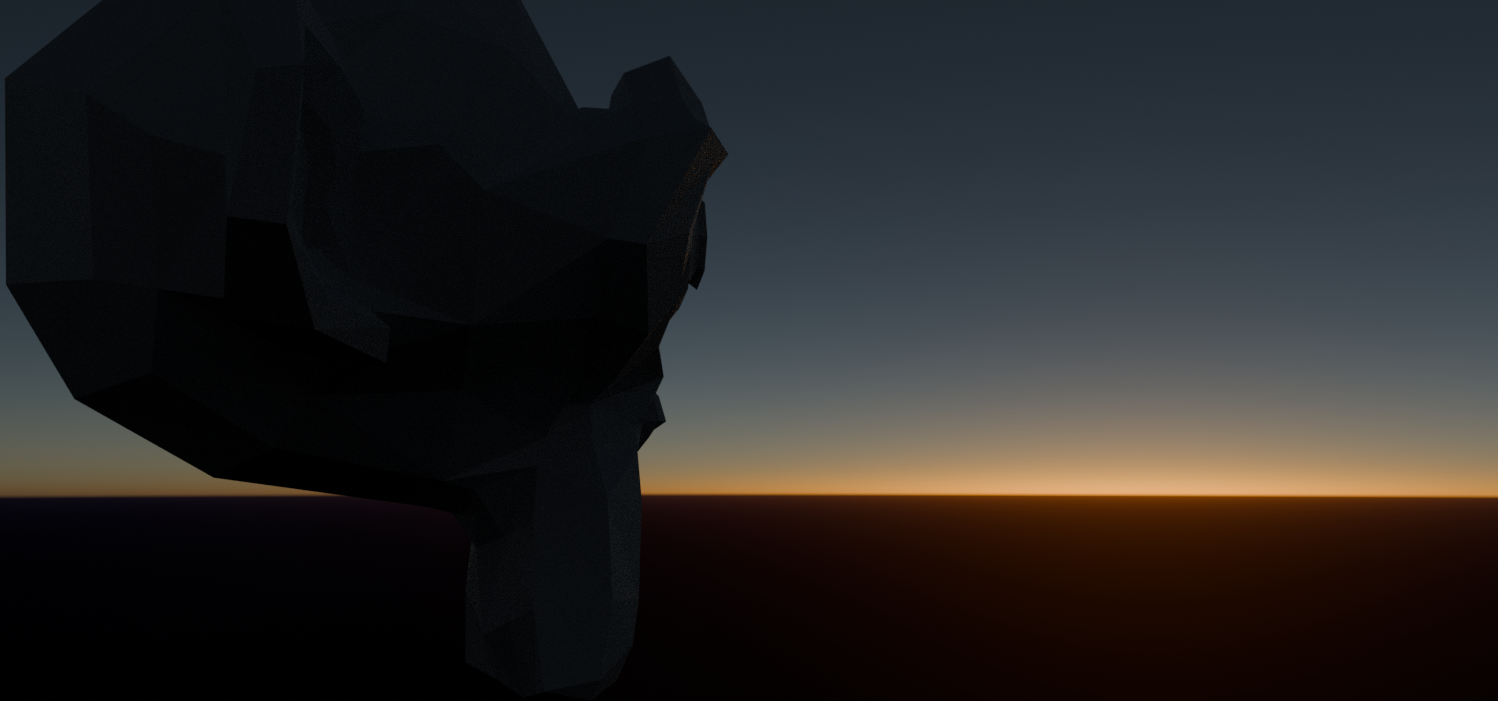
One question, what resolution does this new texture have? Because when I tried to test an angle of about -2 degrees, around the area where the sunset is located, I noticed squares/lines, as if the pixels of a texture were visible. I thought it was my screen, but single scattering doesn’t show those discontinuities.
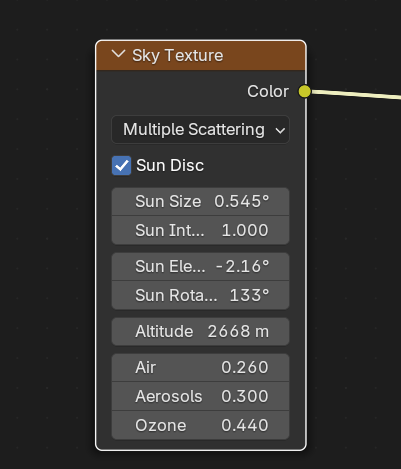
edit: I think the effect scales when using high heights, when I lower it to 100 or 200 it doesn’t show.
Fantastic! 
Unfortunately that’s how it works, the precomputed sky texture is 512x256 pixels, then those pixels get linearly interpolated when rendering.
So if we want to use the sky as a matte without that issue (when needed) it would be better to use your multiscattering node group? The one you posted in another thread, right?
Sure  , you can use a sky atmosphere setup I developed here: