Hello, thanks for such a nice add on, everything works fine, i tested animation nodes and the option to get list of OSC is very nice and powerful.
Im only having some problems with sorcar, i tested all the versions that works with blender 2.80 but the nodes doesnt appear in the list.
how can i get the sorcar nodes works? i really would like to test it soon.
hi maybites thanks for your answer, im checking sorcar 3.1.4 and blender 2.83 in windows 10. and nodes doesnt appear in the list, just downloading 2.82 to check,
everything works fine in 2.83,AN nodes are really great, checked with a list of 50 values and works so fast, but in sorcar node list doesnt update with osc nodes.
Any idea_?
blender 2.82 in windows 64 bit checked too, sorcar nodes doesnt appear in the list… the rest works perfect
what a pity…
Hi @maybites, thank you for this great addon!
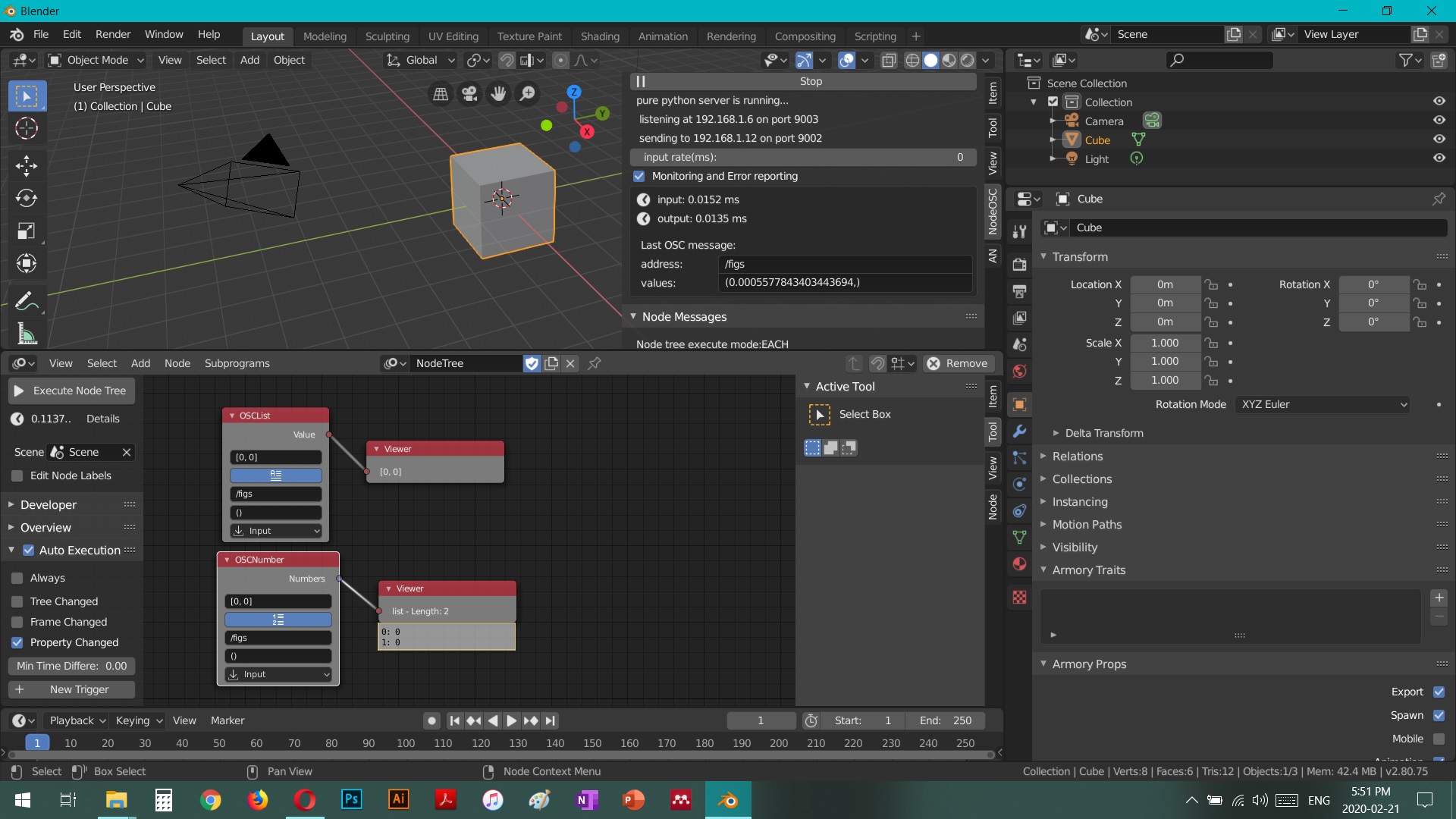
Apologies if I’m missing something very basic, but I’m struggling to get the OSC messages relayed from NodeOSC to Animation Nodes. I’ve attached an image of my (very basic) setup: NodeOSC is receiving the messages from my device just fine, they’re updating in realtime, and I have “Auto Execution” and “Property Changed” both checked in the AN properties panel, but the values aren’t being reflected in the nodes. Also, I have the latest release of NodeOSC installed on Blender 2.80. What should I be doing differently?
Thank you for your help!
everything looks good. try stopping and starting the server again. the fact that monitoring shows the osc message means that there is no address handler (a node) listening to this address. otherwise check the console and see if there are any error messages.
Thanks for the help, I figured out the problem! I think it had to do with which ports were being used. It started working after a restart.
Unfortunately, I seem to be having a different problem now: getting the addon installed on a Macbook (my work computer). It throws an error when the the box is checked to enable the addon. Here’s what I’ve done:
started with a fresh install of blender 2.82
downloaded the latest release of NodeOSC
put it in the addons folder
found the addon in preferences > addons
checked the box to enable it
got the error message (image attached)
I got the exact same error with a fresh install of blender 2.80, and in both cases I successfully installed and enabled a different addon (Animation Nodes) to confirm that the problem wasn’t with all addons. I also tried installing the addon from the ZIP, to the exact same effect. I’m using macOS Mojave 10.14.6 on a macbook pro.
Any ideas for what might be happening here?
Thank you again for your help!
you are doing nothing wrong here. Its my mistake, the pyliblo library is not complete within the addon, and I didn’t realize it because I only tested the addon on my development machine, where the liblo library is installed.
I will investigate and see what can be done about this…
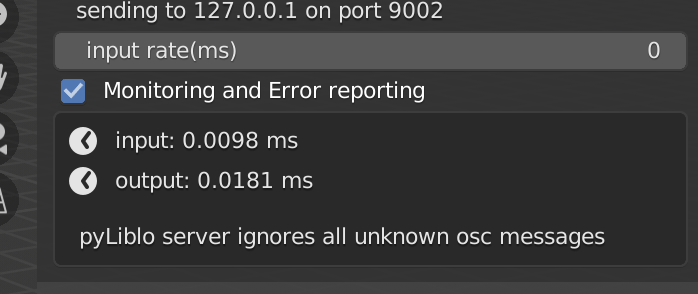
Ok, so far I did manage to make the addon running and indeed I need to brew install liblo, but if I use Liblo, it says it refuses to take unknown message, so I turn it off.
I tested with TouchOSC from iPad, and it is working so far for the basic of moving objects, scaling transform, and I can even keyframe the animation realtime on the fly, which is cool!
Now, I am trying to send messages from Animation Nodes for this basic example to play sound on SonicPi:
Not getting any sound so far. Wonder what I did wrong.
I can’t help you with Sonic Pi, but you actually showed me a bug in NodeOSC. I pushed a new release that allows now to read DoubeList data from the AnimationNode, which previously caused a warning and wasn’t accepted to be send.
AND: can you send me the error messages you get when trying to use pyliblo?
I’ll check and see of what can and cannot be sent from SonicPi, it seems most interesting to make Blender talk to SonicPi, as it makes sound etc. Good way to test if works.
TouchOSC works really well and it become super easy to setup some interactive control for Animation Nodes!
The error message with Pyliblo: How to know which one is known and unknown and also no longer getting value monitored if this is on.
Hi JP, in case like multiple value stream per message like the Face Cap example, how to specify this in Animation Nodes? I cannot get it to work with Quaternion, XYZ, etc. Blendshape one is also seems tricky.
Ok apparently I need to Stop and Start if I make changes to the node. So that’s one important key. I did manage to get position, rotation head, eye is a bit strange.
But blendshape one is tricky, any tips on handling this OSC message?