Hello All !
I’m trying to use noise textures, but the output of the Node, for fBm is not between 0 and 1 even if I make it normalized. Is normal ? or a bug ?
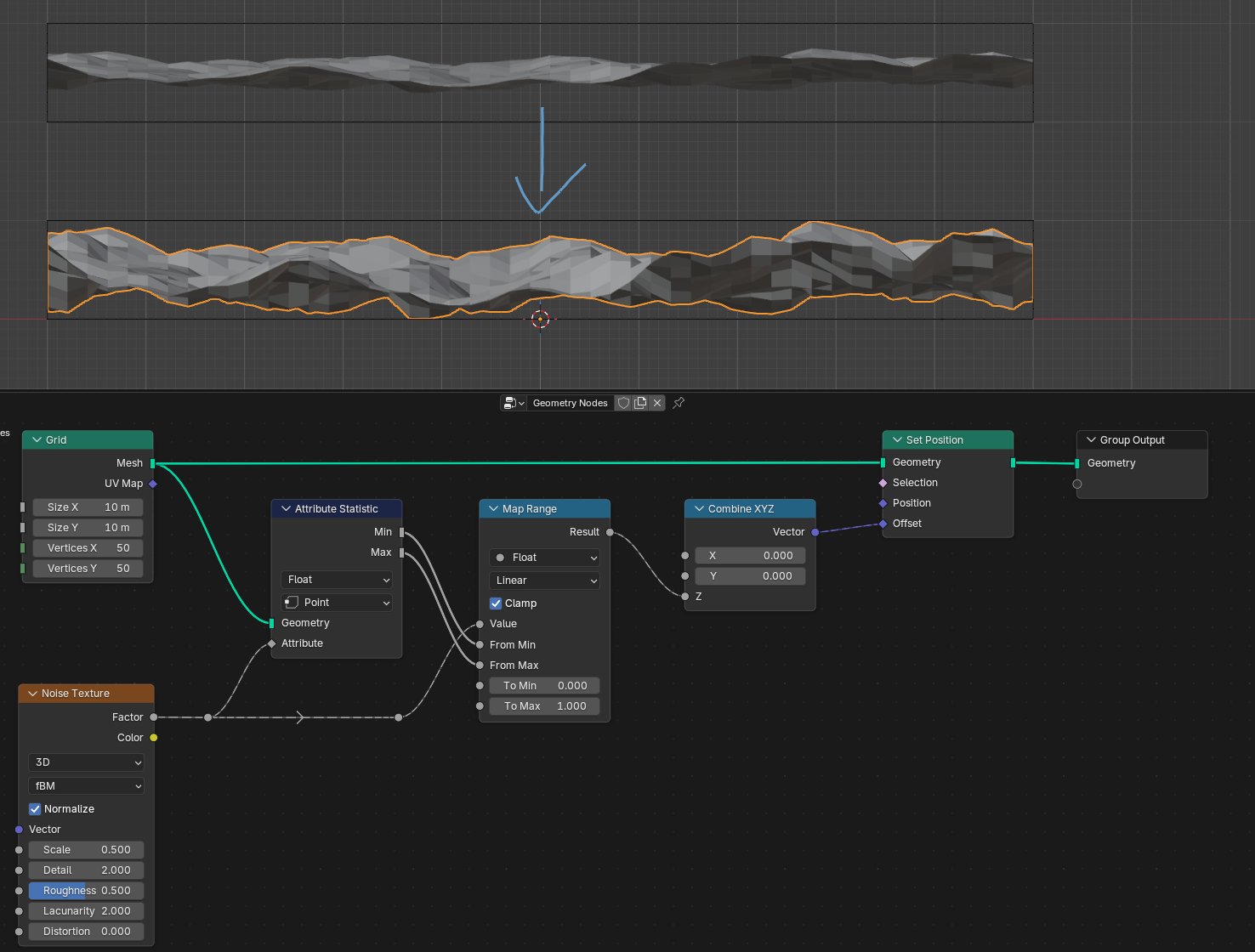
I’m using it in Geonodes and it’s particularly visible, the output seems to be roughly between .3 and .7, it depends of different factors, but it’s never 0-1.
It’s anoying because I use it to randomly place instances between two points and it’s not usable really.
I’m on 5.1, if anybody has inputs that’d be great. I hope it’s not by design.
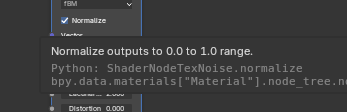
Yep it’s a bit weird since there is even the checkbox “Normalize” and its tool-tip even clearly states that that is what it’s supposed to do.
But this is how noise textures work in Blender.
In my personal opinion it would even be appropriate to report this as a bug since it says it does that, but then it actually doesn’t. Not sure if the devs would have the same opinion as me though
Maybe it’s normalizing based on the values it could possibly get based on the function, rather than what is showed on screen? Maybe 0 and 1 exist somewhere else, even if just theoretical? Is the zero points exactly 0.5? Never tested it, but if so, I would suspect it is correct.
If they are just points, that would explain it. You cannot ever see a single point. Not really sure what could be done about this.
…so maybe not a bug, but just a limitation of what you can consider minimum and maximum in noise algorithms. I mean that’s just how it works. It’s probably a matter of how much you zoom in…
I guess “normalize” is not exactly the right word they should use for that checkbox?
What’s happening is just that without that checkbox the range will be somewhere between -1 and +1 but not necessarily with any value at exactly -1 or +1, and with that checkbox it will be be somewhere between 0 and 1, and again not necessarily with any value at exactly 0 and 1, it’s just a guarantee that it won’t be outside that range.
So yeah it’s working as intended and I wouldn’t personally never want it to be constantly mapped with any value at exactly 0 and 1, that would lead to some funky behaviours.
Technically it is. There must be a point there that is exactly 1, because other way map range node would not map that range to 1. The issue is that it’s a dimensionless point that will not show as 1 in any pixels. Interesting issue. And for 1 pixel to be exactly 1 the range should be remapped to some values based on pixel size which is not how shaders work. At least that’s how I think it works…
Yeah, I checked with ChatGPT. According to it, in signal processing, you can normalize a function. If it knows the function can theoretically output (-4, +0.2), it can normalize the output to (0, 1) based on those calculated parameters.
Think of a simple sine function sin(x). The function can be normalized from (-1, 1) to (0, 1) even if you’re zoomed into just a portion of it.
No I don’t think there MUST be a point that’s exactly 1, but there should be enough headroom so it can go up almost to 1 if needed. I noticed that when normalize is on and using heavy distortion on the noise the value can go up to 0.98 but can’t manage to get above it.
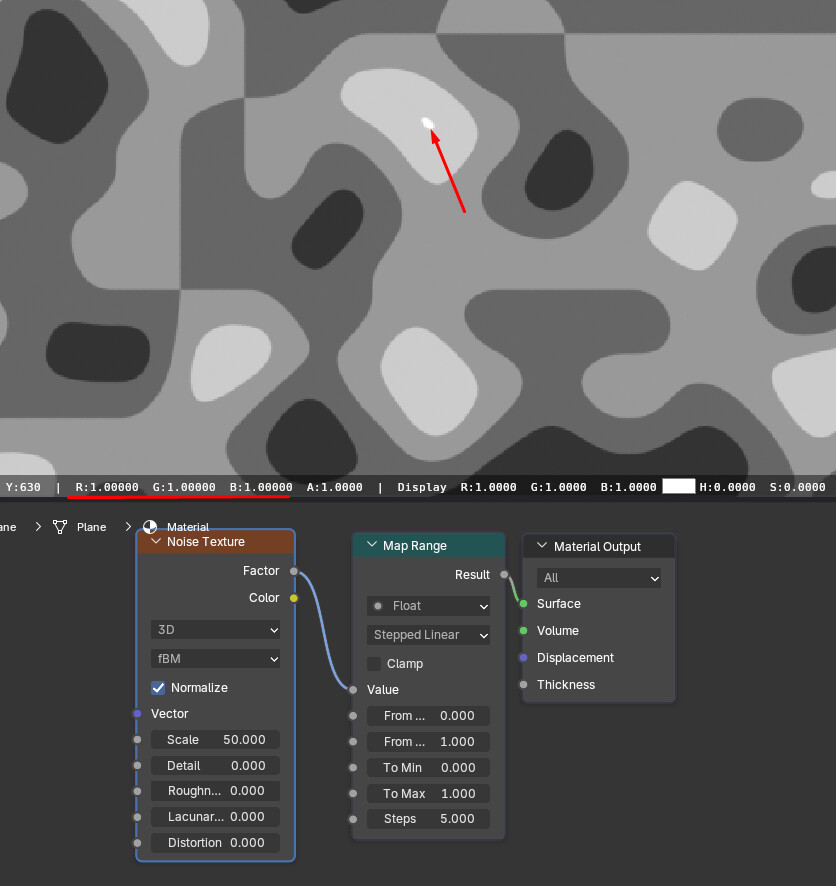
The screenshot I shared would indicate that. Map Range in Stepped Linear mode with those settings would not produce a result where 1.00000 could be measured otherwise the way I understand. So by my thinking, the value is there, it just doesn’t take a meaningful area so you cannot possibly measure the peak in any one pixel, it just averages out to a smaller value because it’s just a small part of any pixel.
I don’t know exactly what Stepped Linear in the Map Range node does internally, but I guess it quantize it to the closest value somehow and can therefor shift up the values a bit. Instead use a Greater Than set to something slightly below 1 or 1 and you will see that it won’t go up to 1. Do also try it after your Map Range and disable/enable that Map Range and you will see that it shifts the value.
The way I understand it cannot shift the highest value in range. If I am right, the value is there, it’s just impossible to see because it takes no area on screen And cannot take any area on screen. Weird issue.
It does round up though.
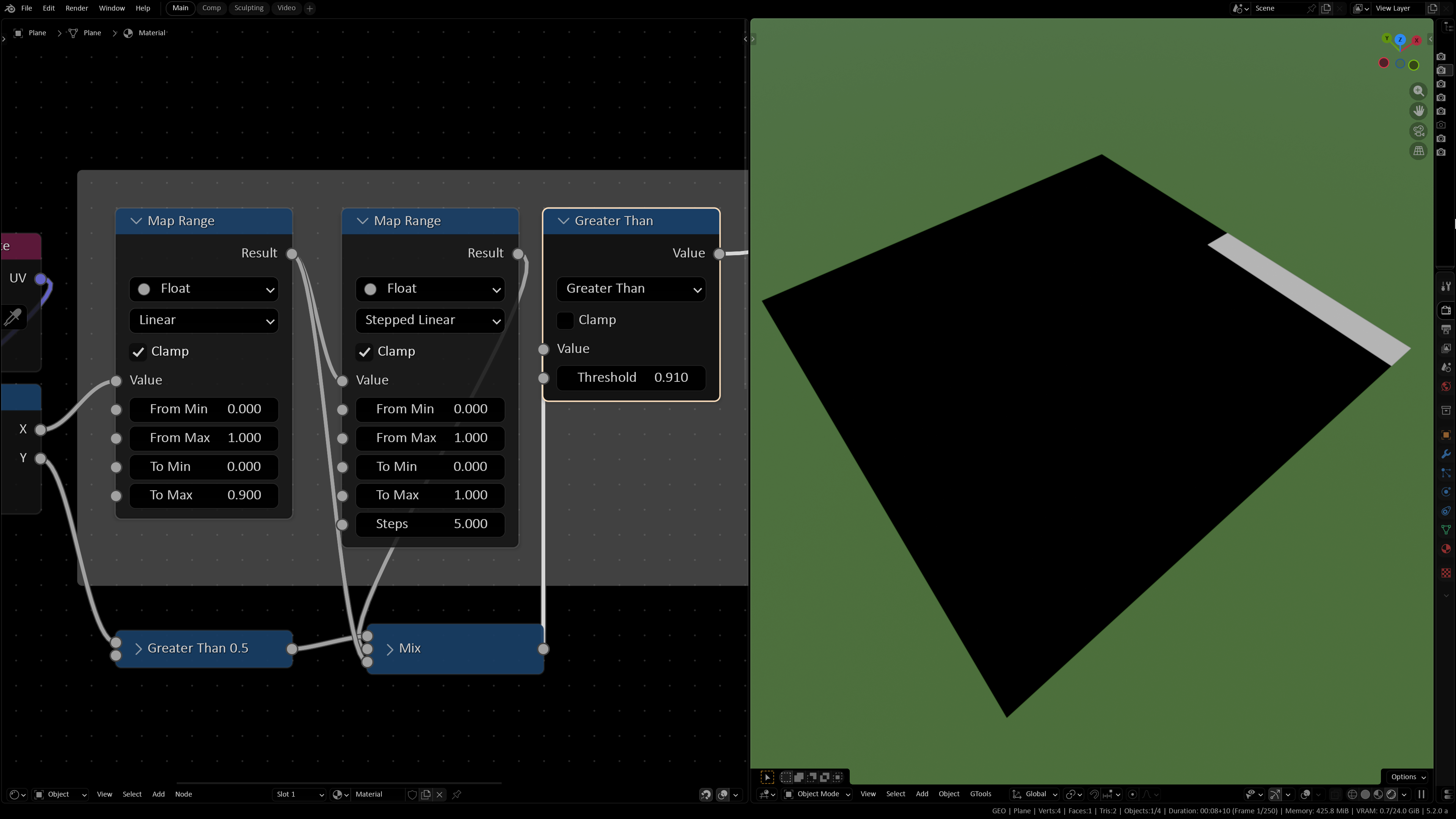
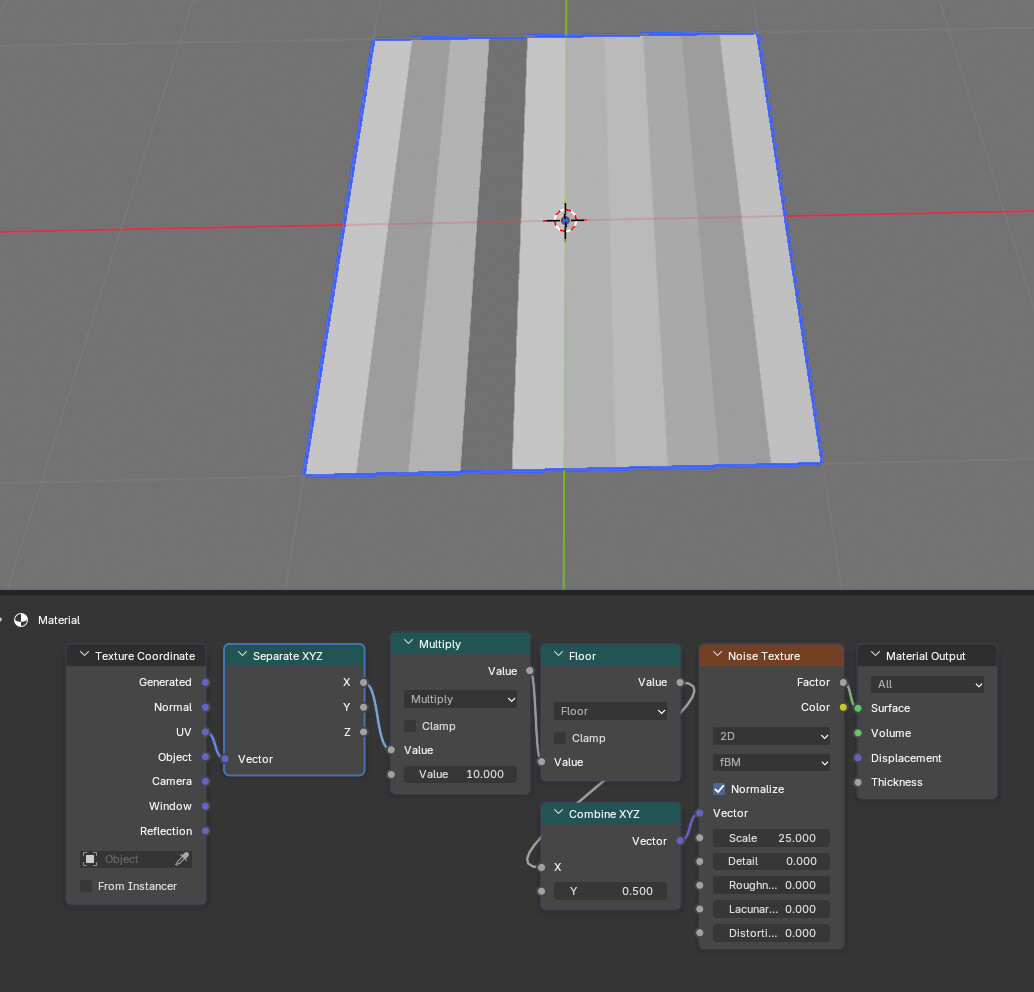
Here I took the UV on a plane and separated it to show X from 0-1 but then remapped it to go from 0-0.9 and clamp everything above so no value over 0.9 is present, then did a Map Range set to Stepped Linear with 5 steps and the rest default (then I also split the plane to show both the smooth gradient and the stepped one just because, which is what the nodes outside the node frame is)
Now look what happens when I use a Greater Than afterwards set to 0.91 (which is above the value that was clamped by the first Map Range) and you will see that the stepped Map Range DOES have value over 0.9. It actually mapped everything above 0.9 to 1, or it even seems that all values above around 0.835 gets mapped to 1.
That the noise textures have some peaks converging to 1.0, but since those peaks are points smaller than a pixel, it cannot be seen in the texture. See the source maybe… Maybe it’s not that important…
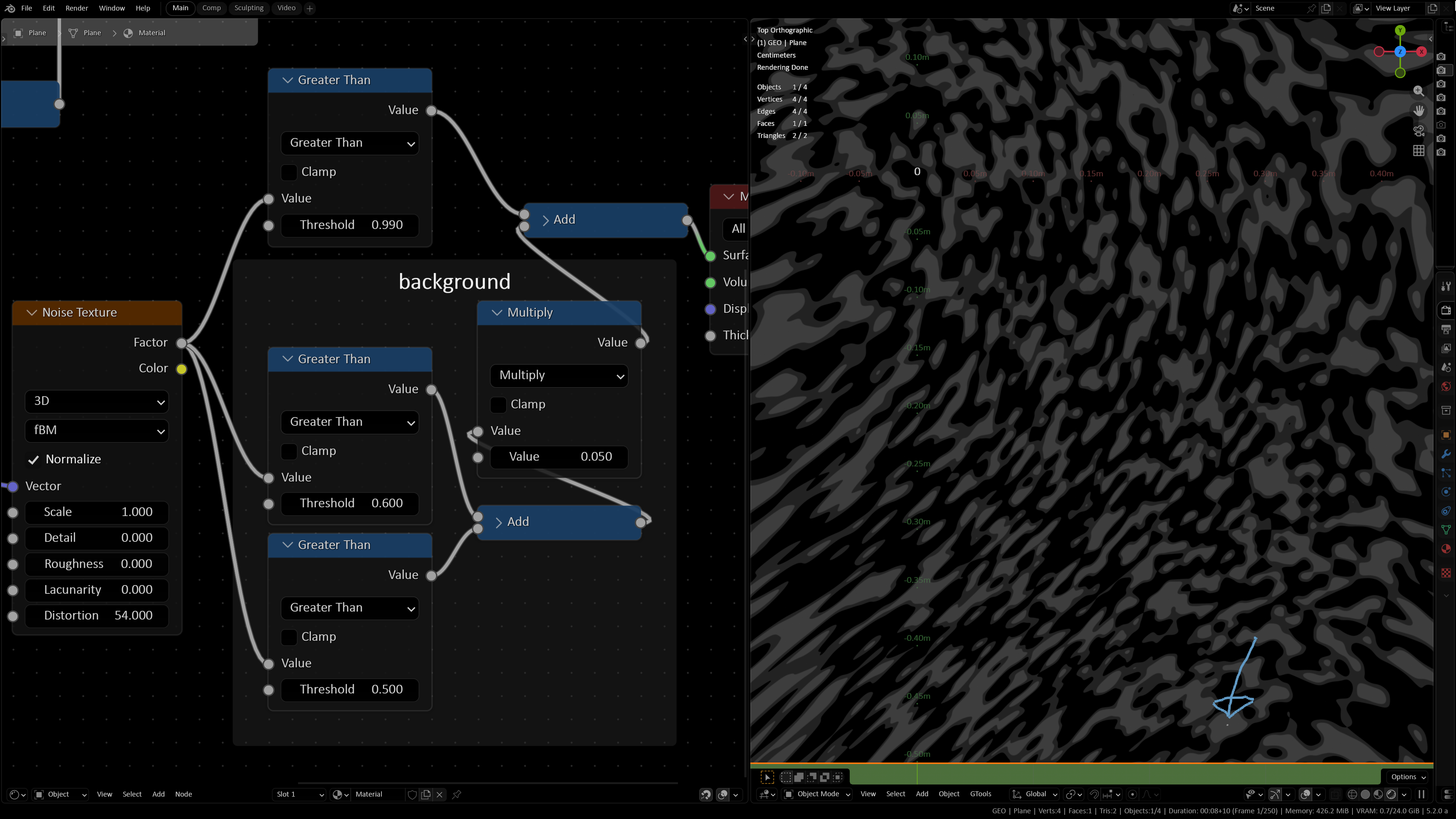
Not sure if there’s a super accurate way of doing it, but using a Greater Than (or several as I do below just do make it a bit clearer what’s happening) and fiddling around with that Noise Texture I found something up at 0.990 (and maybe sliiightly above that at an almost infinitely small point), it’s just below that blue arrow, just a tiny dot that might need some zoom to see here on BA. It seems that 0 Detail and quite a lot of Distortion can bump it up quite high and this is the highest I found.
Btw unchecking Normalize here will set that point at 0.980 instead, so unchecking is just the same as using a Map Range after that Noise Texture and set that so it goes from 0-1 to -1-1.
A Random Value could do it as well since it seems to distribute it’s value linearly between 0-1, but yeah that’s definitely not something one always wants so having the Noise Texture actually being normalized to 0 and 1 would be handy at times, so that Attribute Statistics method works for that. But personally I often put a map range on that Noise Texture and set it to Smoother Step with the From Min/Max to something like 0.2-0.8 or whatever.