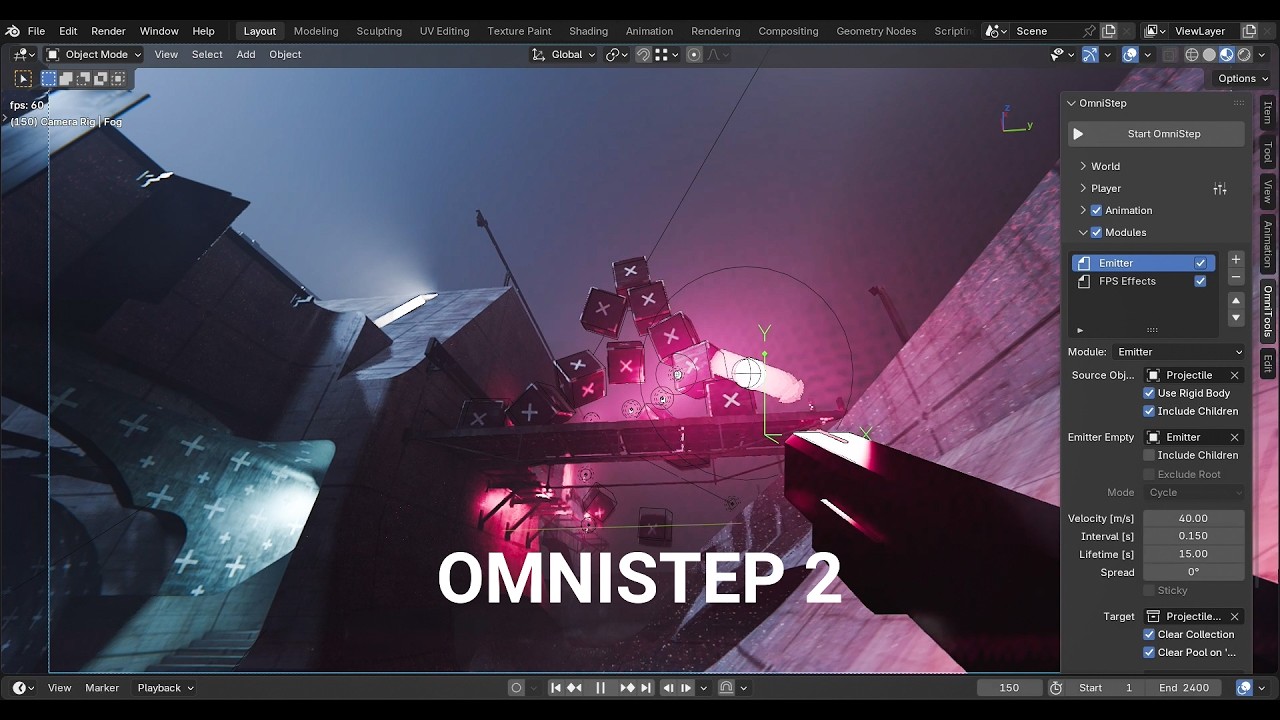
OmniStep is a Blender add-on that provides an advanced modular first-person controller. It is an interactive animation and prototyping tool with optional scripting and a built-in game loop for complex interactions.
Why This Exists
I always wanted to be able to walk and fly through my Blender scenes, experiencing them the same way I would be able to in a game engine. While Blender has its basic ‘Walk Navigation’ feature, it is far from what I had in mind - so I wrote OmniStep.
What It Can Do
OmniStep is a highly customizable and scriptable first-person controller comparable to AAA games in terms of movement mechanics, collision response, and input handling. With its ability to record movement and player actions, it can be used to create shots that would otherwise involve a lot of manual animation work. This includes walkthroughs and extremely smooth fly-throughs.
With its customizable walk and fly modes, a smart collision system, spawn points, and scripting support, it simplifies level prototyping, making Blender an even more versatile tool for game development and provides artists with an intuitive new way to experience their works.
Features
First-Person Movement:
Full control over player parameters
Settings for gravity, speed, acceleration, friction, air-control, and more
Motion damping for stairs and uneven terrain
Fly Mode:
Fully physics-based movement
Settings for acceleration, friction, etc.
Mouselook and radial control functionality
Optional collisions
Camera Functionality:
Support for camera rigs with physics, constraints, etc.
Customizable banking and motion damping
Customizable focal length
Collision System:
Capsule-based collision detection
Utilizes a BVH-tree, capable of handling millions of triangles
Supports instanced collection and linked library collision
Fully dynamic collisions on animated objects
Selective inclusion or exclusion of collections
Prevents endless falling by reusing last ground contact
Recording:
Camera motion recording
Loop recording
Buffered recording (recording without timeline playback)
Scripting:
Add new functionality through user-written scripts
Exposed game loop method
Automatically expose parameters in UI panels
Access to player parameters and the collision system
Customizable Settings:
Input smoothing options
Customizable keymaps and Gamepad mappings
Gamepad support for Windows (XInput)
Mouse settings including sensitivity and invert Y-axis
Custom N-panel placement
Framerate independence with support for 120+ Hz
Choice of scale settings: metric, imperial, and free
Additional Features:
Teleportation mechanic
Empties as spawn points
Requirements
OmniStep supports all platforms and Blender versions from 3.6 LTS up to the current 4.2. It has been tested on macOS, Linux and Windows.
Add-on Compliance
This add-on is fully self-contained, does not include any external libraries and operates entirely offline. It does not register with any application handlers and does not leave behind any residual data in the Blender scene, except for its settings configuration. The sidebar panel can be optionally nested under the ‘Tool’ tab to maintain a clean UI.
Would be possible to add the option to “spawn” the “FPS” camera from a selected Empty/Object? And it is possible to change the FOV?
The “drones generation” it’s a nice feature, I wonder if it can be translated into a movement path which could be used for animated objects like birds or trails of particles
spawning in empties sounds interesting - but may i ask why / what use case it has? as of now it just starts form whatever position the active viewport was in.
as far as options go, there will be plenty - i will start rewriting the whole thing now as it is just a single big python class and already a bit hard to work with.
this is the interface now, but many more things are not exposed yet and some others are yet to be implemented - e.g. defining a collection for player collisions…
teleportation for sure,
joystick / controller is on the list of ‘nice to have’, but it might be a bit tricky with no native support - have to read up on the libraries and cross platform stuff
The scope of those “spawn points” is to give a quick look on a critical place(s) from a player’s POV. There’s a level design scenario that you need to re-touch a “room” tens if not thousand of times since the “feel” from that “room” must connect with the adiancent tilesets and general layhout, so using “spawn points” you skip the repetitive tedious process of moving the viewport on those exact places every single time.
Would be possible to define the height other than the collision?
the camera height can be adjusted, but the player collider has a specific aspect ratio to work well with stairs and slopes. and the overall player/physics scale can of course also be adjusted.
I will put the spawn points on my todo-list!
Some things are still missing, but its getting closer…
If anyone has ideas on what else to implement, let me know
One big part that is still to come is animation / linking of collections to the player (think cockpits, lights, huds, etc.)
That way it will be possible to force fullscreen view with correct aspect ratio just for fps view. And field of view in degrees will save some time when converting from angles to mm.
the fullsceen is planned, but i have problems with python - the context changes when doing the fullscreen, wreaking havoc on my internal data… havent found a workaround yet.
the mm/° is trickier… blenders view mm are ‘wrong’ since forever - the 28 mm are not corresponding to any sensible value when you set up a camera with the same values (sensor fit vertical or horizontal makes no difference.)
The reason might be that blenders viewport does some magic and switches between vertical and horizontal fov to look best at all aspect ratios… but the bottom line is: the mm value (or deg °) is not meaningful in any way:
While this is technically a bug, i never reported it, because i think this is the intended behaviour - it kinda looks right when you assume a square sensor in the camera (36x36mm)
 More info here: omnistep.atair.cc
 Superhive Market | Gumroad


