Experiment with POM in Blender shading. Plus a simple self-shadowing setup.
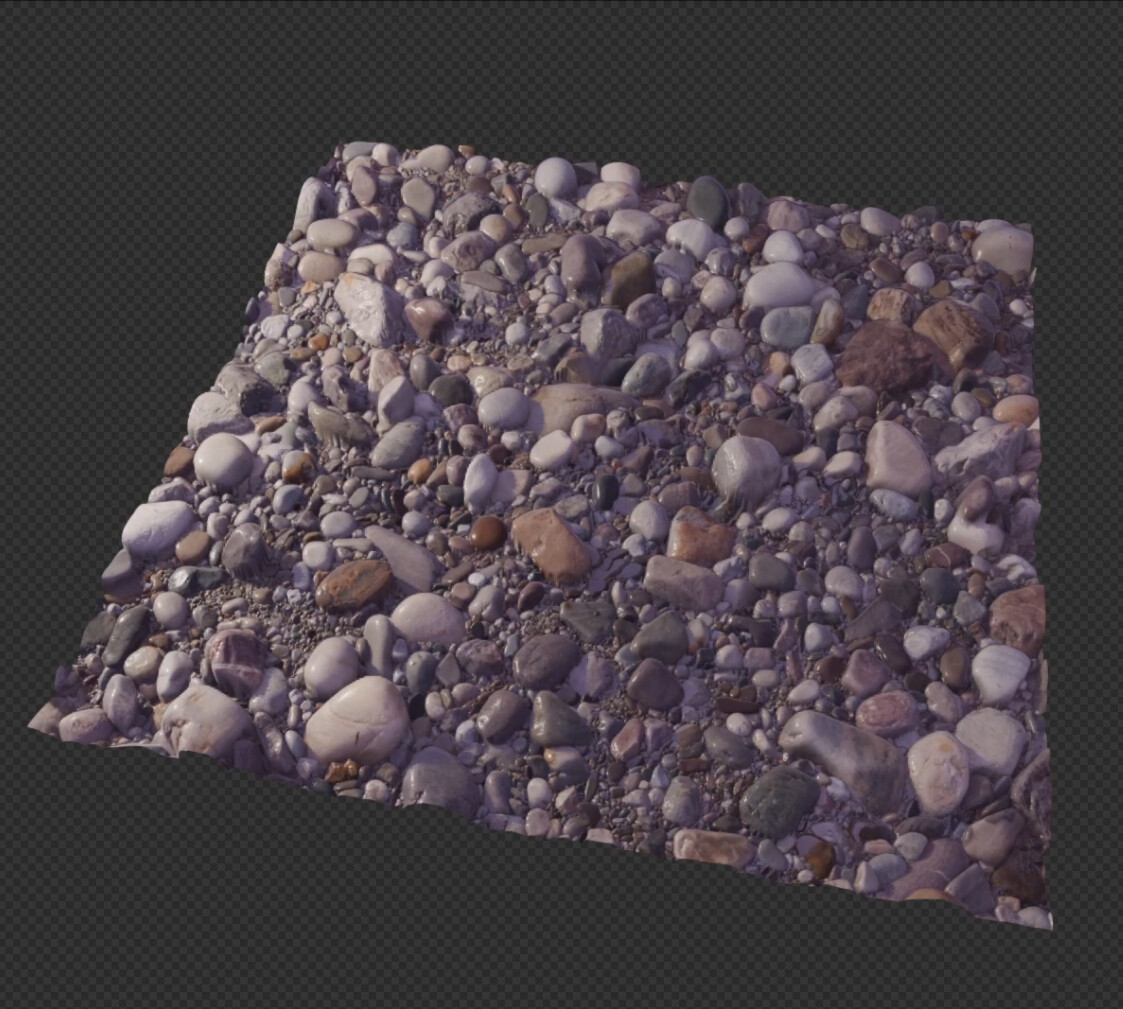
Node group or it didnt happen
8 Likes
Aww man I was gonna get rich selling the node group  too bad…
Parallax Shader.blend (4.0 MB)
26 Likes
Thanks so much for sharing!
2 Likes
I know this is old (and amazing work Xeofrios!) - I am uploading a lightweight verison that is lower quality with the benefit of running much faster (for future people who want an alternative)
8 Likes
But this version doesn’t appear to have the displacement happening on the sides? Or am I doing something wrong?
P.S.
Also welcome to the site! I love your channel.
Light version is missing these nodes:
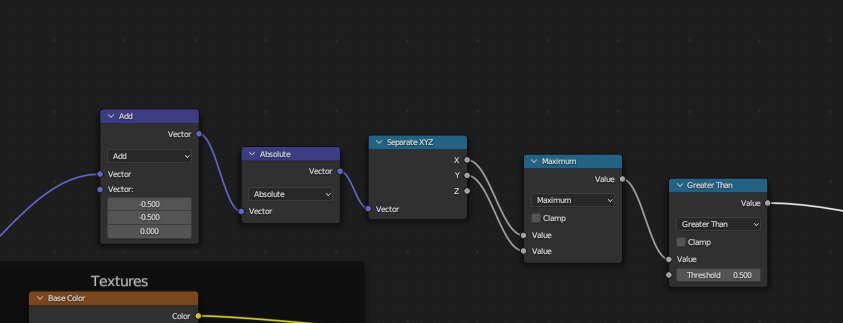
(Parallax-altered UVs go to Vector input, Float output is the transparency mask. It basically checks if the parallax ray goes beyond certain UV boundaries. (Logically, should have Less Than at the end, but in this example, Shader Mix node has its order reversed))
1 Like
ahhh! i see
will bring that back in in a bit then - planning on making a tut for people who wanna make this thing from scratch but also link to this forum post since the version Xeofrios made is so good
1 Like
I am honored! Your videos have taught me a great deal about shader maths! I noticed you have added a displacement input to POM node. In my original file I intended the user to edit the scale in the Height map node group itself. But if you want to explicitly expose the value, you should scale the height map output instead of the transformed Incoming vector.
The scale node after Space conversion has a similar function to dividing dt by sub step count in physics simulations. Mathematically the scale value is inversely proportional to the number of POM step nodes (12 in your case). tbh I actually just eyeballed the original 0.07 number.

1 Like
Heroes not always wear capes 

This is such a great node group!
Is there a way to set different height maps for different materials? If I duplicate the material and change a heightmap it changes for all the materials with the node group
It works really well! Thanks for sharing it 
One question I couldn’t figure out myself is how to go about texture scattering to avoid seams. How would I go about that? I’ve placed the vector scattering nodegroup after the pom nodegroup and have my settings there, works really well but of course doesn’t influence the POM displacement image yet that determines the pom height and strength.
Is there a way I could combine the scattering with the pom?
Great question! I actually didn’t think of that ahaha. Creating the new material in a separate blend file and then appending that might work.
Place the scattering node group before POM. Though rotating the UVs might mess things up. Disable that, or set to a minimum if possible.
Thanks for your suggestion!
Tried that, there are 2 issues I see with it:
- it breaks the perceived depth (looks like each voronoi cell is on a different layer, would work well for clouds though
 )
) - The displacement map is not affected by the vector scattering, and for some reason I cant seem to be able to affect it
See the file:
Parallax Shader.blend (4.0 MB)
2 Likes
Amazing work Xeofrios!
There is an on thread HERE looking at integrating POM to EEVVEE. Their screenshots show an object clipping through the ground plane realistically with the offset texture using Pixel Depth Offset. Similar to THIS effect in Unreal Engine. Do you think this is possible with a material setup in Blender?

The issue seems to be that the Voronoi scatter is also offsetting in the Z axis. Thats an easy fix

There is still the problem of seams but ig that’s inevitable.
I don’t quite understand your second point.
2 Likes
Yes, but it will be way slower than any native implementation
Man, I knew it was something this simple. Sorry for bothering you with that, and thanks!
Regarding my second point - When scaling the images, the changes made only affected the diffuse, roughness and normal maps but didn’t affect the (POM) displacement map. However, I can’t replicate it any more - it works now, so nevermind.
Thanks again!
3 Likes
Any idea how? I heard something about “writing into depth buffer” in regards to how game engines deal with such tasks. Does Blender support anything like this?