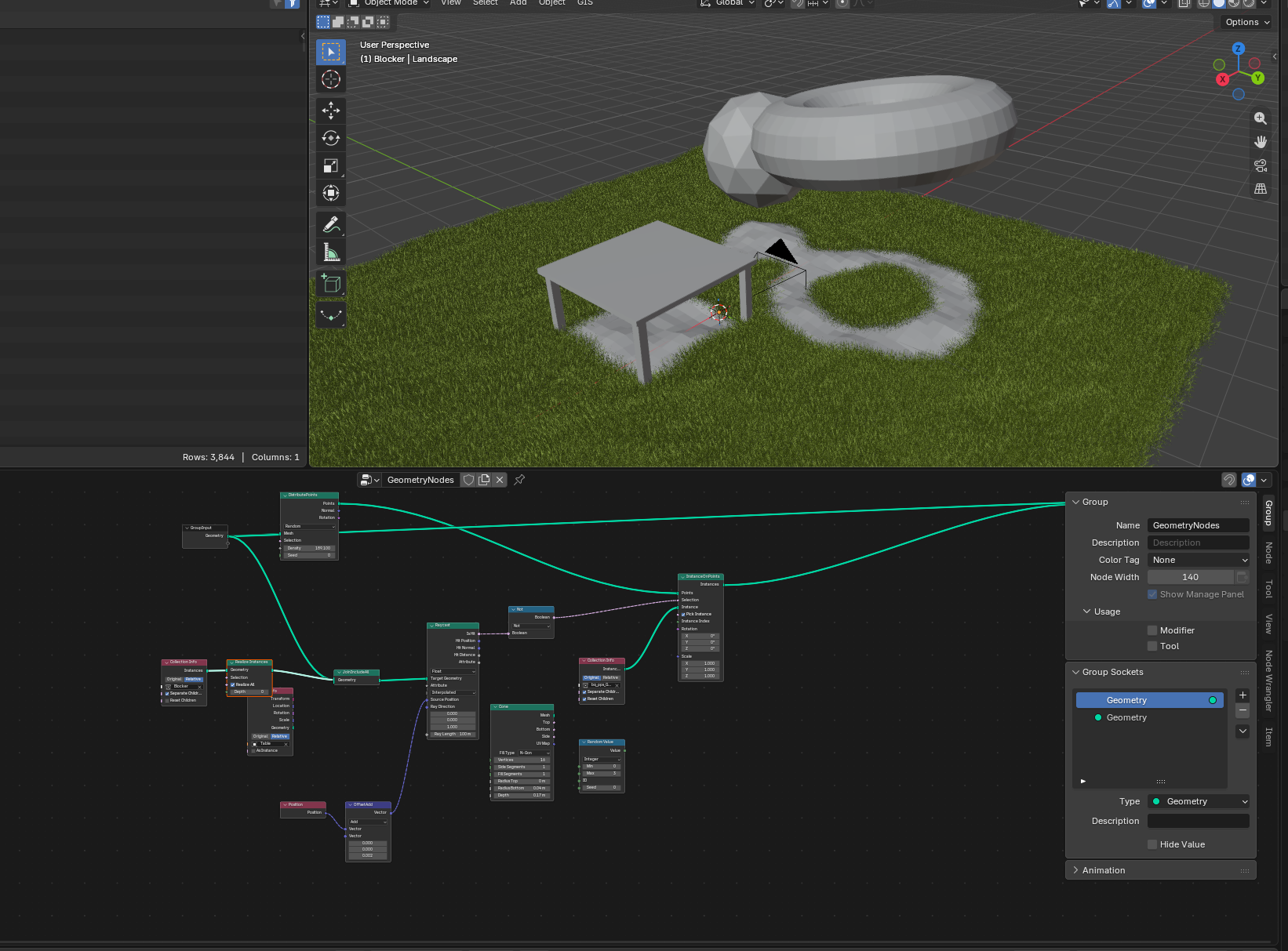
Any experiences with limiting particle hair system with a Raycast geometry node setup?
I want grass, to be distributed only on faces that “see” the sky…
I have duplicite mesh in the model, where two or more faces are above each other. I dont want grass on the “hidden” face below, so I save some computin power.
I haven’t used the hair particle system for grass yet, but for limiting the distribution of plants on surfaces I use a GN setup as shown below; hope that this is of any help.
You want to save compute time, so how about instead using an attribute to specify which faces get grass? In the Data panel, add a new face Attribute called, say, Grassy. Now in edit mode, select the faces you want to have grass and do: F3->search for Set Attribute->set Grassy attribute to 1. Now in Geometry nodes, do something similar to the attached image:
well, if I could easily select faces I want grass on, I would just select the hidden ones and delete them… The mesh is complex terrain created by delaunay algorythm… .the whole point is to go around selectin polygons underneath…
I don’t know what your node setup looks like but you can use the delete geometry node with a boolean compare node.
Split the output of your grass to a delete geometry node and sample index node, set the sample index node to vector and plug in a read position and read index node, plug the output of the sample index node into the the raycast source position. This will shoot a ray out of each grass point.
Plug the geometry/mesh you don’t want grass to grow under into the geometry input of the raycast node. The boolean output will return ‘True’ for rays that hit that mesh. Plug the boolean output into a compare node set to integer and equal, plug a read index node into the other input, plug the boolean output of the compare node into the boolean input of the delete geometry node.
Alright, try this. The landscape you see has one rough mesh and two small patches floating over it. The table is a separate object.
The geonodes group distributes points on the landscape, and shoots rays upward from those points, starting just above the mesh. If a ray does not hit an object, a cone is instanced on that point. Hope it helps!