Hi everyone,
Photogrammetry looks great from a distance. Then you zoom in: walls ripple like fabric, roofs turn into triangle noise, ridges saw-tooth and corners melt into blobs. Remeshing destroys the texture, smoothing softens everything, and fixing it by hand doesn’t scale.
I built Planer to fix this for my own digital twin / city visualization work, and I’m sharing it here.
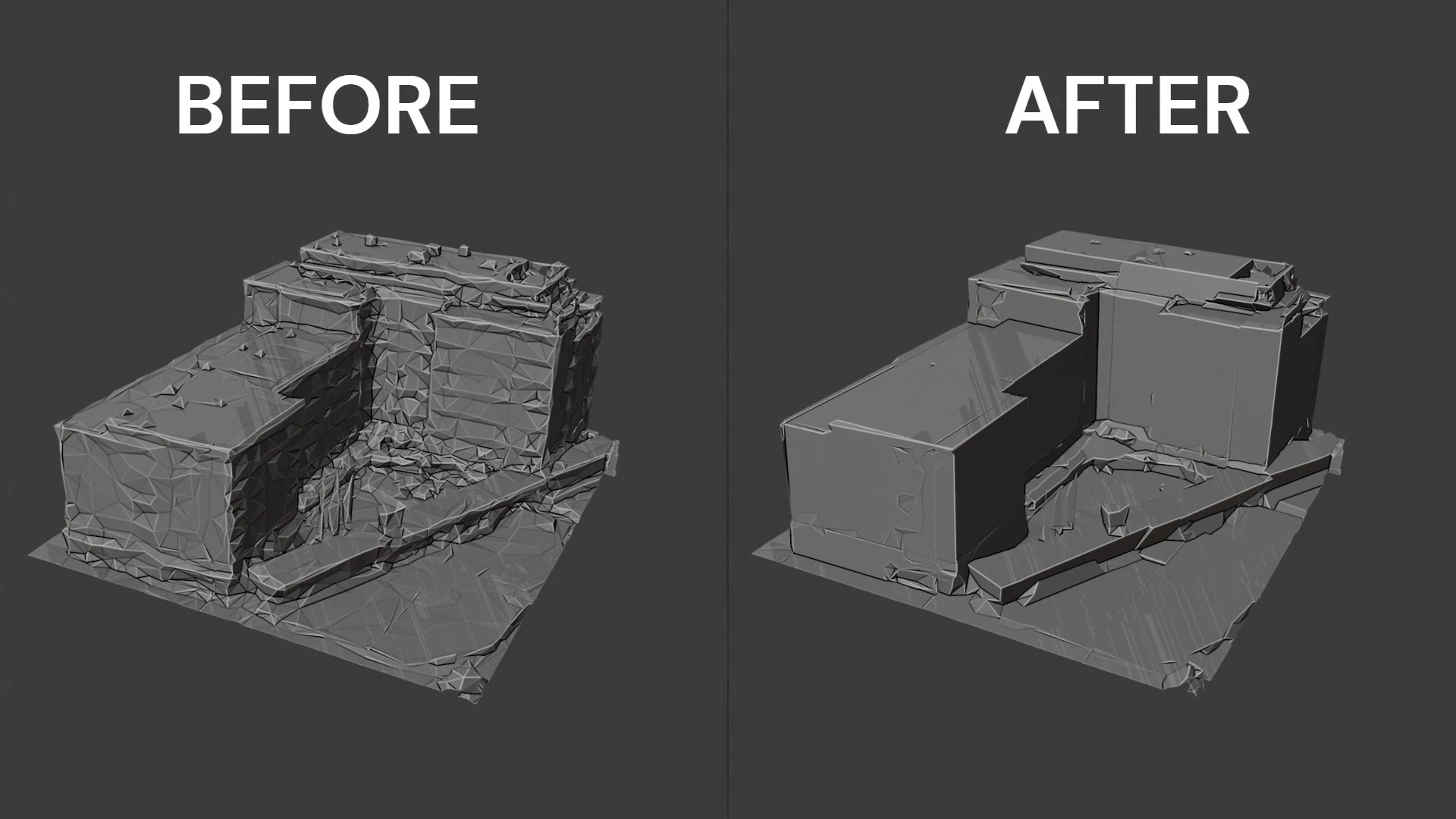
What it does
- Planar walls and roofs – not smoothed, actually flat
- Straight ridges and eaves – vertices shared by two planes snap onto their exact intersection line
- Sharp corners – vertices shared by three planes snap to the intersection point
- Texture stays intact – UVs and materials are preserved, no re-bake, no smearing
- Reports its accuracy – mean / p95 / max deviation from the original surface, in metres
- Non-destructive – the result is always a new object
Works well with
Google Photorealistic 3D Tiles, drone photogrammetry, building and city scans – for arch-viz context, digital twins and urban renders.
Limitations (being upfront)
- Doesn’t fill holes or make meshes watertight
- Leaves curved shapes (domes, trees) mostly alone
- Large meshes take time: ~200k faces ≈ 4 min on a desktop CPU
Details
- Blender 4.2+
- N-panel → Planer tab → Refine
Tutorial Link :- link
Search for “Planer- Photogrammetry mesh refiner”.
Available on Superhive and Gumroad
Feedback is very welcome. If you have a mesh that misbehaves, post it here or DM me and I’ll take a look. I’ll keep this thread updated with new versions.