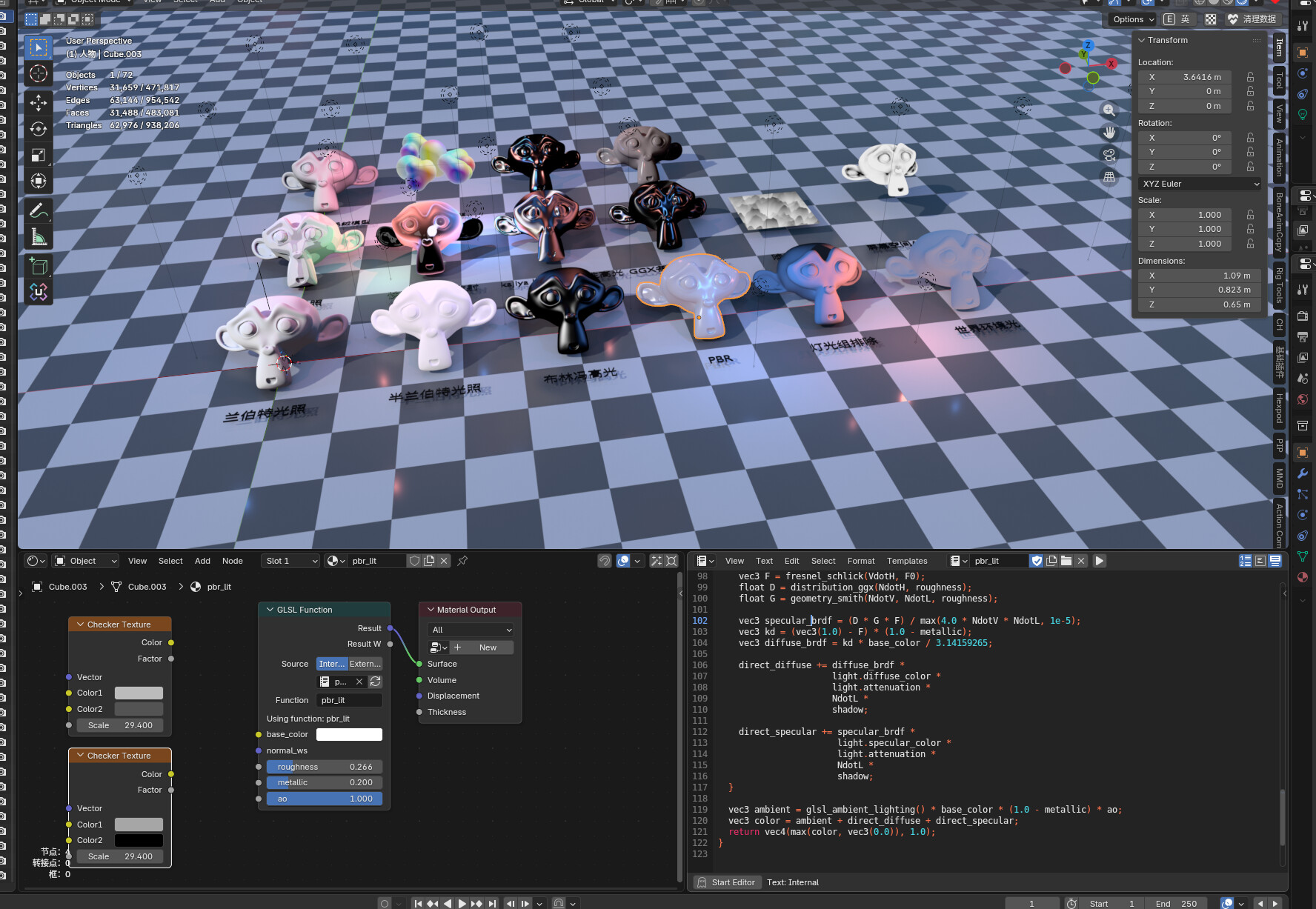
The NPR features in Blender have long been limited to older versions, such as the Goo Engine and the 4.4 NPR prototype. To bring these custom features into a more recent version, I used GPT-5.4 coding to port their functionality to Blender 5.1.
This is amazing, just what I was looking for. I’m very interested in following the development of this build.
I haven’t tested it for very long yet, but so far, everything seems very promising, optimized, and stable. Congratulations!
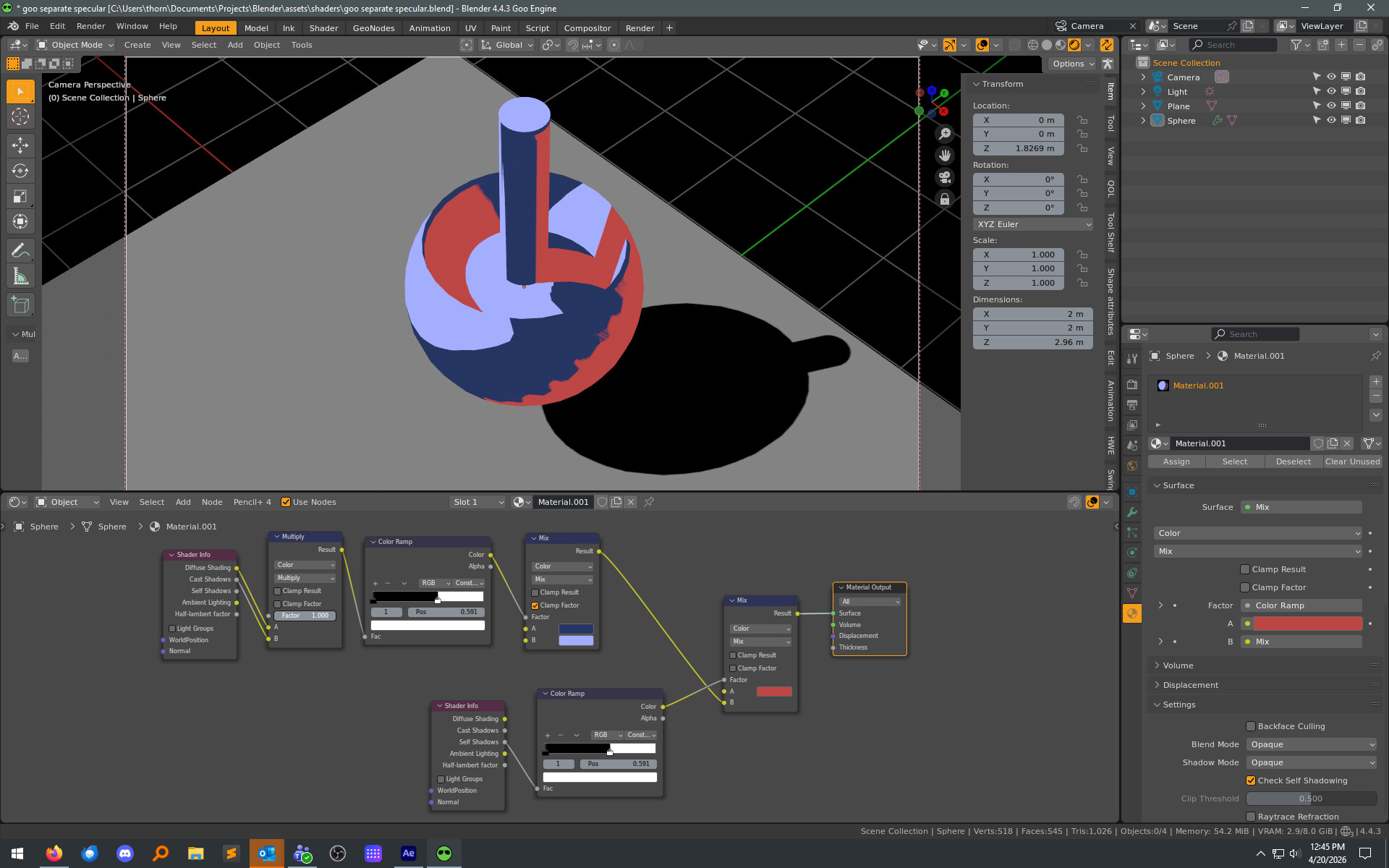
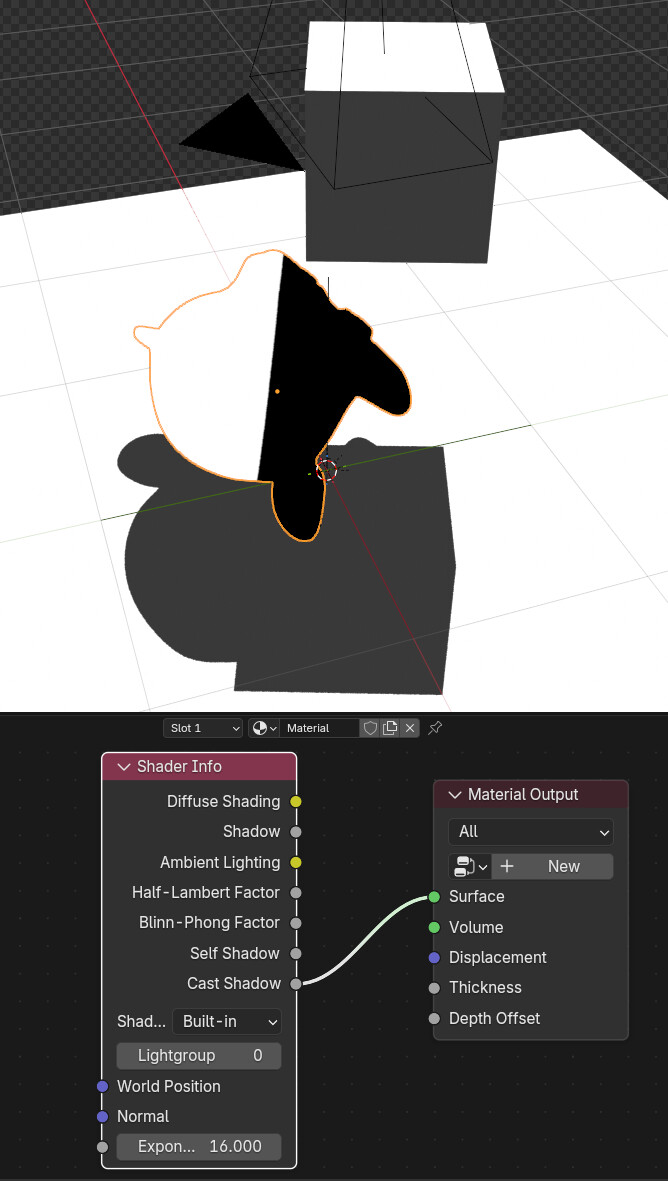
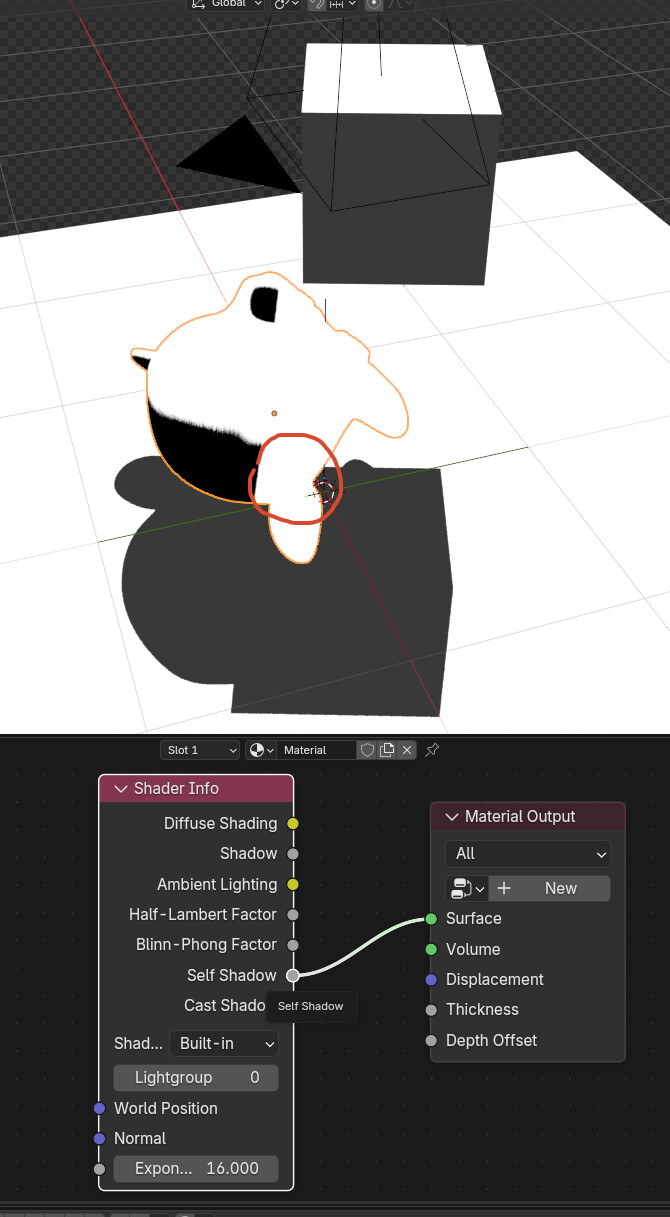
I have a question: is there a plan to implement the self shadow check? To manipulate the self shadow separately from the cast shadow in Shader Info? This flexibility of the goo engine is very useful.
Thank you for using it. I have seen self shadow and cast shadow in Goo engine. They seem to be exactly the same. It seems impossible to separate them in principle in the previous transplantation process.
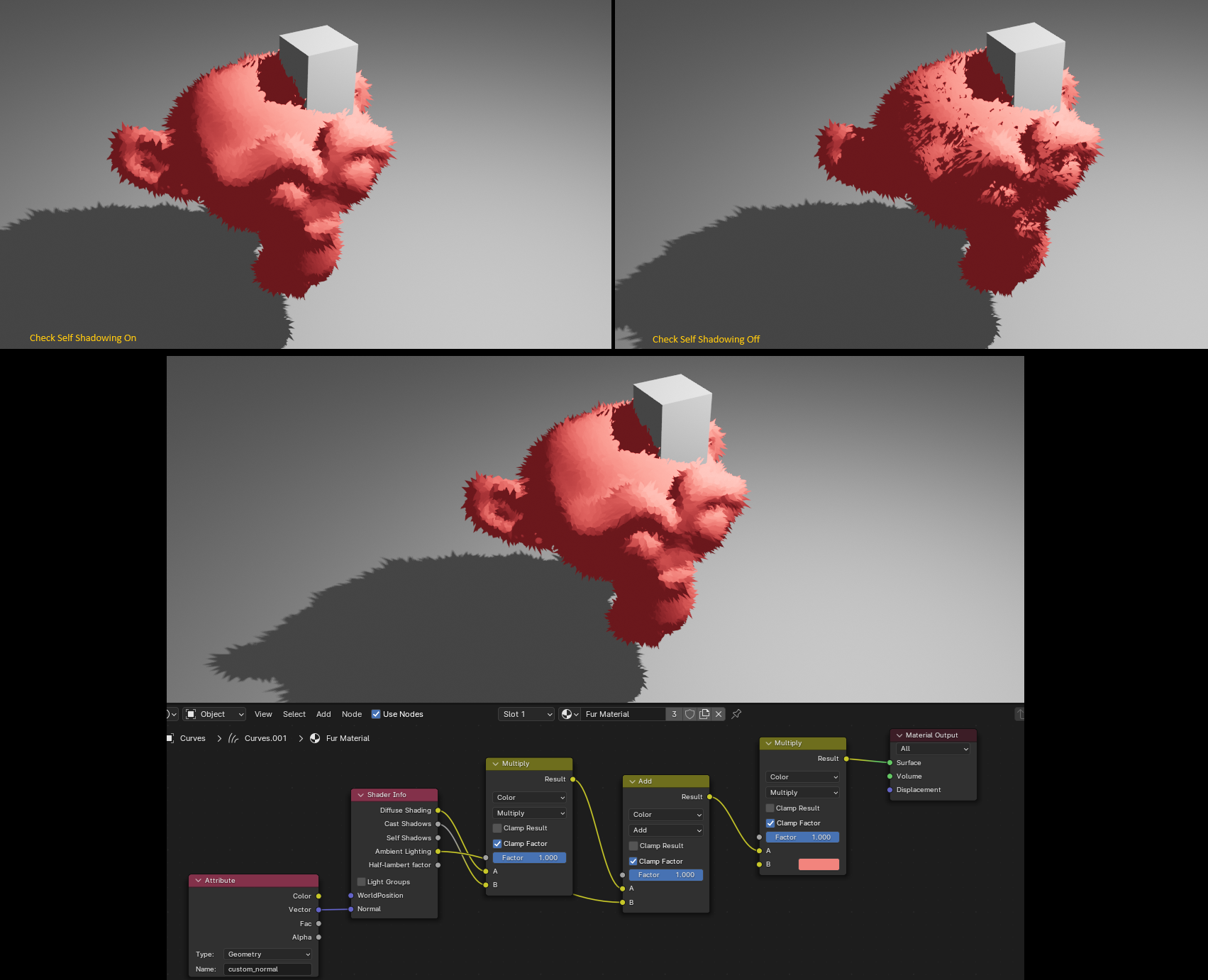
Exactly as Thorn said. I find this approach especially useful for removing the complexity of self-shadows, but still projecting and receiving shadows from other objects. For hair and NPR fur, this is extremely useful.
As in the example below, the furry Suzanne receives a shadow from the cube, which is another object, without any shadow mess from her own fur.
After more than a month of updates, the NPR version has added even more powerful and exciting features.
Material settings are fully aligned with game engines.
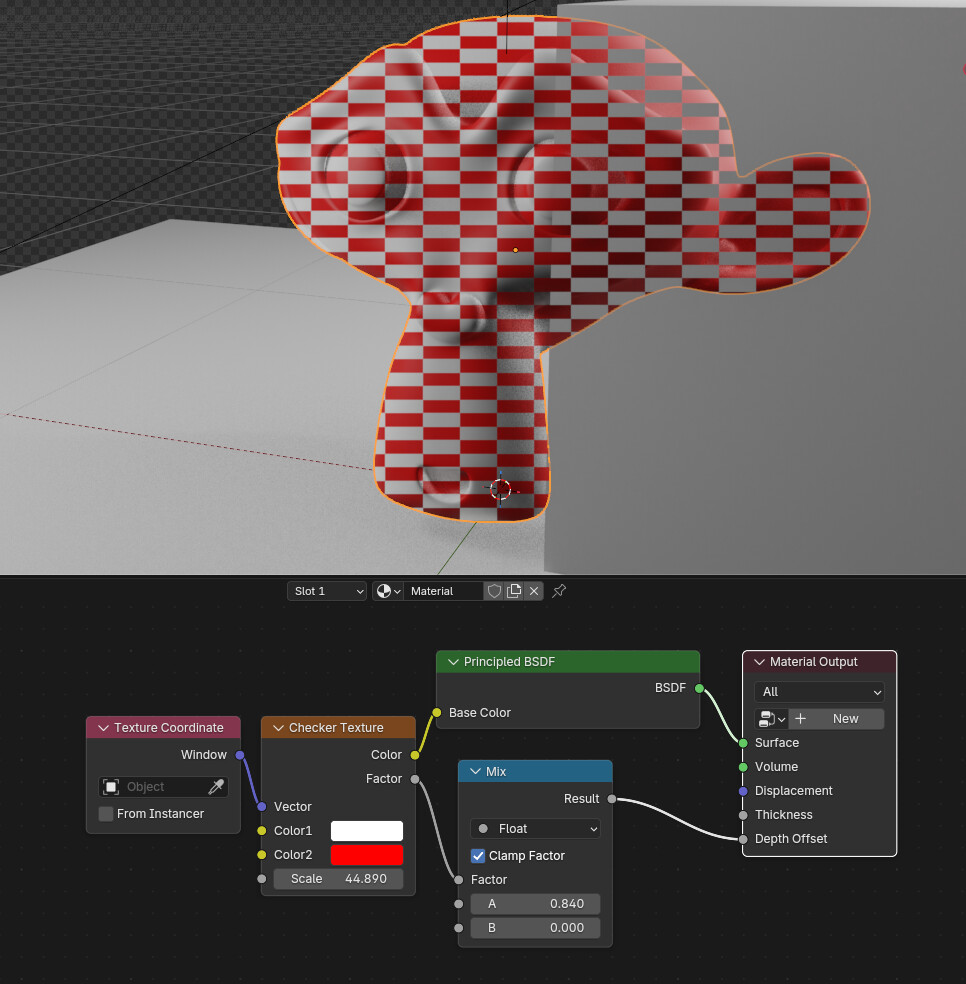
You can now set the material’s depth offset.The depth offset socket allows for pixel-by-pixel depth offset.
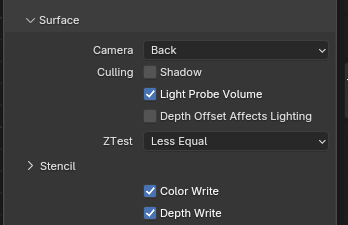
More material settings are now available. Material culling can now be done by selecting front-side culling, or with more flexible settings for depth testing, including whether color and depth are written.
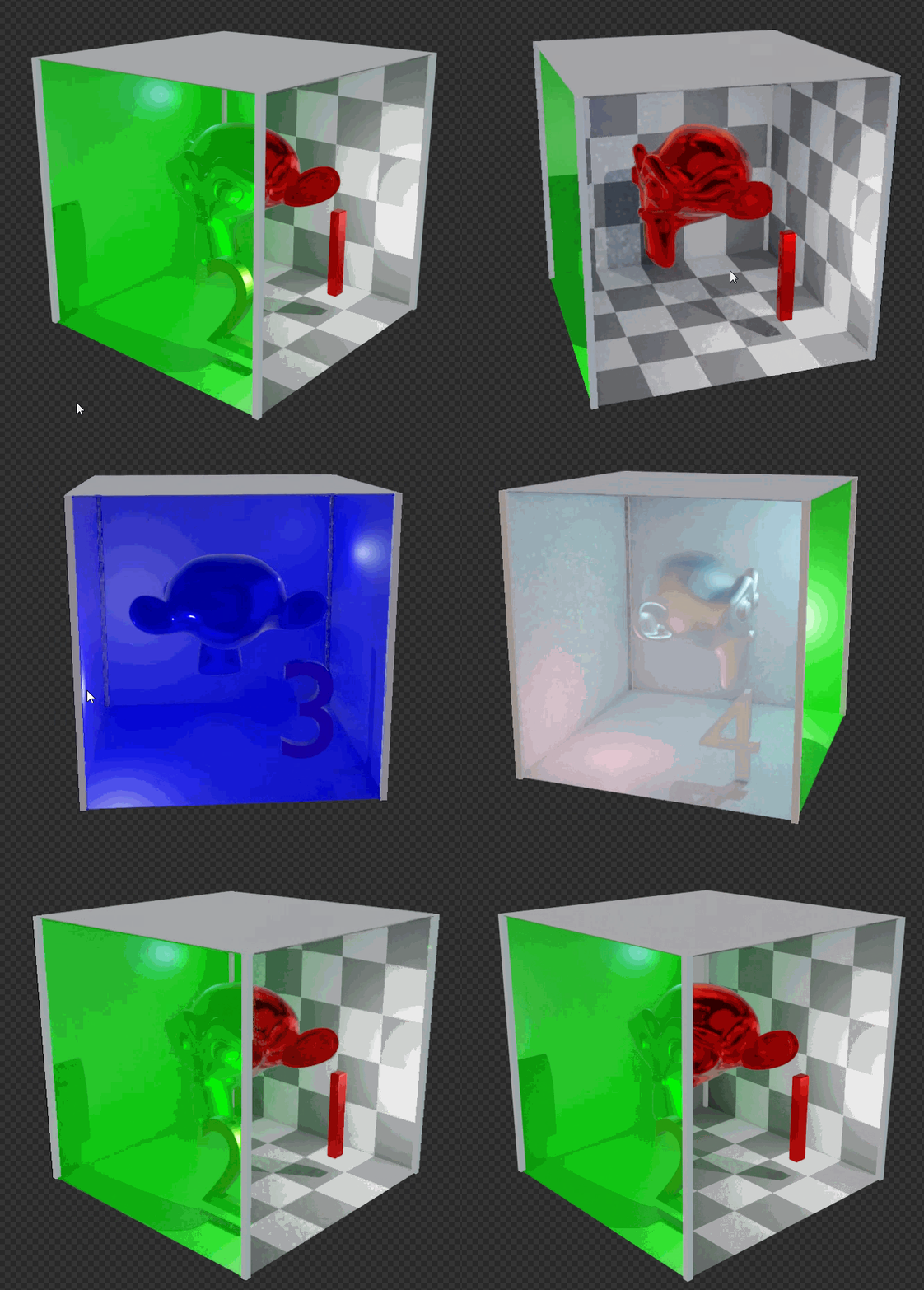
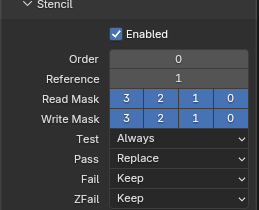
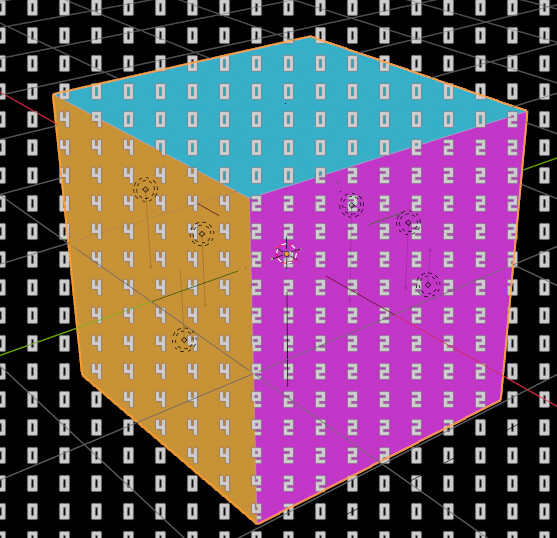
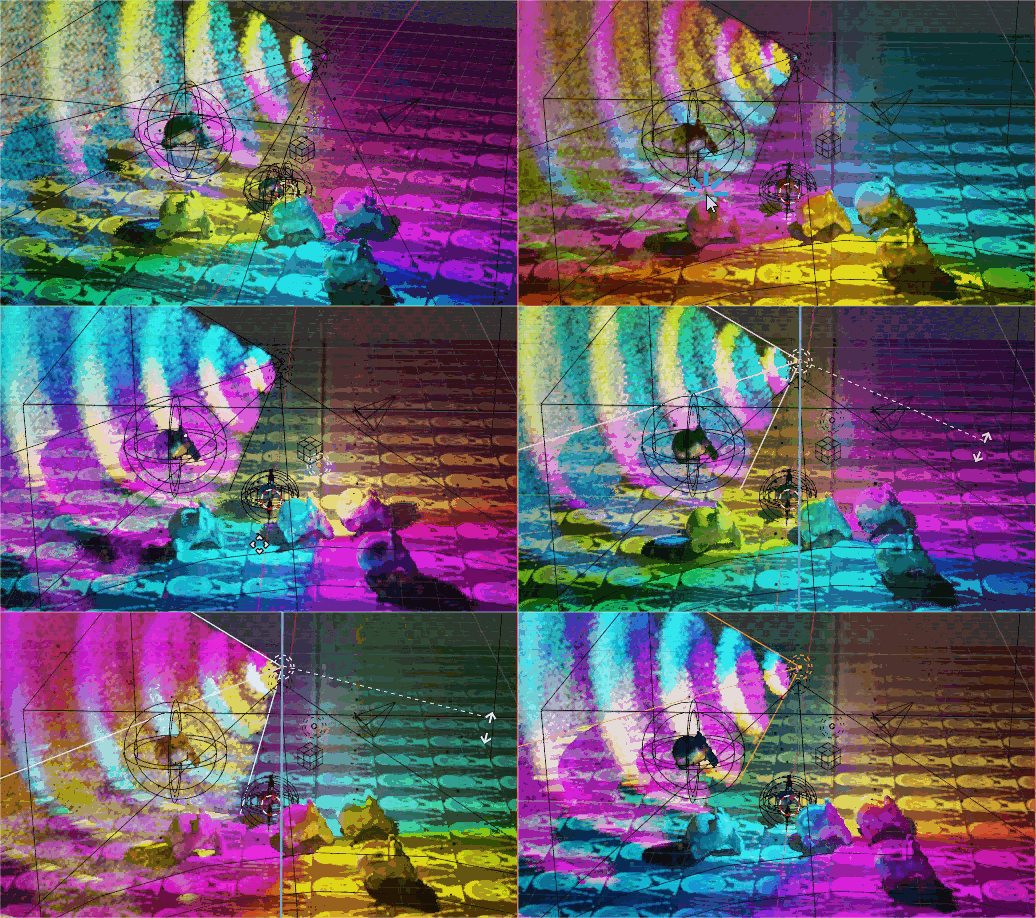
The Stencil Test can be used in Blender! This powerful tool can easily create all sorts of unique visual effects.
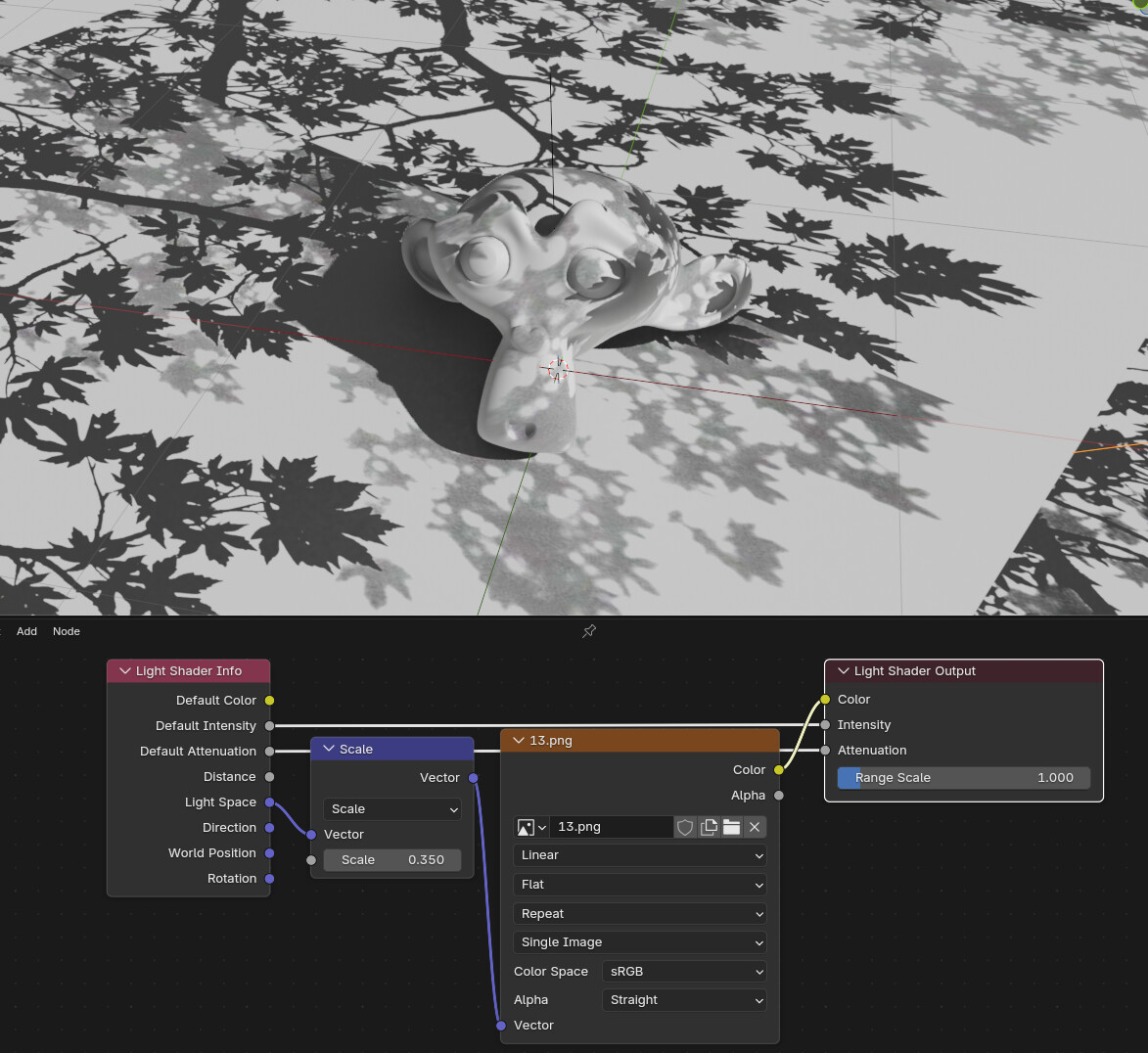
Light nodes!!! This is one of the most exciting features. Lights now allow you to precisely control the color, intensity, and even attenuation of each pixel. No more envying Cycles’ light nodes! Light nodes can easily create leaf shadows or other unique lighting effects. Light nodes support light probes and volume, so compatibility is not a concern.
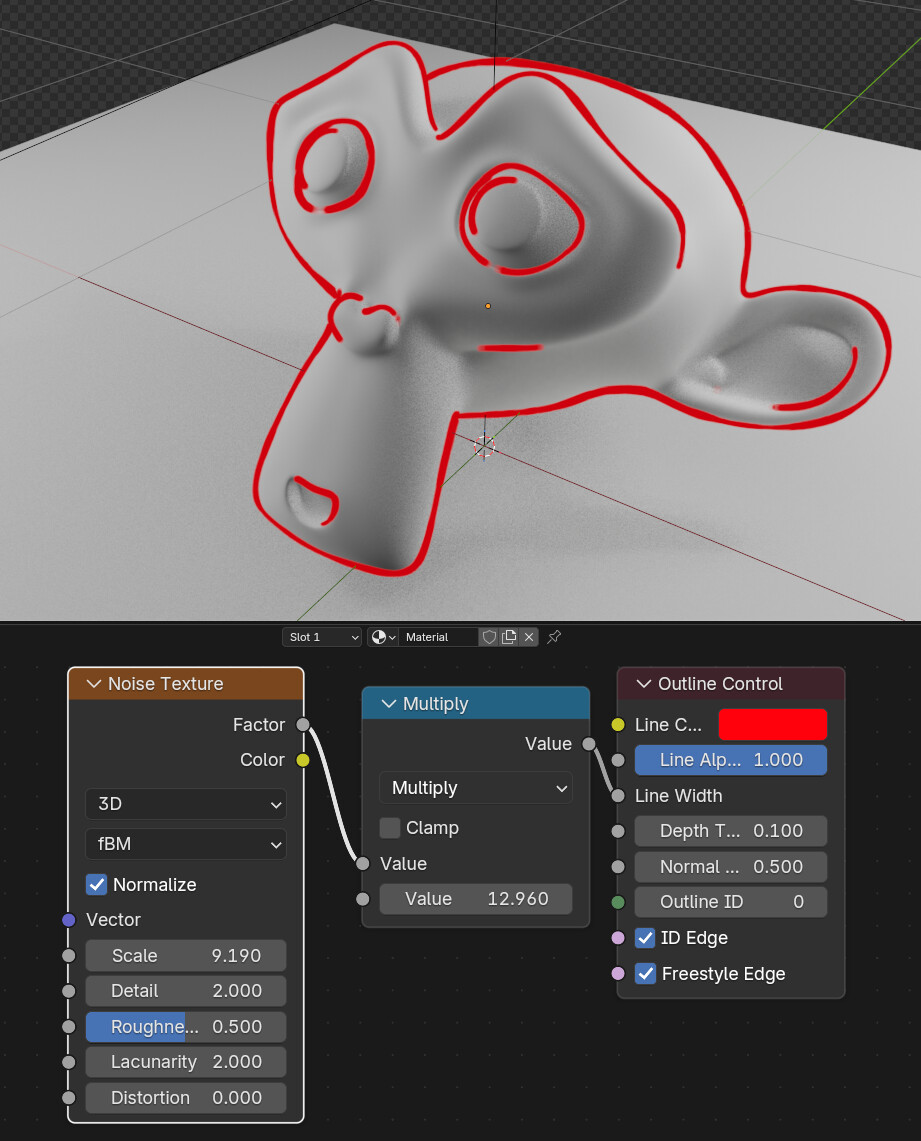
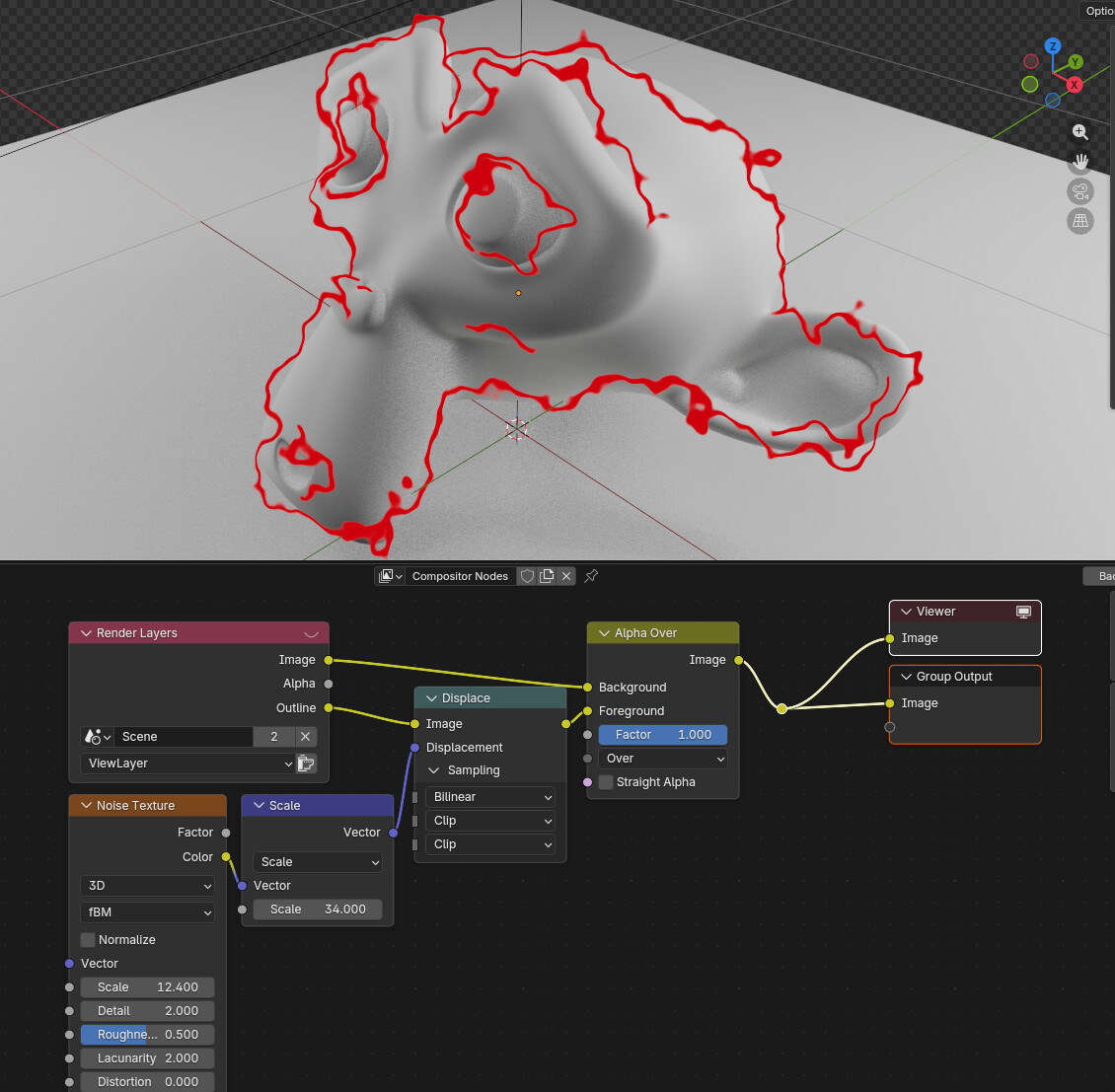
Built-in stroke system!! High-quality strokes can be enabled with just one node.The stroke can be output as a separate channel, allowing for more powerful control within the synthesizer.
There are many more optimizations and details that haven’t been explained in detail. I hope this version of Blender will provide creators with a more free and powerful production tool. Welcome to use it! If you encounter any questions or bugs, please contact me, and I will reply as soon as possible.
I’ve read through the notes a couple of times now; it’s nice to see that your approach is staying on an NPR-type, Eevee-specific solution.
I was (to a very small degree) involved contributing code/improvements to Goo Engine 4.2-onward, so have a thought on how you’ve ported the OK Color Lab ramp (which, was coded by @joseph .). Your release notes state:
“Existing node setups should now use the OKLab mode on Color Ramp directly”
This was intentionally done as a separate node (easier to not get into versioning) - and, OKL changes the visual appearance of the result. There’s really no issue to having them be all the same node, but it shouldn’t convert everything to OKL… instead, if it should just use whatever interpolation that was already there.
Definitely a lot here that sparks my interest; i’ll be downloading it when I get a moment and seeing how everything feels to use.
Question: AOV input (within the material itself) was a huge advantage in the Blender NPR build, allowing materials to do matte/masking in ways that Blender and Goo Engine cannot do. Is that something you’re thinking about adding?
Porting the OKLab pattern didn’t encounter any difficulties; it was basically just a matter of transferring the code from Goo. I didn’t think too much about it at the time. Since this node looks exactly like the Color Ramp, I merged them together. Currently, the OKLab node only supports Linear/Constant/Ease interpolation modes; Cardinal/B-Spline are actually calculated as Linear.
In the current version, AOV is fully connected throughout the process. Subsequent steps can read and modify the AOV layer. The general workflow is as follows: Material Shader → NPR Tree → Filter Material → Compositing
They look the same on the surface, but they are very different and shouldn’t be combined. It’s a completely different evaluation. Source: I wrote it
Reason being, a change between the two modes requires a recalculation of the entire shader graph and a flushing of the GPU cache, unlike a normal shader node mode, which only invalidates part of the cache. This means that switching modes frequently causes crashes when they are combined
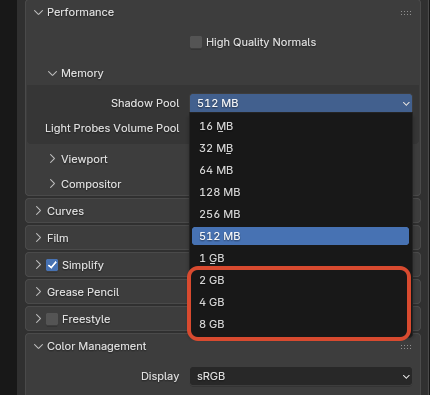
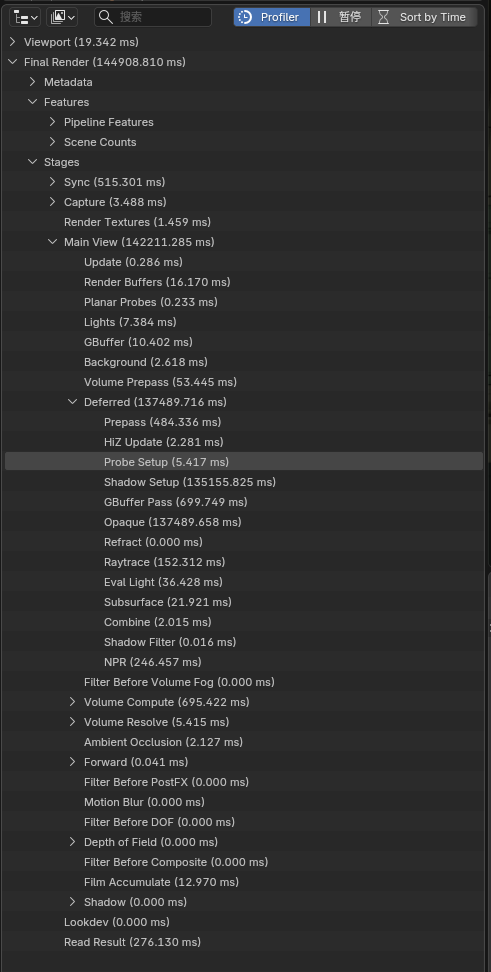
The new version expands the shadow pool of EEVEE, with a maximum limit of 8GB. This has not yet been used in actual projects. It is not clear what the risks are.
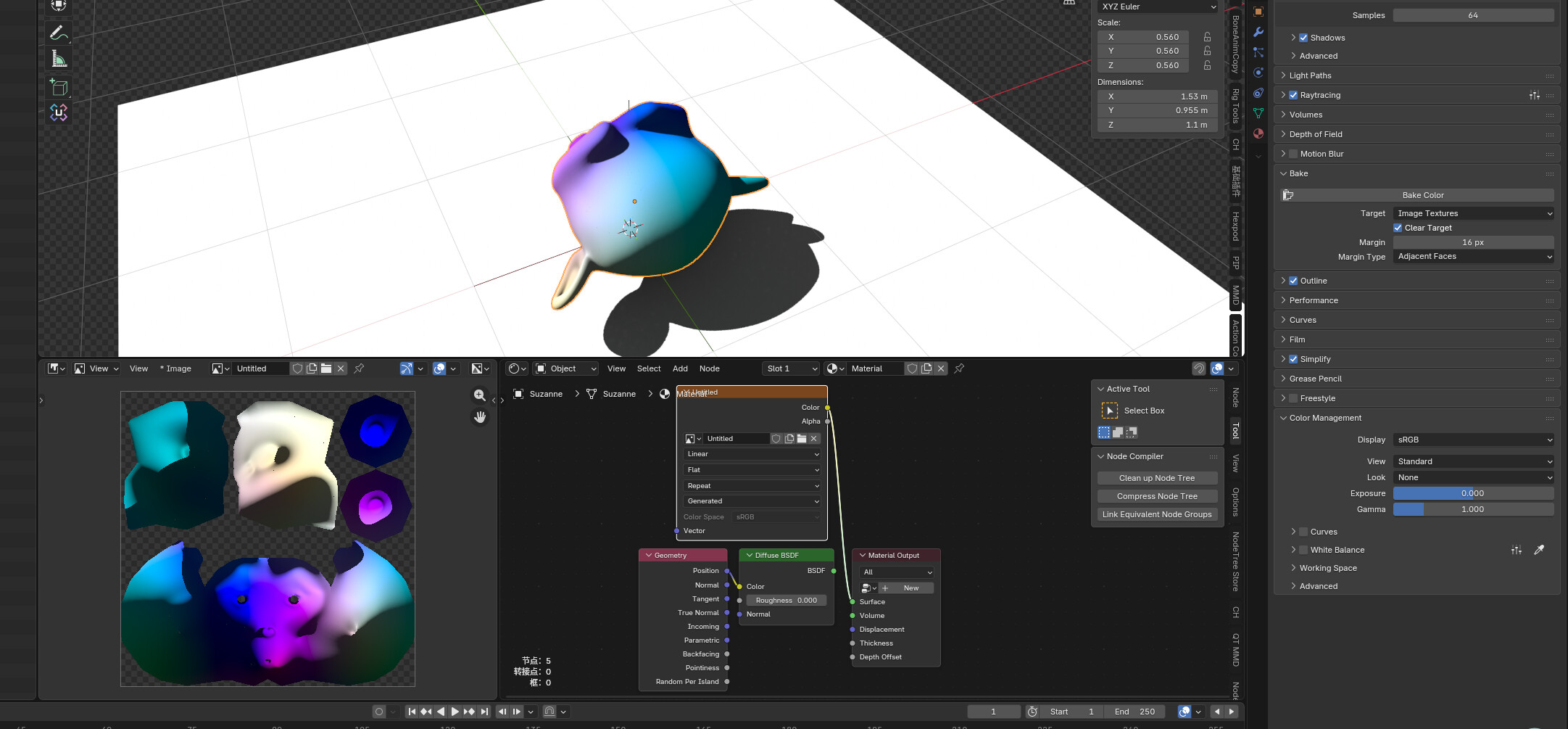
Simple baking can now be performed in EEVEE. This baking does not support screen space and any effects that change with the viewing angle.
This is amazing! Is there any reason some of this stuff isn’t being committed to the main branch of blender? The stencil pass is the most important part for me! I’ve been trying to get stuff from blender that would be so easy if the stencil pass was available to play with.
Blender or more specifically the Blender Foundation or even more specifically the Blender Insitute where the main blender developers work has gone through a lot of decisions about the general architecture of blender.
Also from a development point of view blender is not only some application in a certain domain but more a platform for a lot of sometimes even different handles subdomains.
So for the developers who are partly also artists or even artist who develope it’s not always “easy” to decide “the best way” to go.
But slso in contrast to some big companies they do not have to stick on every architecure decisions for the next half of a decade or longer so to not anger the customers… because there are none.
Maybe “only”–users can be angered even more easily… i do not know. At least there is the advantage to be able to use some older version of blender which might have some “features” which are jettisoned in some newer version. In fact i am still able to use 2.49… some big companies force you to use the newest versions only…
And… as you can see because of the open source… for some users they use that source.
TLDR:
Some changes in the software architecture lead to some changes in already establised ( or partly establishes or somekind of hacked ) features because they interfere with that “general” architecture change or need too much changes while meanwhile the architecture is meant to change even more…



 …
…