Pro lighting Studios Pro Lighting: Studio
Version: Ultimate Beta V3
Tested on: Windows 7 GTX660 Intel I5 3.4 Blender 2.76 – 2/21/2016w
Hours tested 9.4 over three days
By: Jeffrey Wilson “Jeffreywvgd”
Score
As a Add-on 9/10
Top Pro – You don’t have to know a $#%^ing thing about lighting to make it work and work well!
Top Con – Not easily customized with your own image collection
I want to deliver the facts so you can make your mind up if its worth oping your wallet
Hard facts and a look under the hood.
* This is on the BETA and highly subject to change
- 11 Reflections but with rotation you get a solid number of looks
- 19 Product setups
- 31 character setups
- 17 Vehicle setups
- 13 masks with 30 texture overlays or 390 different combinations * easy to add your own masks but you cant save them to the add-on easily
- Easier to load into blender than pro skies – not by much but notability improved
- Its not a new light source just a better way of setting them up
- Made for cycles – Just encase it needs to be said out loud
Is this buggy as a swamp in July or did they run it threw a bug zapper factory before launch?
- Please keep in mind that this is a Beta V3 *
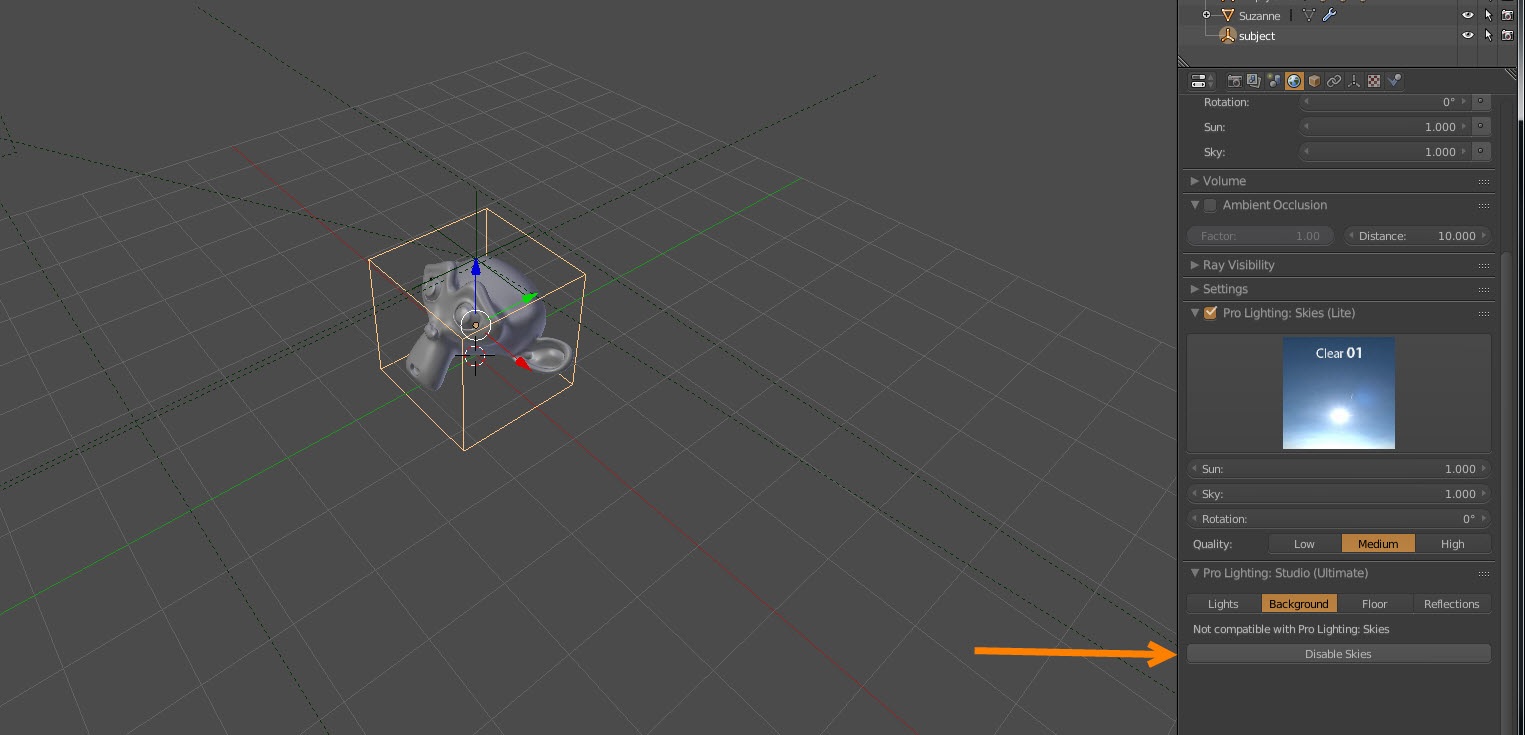
The first and most exciting task I really put some effort into was trying to break this add-on. My first grand idea was to break it with Pro skies. Spoiler alert they had already thought of it, apparently I was not that clever.
" We’ve put it through 100 beta testers this last week, but there are a few bugs remaining in the copy I’ve given you. Rest assured it will be fixed for the launch." - Andrew Price
There is this small glitch where it looses the object but you just need to click the set object button to fix it. * - Despite this being almost a non issue they are working on it.
I tried to manipulate the target by making a group object, moving its origin to obscure locations, even tried linking as much data as I could to other objects in different locations just some crazy stuff you would never do but could happen. No effect the add-on held strong.
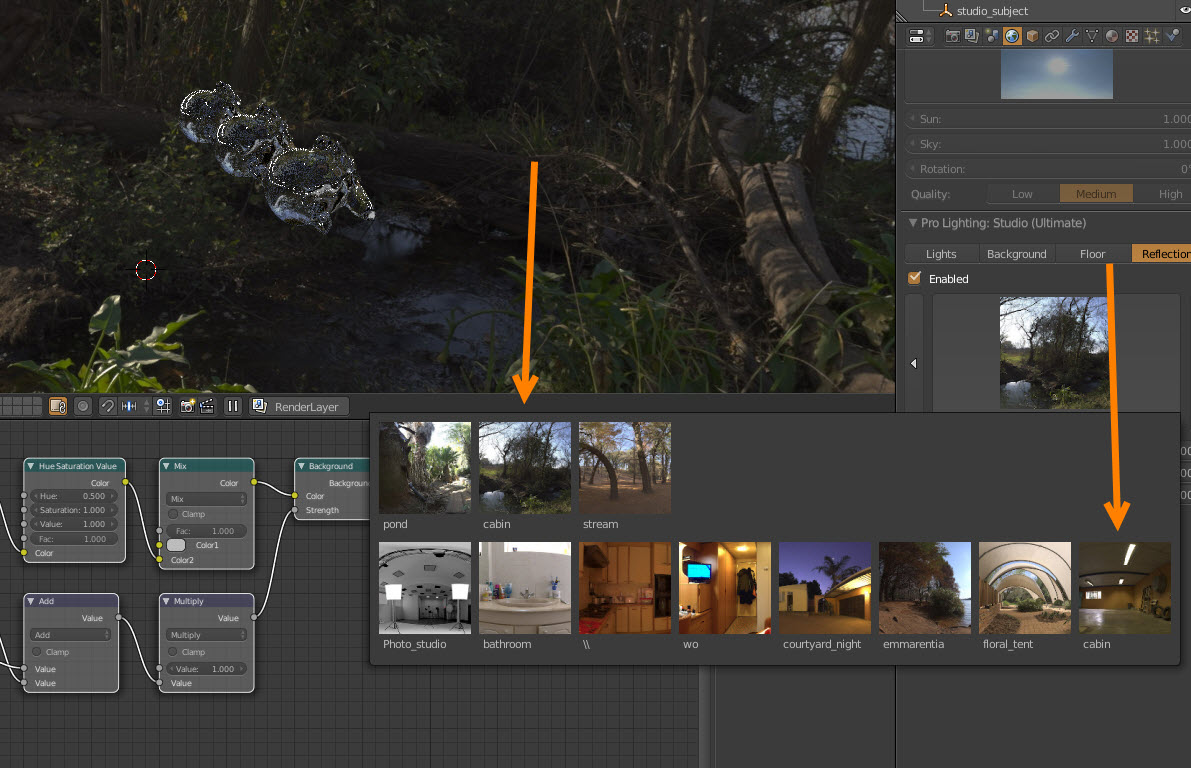
Odd naming glitches for the images. Dose not effect the performance just bugs the shiitake mushrooms out of me. Keep in mind my day job is data collection for power electronics and file/data organization is a real must.
The mask scale in the background tab is funky. The smaller the number the larger the background. Seems counter intuitive to me.
As well you sometimes have to delete items that should be removed when you un-click enable. Not a time consuming task but a bug non the less.
Conclusion: I have found a few bugs No show stoppers most are going to be fixed.
I have the Pro skies add-on on thingy do I really need both?
That’s up to you but they both have there distinct objectives but can not be mixed. Well it can be used with only some of schemes trust me I tried!
There is not one individual lighting setup that you could not make your self. The basic light’s to the reflections from the HRDI maps. The thing you could not do is set them up with a few clicks of your mouse and argument them to your desired look in seconds. That is the real secret sauce to this ad-don and where the majority of its value lies.
Don’t get me wrong theirs some value in the images and optimization of the light schemes as well enough to mention for sure.
- Even scaling your object from Mount Everest too a nose hair of a gnat the add-on holds strong.
What skill level should I have to use this?
If you have the skill level to render an object you can use this add-on. Its that simple, not that rendering an object is a simple task. Sometimes blender likes to mess with you and make sure your blood pressure stays on the high side.
They did a good job reducing sub types making it easier to find the scheme you are looking for. I wonder if this is a hint that there will be more, hopeful a lot more in the future. For the record I plan to find out.
Could it be better?
They did a good job reducing sub types making it easier to find the scheme you are looking for. I wonder if this is a hint that there will be more, hopeful a lot more in the future. For the record I plan to find out.
I would like to see more back drops and the ability to save custom lighting schemes to the add-on in an easier fashion.
Please note that at the time of this posting there are open questions to the Blender Guru team and I will be updating this review over the next month or so as there responses come in and future questions develop
Want to know more? General questions? I want to hear them!!!
Email: jeffreywvgd@gmail.com
Or a comment belowe
I really want to hear from you, your questions or concerns or maybe you want me to look a key part of skies with more detail. Let me know I will gladly run a test or take a screen shot if its a well mannered request.
I will be doing an update to skies, and I have an realistic eye ball tort port from Maya to tackle as well. Lets talk Blender!