Anyone know how to make an object look as if it’s pressed against the camera ?
Share some samples of the look you are trying to create, I’m not sure what you mean.
I don’t have any samples but for example hands pressed against glass but in my case bubblegum.
hmm, looking for some references online i found this:

You’re probably gonna want to separate the material that is touching the glass to give it a slightly different color, probably a little brighter and more saturated. you could use the bisect operator, or a boolean operator to cut the contact surface.
That’s great thanks, pretty much what I was thinking but trouble is making it look believable.
Edit: When I used Cinema4D a long time ago there is a mesh deform operator that can use another mesh to flatten / indent geometry. I don’t know why Blender doesn’t have this, kinda makes it a lot easier.
There are acutally several ways to do this. For one, you could use an armature modifier to flatten the contact area.
Yeah, there’s nothing that will be an easy button for this, here’s my simple attempt using a stack of modifiers and some material node manipulations:

gum on glass.blend (1.3 MB)
Once again, thanks.
Just a quick test using a simple sphere with a diffuse pinkish color, and a plane with just a glass material. Setting the glass as a rigid body and the gumball as a soft body and cloth adjusting the stiffness of it. Vertex settings could be used to get a better look as well. In the world settings you can set the gravity to zero and now your rigid body simulations can be moved around without being affected by gravity (therefore pushed against another object without it falling)
All you need is:
- A good geometry density.
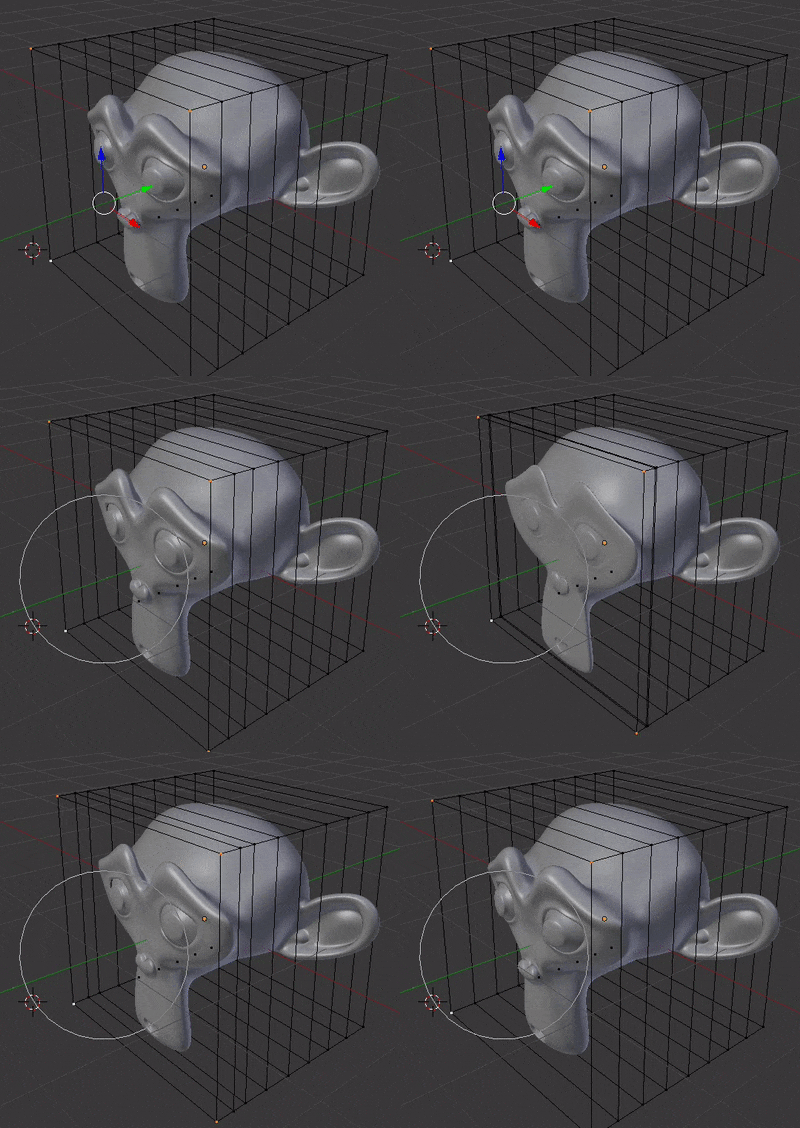
- Lattice modifier.
Edit: Example
On the camera itself, is probably going to be out of focus. For an example, check the opening sequence of Deadpool, where he picks the gum off the camera while inside the cab.