Procedural Destroyed Building

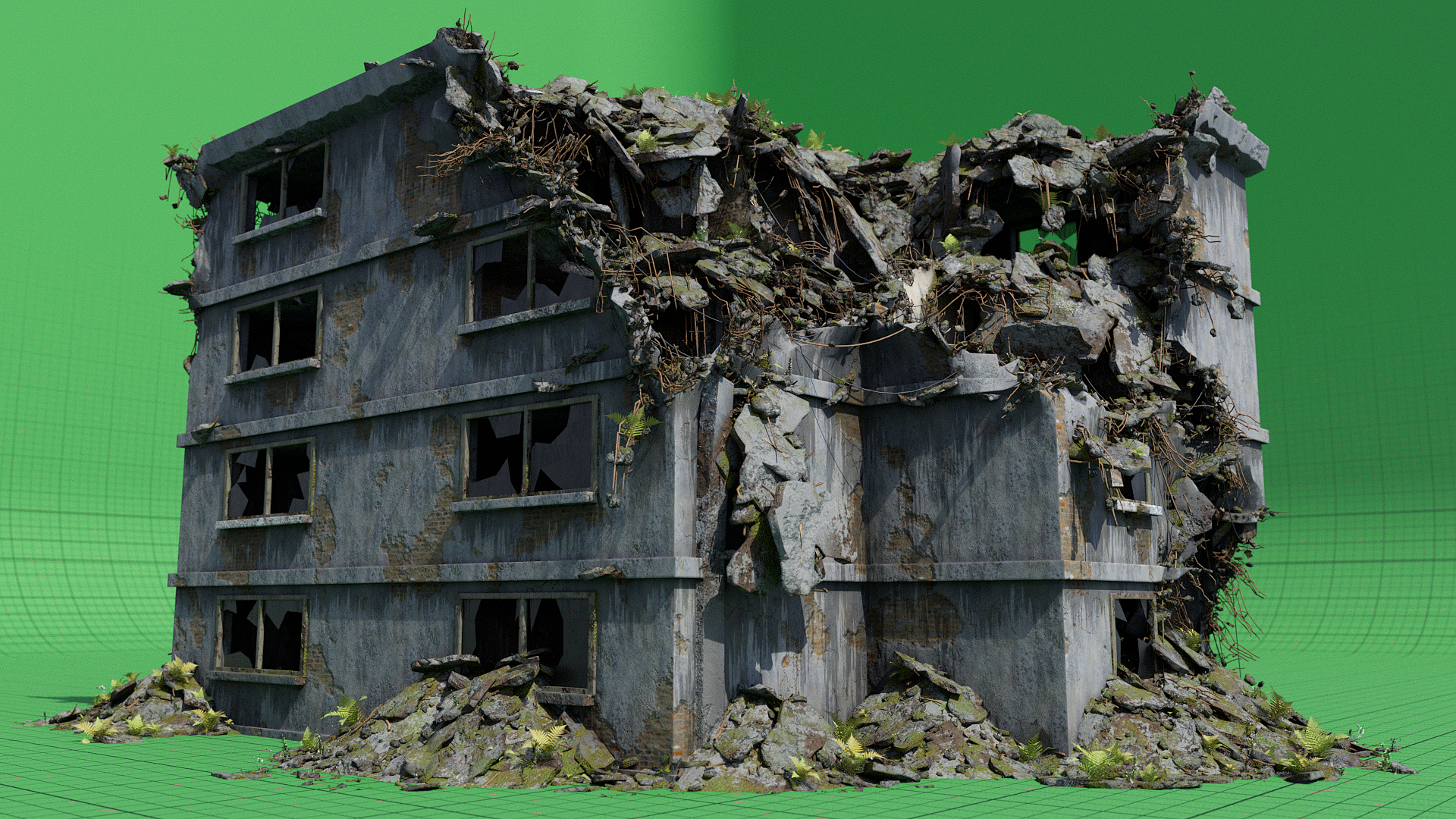
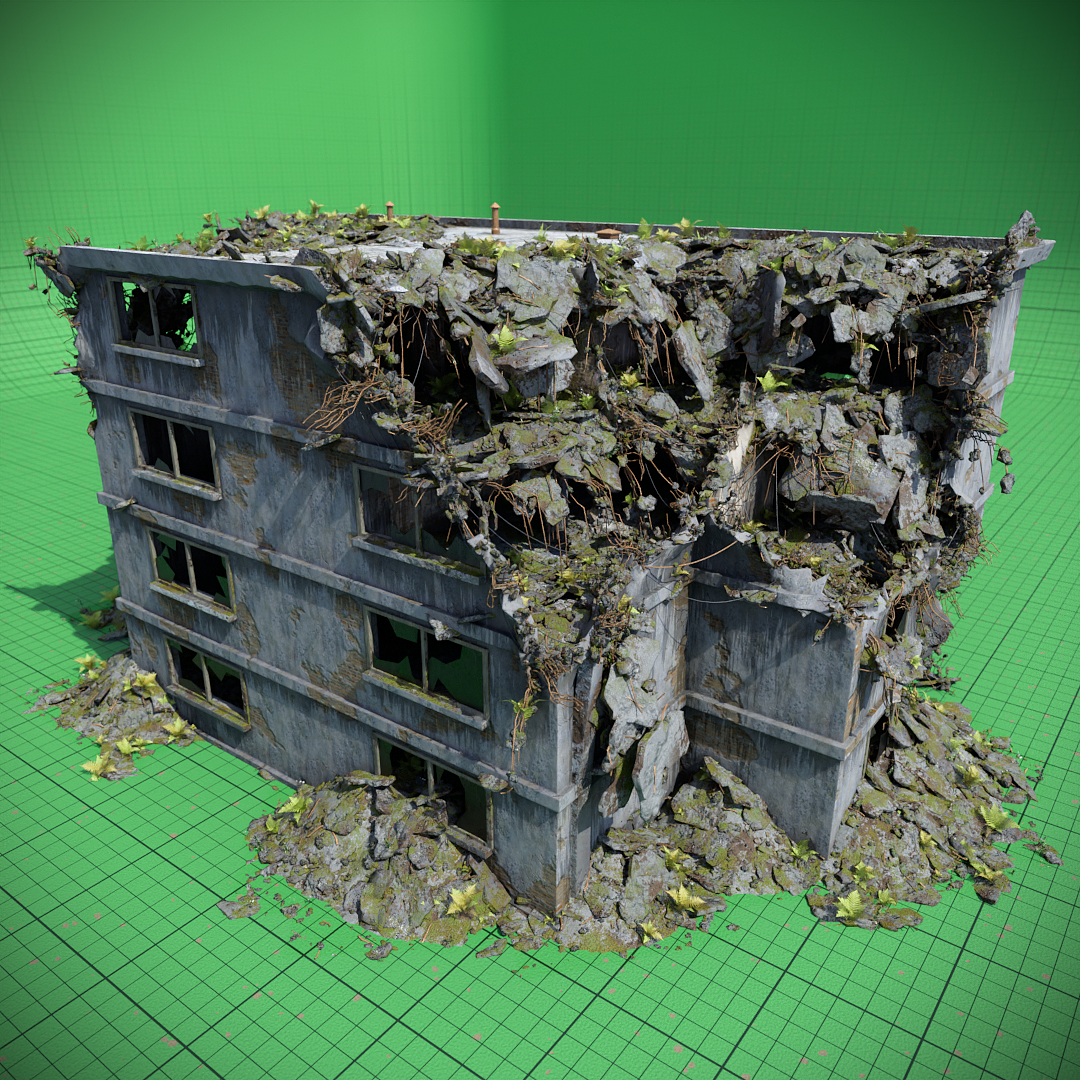
So… Recently I started working on a procedural destroyed building generator in geometry nodes. The end results looks something like this:


Everything is generated procedurally based off of a plane as the base mesh.

I think so far this is the most complex node system I have ever made:
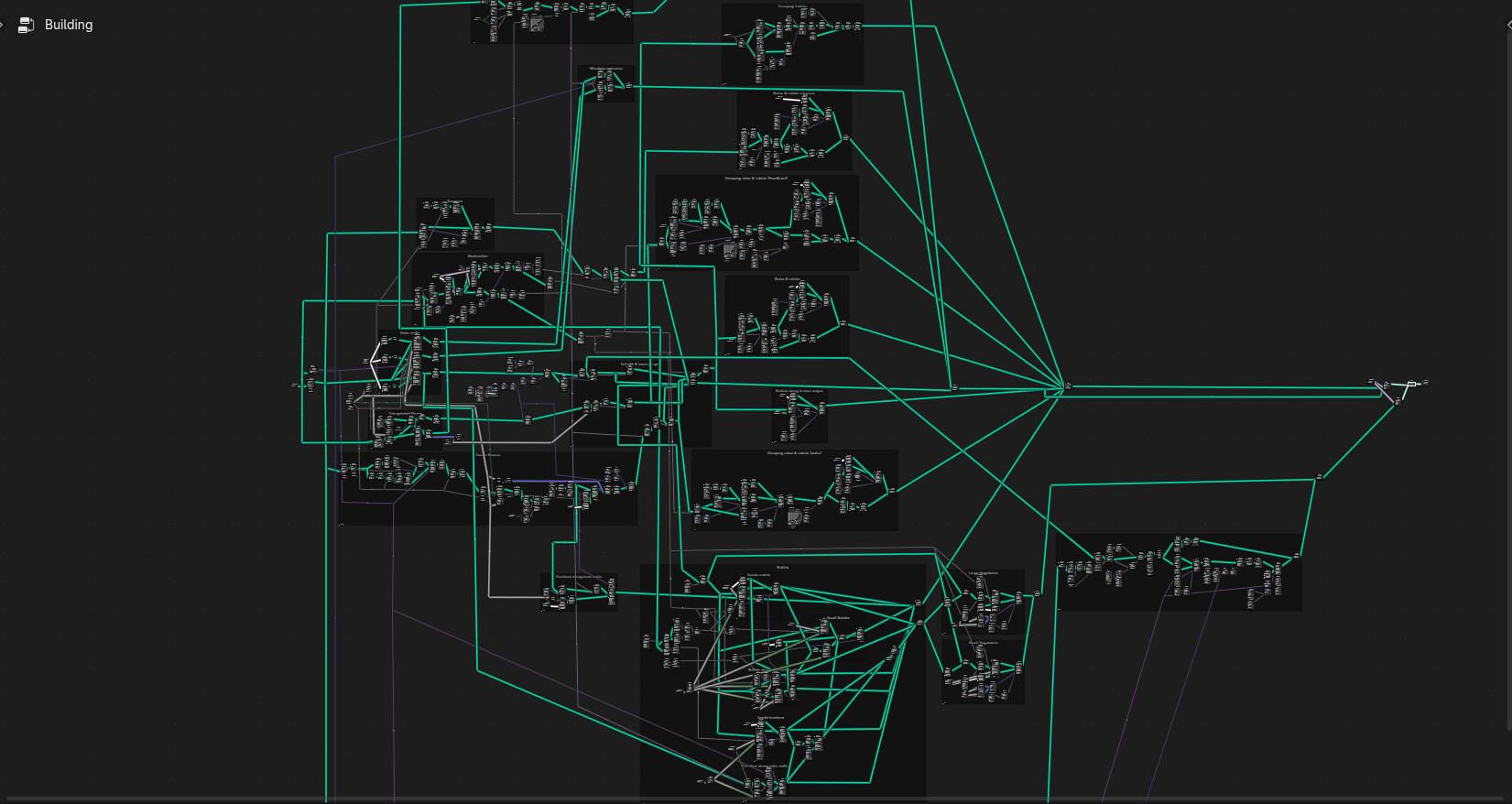
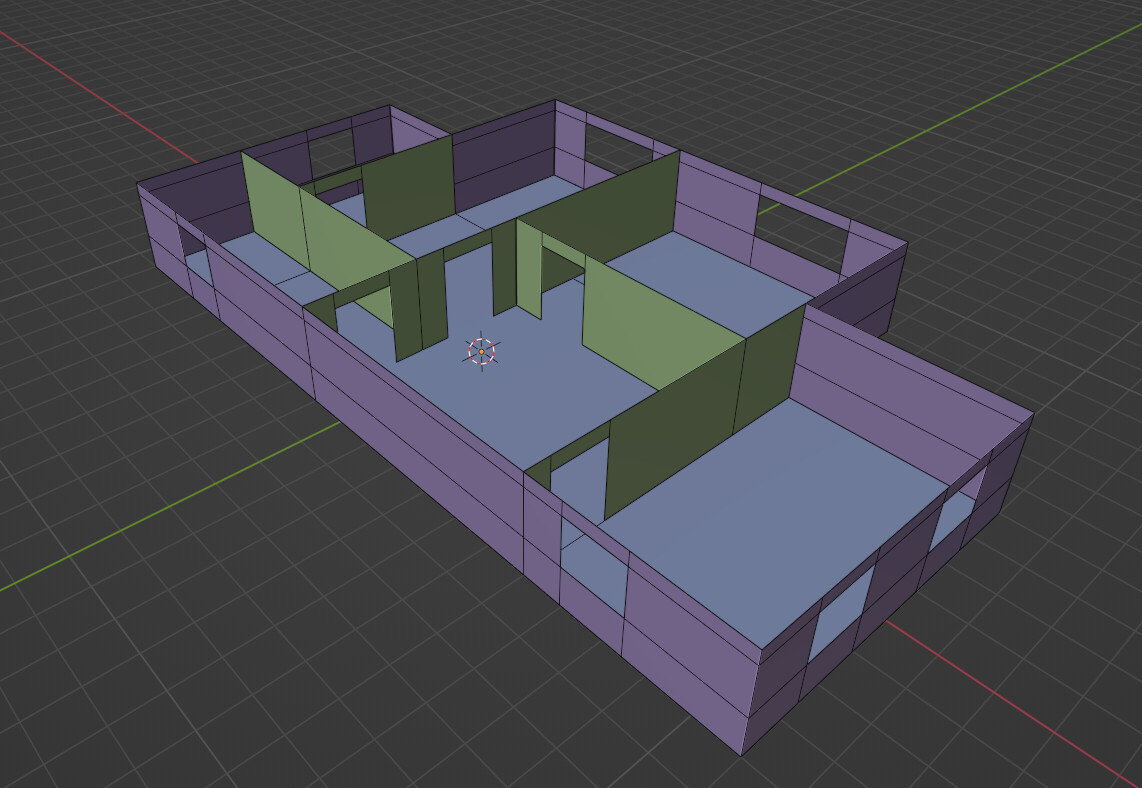
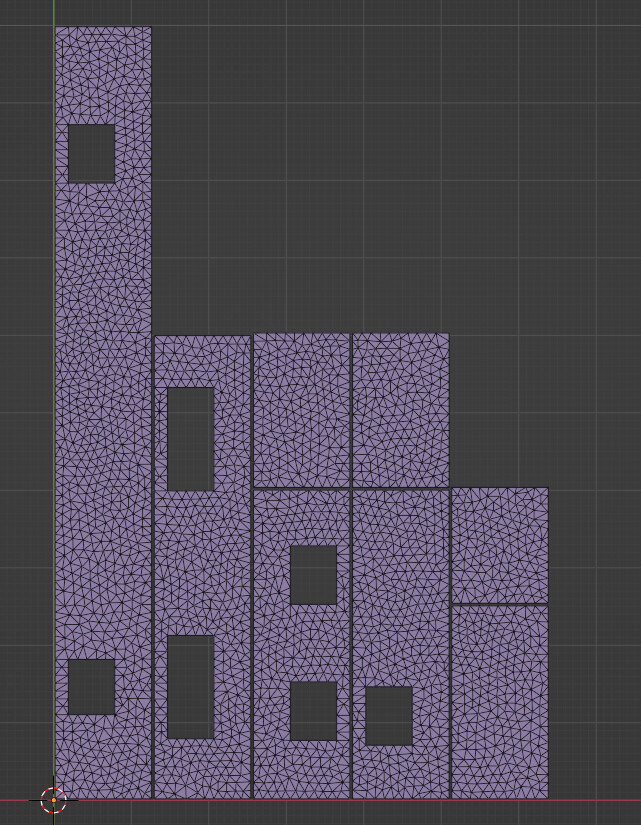
I started by building the logic behind the building walls, floors and inner rooms. I have base models for each that have a triangulated mesh such as this:

I then instance these in their correct positions to get the basemesh of the house:

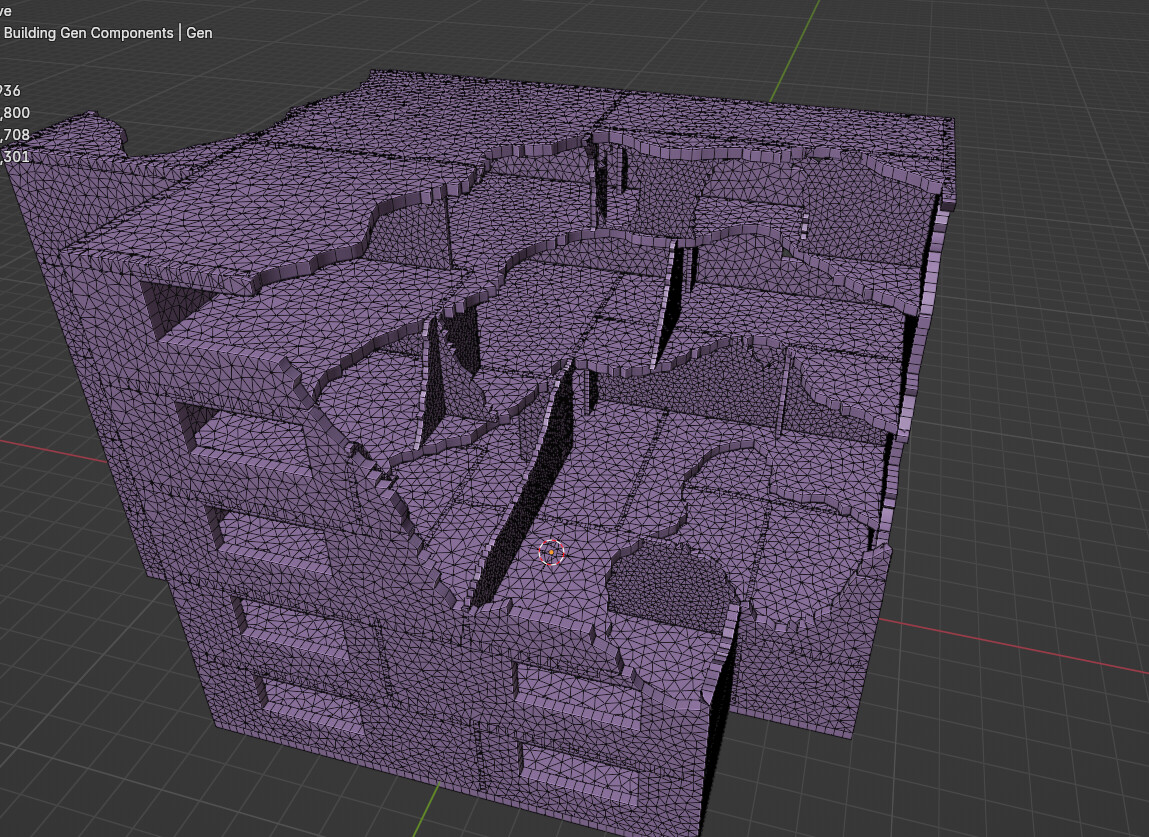
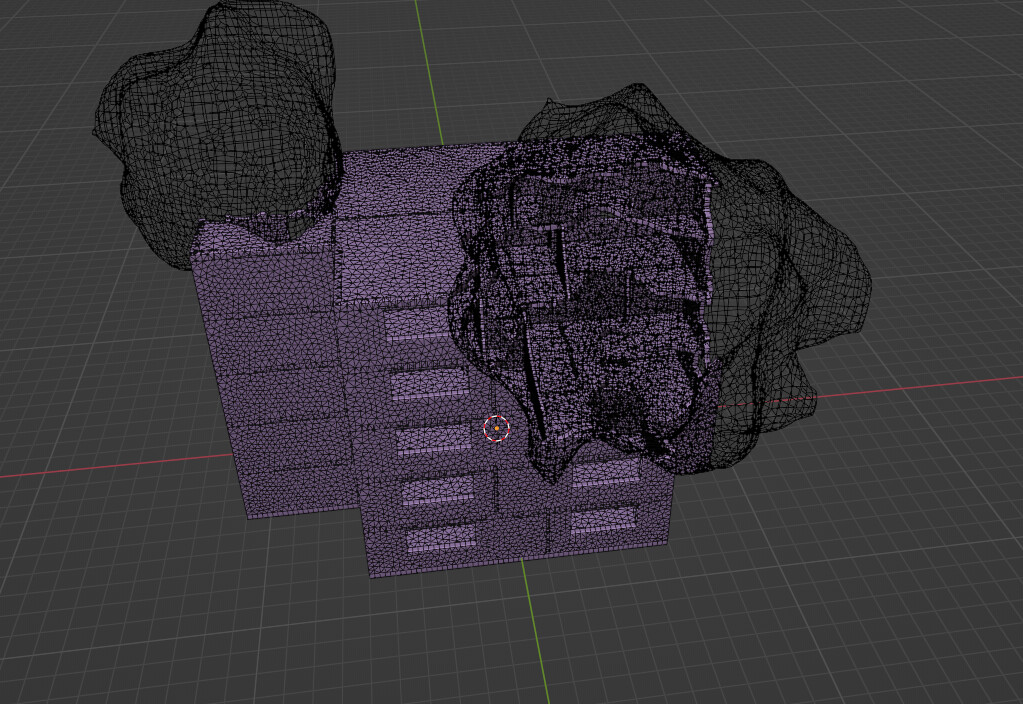
After that I scatter the destructive objects on the mesh. In this case these are ico spheres that are displaed with a noise texture. In order to stay away from booleans I now delete the faces of the house mesh that are inside of the icospheres, and then extrude the mesh to add thickness to the walls.
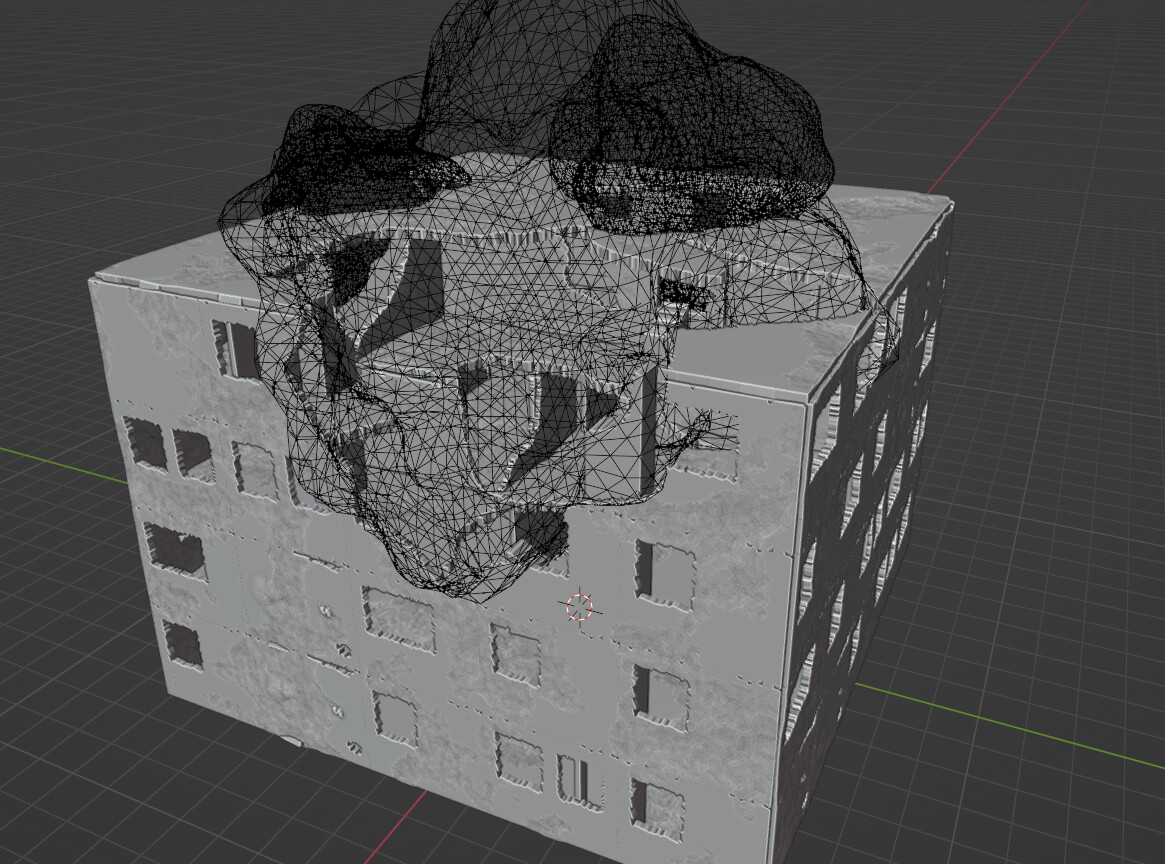

You can even use a custom object as the destructor.

After this it’s really just instancing objects onto this mesh such as the rubble, plants, and furniture.

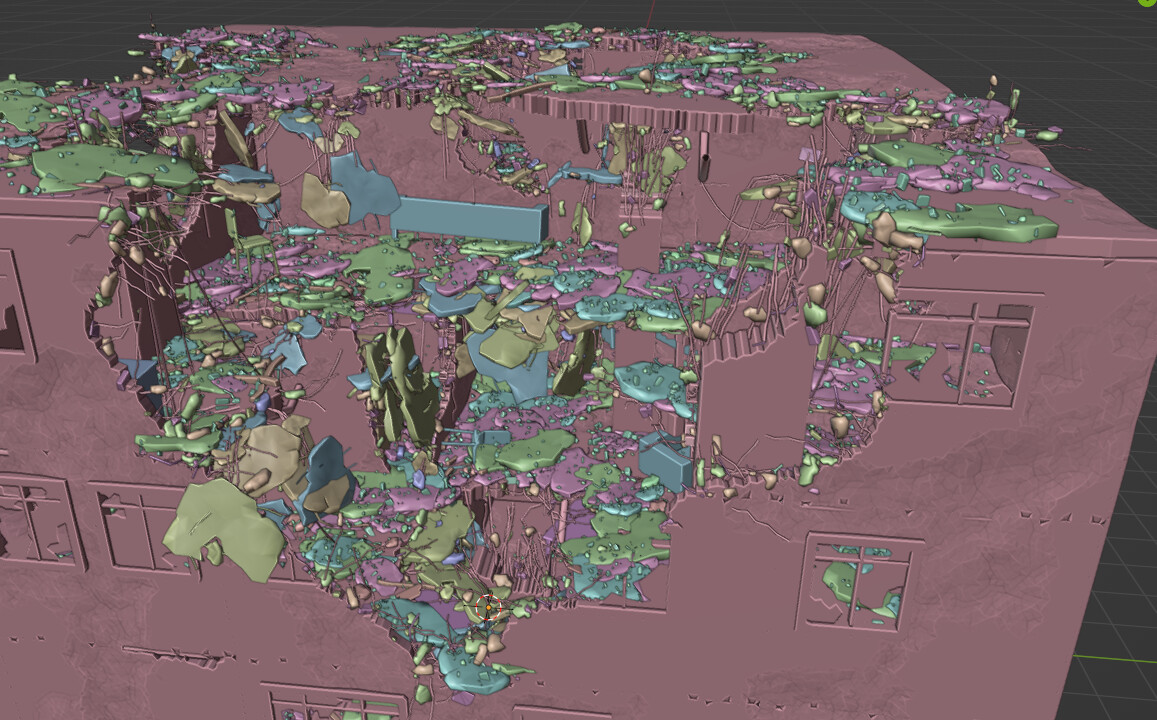
I have multiple layers of rubble some of which is distributed from the exposed rebar that is hanging from the broken edges.
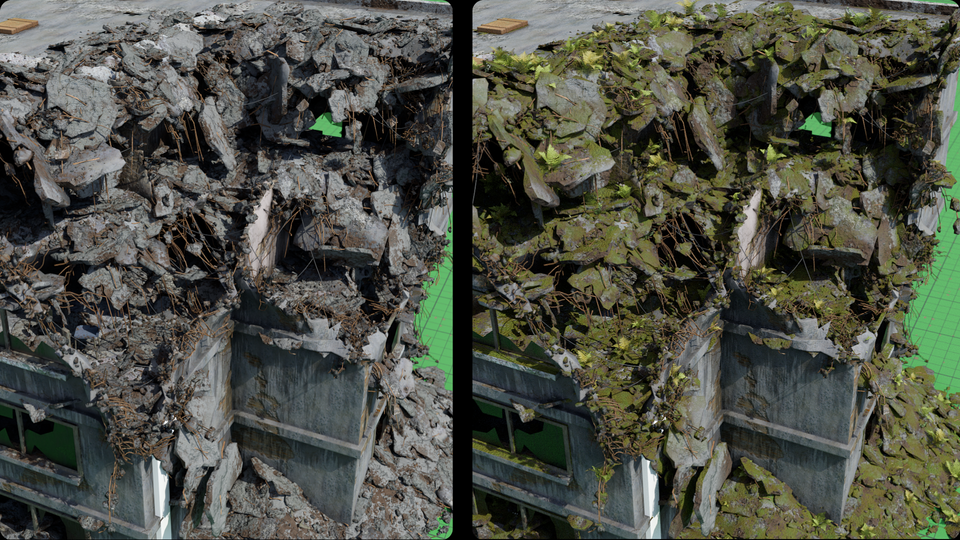
As for the texturing I have a global control system that adds moss and grunge to everything.

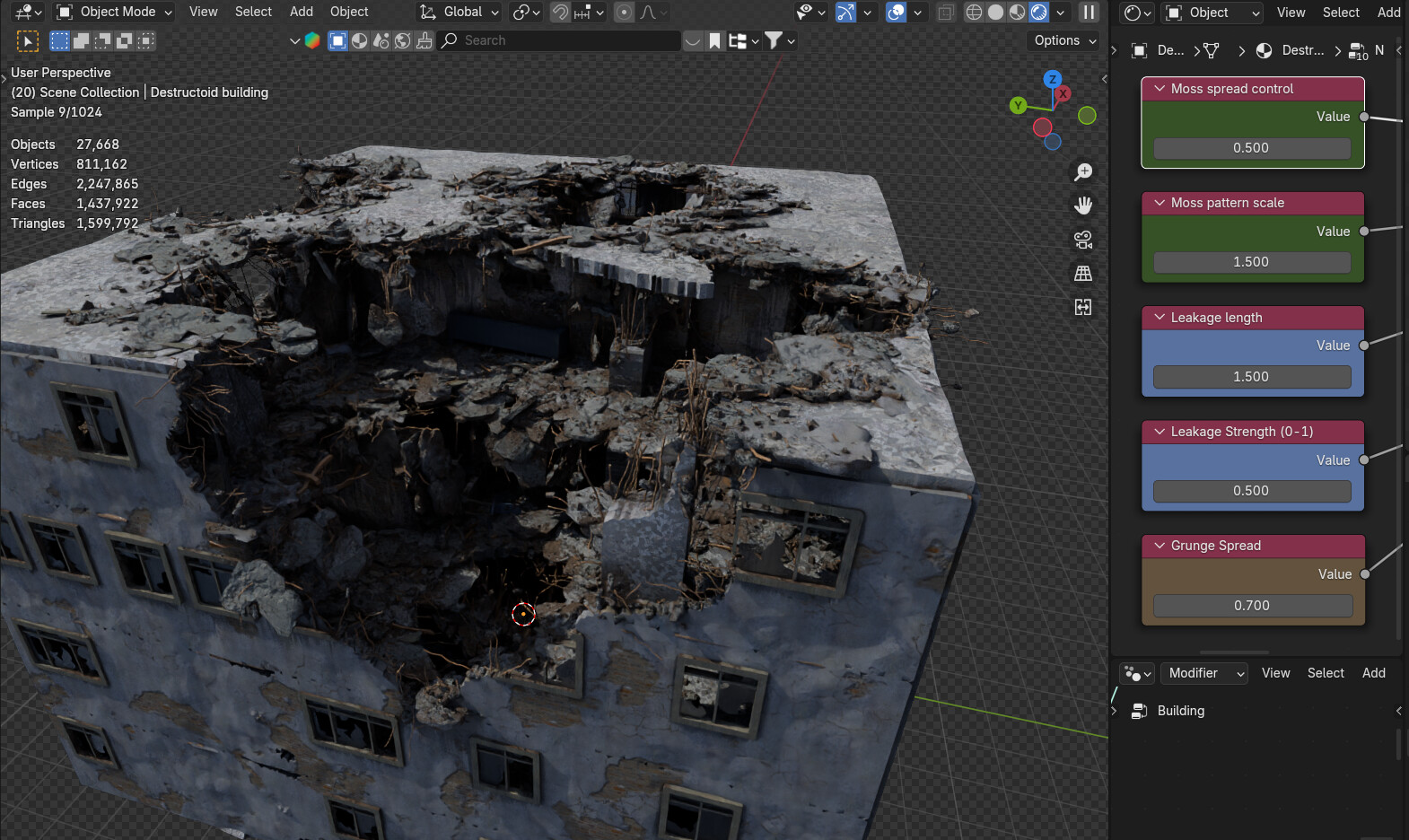
This has not been the first time I have tried making something like this in geometry nodes, however I was always limited by the booleans in blender. With this method I do not need to use booleans to get this look. The main inspiration behind this project is this video by Topchannel1on1: https://www.youtube.com/watch?v=45exbCZBMIc&ab_channel=TopChannel1on1

One downside to this method is the dense geometry that you get, but that might be something that can be changed in the future.

Once I clean up the file I might upload it to Blendermarket for a few bucks alongside a free simplified version on Gumroad.

If u have any questions feel free to ask!

39 Likes

That looks pretty neat ! Well done !

1 Like

:woozy_face: That GN setup screenshot makes me wanna cry… So many nodes!!!
Impressive work though! :grin:

1 Like

Is this animated? The destruction, into the moss levels?
Impressive nonetheless.
Robert

1 Like

I always appreciate a clever avoidance of mesh boolean operations, Nice work!

2 Likes

I guess you could animate the destruction, however your pc will not like that since it takes upwards of 6 seconds to resolve the node tree.

1 Like

I just kept adding to the node tree… I dont know how it got to this point… :sweat_smile:

3 Likes

LOL That always seems to happen to me too, just not quite to that point. :joy:

1 Like

that is very impressive!!

1 Like

A simplified version is now available on Gumroad for free: https://mart0nnn.gumroad.com/l/destroyedbuilding

2 Likes

So… I have re visited this project mainly to rebuild it from the grould up to optimize it, and because there are a few things I want to try.

First of all, I want to be able to define the shape of the building, so instead of only modeling individual wall elements I just make the whole floorplan out of planes.

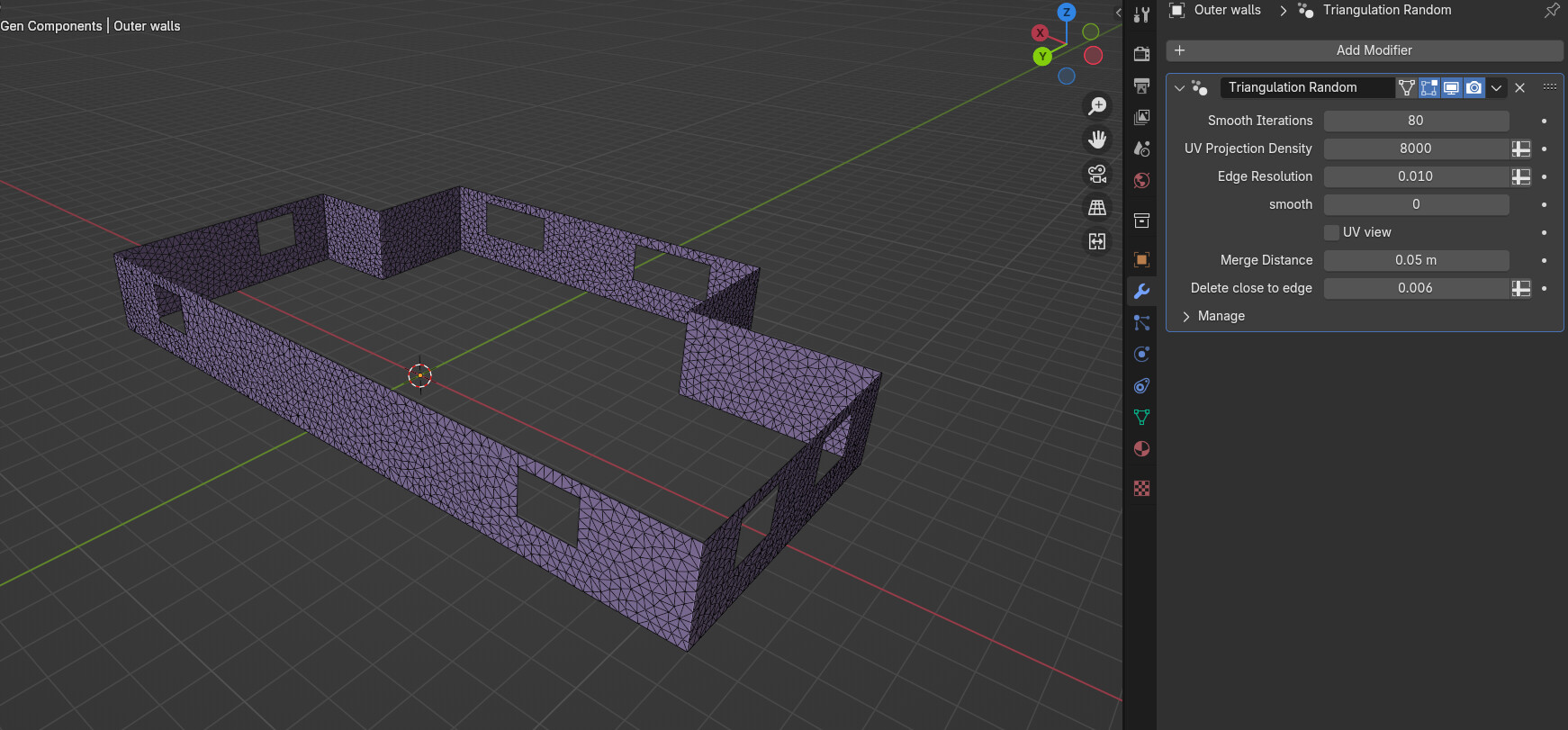
I also remade the triangulation process, so now the objects are unwrapped into UV space automatically then triangulated, and then moved back to their corresponding positions.


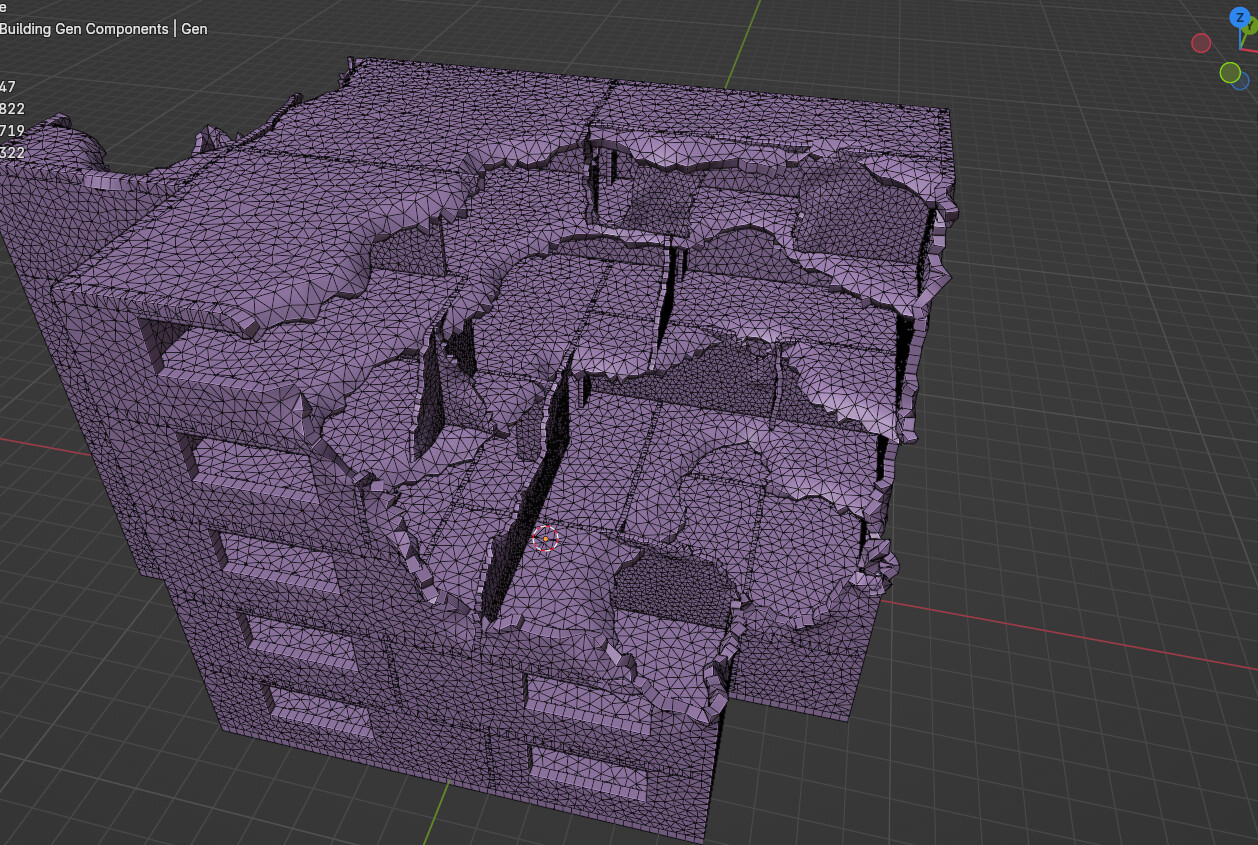
Then I take those parts and array them into the shape of a house. After the mesh has been arrayed, I then delete the faces that fall inside the mesh of a custom destroying object which in this case is a displaced icosphere.


Now one of the new thing I wanted to add is to make the floor droop downwards where it is close to the destruction.


And for an extra measure I also displaced the walls as well with the same mask.

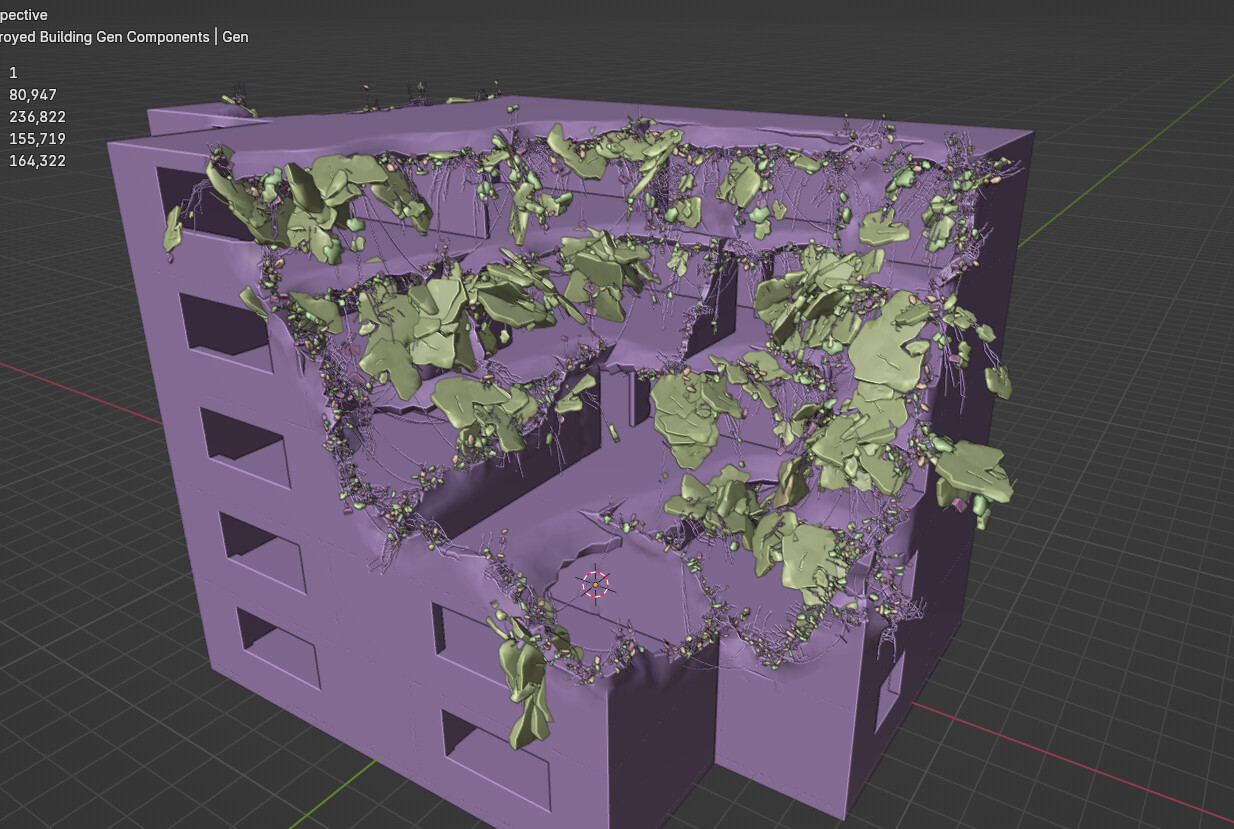
I then add some rebar and rubble to the edges of walls and floors. I also make a variant where larger amounts of rebar are drooping downwards with chunks of concrete instanced on them to give the effect of the floor caving in.

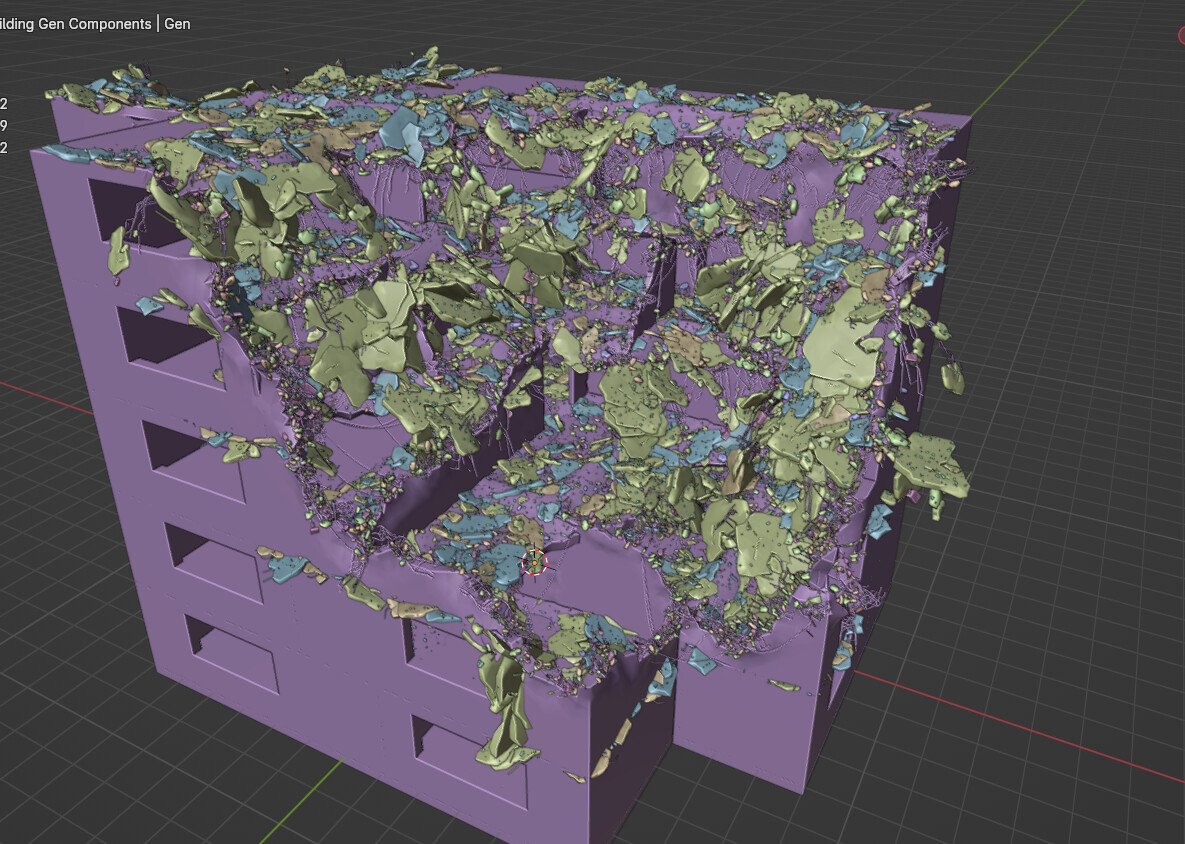
And then I spawned rubble on the floor close to the destruction to add more chaos.

I still need to add the furniture on the inside and windows, but this is a big improvement over the last setup and the node tree is a bit more organized.


I also want to create some roof elements so that it really looks like a building instead of just a weird cube.

6 Likes

Made a few images for this project breakdown on my artstation. (I cant only post every 2 years in my portfolio and expect people to take me seriously when I’m looking for projects to work on. :sweat_smile:)


This is the effect of the global material controls for moss and such.

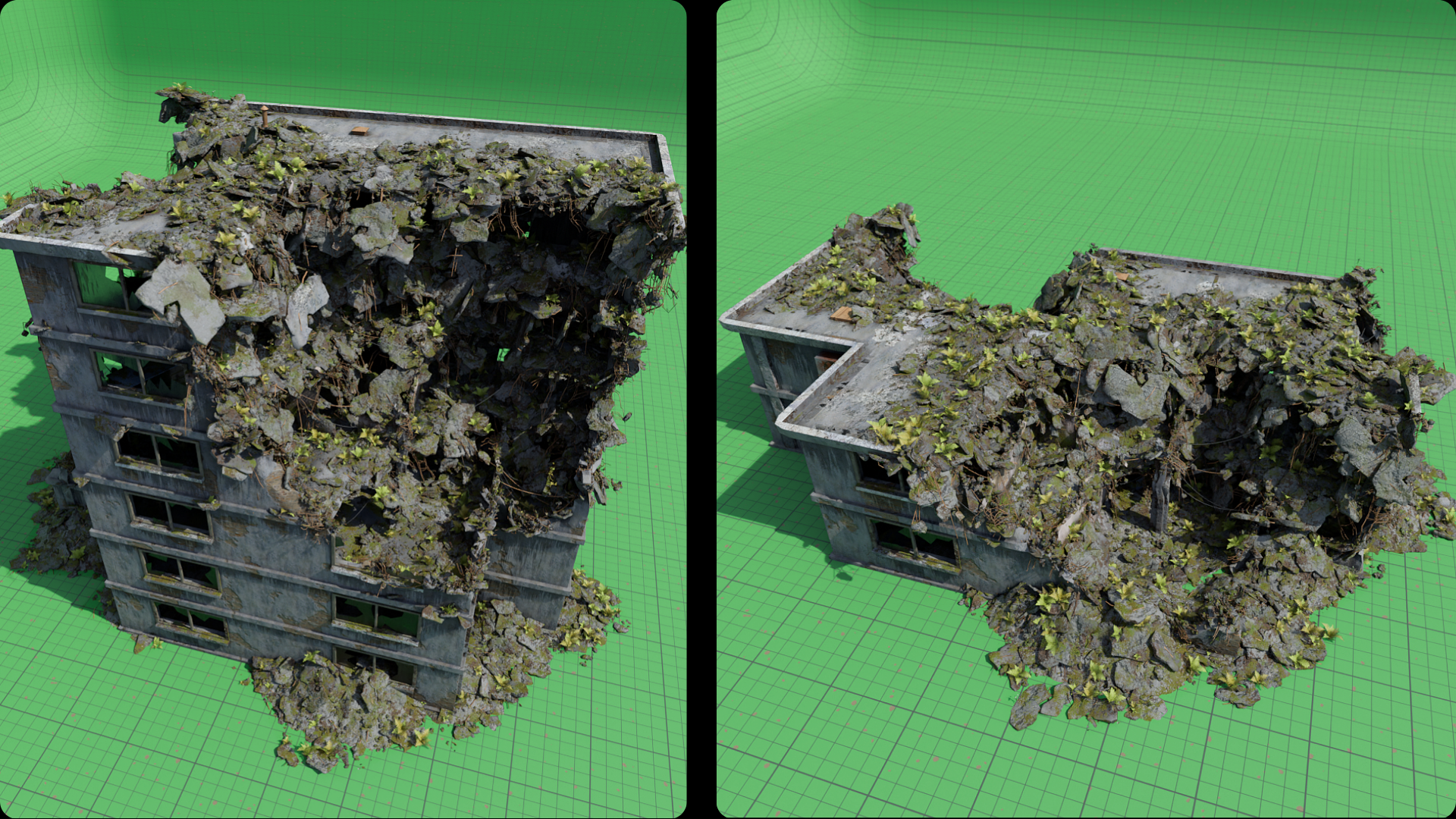
2 examples:

I also got around to scattering some furniture inside. The next feature that I want to implement is some ivy. I allready had a go at this, but the end result was not exactly to my liking, so I’ll probably keep trying ideas until I get something that looks good. If anyone has any good ideas on the ivy, do let me know.
Overall, I think the results look pretty nice and interesting, and once cleaned up and everything I might put it up on superhive for a few bucks.

Aaand the self plug: https://www.artstation.com/artwork/AZWVKW

8 Likes

Thank you for sharing your progress on this project. It is very cool to see the behind the scenes of these systems. The end result looks great!

1 Like

I could see a video game being created with this, you wanna create a post apocalyptic game?

1 Like

this is really cool and if I had money I would totally buy it

1 Like

Thanks!
Surprisingly there has been a resurgence of interest in this project.

Right now the geometry that this setup generates is quite unoptimized, but I do have a few ideas I want to try to mitigate this issue.
For example right now all the geometry is triangulated, even the faces that are not even close to the parts of the building that are being destroyed. So one optimization would be to integrate the triangulation into the main setup (the triangulation as of now is a whole separate step), and then only do that step for the elements that are being destroyed.

Thanks! If I have time I’ll clean up the file, or maybe I could make a video breakdown of the geometry nodes system.

1 Like

Right now the geometry that this setup generates is quite unoptimized, but I do have a few ideas I want to try to mitigate this issue.
For example right now all the geometry is triangulated, even the faces that are not even close to the parts of the building that are being destroyed. So one optimization would be to integrate the triangulation into the main setup (the triangulation as of now is a whole separate step), and then only do that step for the elements that are being destroyed.

I’m new, how do I fallow your project and can I fallow it on other websites or just here if I can fallow it here or anywhere?

1 Like

I think you can just bookmark the project here on blenderrtists to get updates, or I also had an artstation link in this thread. I will most likely post any wip on the project here.