Overview
I tried making a system procedurally place snow on top of rocky mountains and slopes, only placing the snow on flat areas or inside grooves in the rocks as the gradient increased, decreasing the height of the snow until it stops appearing at a certain gradient value. I encountered surprisingly difficult problems and couldn’t find any help online so I’ll post what i have here.
It runs at about 10 fps in cycles with a plane that has about 4 mil faces after 2 iterations of unsubdivision:
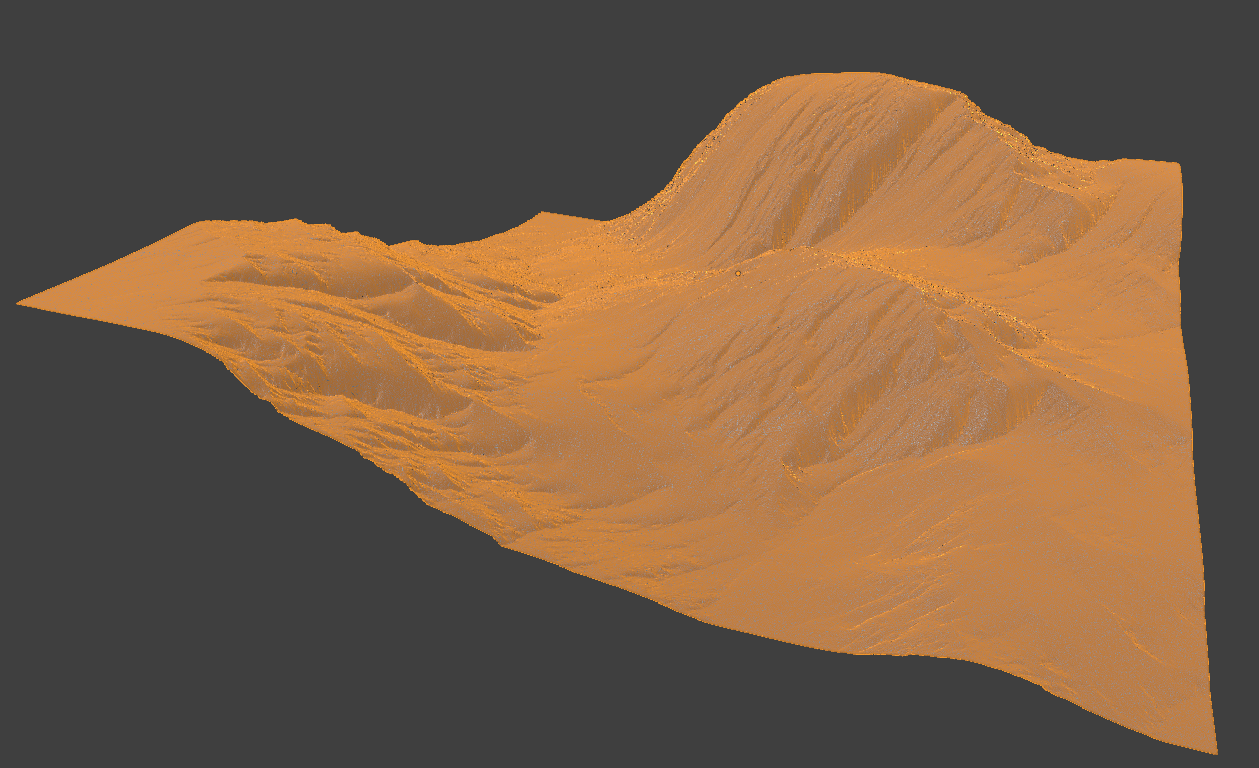
It’s about 1 kilometer in size. I also have an adaptive subdivision on top for the displacement.
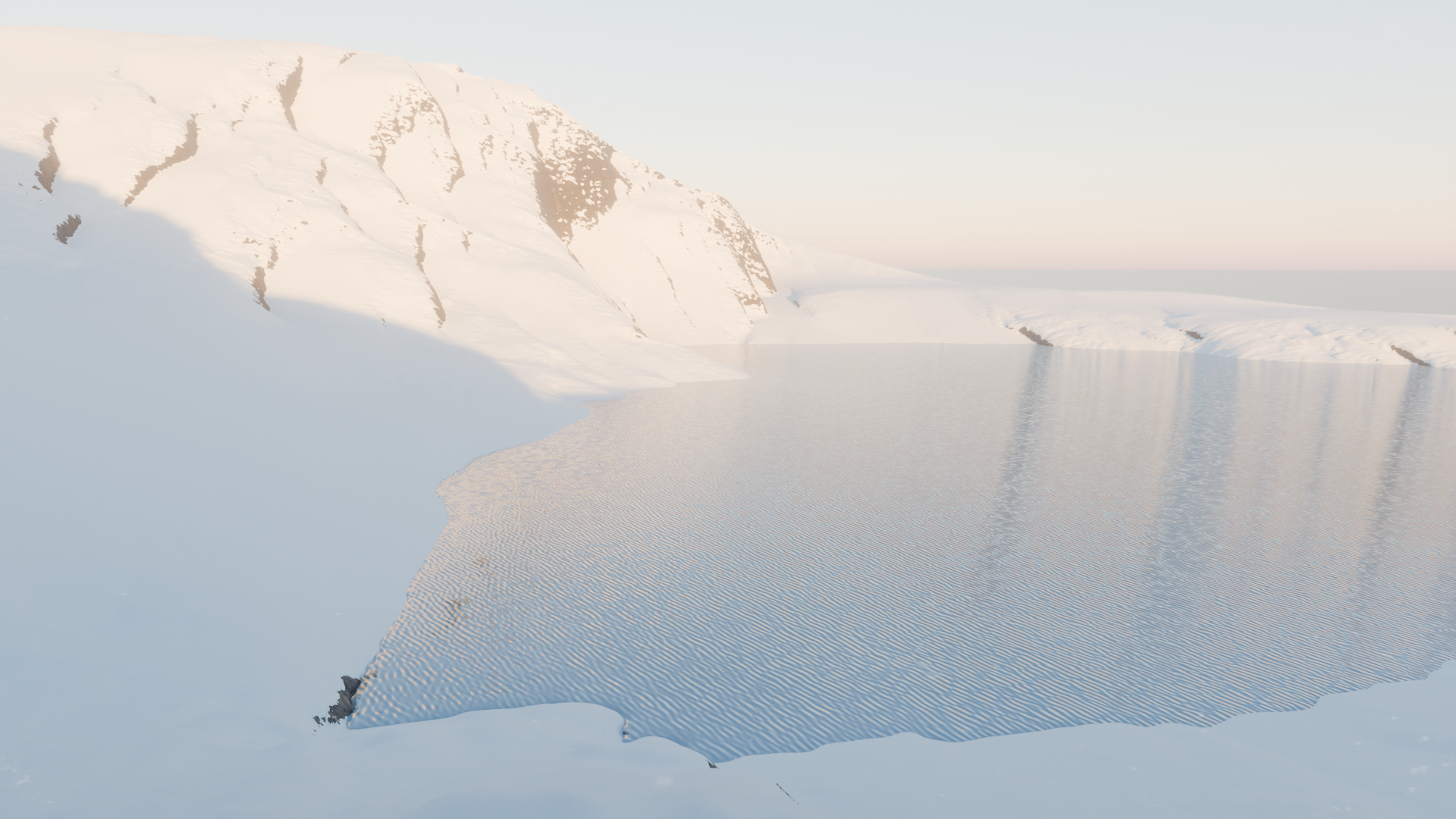
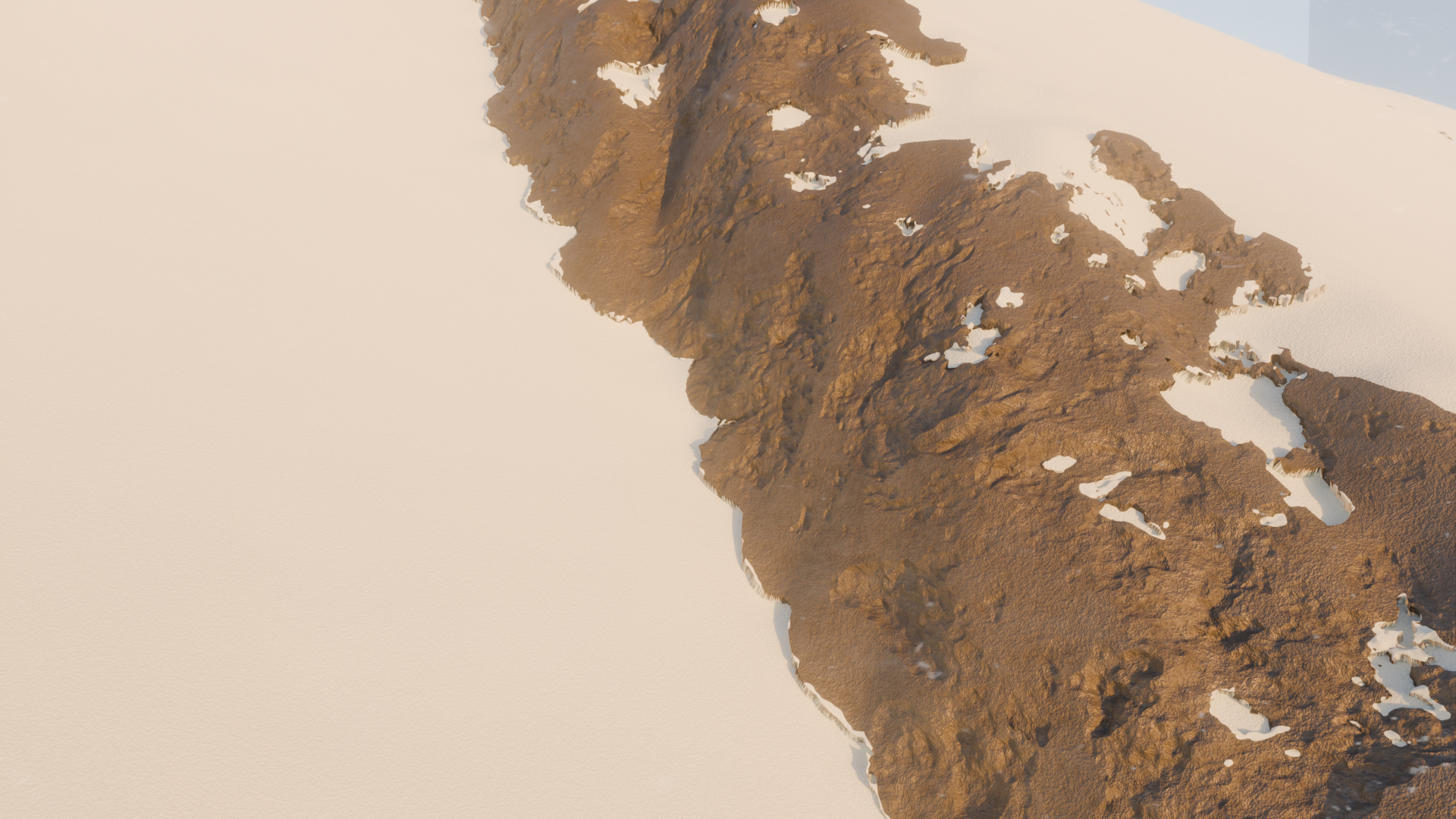
It’s all in ONE material
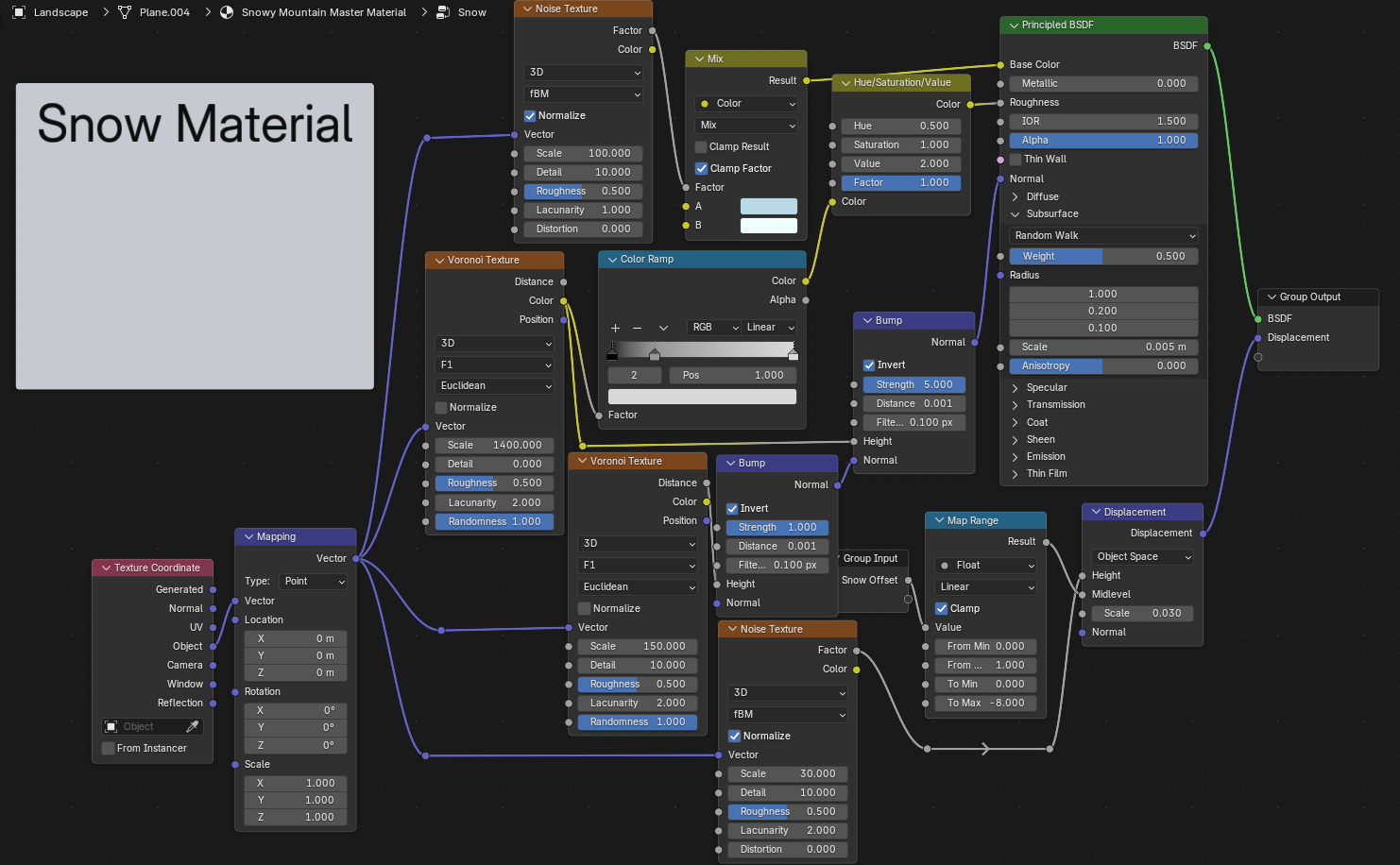
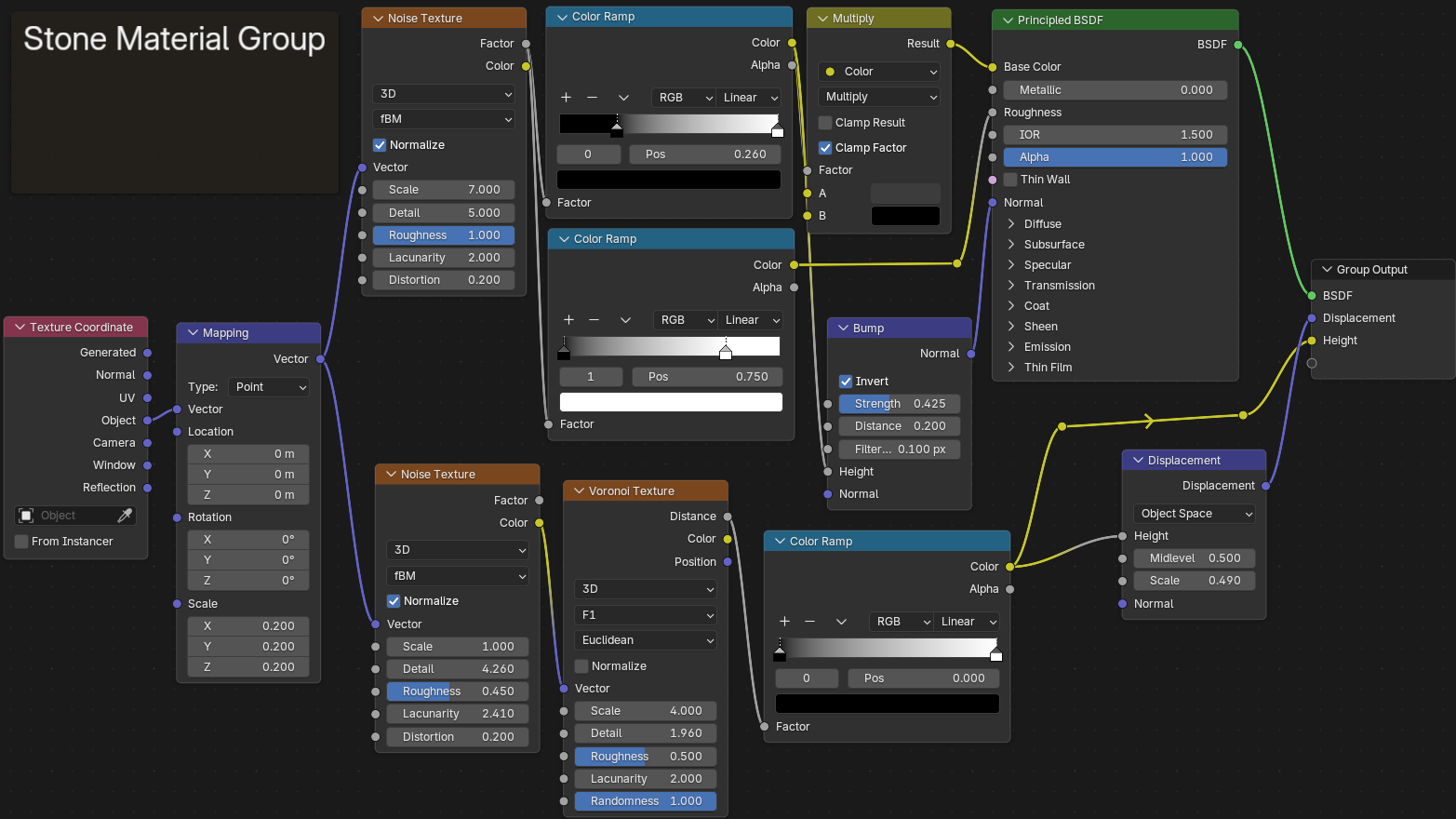
Now I didn’t spend long at all on the rock or snow materials at all, but I’ll add their node groups below for reference:
Initial problem
So you’d think it’d be easy, just a few nodes and bam! You got gradient based mapping!

And you’d be right, as long as you aren’t using displacement. Because right now, it doesn’t take into account the base shader’s bump. So again, I simply added a mix vector node and used the same map to control the factor of that, plugging it into displacement, but this tanked performance and looked grainy.
Why?
The reason is that we’re using a geometry node to get the normals, which then causes displacement in specific places according to the map it creates, but this displacement changes the normal output of the geometry node, changing the map and feeding back until it becomes a super detailed mess.
The Solution
I honestly spent a day trying to fix it before I realised I could just use geometry nodes.
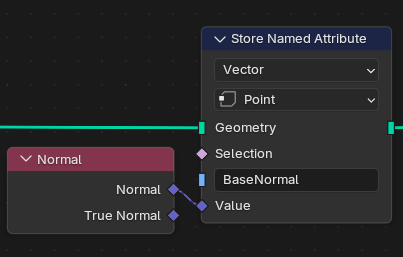
These are the only 2 nodes I used, they store the normals of the mesh then I use that instead of the geometry normals.
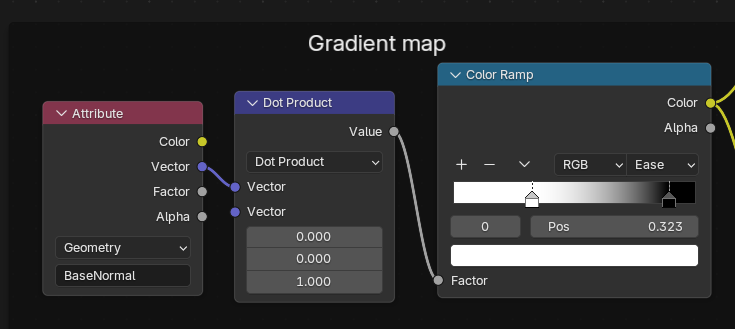
Right now, by adjusting the dot product vector size, and the color ramp, we can control quite a lot this effect, and it works perfectly as a map for both the mix shader and mix vector. But I wasn’t satisfied, because I wanted the snow to settle inside the terrain grooves.
Making the snow sit in the displaced rock
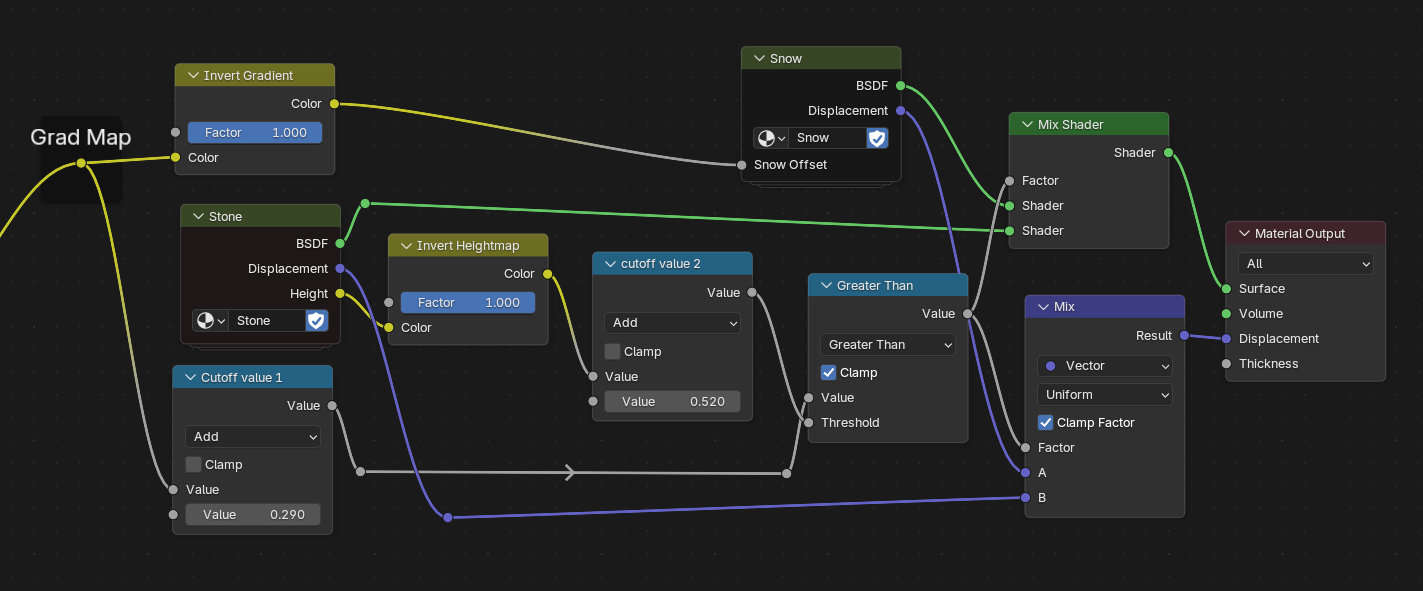
So I had a very clear idea when I set out to do this - if the terrain has a displacement which goes from 0 to 1, I want to snow to be at 1, and have no terrain showing at low gradients. As the gradient increases, I want the snow to gradually decrease it’s displacement offset so that it looks like there’s less and less snow in the rock until it hits a steep enough gradient for absolutely no snow to show up.
As you might be able to see in the snow material, there’s a group input of “Snow Offset” feeding into a map range which controls the displacement midlevel. This is the direct output of the color ramp from the gradient map, since it’s smooth. Then I just had to use the heightmap of the stone, which is exposed in the group output, as the threshold for a comparison node against the gradient map, which causes the snow to settle in divets only according to how deep the grooves are compared to the steepness of the slope. I’m honestly a little skeptical of this math but here’s the nodes: