This update adds comprehensive support for Unreal, Unity, and Godot. All known oddities for exporting to these engines are solved. The goal is no compromises or limitations when compared to FBX workflows from other 3D packages.
Make your game asset workflow awesome. Optimized for Unreal, Unity, Godot
Features
Modified FBX Exporter for Games
No transform issues (no more 90 degree rotations or 100x scales)
No Armature object inserted above bone hierarchy
Advanced features like removing bone rotation, flattening bone hierarchy, and more
Export panel with a workflow designed for game assets
Preset settings for Unreal, Unity, and Godot
Shape Key and Custom Property Animation
Designed for workflows where Armatures drive Shape Keys
Export Shape Key animation even when only exporting Armature
Convert to custom property curves (ideal for Unreal) or,
Export dummy meshes for Shape Key animations (ideal for Unity, Godot)
Export animation of any custom properties on an Armature and its bones
Batch Export Mode
Pre-define multiple exports, and export in 1 click
Automatically move objects to origin
Game Animation Workflow
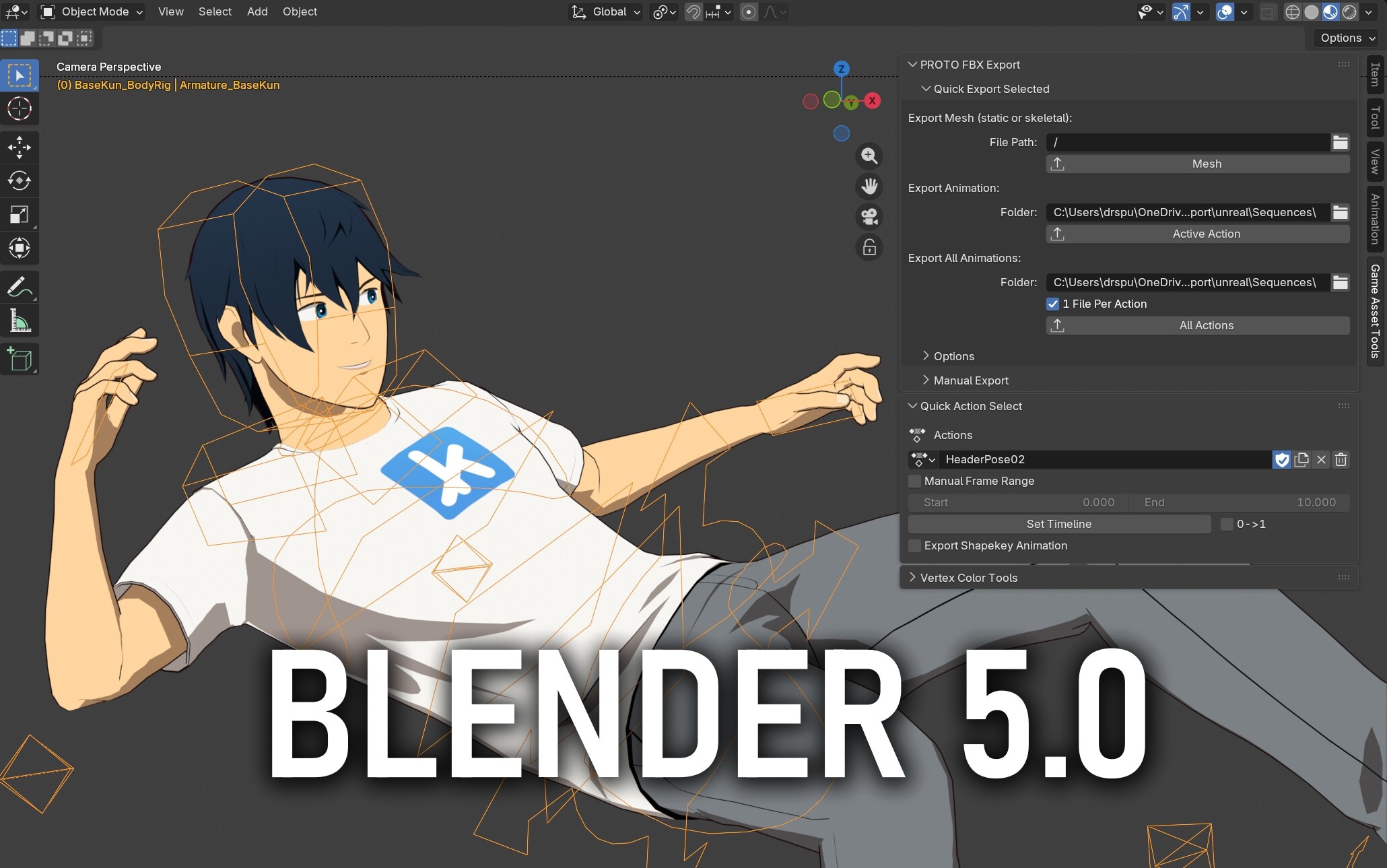
‘Quick Action Select’ panel to easily switch and manage multiple Actions.
No need for Dope Sheet, NLA, or Action editors.
Filter animations for export, and export 1-file-per-animation
Thanks for the contribution.
I don’t use Unreal Engine yet but I plan to, that’s why I just added your addon to my UE related bookmarks. I wonder, out of curiosity: why do you say that other free ‘Send to Unreal’ addons are buggy? As far as I know there should be at least three, if not even five free addons ‘recently’ updated by users that adopt them for their Unreal Engine workflow.
The issue is not that other Blender add-ons are buggy, it’s a problem on Unreal’s side: Unreal’s FBX importer does not perform unit conversion correctly on skeletal meshes, leading to subtle issues.
Blender’s native units are meters, and Unreal’s native units are centimeters. FBX files contain unit information, and a game importer should be able to import meters into cm. Unity does this correctly, Unreal has bugs with skeletal meshes.
Most Blender add-ons use the default FBX exporter without modifications, and experience the same issues as a default export – the one exception I know of is Auto Rig Pro, which can bake-in unit conversions pre-export (which is basically the same thing my add-on does).
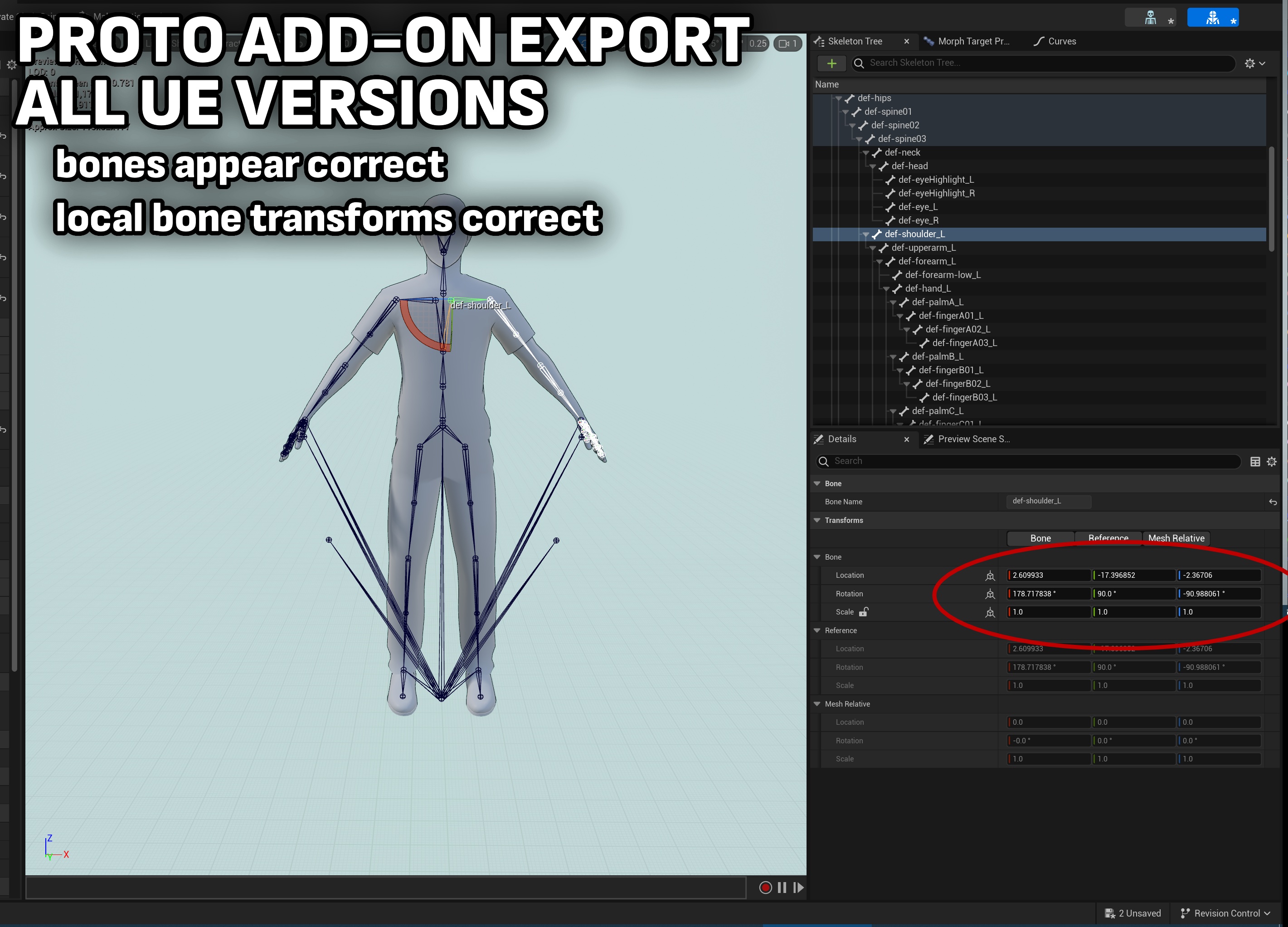
Here’s what goes wrong with default Blender exports imported into Unreal.
With UE5.3 and earlier:
This problem is poorly documented (in fact, I can’t find any reliable information about it, and am working on a guide to document it). You might think UE5.4 works fine with Blender, then later hit issues like:
Physics assets not generating correctly.
Random animation graph bugs, when using logic that depends on local transforms.
Finally, here is what a correct import of this character looks like when using the add-on:
One last thing, sorry in advance for taking up space and precious time: does this happen even with glb/glTF format? In case that format works as intended, then why still using the FBX instead of the aforementioned ones to populate UE5 3D scenes?
I don’t know if Unreal’s glTF importer has the same bugs, never tried glTF. But I’m going to guess it gets even less support than their FBX importer.
This bridges into a separate topic that I’m not personally well-versed in, but: evidently glTF isn’t really an interchange format in the same way FBX is. You can kind of use it like FBX, but it’s not ideal. See:
Collaborate with other projects to create a new 3D interchange format
always great to have more options since Epic abandoned the official UE addon. I was looking at this one as it has static mesh live link update and options to deal with the UE 0,0,0 pivot.
Just wondering if you planned for the same features for static meshes?
Live Link I’m unlikely to support, it’s big and demands hooks into a specific Unreal project, which kind of broadens the philosophy behind what this add-on is. It would be nice though.
By “deal with the UE 0,0,0 pivot” do you mean re-centering a mesh on export? That’s a handy feature I’ll make a note of it (especially if I add batch exporting).
By the way, the next things I’m working on are:
A compendium of guides for building characters in Unreal, with specifics about Blender for Unreal. A comprehensive guide for this doesn’t exist so I’m working on it. This add-on exists because of that guide.
The next add-on feature I’m eyeing is collection-based batch exporting. Right now the tool is centered around exporting 1 object at a time.
Yes, back when I used 3dsMax the UE bridge tool I used had a handy feature that set and switched pivots from 0,0,0 to the scene pivot in Max. As you know, no matter where your pivot/origin is in Blender when you export, UE will set it to 0,0,0.
First off, I see that we had some similar ideas for both our add-ons, and you’ve done a good job of making life easier for people making game assets, so thanks for your contribution.
I’m coming to this thread from my own UE export add-on where I was made aware of yours and I was curious how you would fix the scaling issues I also faced. Thing is, I figured your export works nice for assets which are using an armature modifier and vertex wheights (and an armature scale of 1), but it doesn’t for rigs where objects are simply parented to a bone without armature modifier. This is workflow is often used for mechanical rigs where geometry should not deform by moving bones.
My experience is that whenever you rescale such an armature and apply scale, the whole rig explodes and all the geometry has an offset to its parent bone. I think this is what you are doing under the hood in your add-on.
To show you how this looks in both Blender and UE 5.3, two screenshots.
This was using the default import options in UE, except for the “Use T0 As Ref Pose” on, as I had no keyframes on my rig (leading to import error for rigs without armature modifier and vertex wheights if left off). The same happens in 5.4 and 5.5 btw.
This is just to let you know that for such kind of rigs your method currently does not work and how it looks like. Keep up doing the great work!.
I didn’t consider such a workflow (parenting to bones, no Armature) until now. I actually didn’t know this works with the default FBX exporter.
I’ll work on a fix for the next update.
(In the meantime, for anyone running into that issue above, the workaround is to use an armature modifier with skin weights rather than bone parenting)
Forces all exported bones to have 1.0 scale. Useful for avoiding distorted animations in game engines due to scaled bones in bone chains.
Export Option: Flat Bone Heirarchy
Sets all exported bones to be parented to a bone of your choice (or have no parent). Useful for skeletons that will do advanced squash and stretch animations, without causing distortion in game engines due to scaled bones in bone chains.
Now supports meshes parented to armature bones, that do not use skin weights or an armature modifier
These will export skinned to the bones, just like with the default Blender FBX Exporter.
Bug Fixes:
Fixed issue in unit scaling algorithm causing Stretch-To constraints to sometimes produce wrong bone positions
Fixed issue in unit scaling algorithm where Child-of constraints sometimes produced wrong bone positions
Now, Child-of constraints should be correct regardless of what pose the armature was in when you set their inverse
I mentioned above that I want to add a new system where you can make different export collections, select which ones to export. Unfortunately I haven’t found time to work on that system yet, but I still want to add that in the future
I have been dragged kicking and screaming into support Action Slots. I think the Action Slot system (and the other changes under the hood) are probably great news for CG, but for game animation it is, unfortunately, mostly just another roadblock.
Good news! The add-on now supports slots, and in fact abstracts them away so that you don’t need to worry about them. You can continue authoring multiple animations in one .blend file, and select your actions from a simple list.
The add-on expects armatures to have a slot named after them in actions. And it will provide contextual warnings when it does not detect this. It’ll even contextually detect legacy data from older .blend files that predate the slot system:
In addition, you can go into the add-on preferences to enable a “manual” mode if you prefer to handle slots yourself. In this case, you’ll simply be given a slot selection widget in the Quick Action Select panel.
Here is the full changelist:
New Features:
Now supports Blender 5.0
Action Slots are now supported (Blender 4.4 and newer). There are 2 modes available in the Add-on Preferences:
Use Armature Name (recommended) - the add-on expects a selected Armature to use Action Slots matching its name. It will create slots automatically and warn you to enforce this naming convention. It will also detect Legacy Slot data from previous versions of Blender and prompt you to migrate it. Action exports will also use this naming convention to determine which Actions to export for a given Armature.
Manually Set Slots - the add-on displays a Slot selection UI, and you manage Slots yourself.
The “Simplify” option from Blender’s FBX exporter is now exposed to the Quick Export UI.
It now defaults to 0.1 (rather than Blender’s default of 1.0) which is a better balance of removing artifacts and filesize.
The Quick Export UI now organizes some options into an “Advanced” dropdown.
New Add-on Preferences option to change the name of the Viewport panel category name for the Add-on’s UI. It now defaults to “Game Asset Tools” instead of “PROTO”.
Bug Fixes:
“Remove Scale from Bones” and “Flat Bone Hierarchy” broke exports when exporting multiple actions in 1 file, and they are no longer allowed to be used this way. A contextual warning has been added to the UI to make this clear.
Fixed minor spelling mistake “heirarchy” to “hierarchy”
Are you a game artist that needs to export shape key animation? Tell me what you want for your workflow!
Good news! I got annoyed at exporting shapekey animation enough that I’m working on a way to properly export shapekey animations as curve data. I’ve got the core functionality working but I need to spend time on the interface/options.
Here are my current thoughts:
Animation FBX exports will only contain the armature
(The default Blender exporter requires meshes to be exported to export shape key animation. This is bad.)
I’ll let you export any custom properties on bones / the armature object.
This means you can export any curve data, not just shapekey data.
(stretch goal) check for any meshes manipulated by the armature, check their shapekeys, and export them as curves without exporting the mesh.
Not sure yet if this is achievable. If I can’t figure this bit out, it may be a requirement for your rig to have properties matching the names of your shapekeys.
There is also a lot to consider to only export the custom properties you want, and excluding properties that should not be exported. E.G.: you want to export a corrective shapekey property, but you don’t want to export miscellaneous rig properties. I’m hoping to find an elegant way to achieve this, without making you blacklist bones/properties manually. If you have ideas or suggestions on how to handle this let me know.
Hooray! I was able to pull shapekey animation out of animated meshes, and export them with an armature.
This means regardless of how your drivers work, whether you have custom properties or not, exporting shapekey animation as curve data auto-magically works.
I’m really excited to get this out, it’s a vastly better shapekey workflow than Blender has out of the box.
Perhaps custom properties could be limited to only the Deform bones so we ignore all the more complex Driver and controll rig bones. I have a few properties I need to get out into engine and that would make the tool near perfect. It’s already very impressive and a real pleasure to use. Thank you for creating it!
Also sorry for the quick follow up, any eta on when you will release the shapekey update. That looks amazing and my current soultion to custom properties is exporting them as shape keys until there is a better solution.
Sadly custom properties do not export to unreal right now from blender using any method. So I’ve been using shape keys to hold values. It’s really not the best solution, but it works.
A little status update: I’ve got the Shapekey/Custom Property animation workflow working great in Unreal now. However Unity and Godot present extra challenges.
To recap: the goal is to let you export “Skeletal Meshes” and “Animations” as separate FBXs – this is a sensible workflow for iterating on games. This presents a problem for Shape Key animation, for which FBX expects a Mesh to be present, but exporting your Mesh with every animation is wasteful and confuses importers.
My current solution to this is to export Shape Key animation as Custom Property animation on the Armature. This works in Unreal perfectly! But Unity and Godot don’t work as well with this.
Unreal:
Imports Custom Property animations and Blendshape animations, and either of them can automatically animate Morph Targets if they match names (rare W from Unreal here)
Unity:
Can import Custom Property animations, but will not automatically animate a Mesh’s Blendshapes with them even if the name matches.
To animate Blendshapes automatically, FBX must contain a mesh and Blendshape keys.
Godot (ufbx importer in 4.6):
Cannot import Custom Property animations at all – not supported.
Can import Blendshape animations, FBX must contain a mesh and Blendshape keys.
Animation workflow is kind of new and buggy… might not be able to get Godot imports bug-free.
I want this to work with all 3, so I’m experimenting with different Shape Key animation export modes. I think with Unity and Godot I might be able to auto create a dummy mesh to export with animations. This will keep filesize down, and allow their importers to work as well as possible.
This is a huge update that transforms the add-on to address every problem and limitation I know of when using Blender for Unreal, Unity, and Godot. It is an everything-but-the-kitchen-sink update, and I hope you like it!
New Feature highlights:
Overhauled exporter UI for different workflows
Select between bundling models + animations, or keeping them separate.
Overhauled Shape Key animation exporting
Can now export Shape Key animation even when only exporting an Armature
Can either convert to custom property curves (for Unreal), or insert dummy meshes into exports (for Unity, Godot)
Custom Property animation exporting
Export animation of any custom property on an Armature and its bones.
Filtering options to control which properties are exported.
Batch Exporting
Pre-define multiple exports with their own settings, and export in 1-click
Automatically move objects to origin before export
The full changelist is on the Blender Extensions page.