Hi everyone,
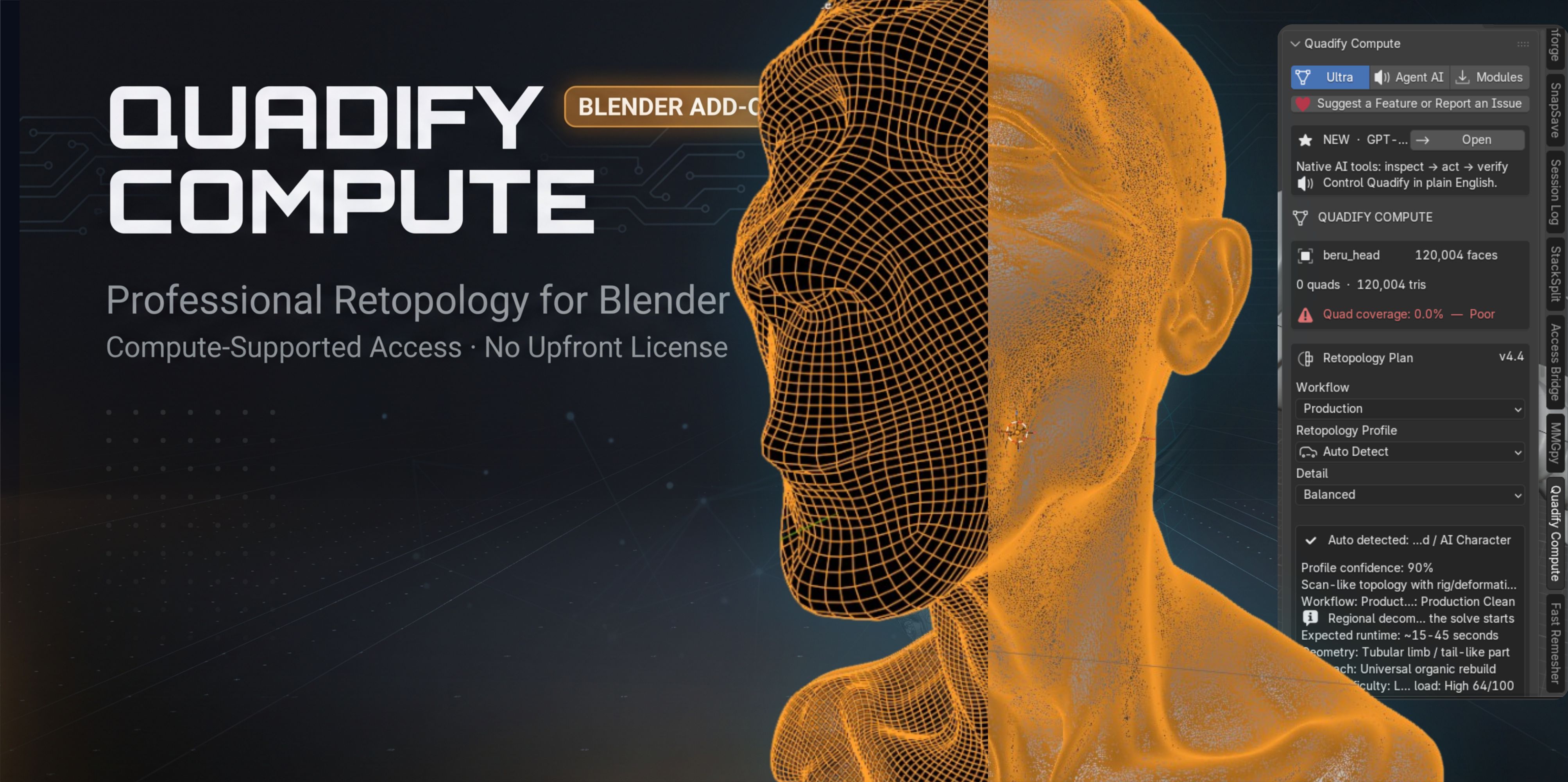
I’ve been working on a new edition of Quadify called Quadify Compute, and I wanted to explain what it is properly rather than just post a download link and leave people wondering what the “Compute” part means.
The short version:
Quadify Compute gives access to Quadify’s retopology tools without an upfront purchase, but in exchange it uses a limited amount of CPU in the background for Monero mining while Blender is running.
I know that sentence alone is probably enough to make some people immediately suspicious, so I want to be very clear about how and why I built it this way.
Why I made this edition
Quadify has taken a significant amount of development time to build and maintain.
The normal commercial model is straightforward: users buy a license, and that pays for development.
But there is another group of Blender users who either cannot afford commercial add-ons, do not want another subscription, or simply want to try a serious retopology tool without paying first.
I started thinking about whether there was a sustainable way to offer an alternative edition without:
- advertisements inside Blender,
- requiring an account,
- locking the useful features behind constant upsells,
- collecting personal data,
- or turning the product into another subscription.
That is where the Compute edition came from.
Instead of paying money directly, the user contributes a small amount of CPU compute while Blender is running.
That compute is used for Monero mining, and the mining proceeds go toward supporting continued development of Quadify.
The important part: it is not hidden
I do not want this to behave like the kind of software people normally associate with cryptocurrency miners.
Quadify Compute tells the user exactly what it does before anything starts.
The user has to explicitly agree to the compute model first.
After consent, the add-on manages XMRig automatically and shows the mining status directly inside Blender.
The interface currently displays things like:
- whether mining is active,
- HashVault connection status,
- current hashrate,
- accepted shares,
- worker identity,
- XMRig version,
- process ID,
- and the CPU resource budget.
There is also a clear option to revoke the agreement and stop the worker.
So there is no attempt to hide the process in the background.
Is the compute optional?
This is an important distinction.
The compute contribution is not optional within Quadify Compute.
It is the way this particular edition is funded.
You can choose not to accept the agreement, but if you do that, the Compute edition is not activated.
If someone wants Quadify without any mining or compute requirement, that is what the normal paid Quadify Ultra edition is for.
So the choice is essentially:
Quadify Compute
- no upfront purchase
- background compute required
- explicit consent
- visible mining activity
- CPU budget control
or
Quadify Ultra
- normal paid license
- no mining
- no compute contribution
I think keeping those two models separate is much clearer than pretending the compute is an optional extra while using the same product.
What exactly is running?
Quadify Compute uses:
- XMRig
- Monero / RandomX
- HashVault
- TLS connections
- CPU mining
Users do not configure wallets, pools, command-line arguments, or worker IDs.
Quadify handles that setup automatically after consent.
The mining rewards go to the developer, not to the user.
I want to state that explicitly because I do not want anyone downloading it under the impression that Quadify Compute is a way for them to earn cryptocurrency.
Why CPU instead of GPU?
I deliberately wanted the compute load to be controllable and relatively small.
Quadify Compute currently uses a constrained CPU worker rather than trying to occupy the GPU Blender is actively using for rendering or viewport work.
There is a CPU budget control inside the add-on, so the user can decide how much processing capacity the worker is allowed to use.
The goal is not:
“Use every spare resource on the machine.”
The goal is:
“Allow a predictable, visible contribution that helps support the software.”
The advantages
For the user, the main advantage is straightforward:
You can use a serious Blender retopology tool without buying a license upfront.
There is also:
- no recurring subscription,
- no account required,
- no credit card,
- no license server,
- no advertising inside the workflow,
- and no hidden mining process.
For me as the developer, it creates a way for users who might never purchase the commercial version to still contribute something toward development.
And theoretically, the more people who use the Compute edition, the more sustainable it becomes to continue improving the free-access version.
The disadvantages
There are real trade-offs, and I do not want to pretend otherwise.
CPU mining:
- consumes electricity,
- produces additional heat,
- uses some processor capacity,
- requires a network connection,
- may slightly reduce performance depending on the CPU budget,
- and can trigger antivirus/security warnings because XMRig is frequently associated with malicious miners even though XMRig itself is legitimate open-source software.
That last point is probably going to be one of the biggest challenges with this model.
I am not disabling antivirus software, bypassing security software, or trying to hide the executable.
If Windows Security or another antivirus blocks the worker, that needs to be treated as a visible error rather than something the add-on secretly works around.
What does Quadify itself do?
The Compute edition is still primarily a retopology tool.
The current Blender Extensions build includes workflows for things like:
- automatic mesh analysis,
- organic retopology,
- dense and triangulated geometry,
- scanned meshes,
- hard-surface workflows,
- QuadriFlow-based retopology,
- voxel preprocessing,
- topology QA,
- protected source backups,
- Restore Original,
- target face controls,
- boundary preservation,
- and sharp-feature preservation.
I am still testing the Blender.org-compatible build because I removed several external/native remeshing dependencies that exist in the full version.
So I am being careful not to claim that this edition currently handles every difficult mesh as well as the commercial build.
Why post this here?
Because I know this model is going to be controversial.
And I would rather discuss it openly with Blender users before trying to convince everyone that it is automatically a brilliant idea.
I am interested in feedback on the model itself.
For example:
- Would you consider using an add-on funded this way?
- What CPU percentage would you consider reasonable?
- Would an “only while Blender is idle” option make the model more acceptable?
- Is the live health information sufficient?
- What information would you want to see before agreeing?
- Would you prefer a traditional free-lite / paid-Pro model instead?
- Is the trade-off worth it for access to a tool you would otherwise have to purchase?
I am especially interested in criticism from people who normally avoid crypto-related software.
If there are ways to make the model more transparent, safer, or fairer to the user, I would rather hear them now.
This is an experiment in finding another way to fund serious Blender tooling, not an attempt to hide a miner inside an add-on.
Where to get Quadify Compute.
You can get it for free on -link removed by moderator-
Thanks for reading.
— Anvil Interactive Solutions