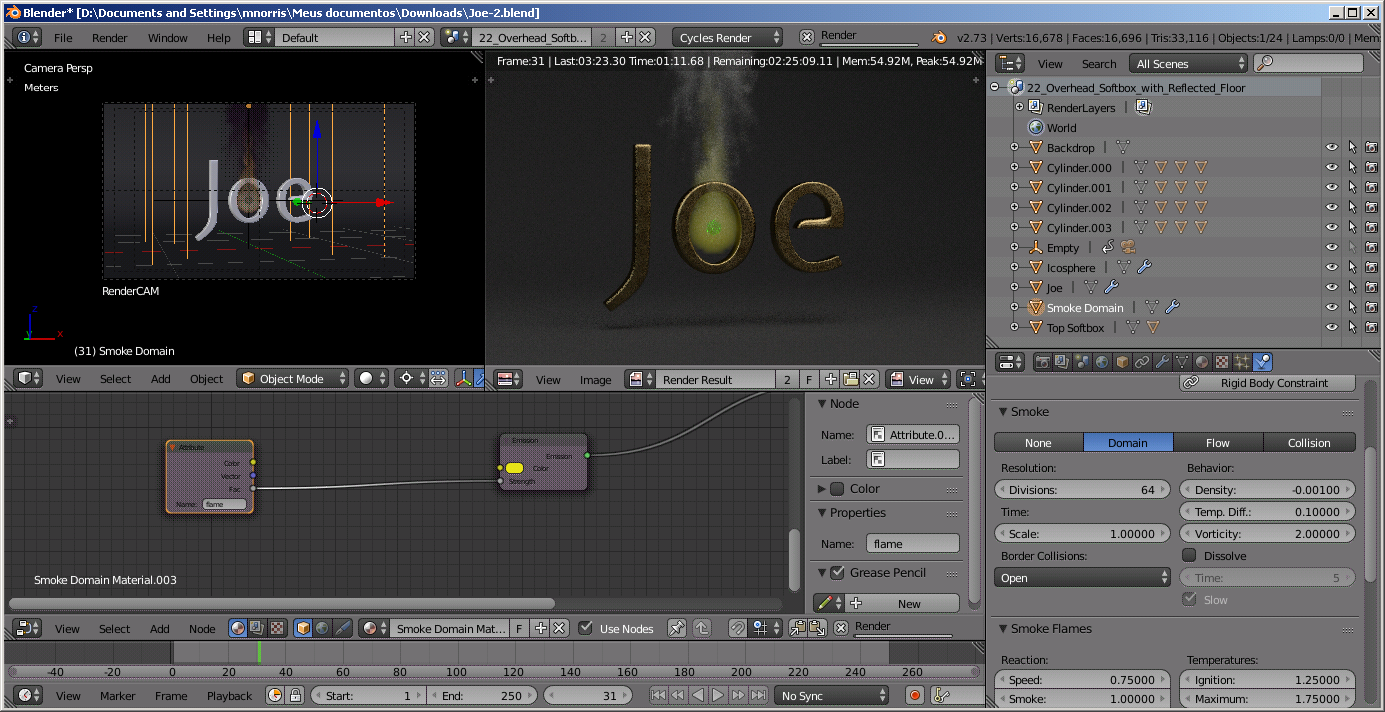
I am having some difficulties creating fire and smoke in the latest version of Blender 2.73a. I was watching Andrew Price’s tutorial (which is really great) about using Quick Effects. However, the issue I am having is that whenever I alter any of the parameters for either the domain or the emitter and then play the animation, it disappears. No smoke or fire at all.
I am using an iMac running Yosemite 10.10.1, and using a NVIDIA GeForce GTX 660M 512 MB graphics card. I have 32 Gb of RAM installed.
I am using the CPU render, since the GPU render is not an option for me right now. I have been able to get smoke to playback sometimes, but not the fire. I have gone into the node editor, per Andrew Price’s instructions in the video, and attached another Attribute node connected to an Emission shader and added to the existing node tree.
I am puzzled as to what is happening, and am pretty new to the physics dimension of Blender. If anyone could help me figuring out what I am doing incorrectly, I would appreciate it. I have attached the blend file for you to examine.
I just tried it …
Selected the default cube, added ‘quick’ smoke … play the animation … smoke appears
With the cube selected, changed the smoke physics so it was smoke+fire
Started the simulation again and the smoke+fire appeared!
So I cannot reproduce your problem …
If you are still having the problem, why not post your .blend file?
It worked fine for me!
One of the things I noticed is that the samples for path tracing are very high, so a render takes forever!
While the image is rendering {progress bar at the top} simulations will not run/bake and are not shown
So if your work flow was to tweak something, try a render, then go back; possibly it is still rendering
Make sure you stop the render by clicking the ‘x’ next to the progress bar
Also you have the ‘colour’ of the ‘flame’ attribute of the smoke as the colour of the emitter
Maybe this is causing a strange effect to make the fire invisible
Thanks, everyone!
I will check that out, Martin. I was following along with Andrew Price’s tutorial, and got in a bit over my head. I did notice on a new project, that when I set the Type to ‘Fire’ it doesn’t render at all, but if I leave the Type to ‘smoke’, it performs as expected. I wanted to play with all the variables (and there are lots of them), but was stumped.
unfortunatly I have the same problem. After changing any parameters, the smoke disappears. Not always with the first parameter - but after changing two or three parameter (even if I just rotate the domain), the smoke is not visible anymore … So if I delet the sphere and the domain and ad a new one with the quick effect, it is working again - until I change some of the parameters … Does anyone has any idea?
Okay, after having a few more tries, I realized, that the smoke just vanishes, if I change any parameter in the flow-tab … weird … Still hoping for some hints …