I have recently worked on my thesis, which focused on creating plug-ins for Blender-Photoshop workflow.
In my thesis I have conducted an interview with 22 artists and questioned them about the drawbacks of this workflow and then tried to implement a solution for some of the problems.
My intention in the thesis was to help the community, so I offer these scripts FOR FREE: Download HERE
THESE SCRIPTS HELP SPEED UP EXPORTING RENDER PASSES AND IMPORTING THEM TO PHOTOSHOP.
Now what does it do exactly?
Blender addon:
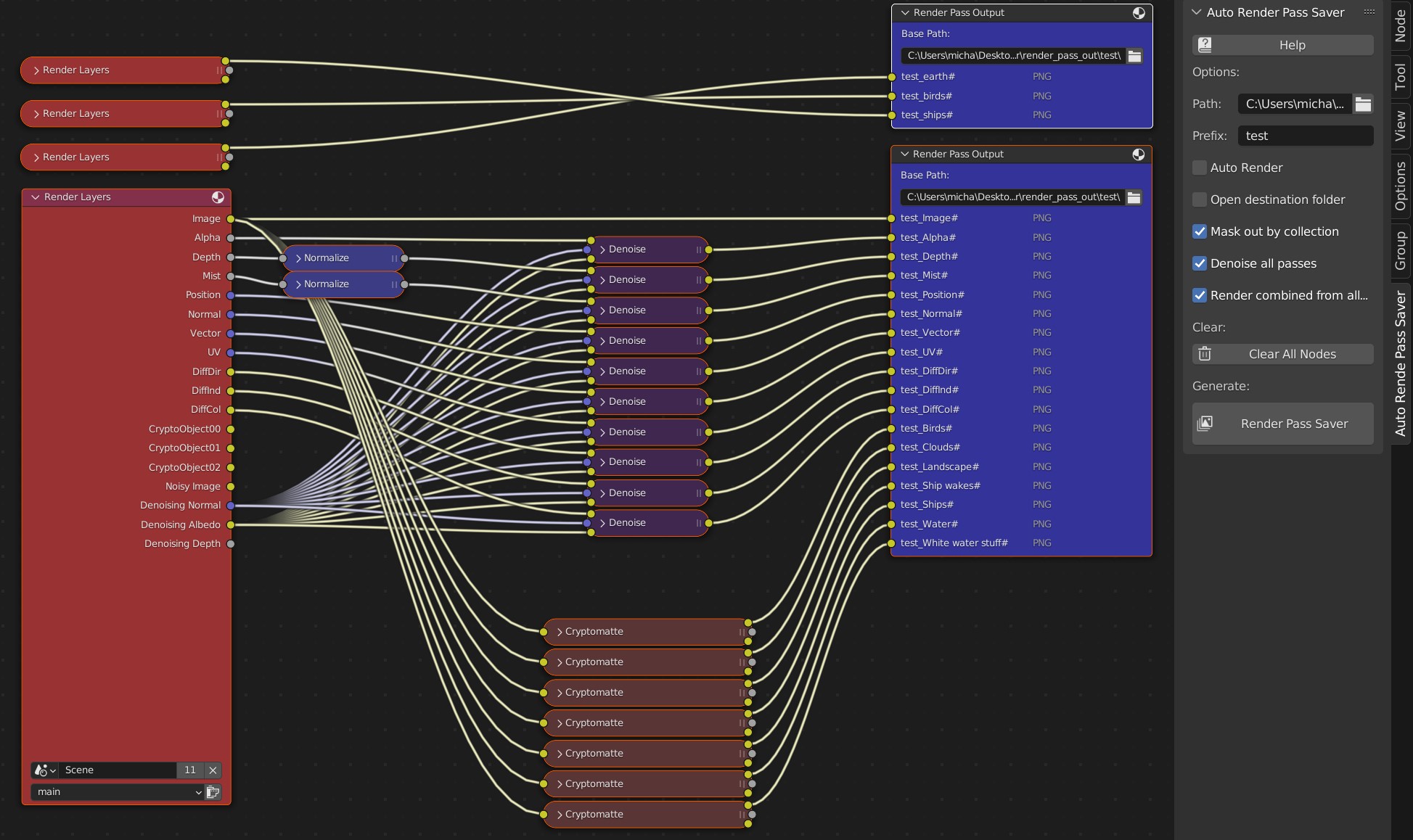
- Creates necessary composite nodes for exporting all render passes to given folder
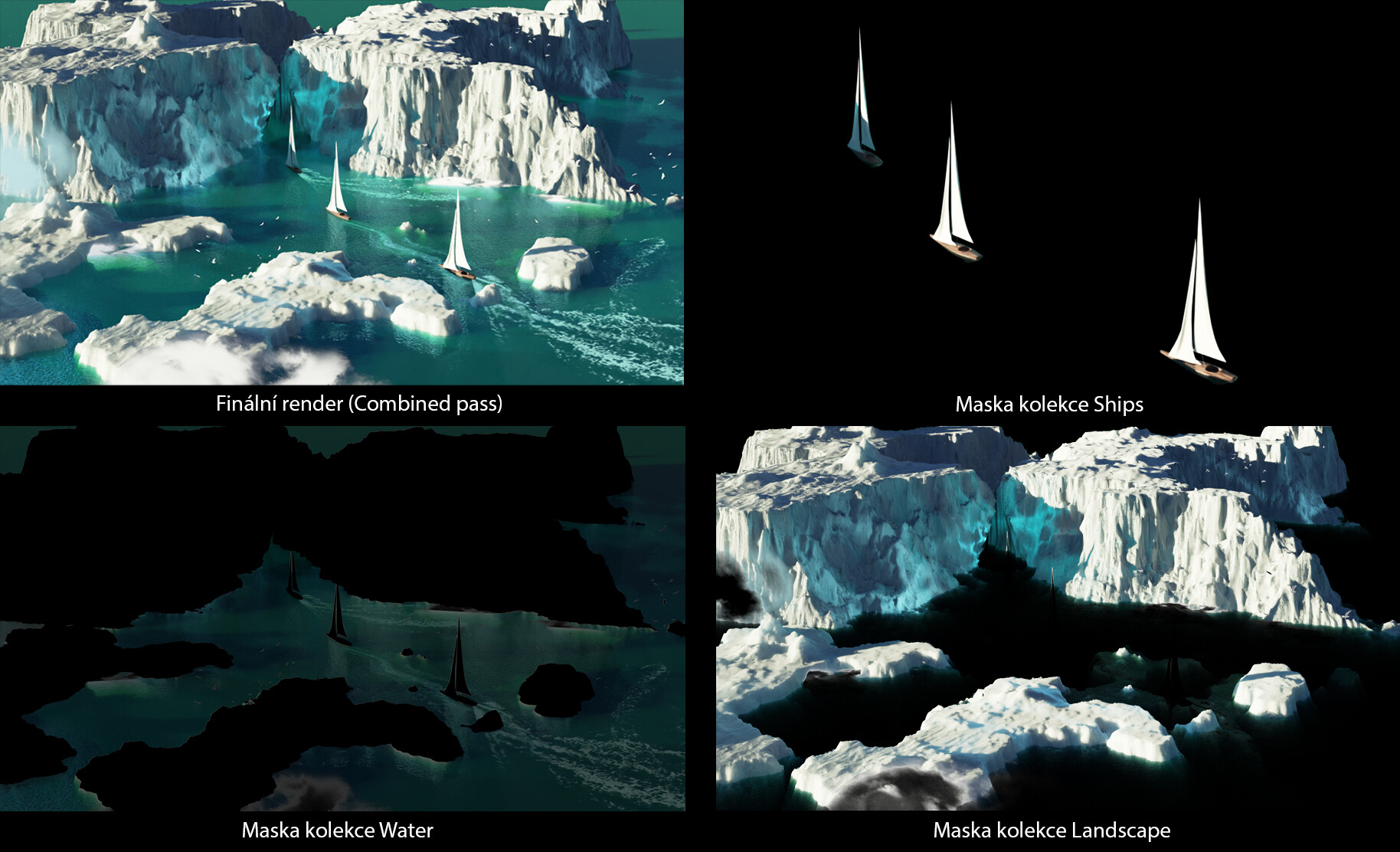
- Creates cryptomatte (object) masks by collection and applies them on separate output
- Denoise all render passes
- Renames exports intuitivly and lets you set common prefix
- Open export destination folder once rendering is done
- Renders combined from other enabled render layers (for object background rendering)
Photoshop script:
- Automatically imports all render passes from given folder as new layers
If you combine cryptomatte masking and rendering combined pass from other layers: mask out forground objects and on another layer hide them, you can then in Photoshop easily and non-destructively move forground objects around and have their background rendered.
Cryptomatte masked render passes can replace clown pass.
Limitations:
This add-on is designed for use with Cycles engine. Some features may not work properly with other render engines.
Denoise is designed for blender’s default denoiser (OpenImageDenoise - Albedo and Normal passes).
Add-on does not care about any user-places Compositor nodes.
All outputs are exported in PNG.
Outputs with the same prefix will be overwritten by new renders.