Hi
where did that go in 2.66? In 2.49 it was easy to find.
Thanks
Same as other operators in blender 2.6x, in the toolshelf (T) or F6
Thanks first T then F6 to set the limit. Not easier than in 2.49 though.
Thanks also Tiles, just found it.
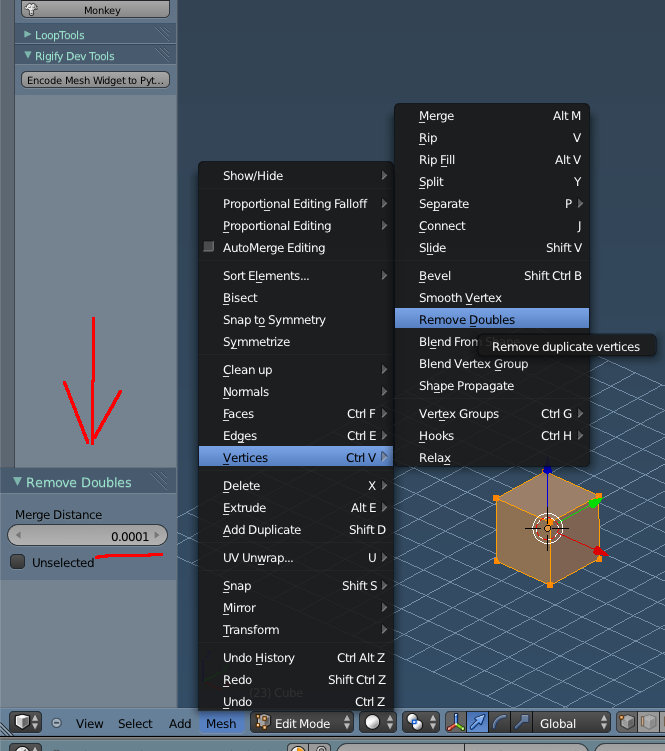
No, you can set it in the toolshelf as Richard said - in the mesh options panel,(in 2.69, you may have it closed by default) or in the options tab (2.69.10+) - before you use the tool and it will keep the setting. If you are using anything other than the default you will have to set and save it in your startup file.

Not the same as having it right under it I know. Now it’s a few lines away. If you want to, it would be very easy for you to edit the python and add it to the mesh tools panel right under the remove doubles command!