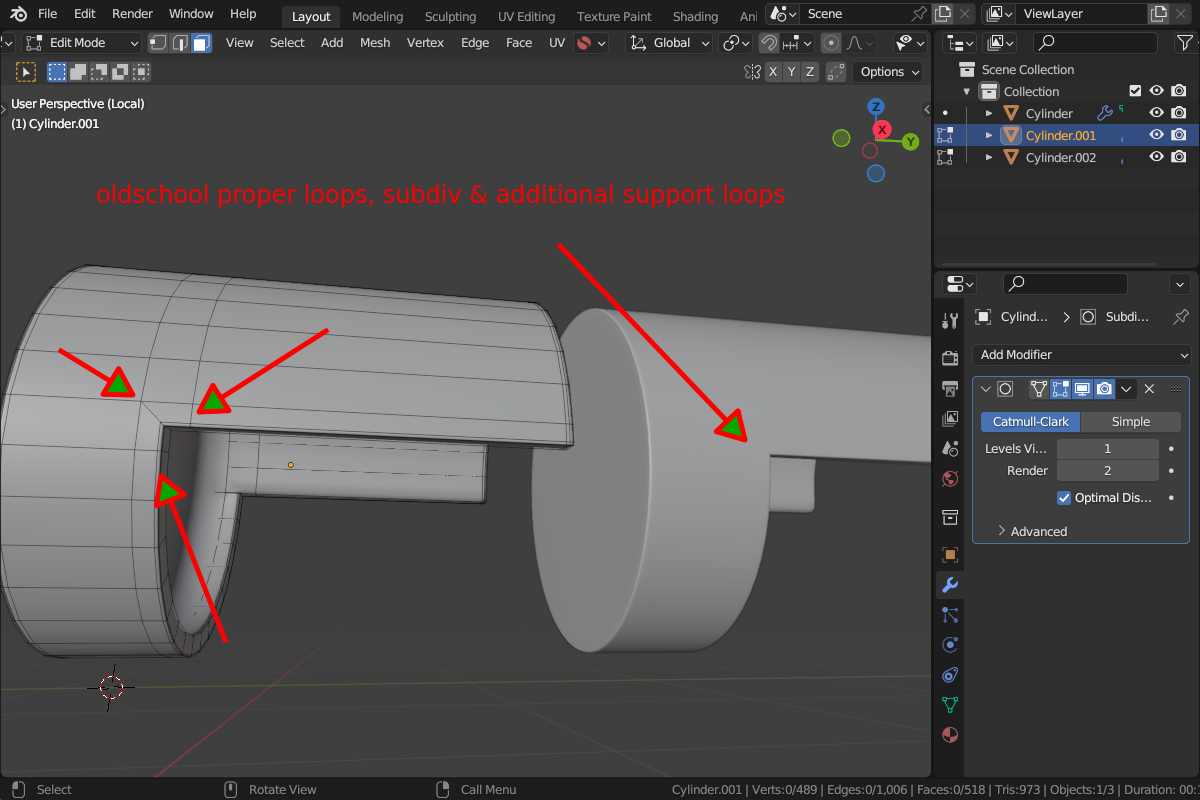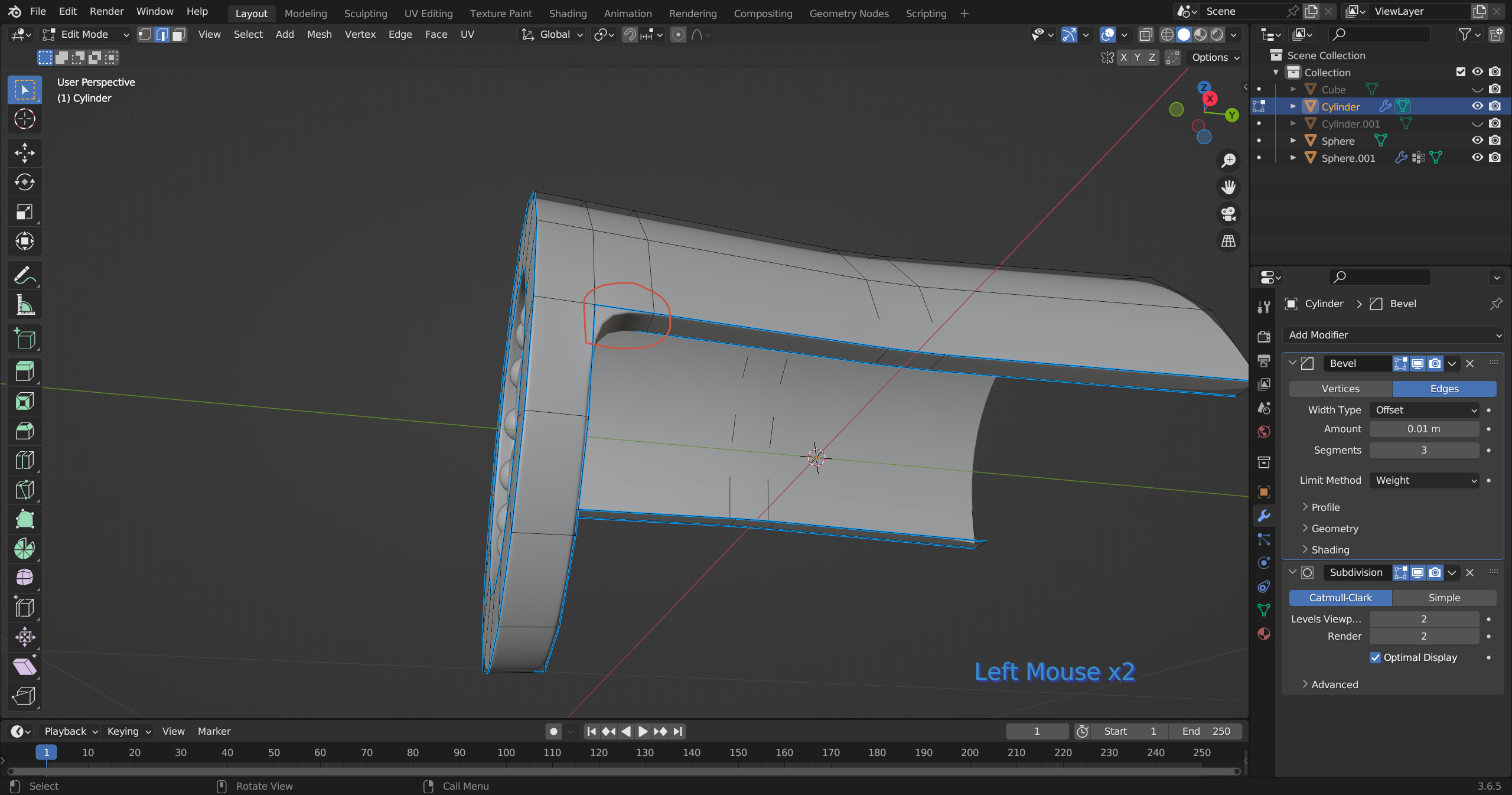
I want to remove this arch so that the edge is clean and sharp like the rest of the angles, but I keep ending up with ugly creases. Is there a proper way to remove it (if possible)?
You could try changing the Edge Crease value of those edges (subdiv docs).
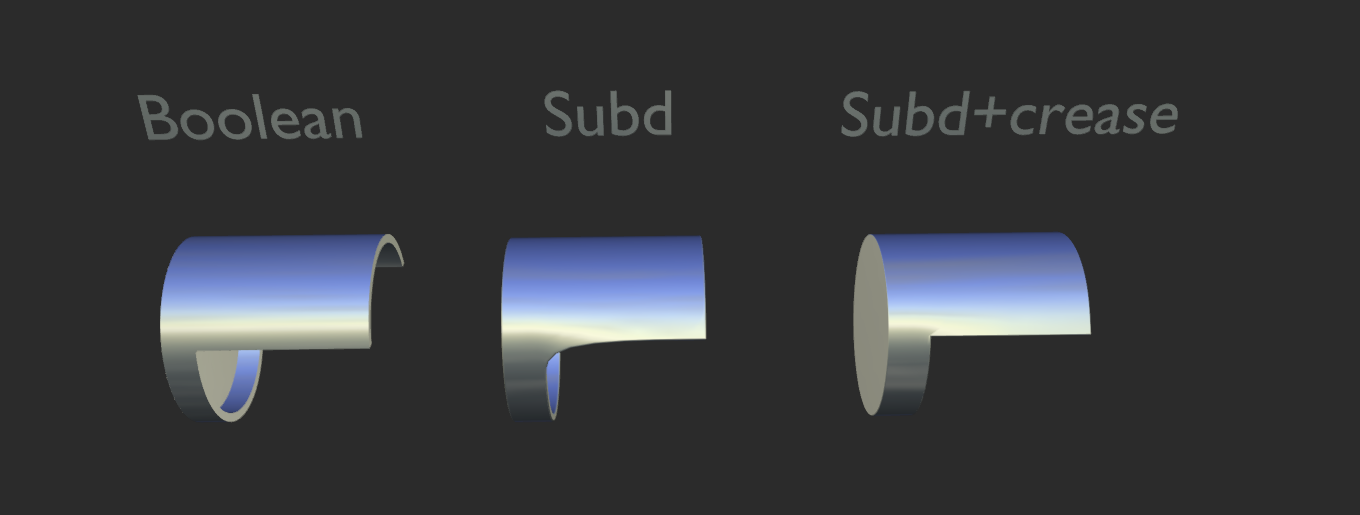
You’re running into a classic limitation of subdivision modeling. Adding a crease to this edge,whether non-destructively or by modifying the geometry directly will likely introduce shading artifacts.
I’d recommend using a Boolean for the primary shape. Once you’re satisfied with the result, apply the Boolean and refine the final topology manually to achieve cleaner shading and better control over the surface finish.
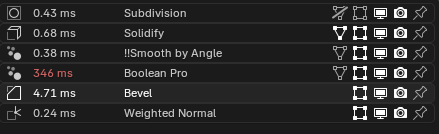
Edit: stack config FYI. Im using Boolean Pro (Normal Magic addon) but for such a simple case, you can probably stick to Blender’s built in boolean modifiers.