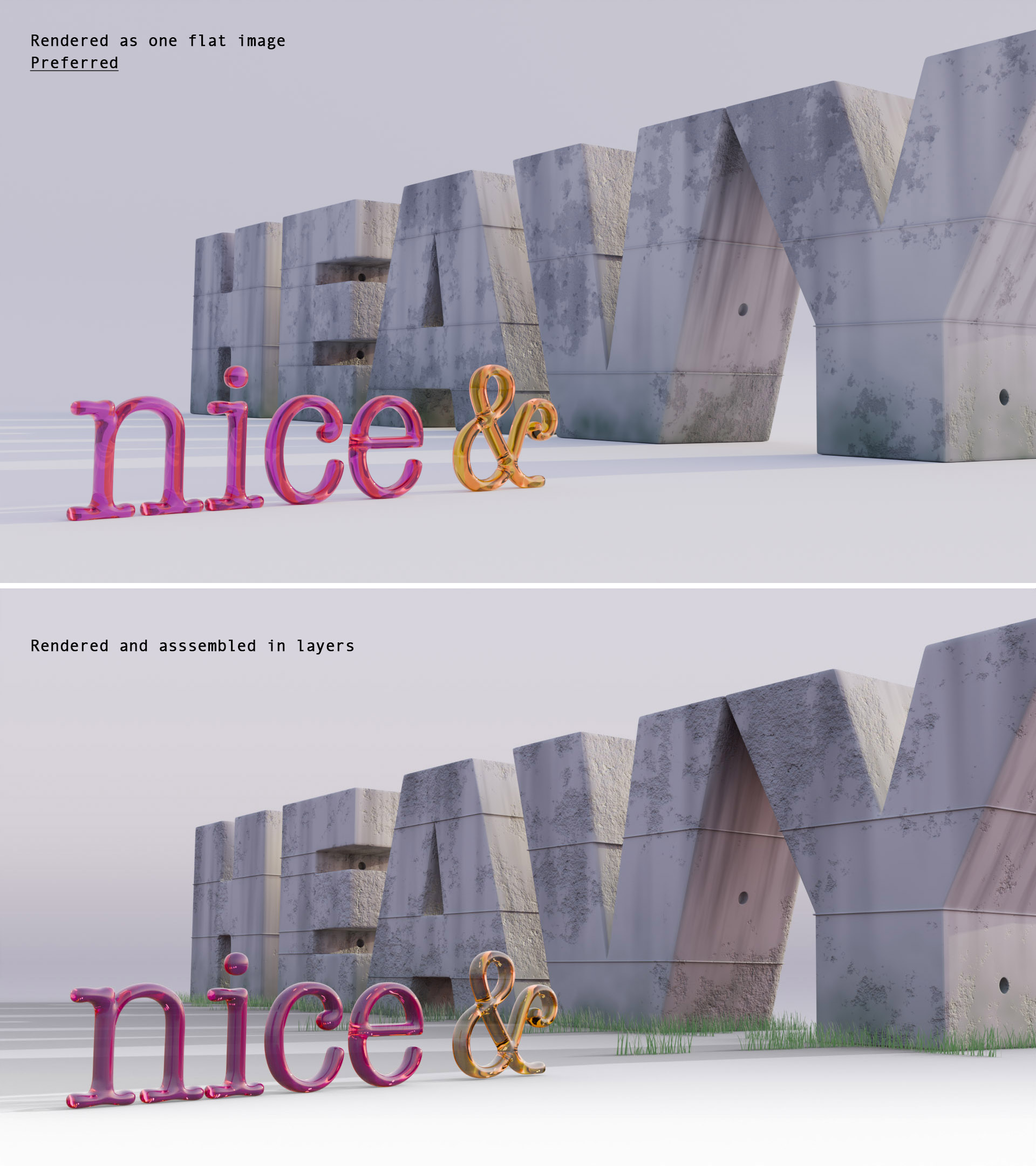
I have tried to render this image out in layers so that I can edit the elements and shadow individually but the rendered layers have a different overall colour and tone compared to the image that is rendered as one layer.
It looks like the individual layers are missing bits of bounced light from the things around them. Is that right? What is happening? What do I need to look at or do?
Each object is enabled or disabled in the render (via the icon in the Outliner) and is rendered with transparency. The shadow is a on a shadow catcher.
You may be missing bounced (indirect) light and shadow interactions between objects that originally influenced each other in the full scene. When you render objects separately in different view layers, Blender doesn’t calculate light bouncing from hidden objects - unless they’re still present in the scene and set to affect lighting.
I suggest keeping those objects in the scene, but making them invisible only to the camera, so they still contribute to indirect lighting. You can do this by:
Selecting the object, then go to Object Properties > Visibility
Uncheck “Camera” under Ray Visibility - this hides the object but keeps its light interaction
Or in View Layer Settings, enable “Indirect Only” if you just want the object to contribute indirect lighting without rendering directly
This should help you keep the correct lighting while still rendering elements separately.
Instead of ray visibility, I would use collections set to holdout, it’s actually designed for this purpose.
Unlike ray visibility, you can set the holdout per view layer. Also, it can make an object invisible, but have it still occlude things behind it, so you can make foreground elements invisible but still have the layers fit together perfectly.
Thanks @etn249. I’d like to have complete elements in each layer so I can move them around a bit if I need to. But I’ll look into this as I learn about rendering and outputs.