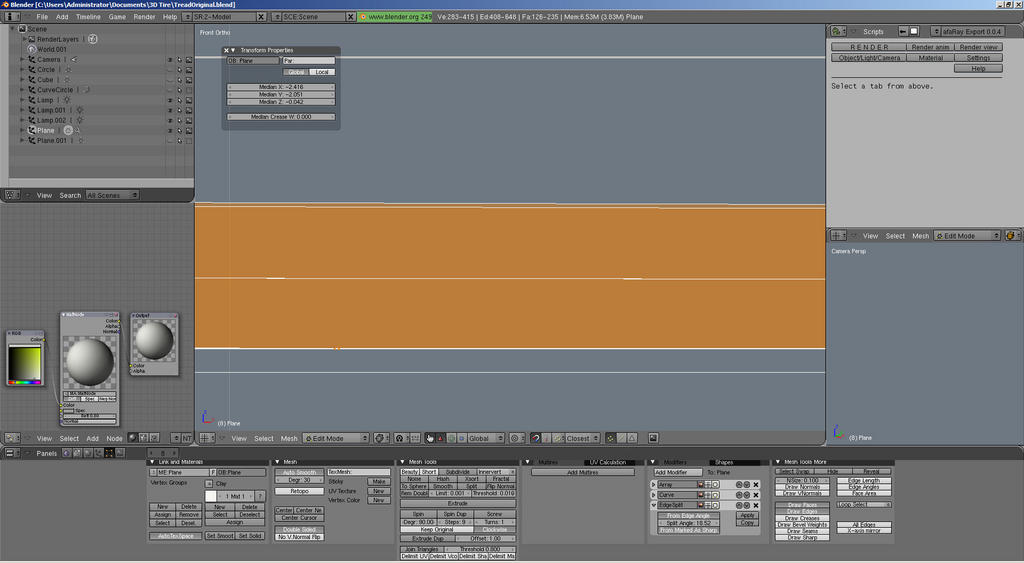
Somehow when I’m working in my views some of my vertices are being moved every so slightly on the Z-axis.
If you in the top view and moving vertices around what causes this?
How do I fix it? I was to reset the Z value of all my vertices to Zero. If I select them all and edit the z value in the transform windows it just moves them relative to each other. How to I reposition absolutely?
It’s not the program I’m sure, it something I’m doing somehow. I must be rotating the view ever so slightly or something. Here is a screenie zoomed all the way in. Any ideas on how to fix it, you can’t tell in the model but it bugs me.
Your the man, at first I didn’t think it worked but it did. I selected all the verts, SKEY, then 0 and they are fixed. Awesome. Thanks, would have never thought to “scale” them, doesn’t make sense but hey it worked.