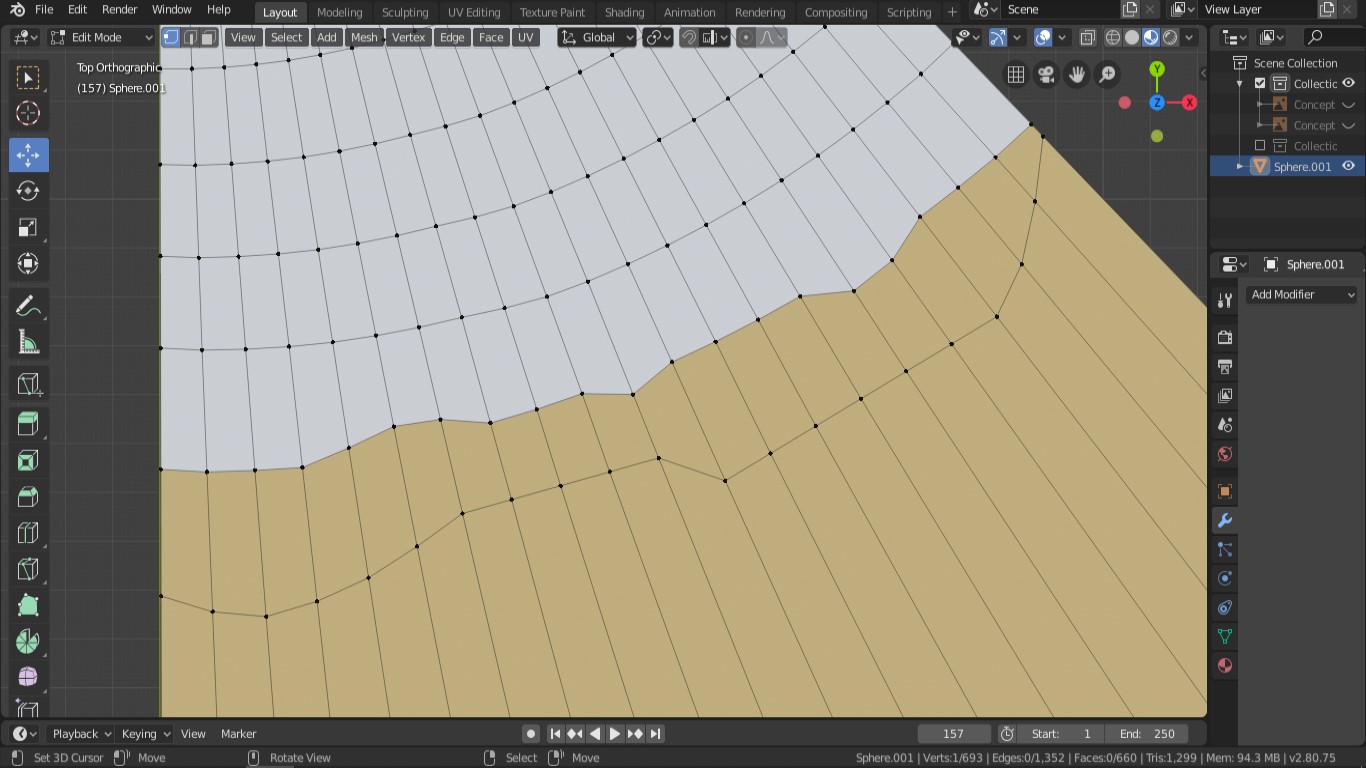
I wonder how I can make the edge between the white and the brown parts become rounded as the edges in the white? I made the below mock-up to help explain what I would like to learn. The edge on the brown part is made wonky and is suposed to stay that way.
Ctrl+R or Shift+V wont work. Of course I can adjust each vertices one by one in several diferent ways but I feel it sould be a way to reshape that edge, between the white and the brown parts, that is easier and more accurate than that.
As I mentioned, Ctrl+R do not work since that places the vertices at an equal distance from the edges on both sides of it. The edge on the brown is too wonky for the new Ctrl+R loop to become a nice rounded shape.