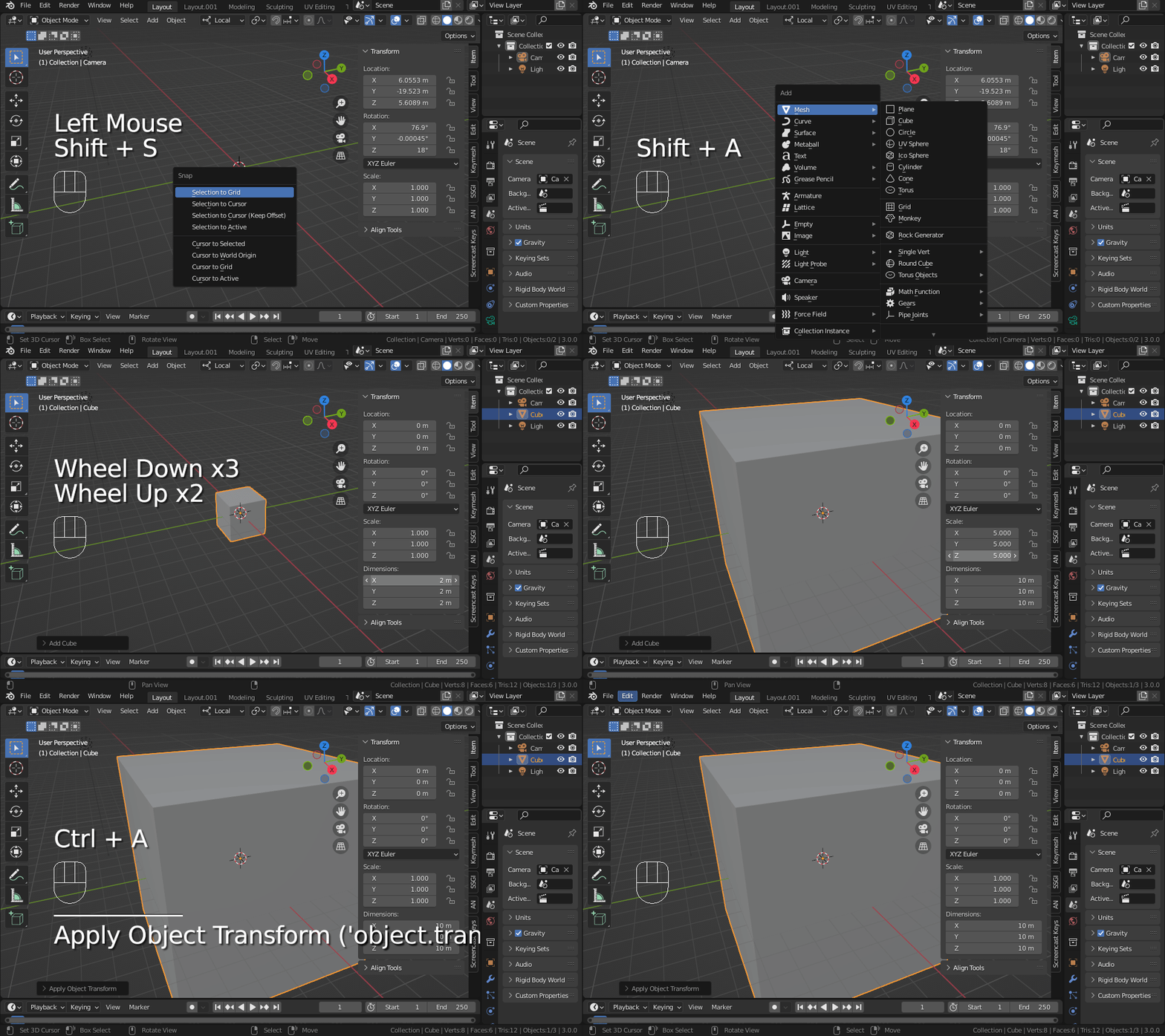
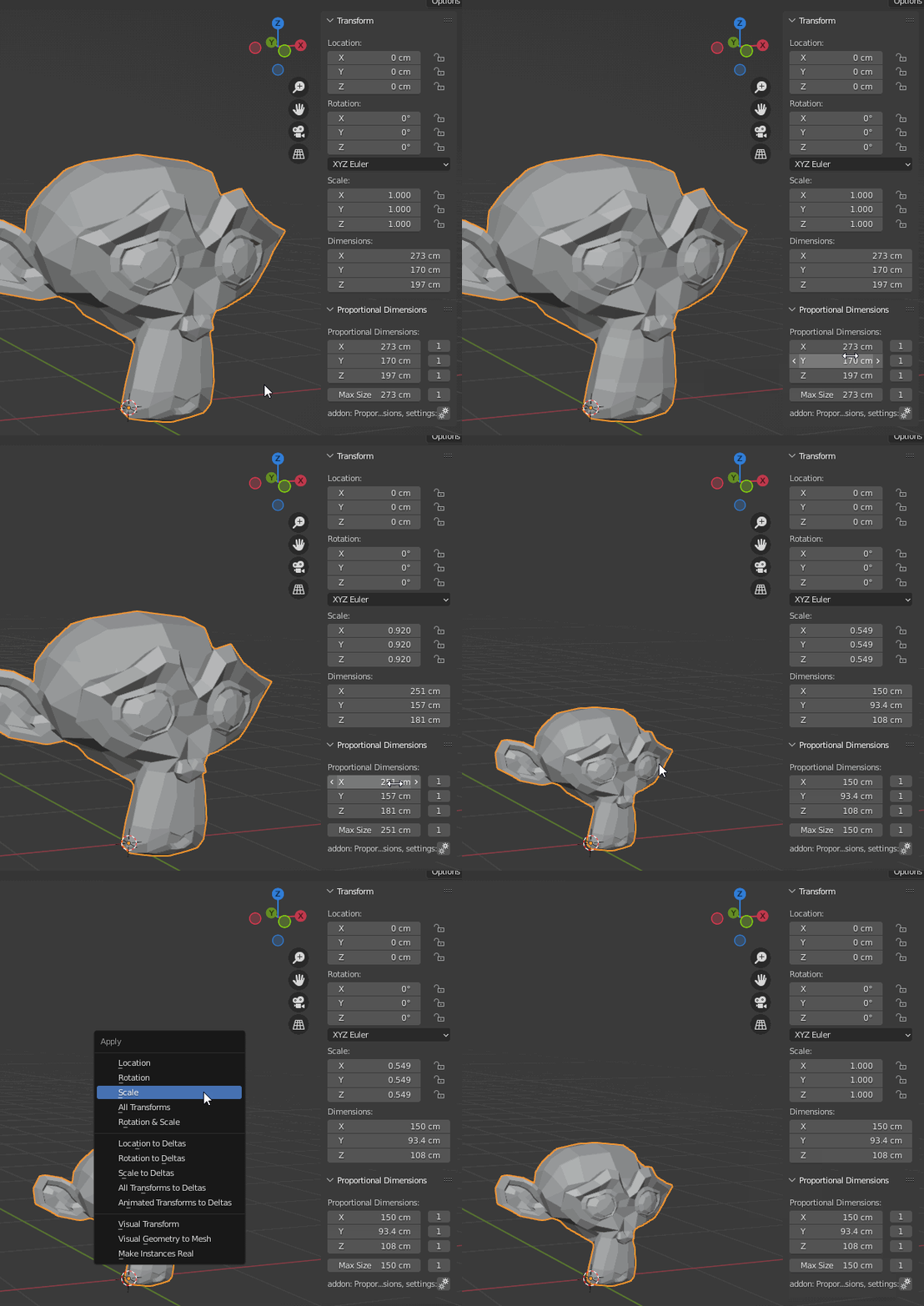
the Dimensions are only accessible in object mode and are “linked” with the scale.
ex: if you scale your 1m object by two. it ll be 2m large with a scale of two.
But, Really often, when you are modelling, the common use is to have a 1,1,1 scale. If not, it may occurs unwanted comportments with modifiers,materials, etc…
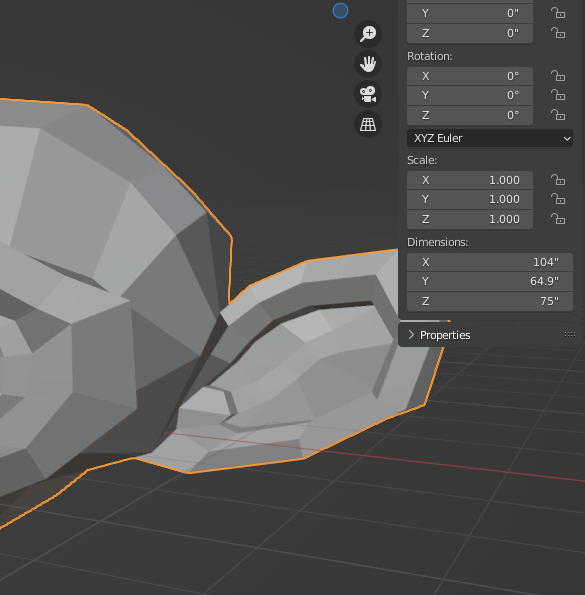
That’s why after the resize steps, i apply the scale with CTL A. To freeze this size “as this object was born like this”
If you know you want to double the size, you can press ‘S’ and then ‘2’
If your object has a dimension that is, say 5, and you want to scale it so that dimension ends up being 10, then you’ll have to do a bit of quick maths and divide 10 by 5 to get your scaling factor and again, press ‘S’ followed by that factor.
Not sure what you mean by ‘Freeze the size’, also it would help if you told us which part of the video you can’t follow, or how it’s not showing what you’re trying to achieve.
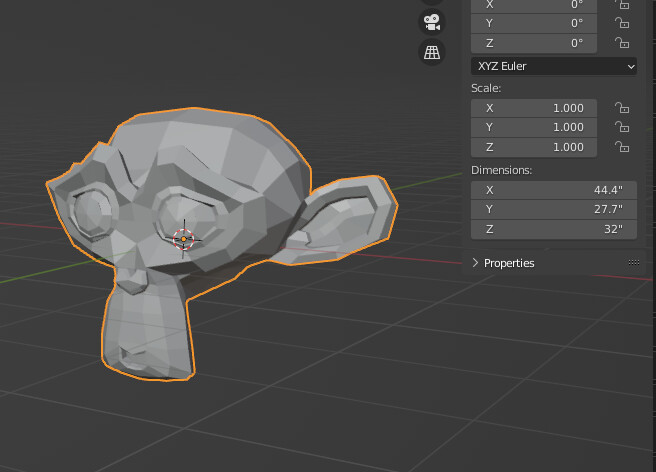
ok. lets say your create a monkey head at 5 feet tall. not want the monkey to be 6 feet 2 inches tall. how can type 74" in z and have it grow proportionaly ?
ok. lets say I create a monkey head at 5 feet tall. now i want the monkey to be 6 feet 2 inches tall. how can type 74" in z and have it grow proportionaly ?
Without any clues it’s very difficult to find how, for us.
Normally, when you try to apply scale, and it doesn’t work… there is a message displayed, saying why…
I guess, in an hypothetical manner that you 've got more than one object sharing the same mesh. Called instances and generated by duplicating objects with ALT D. But it’s an hypothesis, because i don’t have any info/picture/blend file, to investigate further more.
Ps: when you answer, better use the Reply button under the post where the person is writing, instead of the one by the end of the page. Without that, forum users ll not be notified about your message.
The best way I can think of getting around the metric conversion factors ( when you enter 6’2" it is converted internally into 1.8796 in metric) …and the fact that scaling is +z and -z due from the origin, so you need to scale by 1/2 to total…
so…
Open up your N-Panel to see the dimensions and scale…
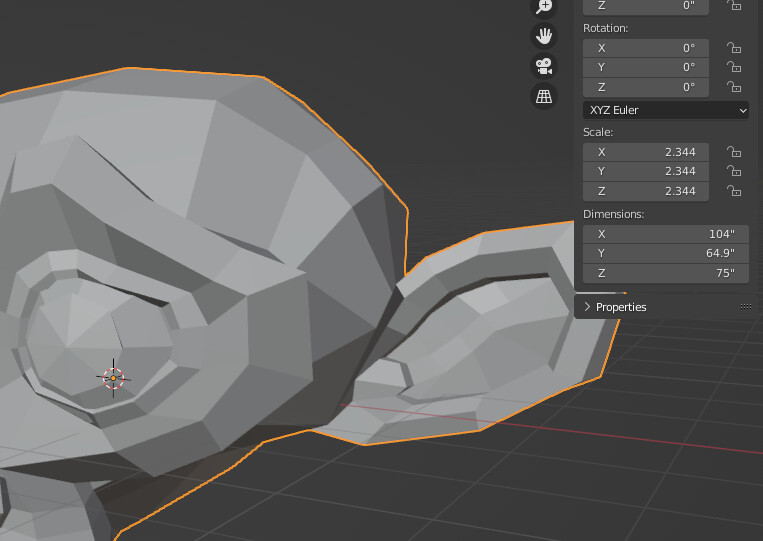
Use precision scaling ( hold down Shift ) and use the slider on the z-axis to change to 75"
or Better yet enter in the z-dimension 32in+43in and enter to get 75"…
Now look at your Scale ( scale is proportional by the way ) it will read ,
X=1, Y=1, Z=2.34
so left-click in the Z-axis and hold, then drag up through Y and X, changing Scale to 2.34 in each field…
your Dimensions will change to proportional scaling in relation to the Z-axis dimension of 75"
NOTE: If you use the Scale with the mouse by entering S+Z and pulling the scale-up while holding the Shift Key, then when it reads 75 in the Z-dimension, click the Scroll Button to set Proportional, then Left Click to confirm…
Proportional Dimensions To New Size is a great add-on, it does exactly what it claims to do… The problem is when we want to resize multiple selected objects to an exact dimension (mm, inch) without having to merge them.
So far I have found that with the help of “Proportional Dimensions To New Size” I can achieve that simple task with a lot of extra work…
For example, we have two objects that we want to enlarge proportionally by setting the desired height.
select the objects that we want to enlarge proportionally
OBJECT > SNAP > CURSOR TO SELECTED
OBJECT > SET ORIGIN > ORIGIN TO 3D CURSOR
OBJECT > DUPLICATE OBJECTS
move the duplicated objects aside
merge duplicated objects, OBJECT > JOIN
select the original objects and the duplicated object, for the active object mark the duplicated
in field Z at “Proportional Dimensions” panel type the desired height
We got our two objects proportionally enlarged to the desired height, now delete the duplicated.
I’m sorry that I’m only making this suggestion to you:
Sabatol, the creator of the addon, has been very active on Github lately. Try your luck and create an issue with the request to extend the code with this function. If you ask nicely and give a good example why this is needed, chances are he will do it.
Good luck
*edit I’m already rushed and have asked, let’s hope for the best